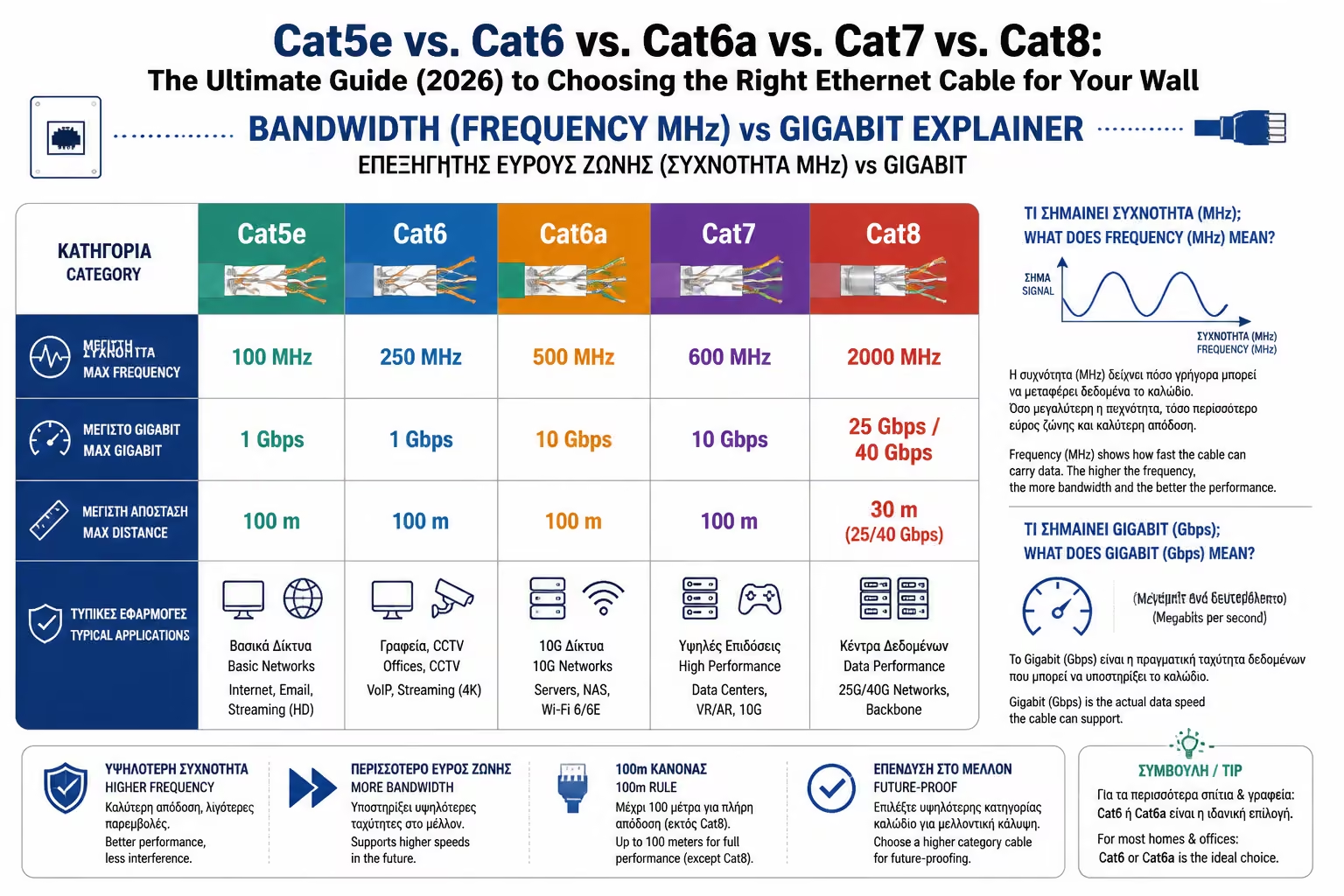
Data Speed (Gbps - Gigabits per second)
It is the amount of information that can travel. Think of it as the number of cars that can pass.
You have made the right decision to incorporate Structured Wiring into your renovation or new home. So you go to your electrician or electronics store and you are faced with a "coded" nightmare: Categories (Categories - Cat).
From the classic Cat5e to the "space" Cat8, prices vary dramatically and companies' marketing promises miracles. As engineers, it's our job to separate real physics from gimmicks.
The cable you bury in your wall today must withstand the technological demands of the next 20 years. Let's break down the categories, explain bandwidth, and see which cable is really worth your money in 2026.
Before choosing a cable, we need to understand two numbers written on its casing:
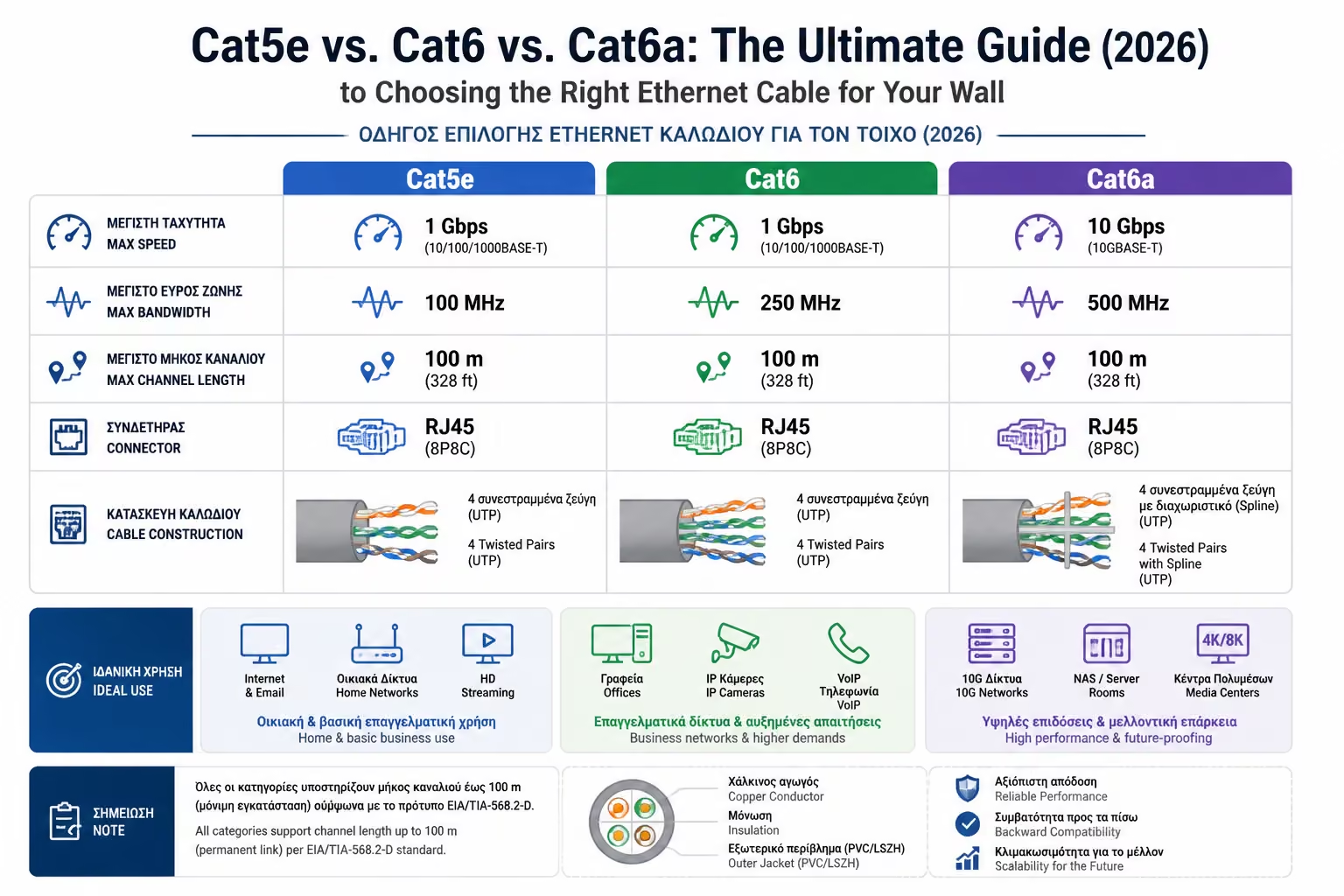
All Ethernet cables consist internally of 4 pairs of twisted copper cables (Twisted Pairs). As we go up in class, the tighter these pairs are twisted and the better their isolation, preventing "noise" (Crosstalk) between them.
It is the amount of information that can travel. Think of it as the number of cars that can pass.
It's the "highway". The more MHz a cable has, the more lanes the highway has. More lanes mean data travels more smoothly, with less "traffic" (interference), allowing for higher speeds.
1 Gbps (up to 100 meters).
100 MHz.
It was the absolute standard for 15 years. Today it is considered obsolete for new installations. If you already have it on your wall, don't peel it off, it will cover you for simple uses. But if you are dropping new cables, don't choose it. It is no longer sufficient for modern Access Points.
1 Gbps (up to 100 meters) / 10 Gbps (for distances up to 55 meters).
250 MHz.
It is the "golden ratio" of the economy. It has a plastic cruciform divider in the center that keeps the cables apart, reducing interference. For 90% of apartments, where the distance from the panel to the room rarely exceeds 30-40 meters, Cat6 will give you 10 Gbps. It is an excellent, VFM choice.
10 Gbps (guaranteed over the entire 100m distance).
500 MHz.
The letter "a" stands for Augmented. It is thicker and more rigid than Cat6, requiring more spacious conduits in the wall. It is the absolute and safest choice for any modern renovation. It will comfortably handle the new Wi-Fi 7 standards and ultra-high-resolution cameras, while supplying them with plenty of current (PoE++).
10 Gbps (up to 100 meters) / 40 Gbps (at very close distances).
600 MHz.
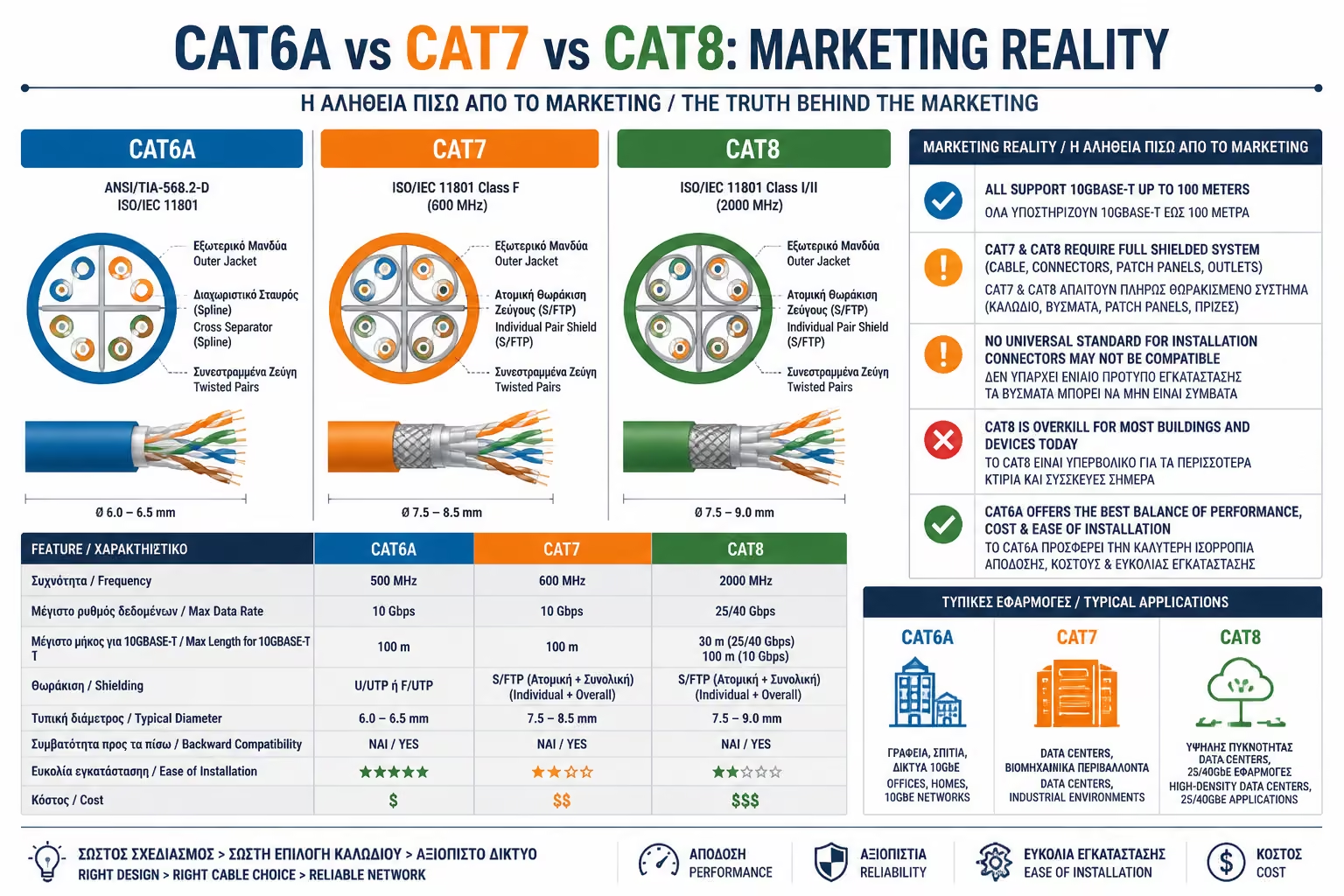
Cat7 is a... "rogue" cable. It was never recognized by the official telecommunications bodies (TIA/EIA) for domestic use with the classic plugs (RJ45). Designed to work with special, industrial plugs (GG45 or TERA). Many companies sell "Cat7" on the internet with simple RJ45 plugs to justify higher prices, but in practice, it performs just like a Cat6a. Avoid it.
25 Gbps or 40 Gbps (strictly up to 30 meters).
2000 MHz (2 GHz).
It is the absolute limit of copper. It is incredibly thick, heavy, stiff and expensive. It is made exclusively for Data Centers, to connect servers located in adjacent cabinets (Rack-to-Rack). If you put it in your house, you are throwing away your money, because the active equipment (the switches) that support 40 Gbps cost thousands of euros and make airplane noise.
A network is only as fast as its weakest link.
If you buy the more expensive Cat6a cable, but the wall sockets (Keystones) your electrician buys are Cat5e spec, your network is instantly "downgraded" to Cat5e. All materials (Cable, Wall Sockets, Patch Panel in Rack, Plugs) must belong to the exact same Category.
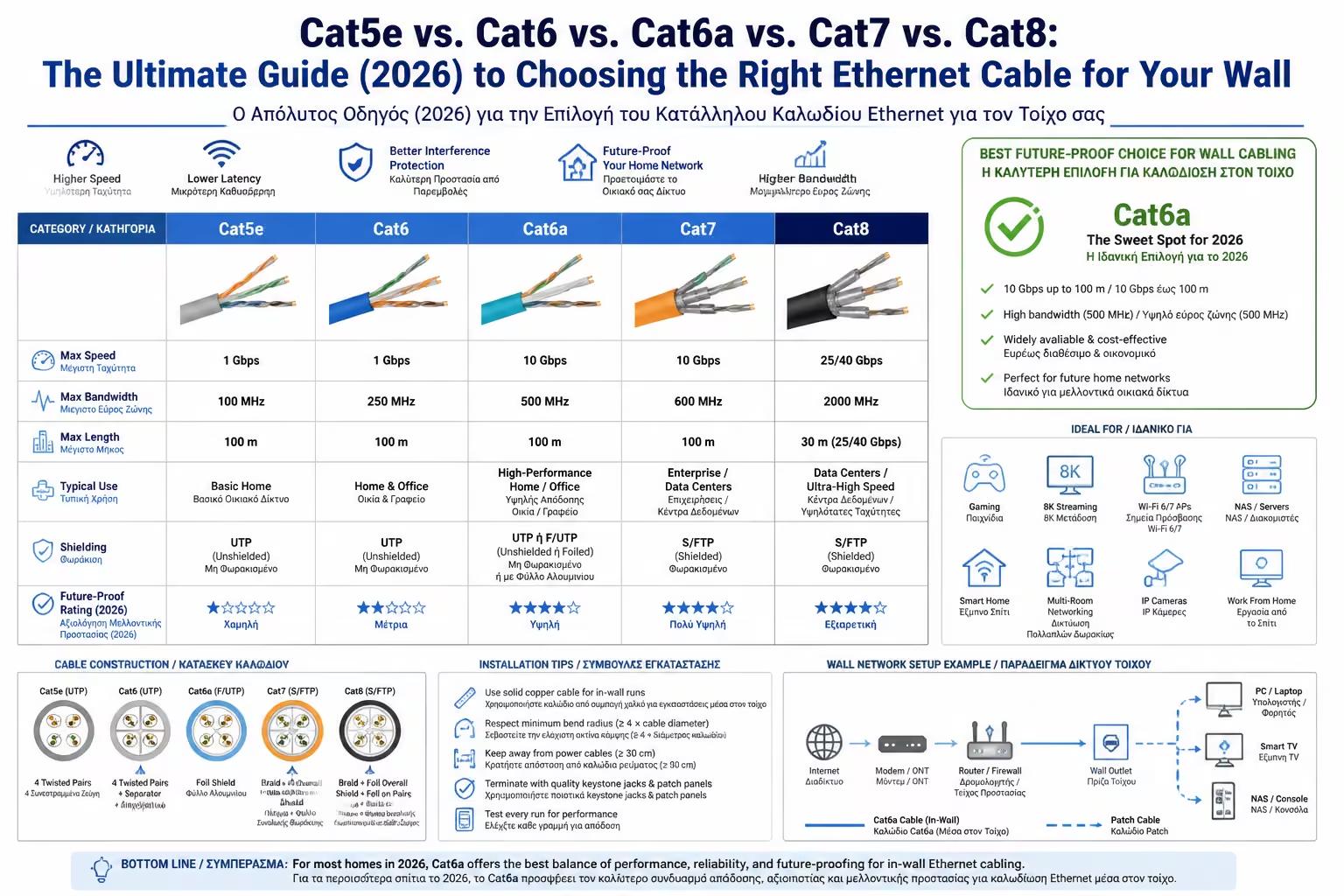
The answer, in 2026, is clear:
Next Step: We solved the category and speed issue. But next to the "Cat6a" you will see in the store, there will be some strange letters: UTP, FTP, S/FTP. What are they and why the wrong choice can ruin your speed?
Moving on to the ultimate shielding guide: UTP, FTP, STP, S/FTP: What the initials mean, what the shielding types are, and when you really need shielded cable.
Return to category.
Go to categoryReturn to the central guide.
Go to guide