How they work
You buy a "pack" of 2 or 3 identical nodes (Nodes). You connect one with a cable to your Router (it becomes the Master node). The other two you just plug into power outlets in other rooms.
Welcome to Class C, the world of wireless networks. We have built a perfect wired backbone with copper and fiber optics. But let's be honest: 90% of the devices we use every day (mobile phones, tablets, smartwatches, robotic vacuum cleaners) connect to the internet over the air (Wi-Fi).
We all know the frustration of having a speed of 1 Gbps in the living room next to the router of the provider, but in the bedroom the video "hangs" or on the balcony the signal is completely lost. Walls, concrete and furniture "kill" Wi-Fi.
To solve the problem of "dead zones" (Dead Zones) in a large space, the market gives us two options: The widely advertised Mesh Networks and the professional Ceiling Access Points (APs). Let's take a look at how each one works, what the biggest lie of wireless networks is, and what engineers install on serious projects.
Mesh systems (such as Eero, TP-Link Deco, Google Nest) revolutionized the home market because they replaced the old, unreliable Wi-Fi Extenders.
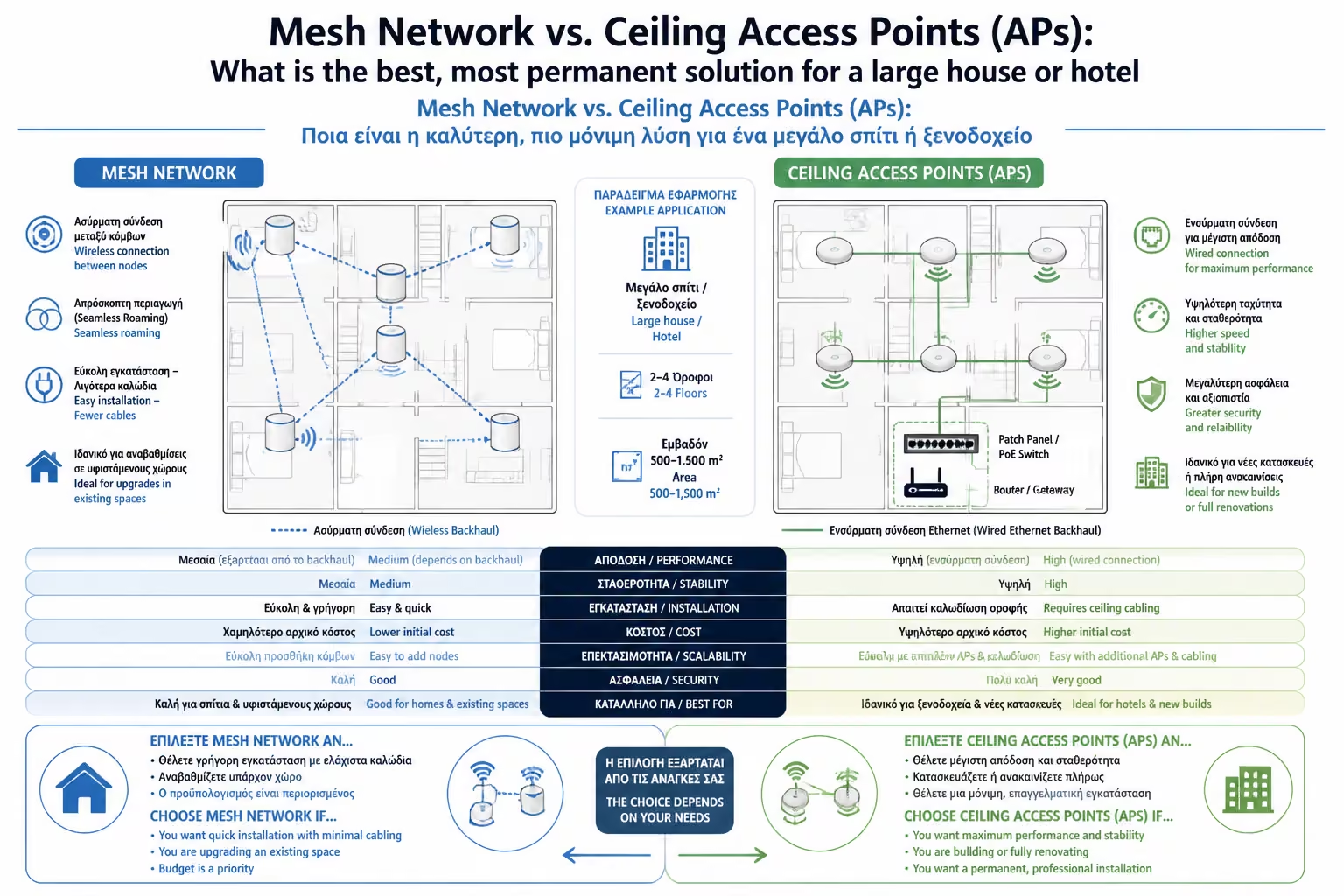
You buy a "pack" of 2 or 3 identical nodes (Nodes). You connect one with a cable to your Router (it becomes the Master node). The other two you just plug into power outlets in other rooms.
These nodes communicate wirelessly with each other, creating a web (Mesh). You only see one network name (SSID) on your mobile, and the system automatically decides which node to connect you to as you walk around the house.
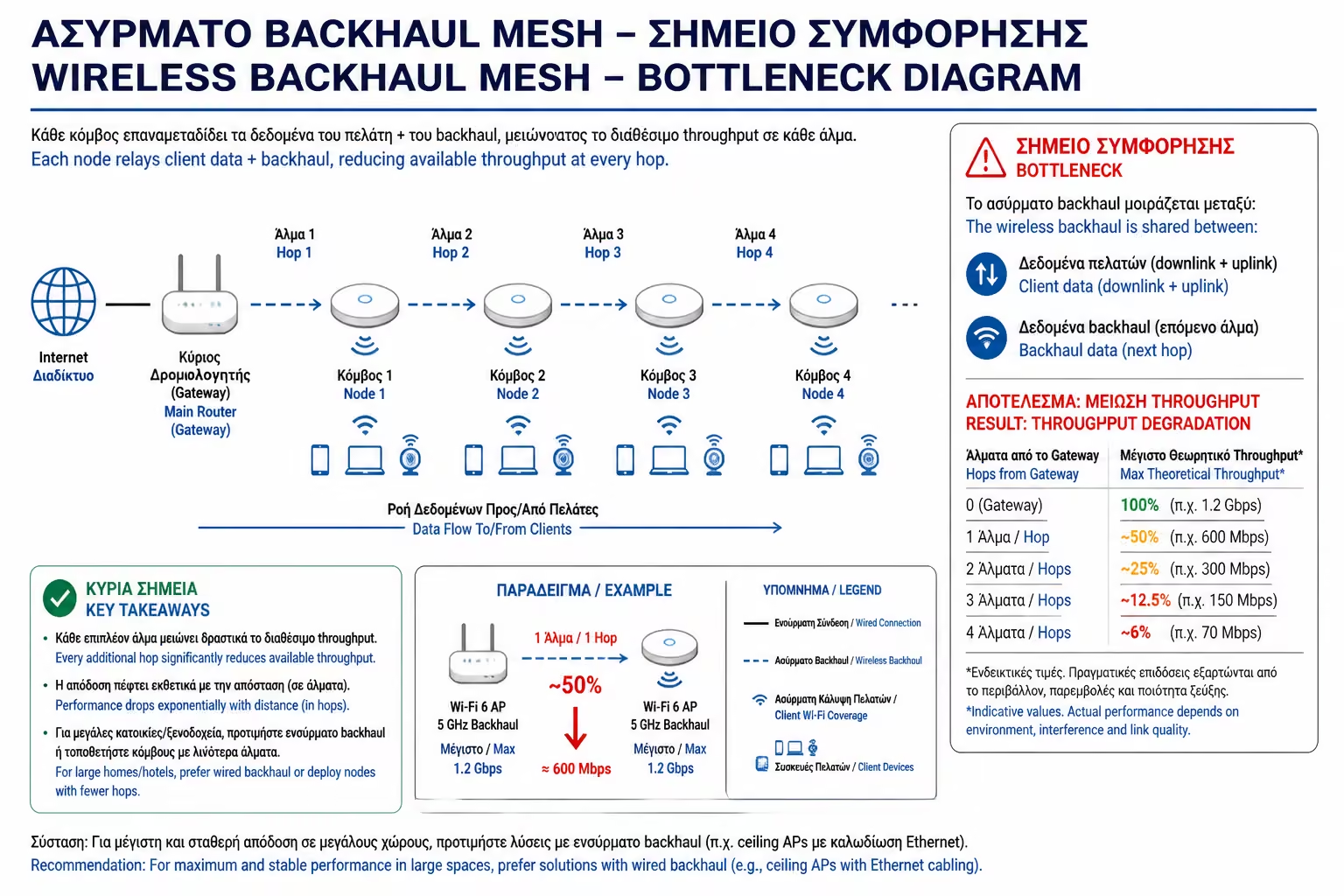
Herein lies the technical pitfall. Mesh nodes need to talk to each other to send your data back to the central Router. This communication is called Backhaul. If this communication is done wirelessly (that is, one node "listens" to the other's Wi-Fi and relays it), massive traffic congestion is created. Cheap Mesh nodes have a single antenna (Dual-band). This means they spend half their time talking to your mobile and the other half sending the data back to the base, effectively cutting your speed in half (or worse at each hop). (Note: Expensive Tri-band Meshes have a separate, dedicated antenna for Backhaul, partially solving this problem, but the signal is still blocked by walls).
When you walk into a luxury hotel, an airport or a state-of-the-art company, you don't see plastic Mesh "towers" on the desks. You see white discs (like smoke detectors) bolted to the ceilings. These are Access Points (APs).
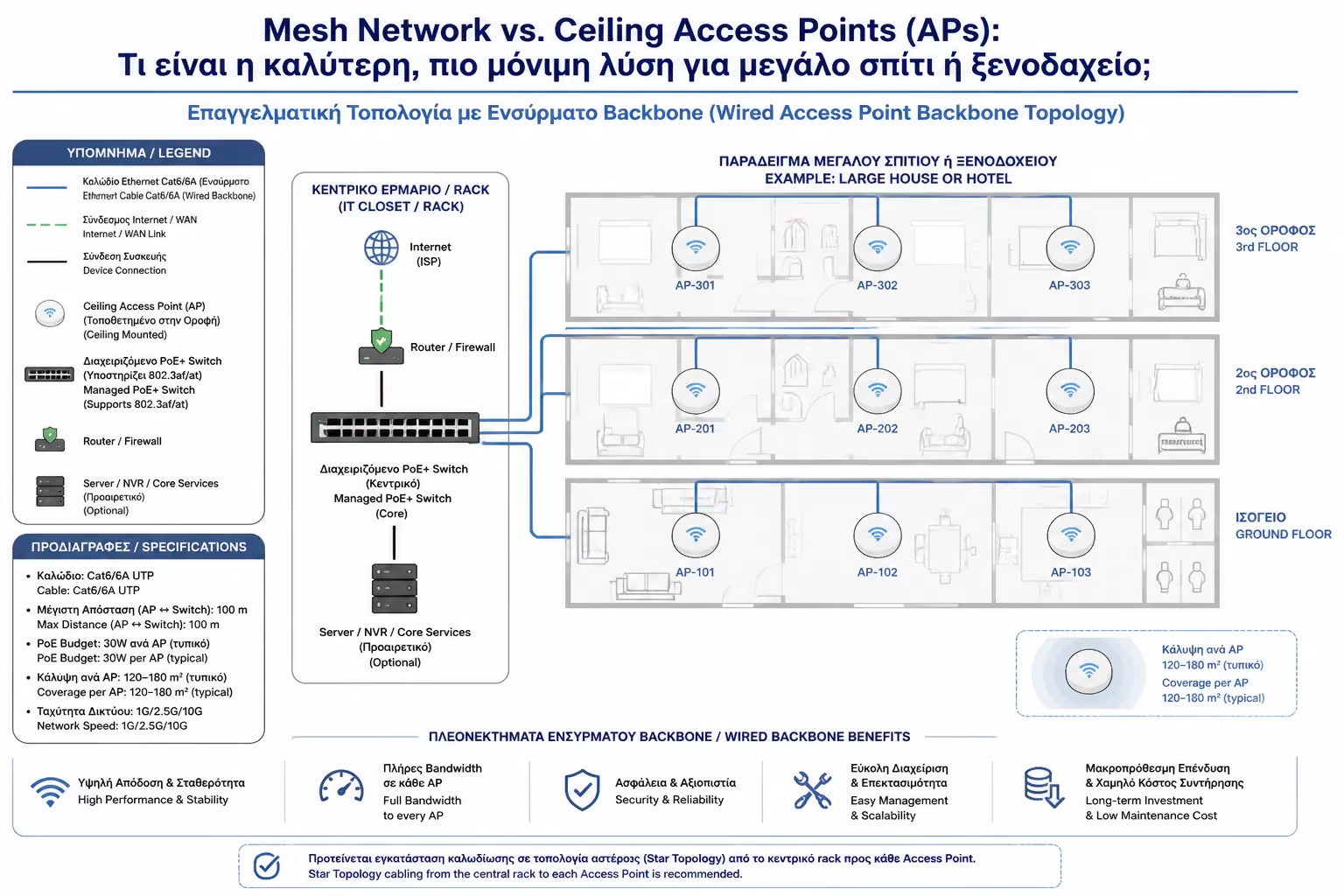
Each Access Point is a powerful antenna. But instead of talking to each other wirelessly, EACH Access Point connects directly with an Ethernet cable (Cat6a) back to the central Switch/Router.
Because the data is transferred back to the base through the copper, 100% of the wireless antenna's power is dedicated exclusively to your devices. There is no speed drop, no matter how many APs you put in. It is the only solution that can support 50 or 100 users at the same time in the same space without "crashing" the network.
Beyond the cables, there is also the factor of the physics of the space (RF Design):
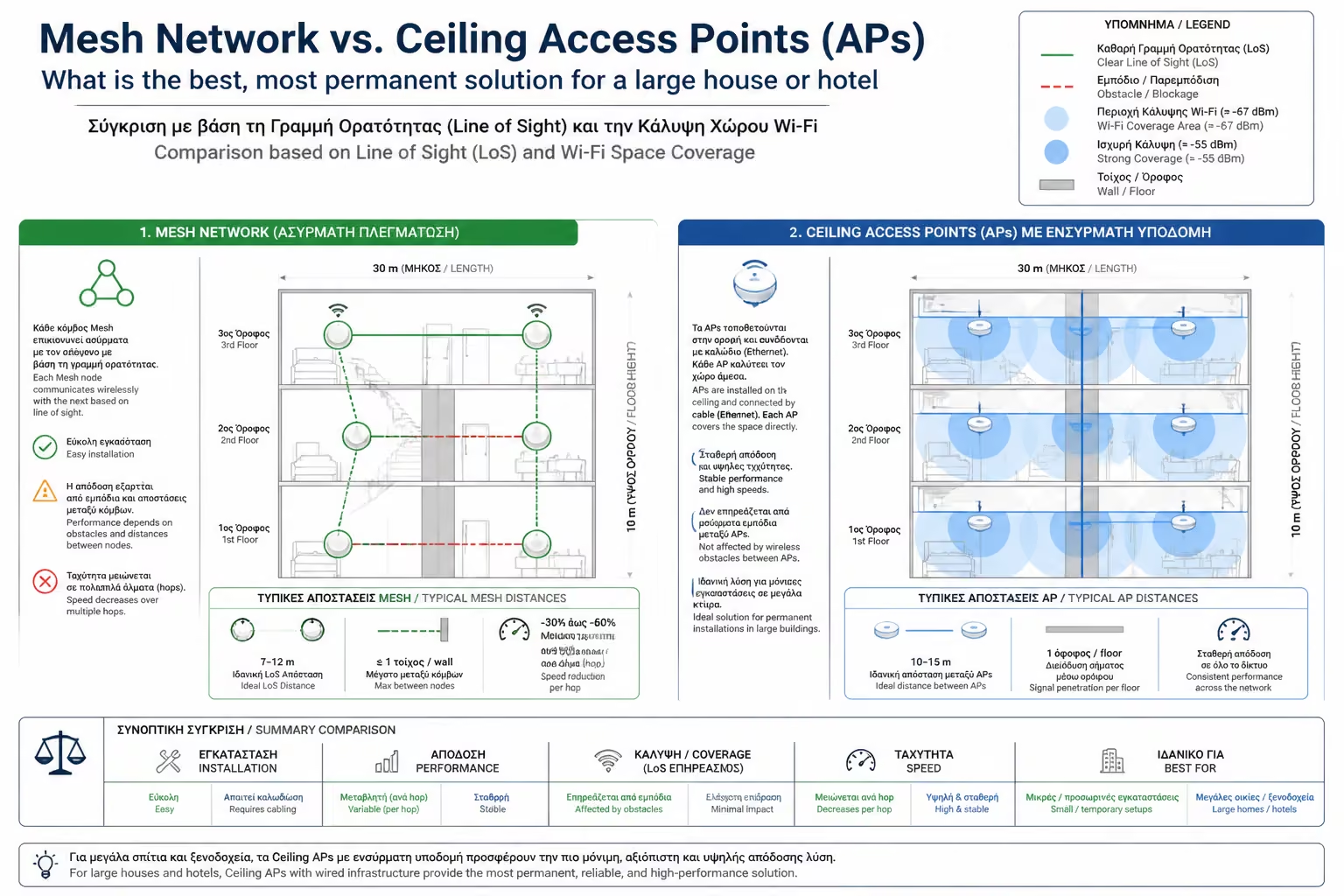
Mesh Nodes are usually decorative. You put them on sideboards, behind TVs, next to sofas. This means their signal has to pass through human bodies (which are 60% water and absorb Wi-Fi) and furniture before reaching your mobile.
They are screwed strictly in the center of the ceiling. From up there, they have absolute line of sight with the entire room. No furniture blocks them. Their coverage is like an umbrella that spreads evenly downwards.
The answer depends entirely on the condition of your building:
Choose Mesh System (Wireless) IF:
Choose Ceiling Access Points (Wired) IF:
Wireless Mesh Network is the "pain reliever". It quickly solves the pain of dead zones in infrastructure-less homes, but forces you to compromise on overall speed. Professional Ceiling Access Points are the "cure". They are a permanent, building infrastructure that guarantees that you will always have the same, absolute speed of your provider in every square meter of your building, without interruptions.
Next Step: If you chose Access Points on the ceiling, a practical problem arises: How will you power the antenna high on the ceiling, since there is no power outlet up there?
We continue with one of the most important technologies of networks: PoE (Power over Ethernet): What it is and how to power Wi-Fi antennas and cameras through the network cable (without a power outlet).
Return to category.
Go to categoryReturn to the central guide.
Go to guide