Red / Orange (The "Hot" Zone)
Indicates an extremely strong signal (eg -30 to -50 dBm). You are very close to the antenna, speeds are at maximum.
So far, we've discussed the physics of radio waves, signal-blocking materials, and antenna placement rules. If we are talking about a typical 80 square meter apartment, you may be able to rely on experience and the "rule of thumb" (eg one Access Point in the center of the living room and one in the corridor of the bedrooms).
But what happens when you have to network a three-story villa, a 50-room hotel or a huge workplace (Open Space Office)? There, guessing where to put the antennas is not just amateurish, but mathematically certain to lead to costly mistakes. Either you will buy too many Access Points (wasting money), or you will leave half the rooms without internet.
To avoid these "surprises", network engineers use Predictive Design through Heatmaps. Let's see how software science turns invisible air into a clear, colorful image.
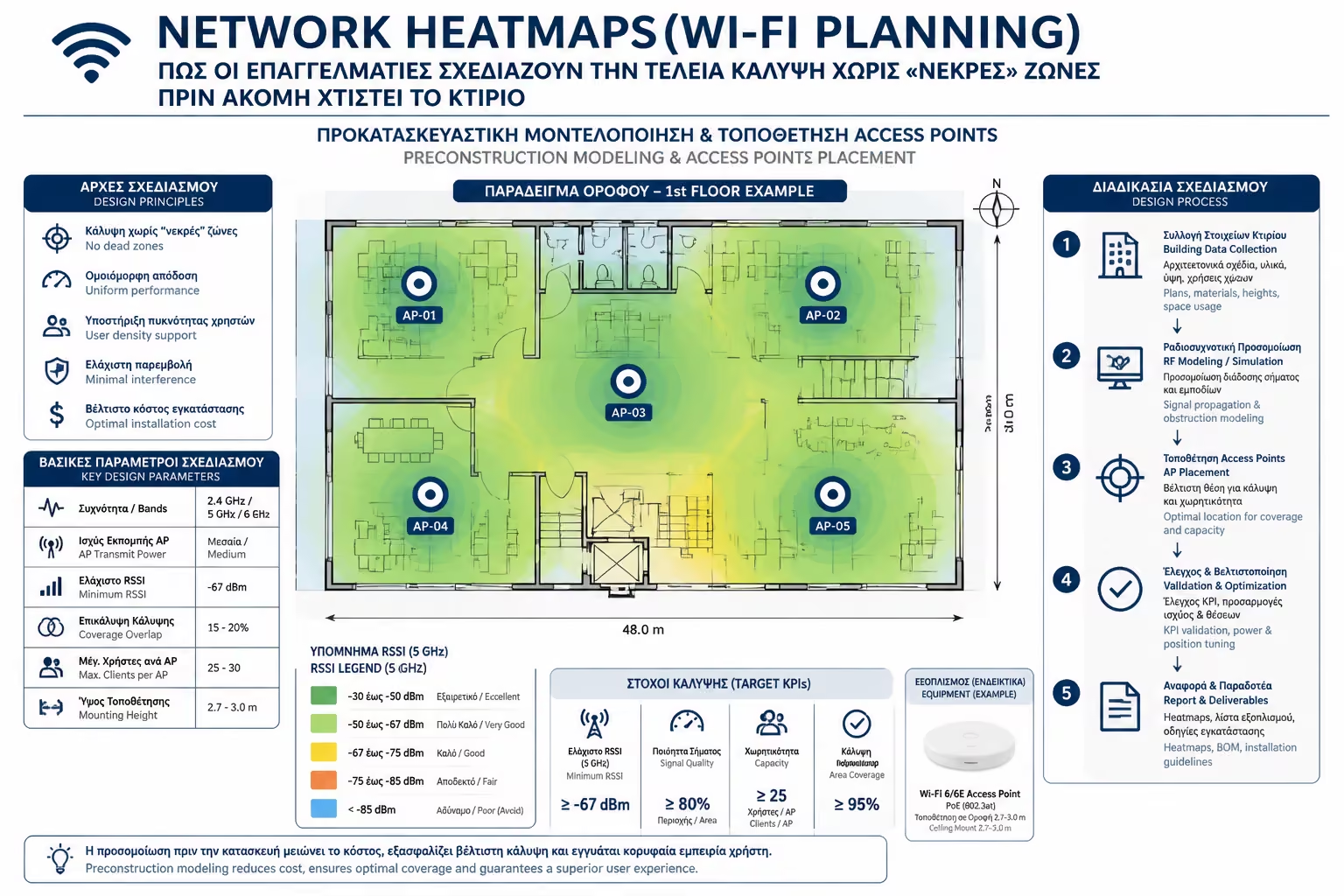
The Heatmap is a visual representation of wireless signal strength on top of your building's floor plan. It uses a color scale, similar to what you see in weather reports for temperatures.
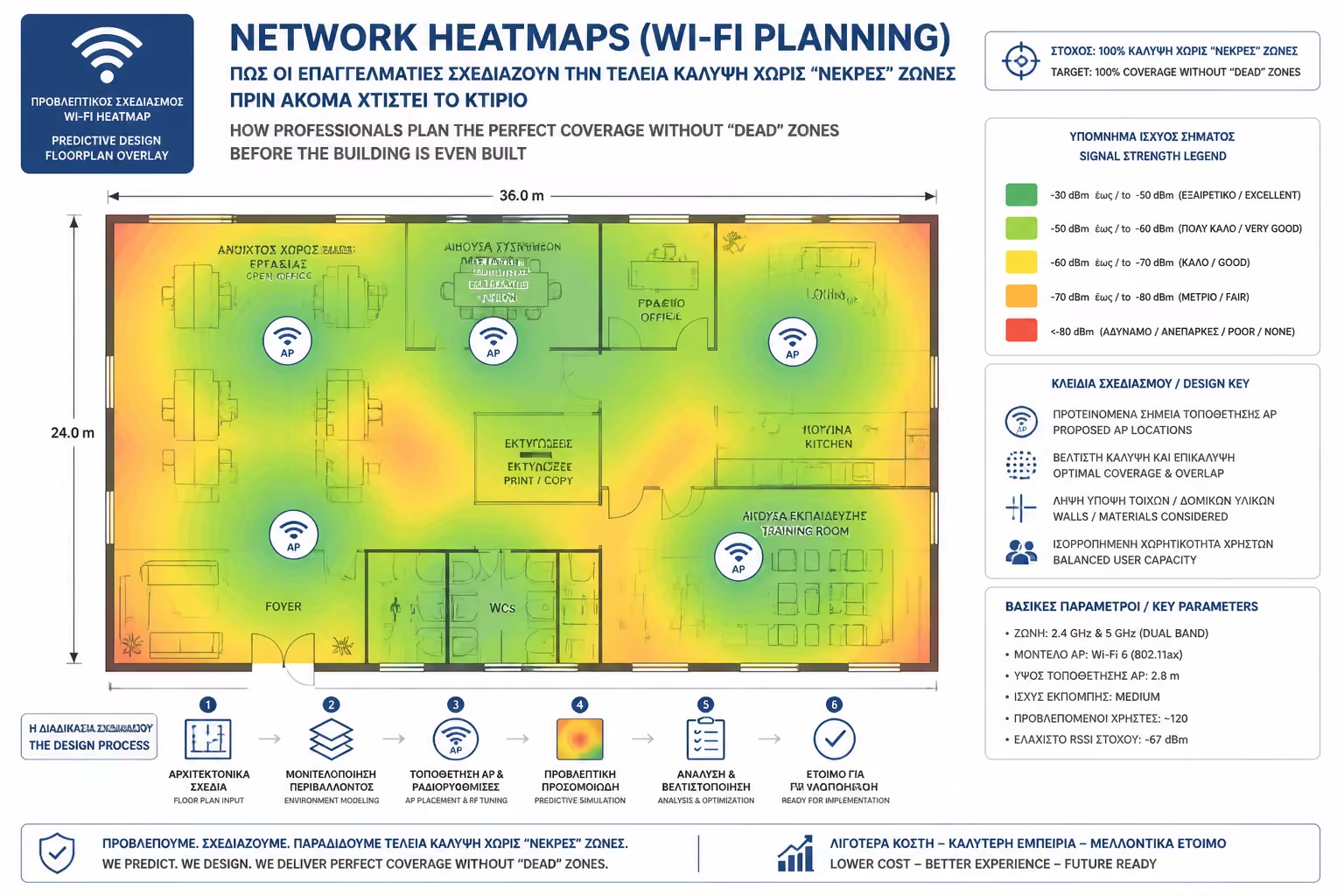
Indicates an extremely strong signal (eg -30 to -50 dBm). You are very close to the antenna, speeds are at maximum.
Good, reliable signal. Sufficient for 90% of daily tasks.
Limit sign. Internet is slow, video may stutter.
The signal is non-existent. Your device is being disconnected.
The real magic happens in the architectural study stage (in the "beta"), when the electrician is trying to figure out exactly where to leave the conduits (pipes) for the UTP cables in the ceilings. The process is done with specialized, expensive software (such as Ekahau or free manufacturer tools such as UniFi Design Center).
The 3 Step Process:
The engineer virtually moves the antennas with the mouse until the whole building turns "green". Once he finds the perfect spots, he gives the plan to the electrician to run the wires.
Heatmap creation is not just "pretty painting". Prevents catastrophic problems that are not easily fixed after:
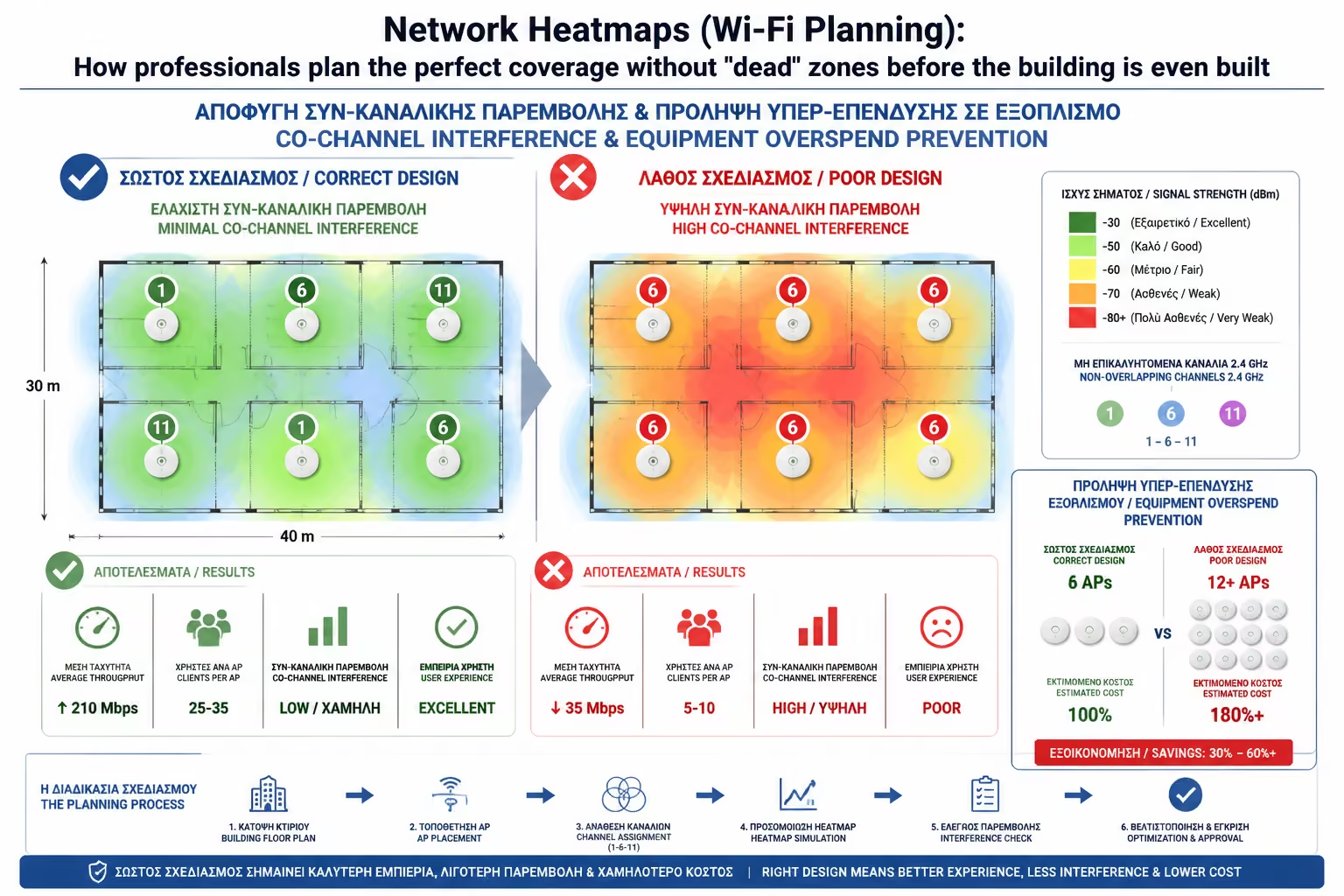
An amateur, to be "sure" in a hotel, can suggest 1 Access Point in each room. Heatmap can prove that if the walls are plasterboard, 1 Access Point in the hallway per 3 rooms is more than enough, saving thousands of euros in equipment and wiring.
If you put too many antennas too close to each other (without proper planning), you are harming the network! The antennas will start broadcasting on the same frequencies, they will "shout" over each other, and your mobiles will get confused, not knowing where to connect (Sticky Clients). The Heatmap helps the engineer to virtually lower the transmit power (Tx Power) so that the coverage of one antenna does not accidentally "step" on the other.
The badge is not the only question. In a conference room, the signal (red color in Heatmap) can be perfect with only 1 Access Point. However, if 150 people enter with their laptops, this 1 antenna will "kneel" because it does not have the processing power (Capacity) to serve 150 users at the same time. The planning software allows us to define "High Density Zones" to place 2 or 3 APs in the same space, sharing the workload.
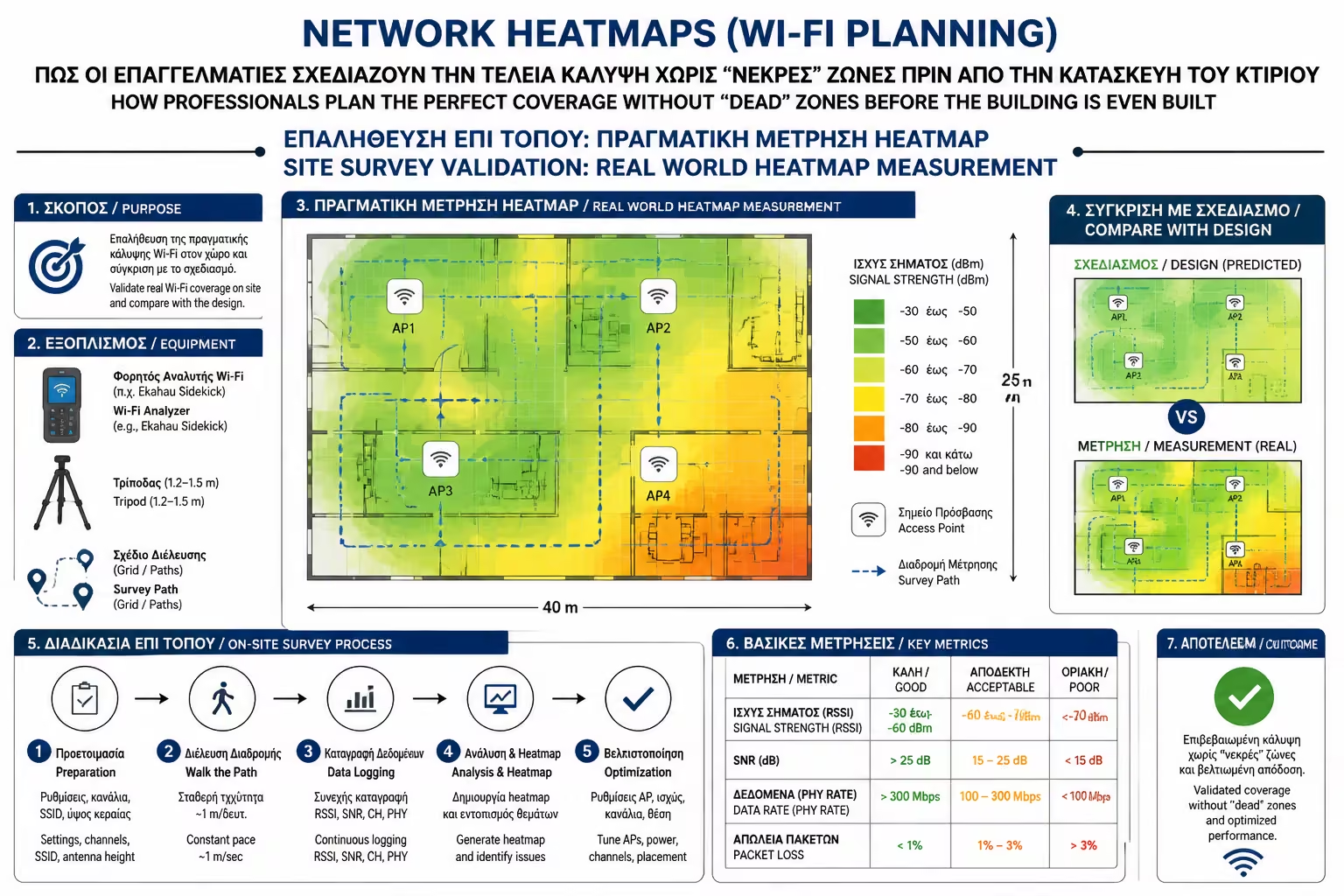
Once the building is built and the furniture is in, the professionals do the Active Site Survey. Instead of sitting in the office, they walk around every square of the building holding a laptop and a special sensor (Spectrum Analyzer). The software captures the actual signal in real-time, now accounting for external interference (such as neighboring buildings' Wi-Fi, radar or microwave ovens), producing the final, true Delivery Heat Map.
Wi-Fi doesn't have to be Russian roulette. Using Wi-Fi Planning and Heatmaps tools, we completely remove the element of luck from installation. We know in advance how many antennas we need, exactly where they need to go (within a centimeter) and at what power settings, ensuring that your transition from the living room to the bedroom will be absolutely "bloodless" in terms of speed.
Next Step: Since we mentioned the "living room to bedroom transition," here lies one of the most annoying problems of big houses. You're talking on Viber, walking down the hall, and suddenly your call cuts out, even though you have multiple antennas. Why does your phone "stick" to the old antenna instead of picking up the nearest one?
Want to move on to the next (and perhaps the most vital for your daily life) Category C article: Band Steering and Roaming (802.11k/v/r): How to move from floor to floor without dropping your WhatsApp or Viber call?
Return to category.
Go to categoryReturn to the central guide.
Go to guide