Correct Placement of Access Points: Why ceiling mounting in the center
of the room is always the best solution
You've thrown in the best Cat6a cables, bought a powerful PoE Switch and
got your hands on the latest Wi-Fi 7 antennas. Your hardware is
excellent. Now comes the critical moment of installation: Where exactly
are you going to screw this antenna?
In most homes, the Router (or Wireless Mesh) ends up draped over a desk,
hidden behind the TV, or even worse, inside a locked cabinet. As network
engineers, we assure you that antenna location affects Wi-Fi speed much
more than its price.
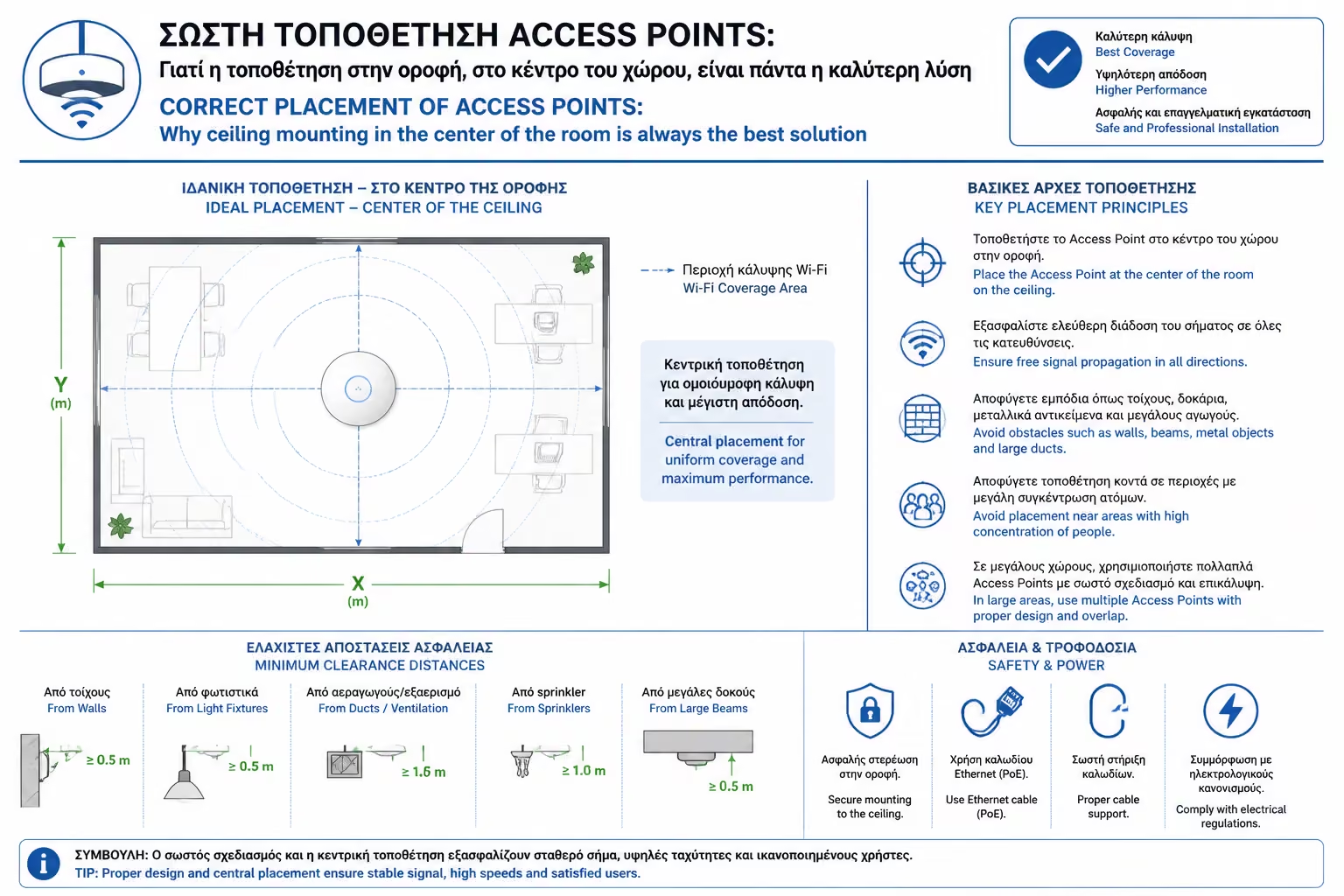
The golden, non-negotiable solution for professional Access Points (APs)
is one: In the center of the ceiling (Ceiling Mount). Let's look at the
physics behind this rule, the shape of radio waves, and why the wall is
the worst alternative.
1. The Physics of Antennas (The "Umbrella" Effect)
To understand where an antenna should go, you have to imagine its
signal. Modern, round ceiling Access Points (such as Ubiquiti UniFi or
TP-Link Omada) do not emit the signal like a laser in a straight line.
They have Omnidirectional Antennas, which are optimized to emit
downwards and outwards.
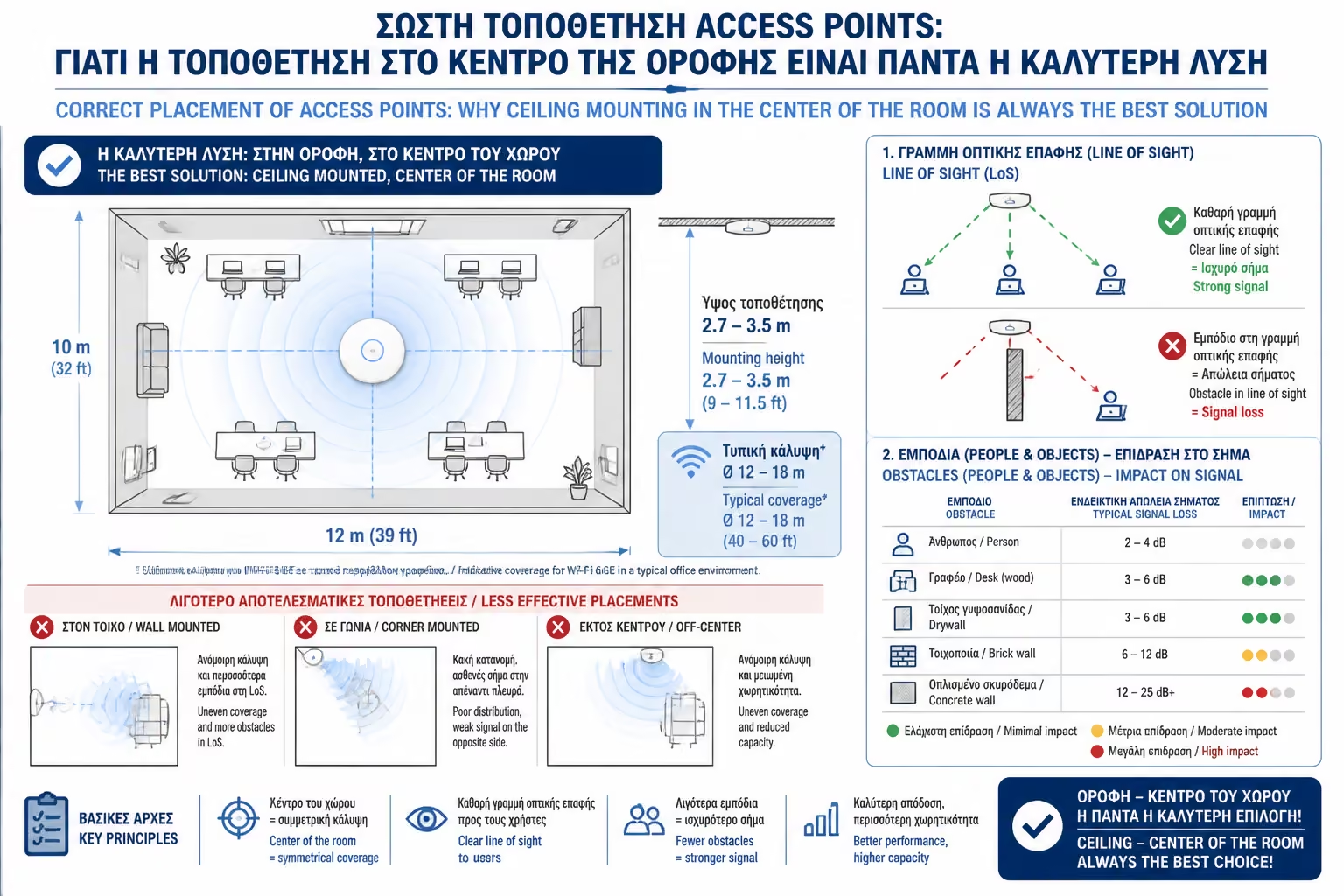
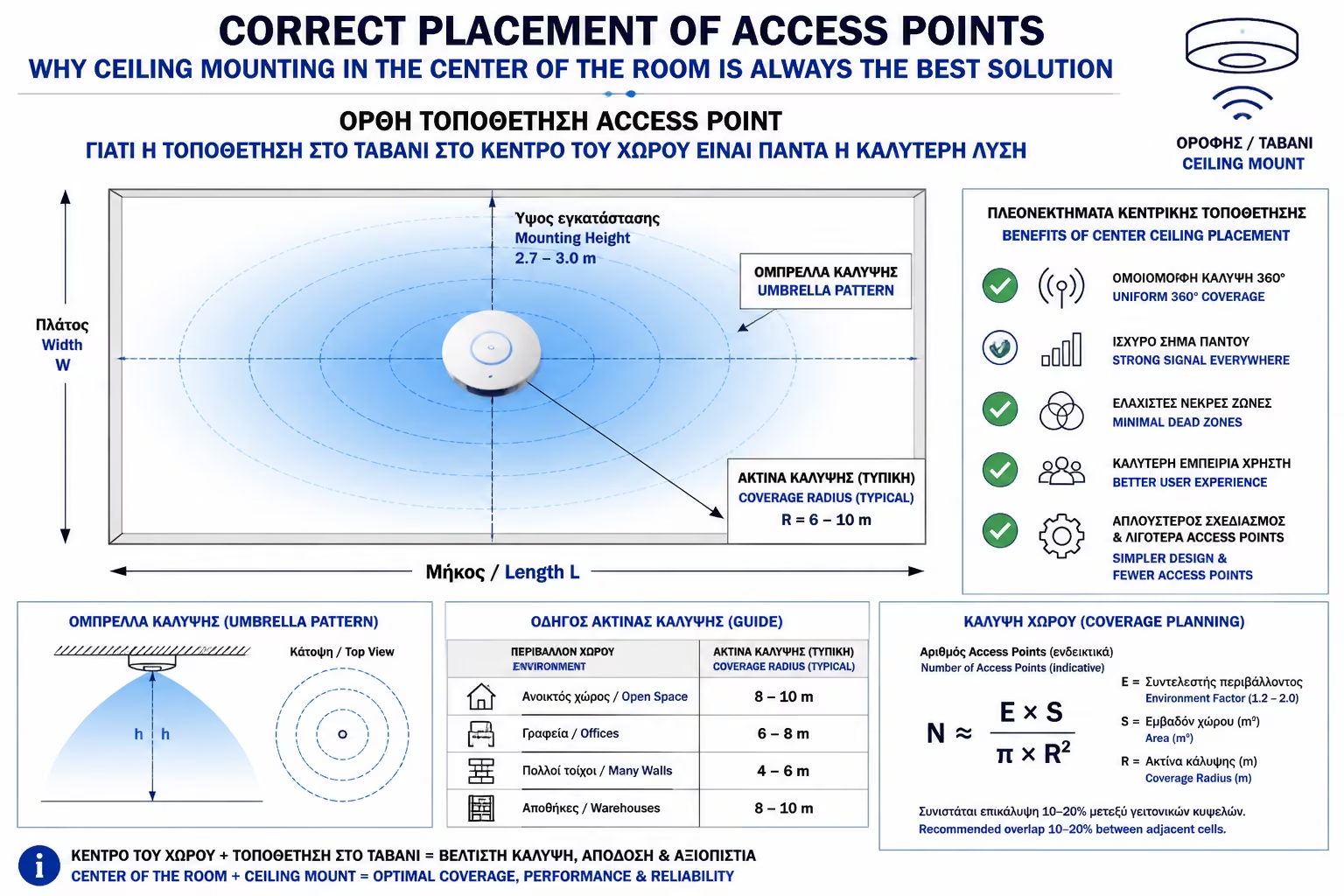
Think of the Wi-Fi signal as a giant, invisible "doughnut"
(or like an open umbrella) that starts at the device and spreads
around it.
When you place the tray on the ceiling, this umbrella opens and
evenly "hugs" the entire space, from top to bottom.
2. Obstacles and... People (Line of Sight)
Wi-Fi's biggest problem isn't distance, it's obstacles. The 5GHz and
6GHz frequencies offer tremendous speeds, but they cannot easily
penetrate objects.
Why not on the floor or desk? If you put the antenna low, the signal
has to go through the wood of the desk, the metal couch, the TV, and
most of all... people. (The human body is made up mostly of water,
which absorbs and "kills" radio waves).
Why on the ceiling? By placing the Access Point high on the ceiling
(at 2.80 or 3.00 meters high), it obtains Line of Sight (LoS) with
your laptop on the panel or with your mobile phone on the sofa. The
signal travels through empty air, encountering almost no physical
obstacles, delivering 100% of its speed.
3. The Wall Mount Mistake
Many owners, because they don't have a suspended ceiling
(plasterboard) to hide the cable in the ceiling, take the round
ceiling Access Point and screw it vertically into a wall like a meter.
This is a huge positioning error!
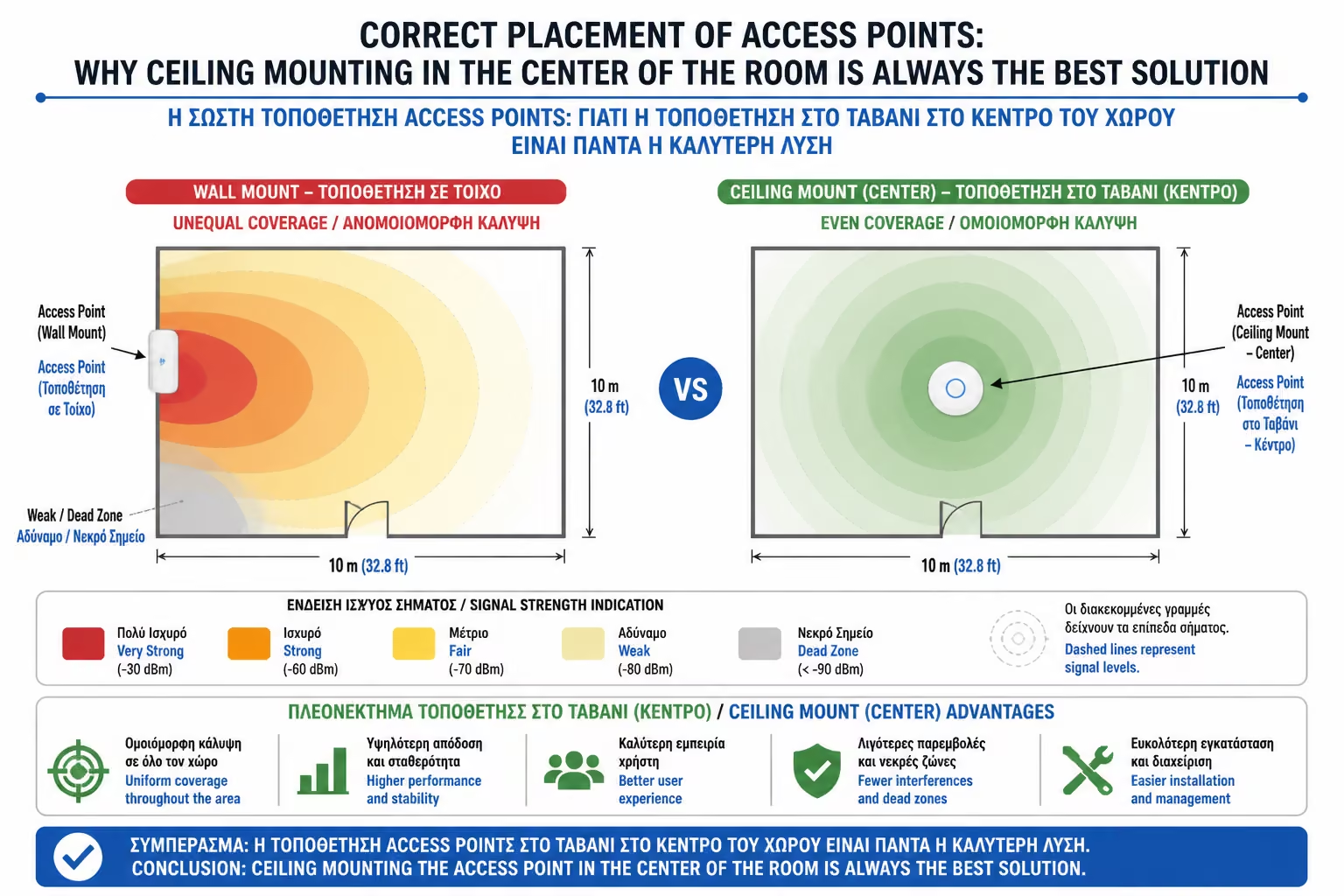
Because of the donut shape we mentioned, if you turn the device
vertically, half of the signal volume will hit the ceiling and the
other half will hit the floor. The signal will travel along the
wall, and the center of the room (where you sit) will have the least
coverage!
The Alternative: If you absolutely must put an antenna on a wall, DO
NOT buy ceiling models. Companies make special In-Wall Access
Points. They are rectangular in shape, they take the place of a
classic power socket low on the wall, and their internal antennas
are set (Directional) to transmit the signal strictly forward (into
the room) and not upwards.
4. Aesthetics and Security (The "WAF" Factor)
Beyond technical perfection, ceiling mounting also solves practical
problems, dramatically increasing the WAF (Wife Acceptance Factor):
Completely Invisible Cables: If placed correctly (and powered via
PoE as seen in the previous article), all you see is a sleek, white
tray with a discreet LED. There are no power strips, no dangling
cables. It looks like a modern smoke detector.
Equipment Safety: When the very expensive IT equipment (worth €200 -
€500) is nailed 3 meters high, it is completely safe from the
curiosity of small children, from pets that chew cables, from vacuum
cleaners, and from... spilling a coffee on it.
Summarizing
Buying top Wi-Fi equipment loses its value if the placement is done with
the wrong criteria. The wireless signal is not magic; it obeys the laws
of wave propagation. Design your network to look down on everything.
Placing the Access Points in the center of the ceiling of each main room
is the only arrangement that guarantees uninterrupted Visual Contact,
eliminating furniture interference.
Next Step: We learned how to avoid obstacles in the room. But what about
when the signal needs to go into the next room?
We continue with the most critical calculation for home coverage:
Calculating Wi-Fi Range and Interference: How wall thickness, concrete
rebar, and mirrors kill the signal.