Physics
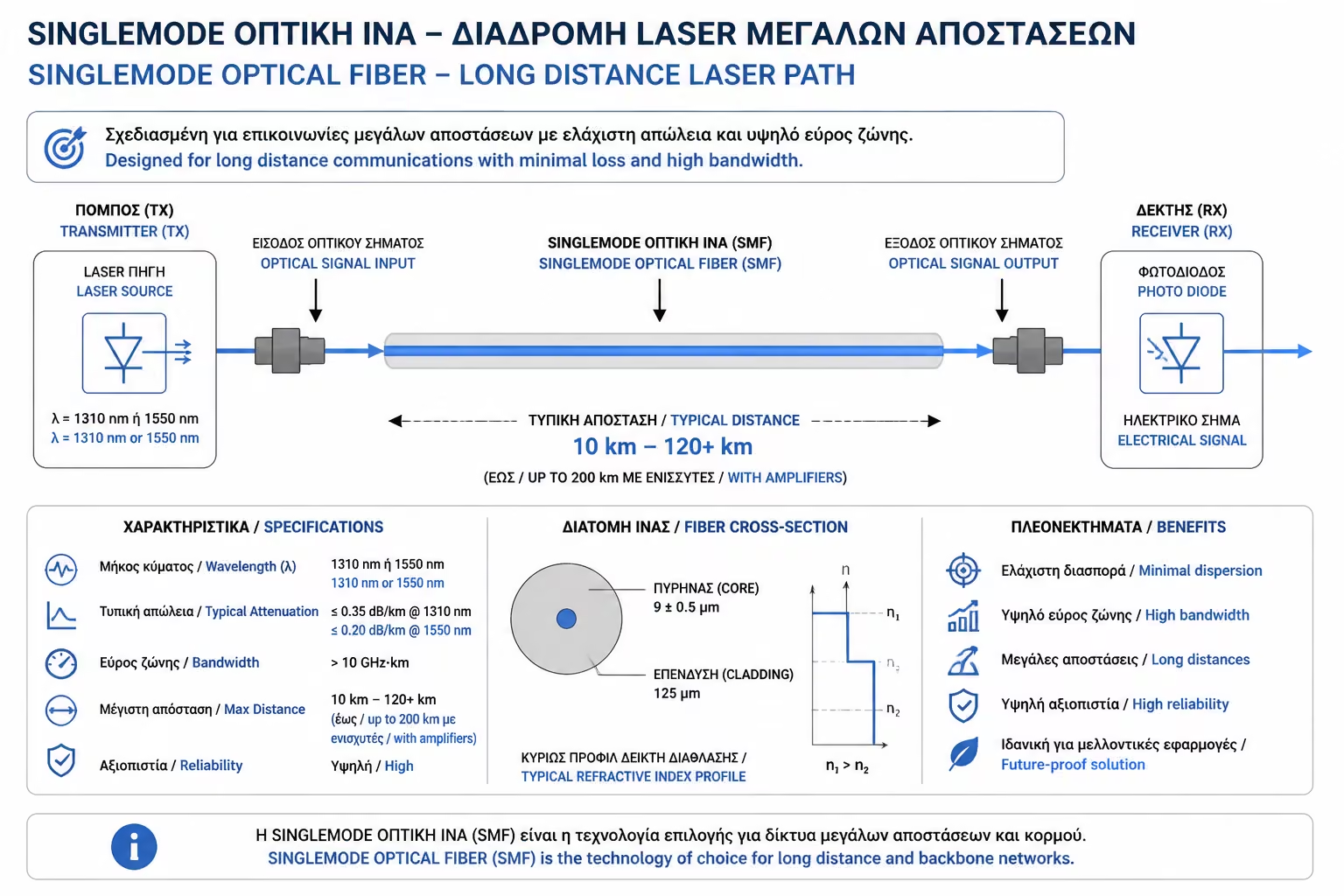
Its core is extremely small, just 9 micrometers (9 µm). Because it is so narrow, the light (which is produced by powerful Lasers) is forced to travel in an absolutely straight line, without bouncing off the walls.
When we hear the term "Optic Fiber", we think that it is a single type of cable. However, the world of optical transmission is divided into two vast, completely different (and completely incompatible) "camps": Singlemode fiber and Multimode fiber.
Herein lies one of the most expensive pitfalls for homeowners and non-specialist electricians. We've seen renovations where the owner paid hundreds of euros to run fiber optic through the walls (buying Multimode because its name sounded more "powerful"), only to be told by the provider's technician: "I'm sorry, this cable is useless to us".
Let's see how the physics of light within these two fibers differs, what their colors mean, and why there is only one right choice for your home.
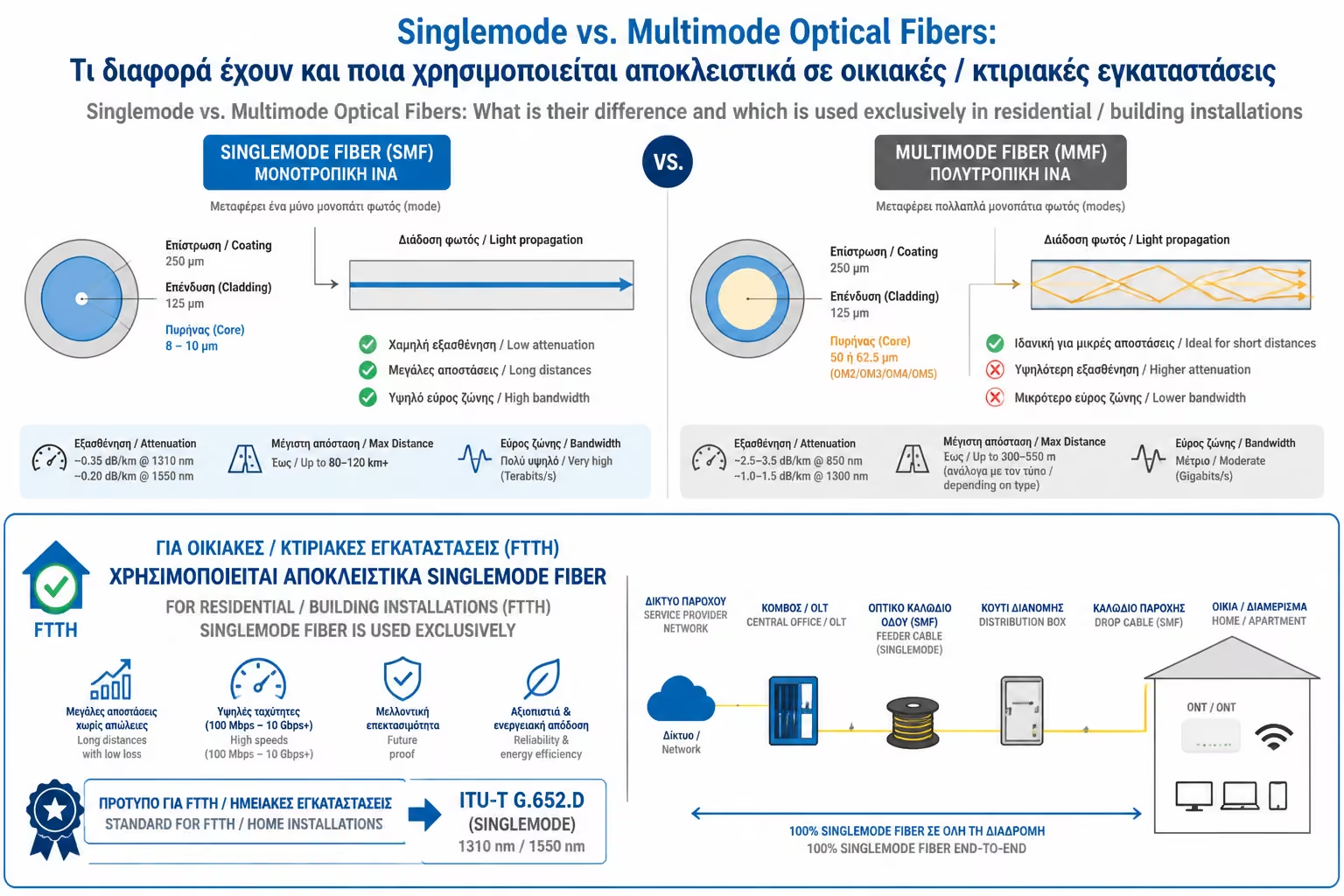
To understand the difference, we need to look inside the cable. Each optical fiber consists of the Core, through which the light passes, and the Cladding, which acts like a mirror keeping the light inside the core.
The huge difference between Singlemode and Multimode is in the core diameter.
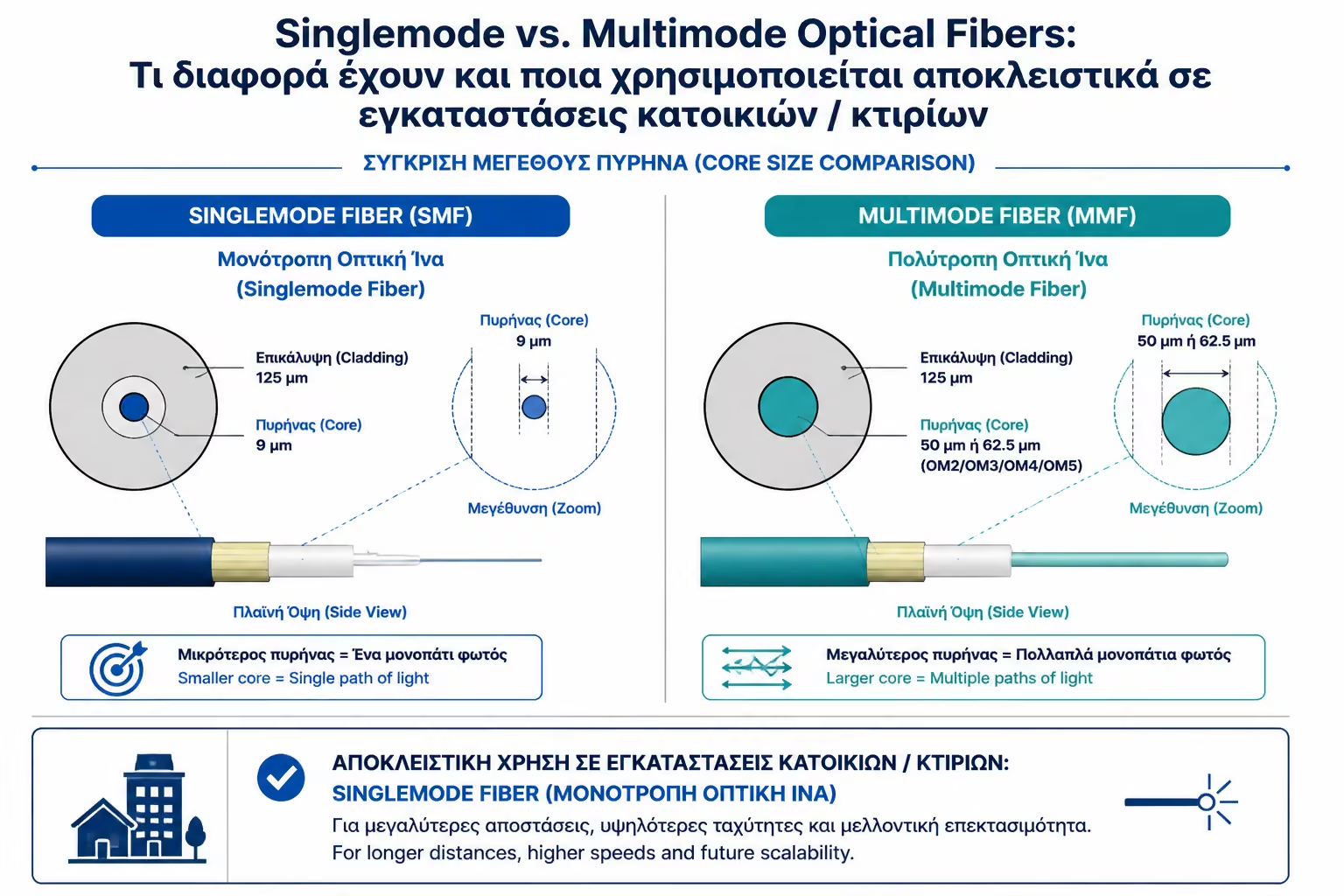
As its name suggests, Singlemode allows light to travel in a single mode (Single Mode).
Its core is extremely small, just 9 micrometers (9 µm). Because it is so narrow, the light (which is produced by powerful Lasers) is forced to travel in an absolutely straight line, without bouncing off the walls.
Because light doesn't bounce, it doesn't lose energy. This means that Singlemode fiber can carry data at enormous speeds over unimaginable distances (tens or even hundreds of kilometers), without the need for amplification.
Singlemode cables and patch cords (category OS1 or OS2) are almost always YELLOW in the market.
In Multimode, light travels in multiple modes/paths simultaneously (Multiple Modes).
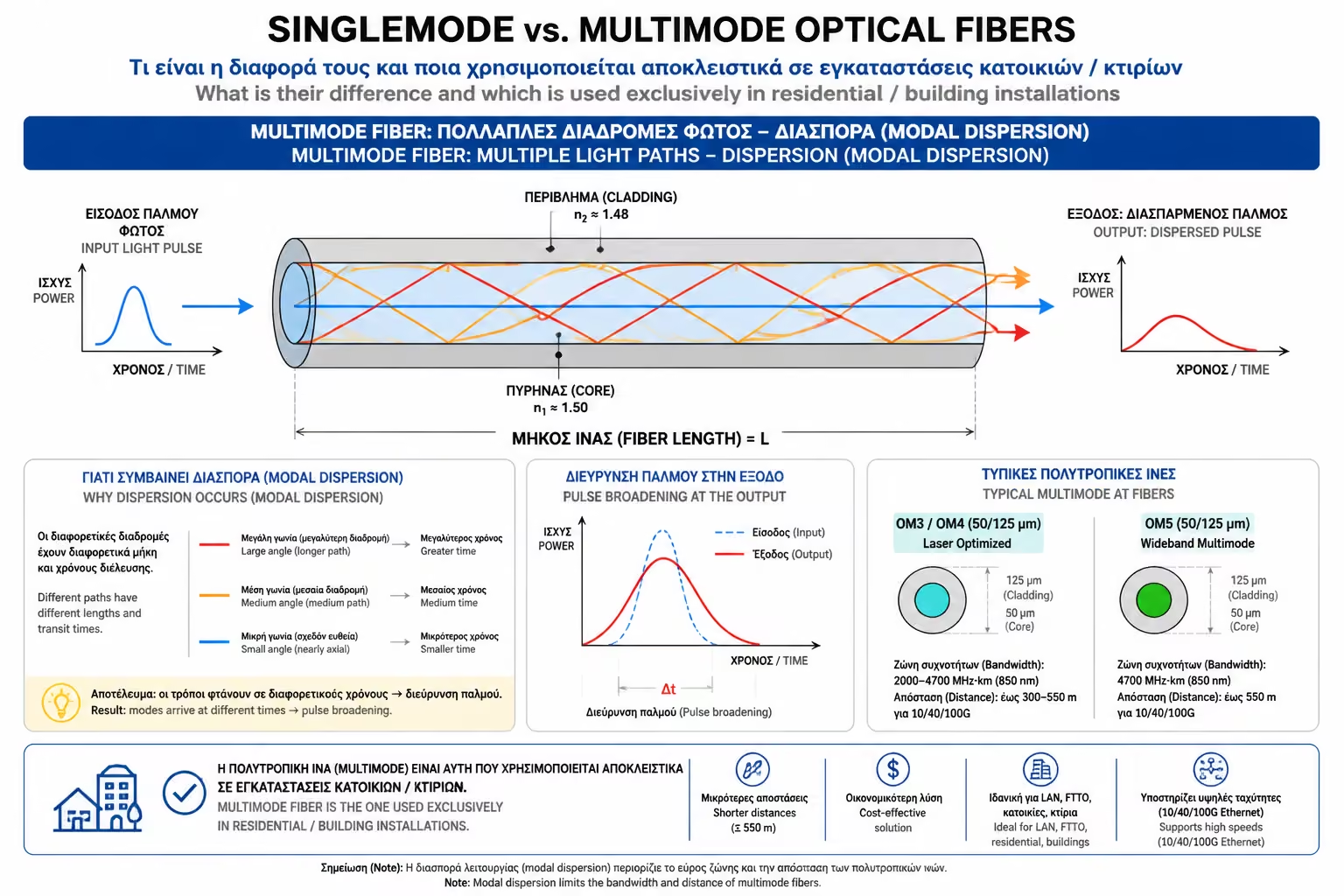
Its core is much larger, usually 50 micrometers (50 µm) or 62.5 µm. Because of the width, light (which is often produced by cheaper LEDs or VCSELs) enters at various angles and begins to bounce (zig-zag) off the walls of the mantle as it travels.
Because the photons follow different paths (some go straight and some zigzag), they arrive at the termination at slightly different times. This phenomenon is called Modal Dispersion. Because of this, Multimode fiber "clogs" and is only suitable for short distances (typically under 300 or 400 meters for 10 Gbps speeds).
Multimode cables (category OM1, OM2, OM3, OM4) are usually BLUE (Aqua), ORANGE or MAGENTA (Magenta).
Where Multimode shines: It is the king of Data Centers and internal corporate networks (LANs). The reason is not the cable itself (Singlemode fiber is cheaper to manufacture), but the machines! Transceivers (SFP modules) that "turn on" the light for Multimode fibers are much cheaper than the very expensive, hyper-precise Singlemode Lasers. So, to join two Racks inside the same building, we choose Multimode (Blue cable).
Where Singlemode (Your Home!) Shines: It's the backbone of the World Wide Web. All submarine cables and city networks are Singlemode.
And here we come to the critical point for property owners: FTTH (Fiber to the Home) works EXCLUSIVELY and STRICTLY with Singlemode fiber. Your provider (Cosmote, Nova, etc.) sends the internet from the urban center, which may be 5 or 10 kilometers from your home. This is impossible to do with Multimode.
If you are doing a major renovation and want, in addition to the empty plastic pipes, to proactively run your own optical fiber inside the walls to leave it "ready" for the provider (to save time and not do chores), remember the following absolute rule:
For home structured cabling (FTTH) and interconnection with the telecommunications provider, Singlemode fiber (the Yellow cable with the infinitesimal 9μm core) is the ultimate one-way. Don't be fooled by the word "Multi" into thinking it's better than the word "Single". In the science of optical data transmission, the one and only perfectly straight line of light wins the distance race.
Next Step: We now know we need Singlemode fiber. But when we go to buy a patch cord to connect the wall socket to the Router, we see plugs in green and blue (APC vs. UPC). A wrong choice here can "blind" our Router permanently!
Moving on to the critical color guide: Optical Patch Cords & Connectors (SC, LC, APC, UPC): How to read plug colors (Green vs. Blue) to avoid equipment damage.
Return to category.
Go to categoryReturn to the central guide.
Go to guide