You have upgraded your home to FTTH. In the first weeks the internet
"flew". All of a sudden, you start experiencing dropouts,
speed drops dramatically, or you see a scary red light (often labeled
LOS - Loss of Signal) flashing on your Router or ONT. The internet went
down.
In the old copper networks (ADSL/VDSL), the drop in speed was usually
due to moisture in the road wells, bad weather or electromagnetic
interference. Optical fiber, as glass, is completely immune to them.
When an optical fiber has a problem, the causes are almost always purely
mechanical or optical. As engineers, troubleshooting follows specific
steps. Let's look at the usual suspects and how you can fix basic
problems without waiting for the technician.
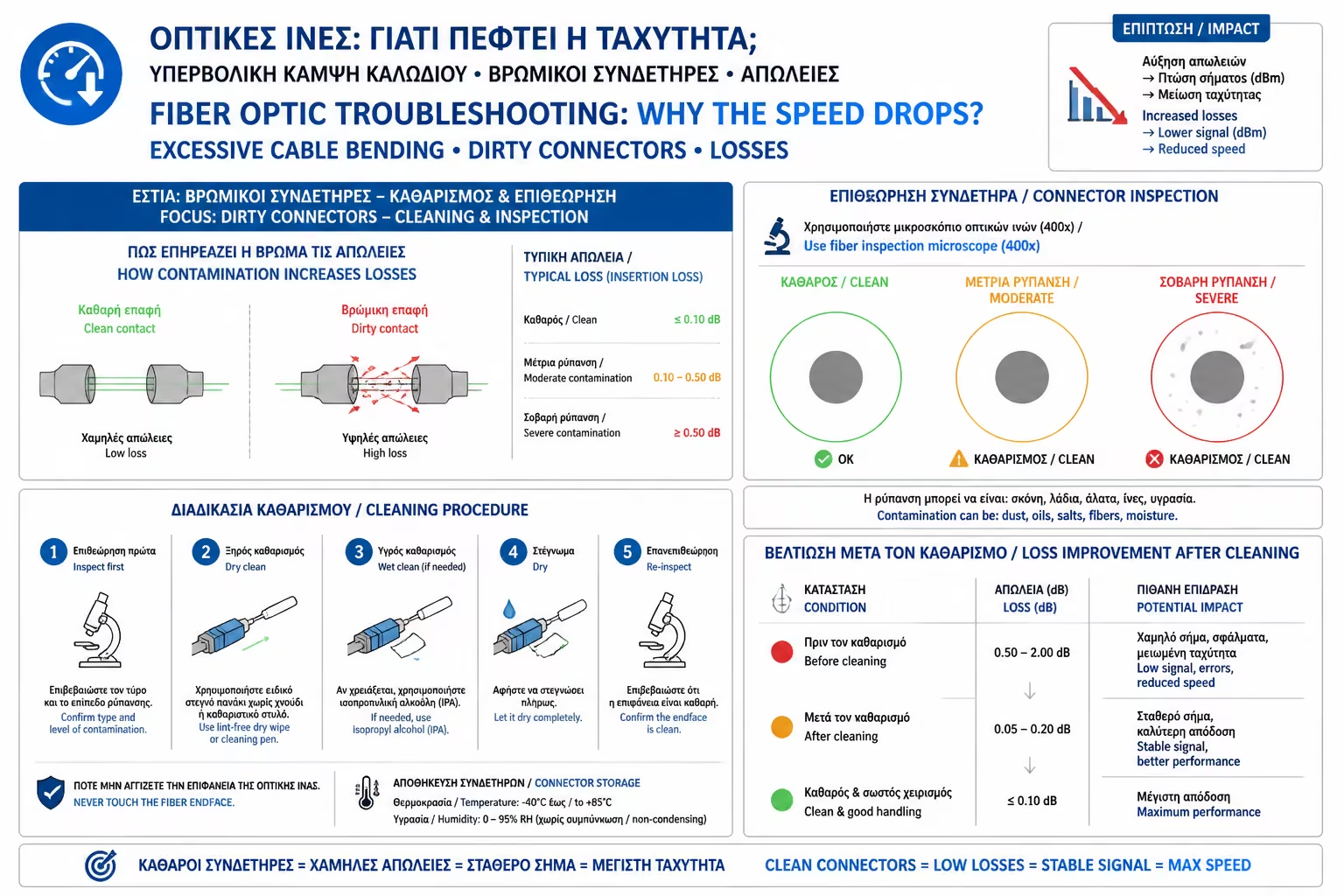
1. The Number 1 Culprit: Dirty Connectors
If we had to bet on the cause of an optical network failure, 80% of
the time it's a dirty connector.
As we have seen, light passes through a core only 9 micrometers (µm)
in diameter. A speck of dust, some pollen from the open window, or a
fingerprint on the tip of the green plug (SC/APC) is enough to
completely block the Laser or reflect it back.
The Mistake: The user removes the cable, blows on the end of the
cable with their mouth (adding saliva droplets and moisture) or
wipes it with their t-shirt (adding lint and static), and reinserts
it. The problem is getting worse.
The Solution: The optical fiber is cleaned only with specialized
tools.
There are special cleaning pens (One-Click Cleaners) that go into
the slot and with a "click" clean the ceramic tip using
antistatic thread.
Alternatively, special fiber optic wipes (Lint-free wipes)
impregnated with 99% pure Isopropyl Alcohol are required.
Never leave a fiber optic connector exposed to the air. If you take
it out of the machine, immediately put the protective cap (Dust Cap)
on it.
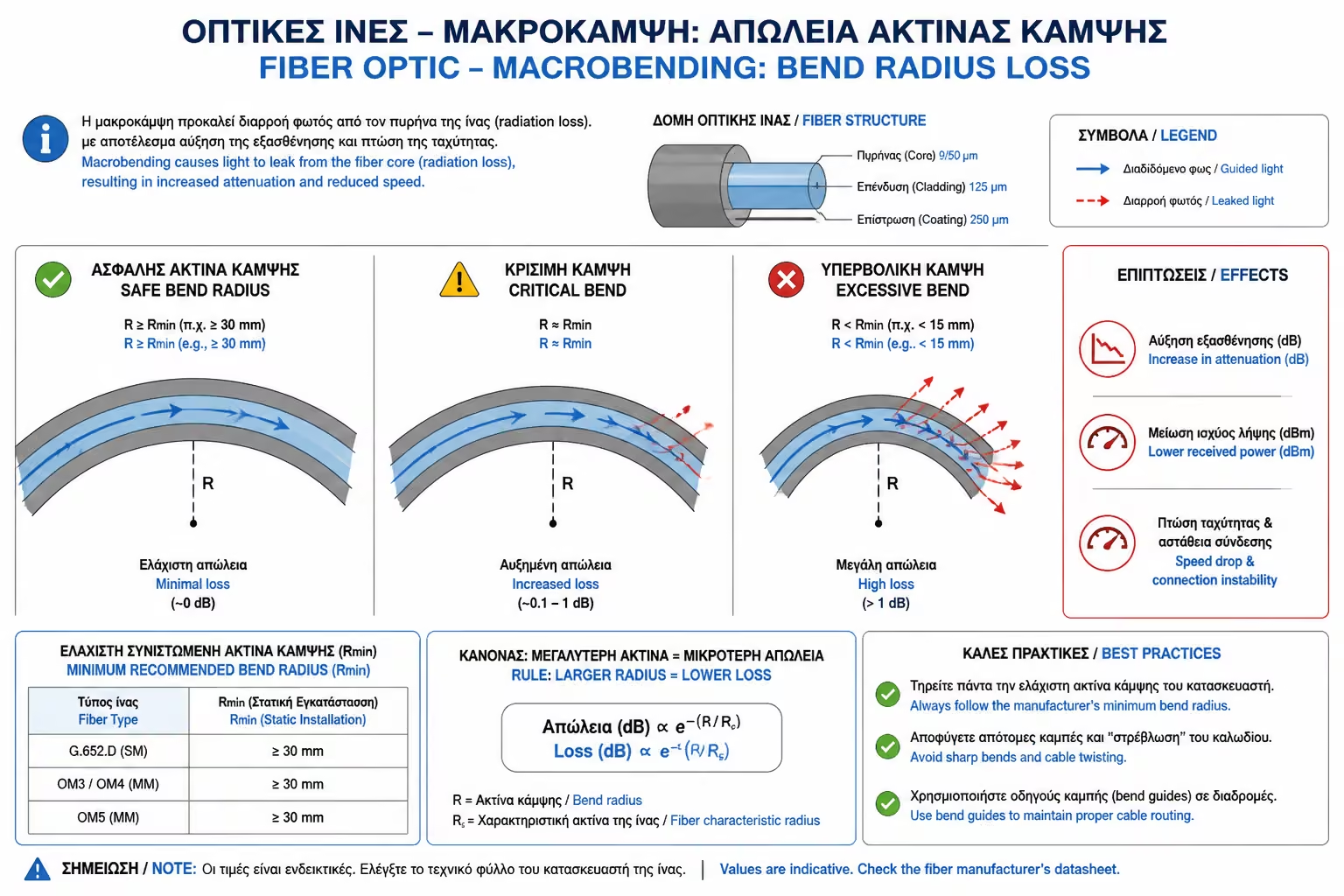
2. Macrobending
This is the most classic mistake made when arranging the living room.
In an attempt to hide the yellow patch cord behind the TV cabinet, you
fold it sharply or tie it tightly with plastic ties (Zip-ties).
What's going on Of course
To keep the light inside the core, the fiber relies on the
phenomenon of "Total Internal Reflection". If you bend the
cable beyond a certain limit, the angle changes. The light, instead
of being reflected, "pierces" the walls of the mantle and
is lost in the room. This light leakage is called Macrobending Loss.
The solution
Check the entire path of the cable from the wall outlet to the
Router. If the cable makes an "angle", straighten it. The
golden rule is: Each curve of the fiber should be at least the size
of a coffee saucer (radius 3-5 cm). Use only Velcro straps to gather
the cables, never hard ties.
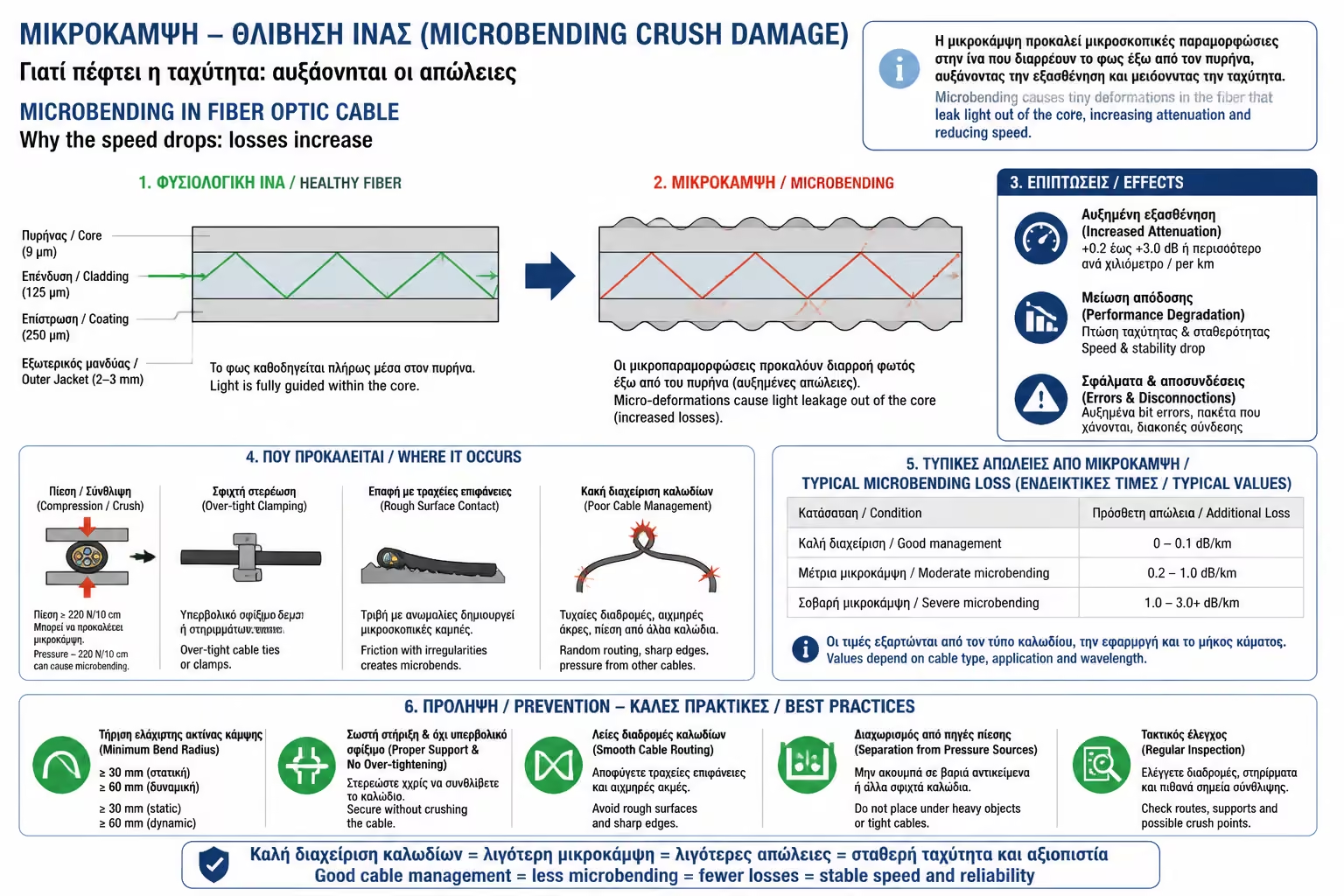
3. Microbending / Breaks
The fiber doesn't just stop working if it's cut in two. Often, the
damage is invisible from the outside.
The Script
The yellow wire was found under the sofa leg, or someone stepped on
it with a heel. The outer yellow plastic appears intact, but the
glass inside has shattered, creating an impenetrable barrier to the
Laser.
The Test (VFL)
Technicians use a tool called a Visual Fault Locator (VFL). It looks
like a lens that emits a powerful, visible red Laser. They connect
the VFL to one end of the cable. If the glass is broken internally
somewhere along the way, red light leaks through the crack and the
plastic cable "glows" brightly at that point like a
lightsaber!
The solution
Unfortunately, if the glass is shattered, it cannot be fixed. The
only solution is to replace the Patch Cord with a new one.
4. Equipment Temperature Issues (SFP / ONT)
Sometimes, the glass is in perfect condition, but the electronic
component that receives the light is malfunctioning.
The optical fiber terminal (ONT) and SFP modules (the metal adapters
that go into professional switches) have tiny lasers. These lasers
generate heat.
If you've shut the provider's ONT inside a suffocating TV cabinet
with the amp, PlayStation and other machines, the temperature soars.
In high temperatures, the performance of the Laser drops, reducing
the transmit power (Tx Power), resulting in the provider's central
cabin losing communication with your home.
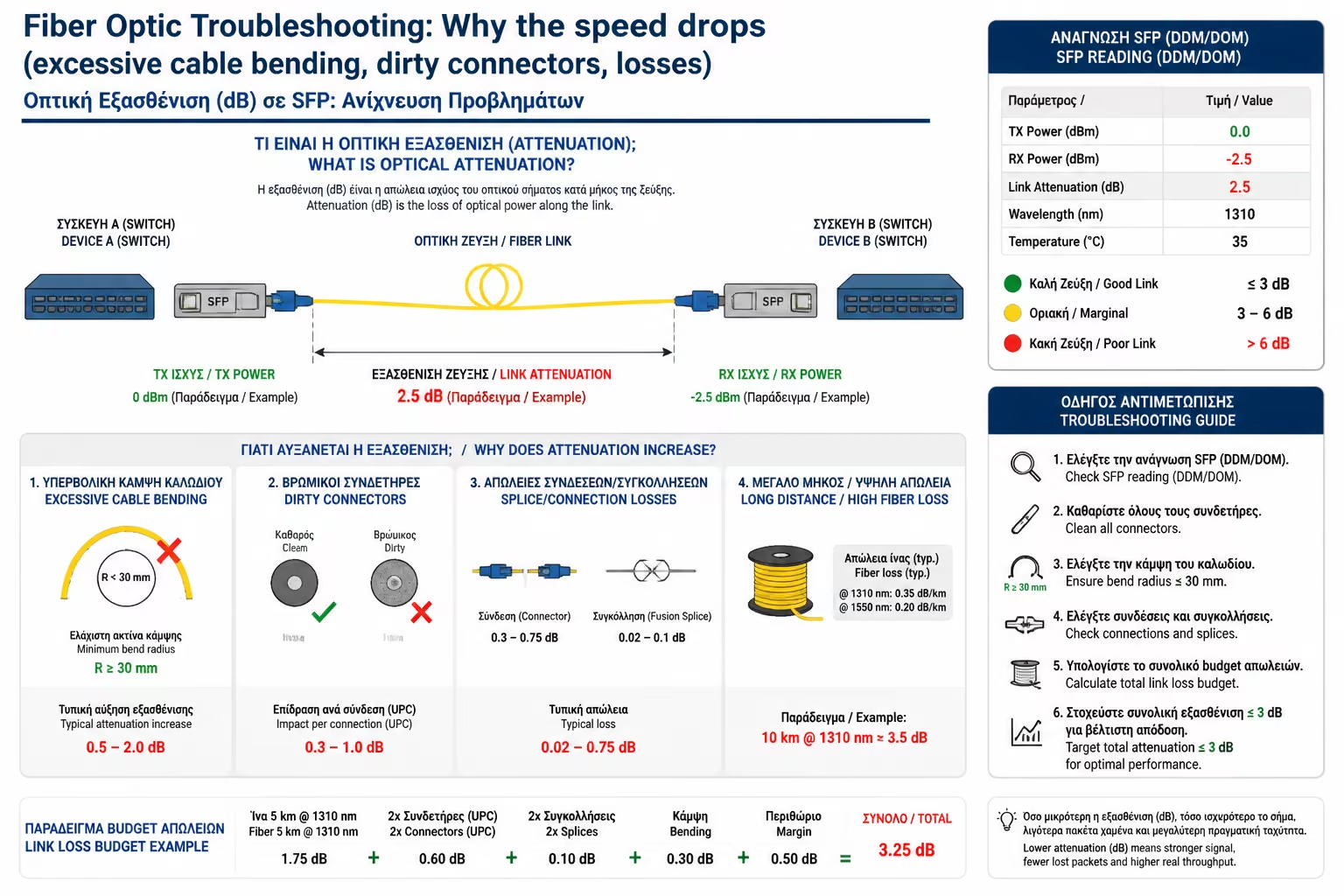
5. How we read "Loss" (Attenuation - dB)
If you talk to your carrier's tech support, they will remotely check
your line and report "Loss in Decibels (dB)". The light signal
is measured on a negative scale (dBm).
An excellent, clean FTTH installation typically has an optical receive
power (Rx Power) of around -15 dBm to -22 dBm.
If the number falls below -27 dBm (eg -28, -30 dBm), this means that
the light is arriving extremely "weak". The machine will
struggle to read the data and the red LOS light will turn on, cutting
off the internet to protect the network from errors.
Summarizing Class B (Fiber Optics)
Optical fiber is perhaps the most reliable means of data transmission
ever devised by man. Eliminates interference and annihilates distances.
However, it requires respect for the nature of its material: glass.
By keeping the plugs (the green APC terminals) spotlessly clean,
avoiding sharp bends and protecting the cable from mechanical stress,
you ensure that your FTTH investment will work seamlessly for decades.