Wi-Fi 7 and Wi-Fi 6E: What infrastructure is needed in the walls
(Multi-Gigabit Ethernet) to support the new, super-fast standards
Until recently, Wi-Fi speed has always been the "Achilles
heel" of the network. Even if you had a fast fiber optic
connection, the wireless network struggled to take full advantage of it
due to interference and technical limitations.
This changed dramatically with Wi-Fi 6E and now with the revolutionary
Wi-Fi 7. For the first time in history, wireless speeds can surpass
wired! But here's a huge catch: If you buy an expensive Wi-Fi 7 antenna
and plug it into your old house wiring, it'll be like trying to drive a
Ferrari on a dirt road.
As engineers, we have to warn you: Wi-Fi 7 changes the demands we have
on cables and switches inside the home. Let's see what the new standards
bring and what infrastructure you need to "bury" in your walls
today to be ready for 2026 and beyond.
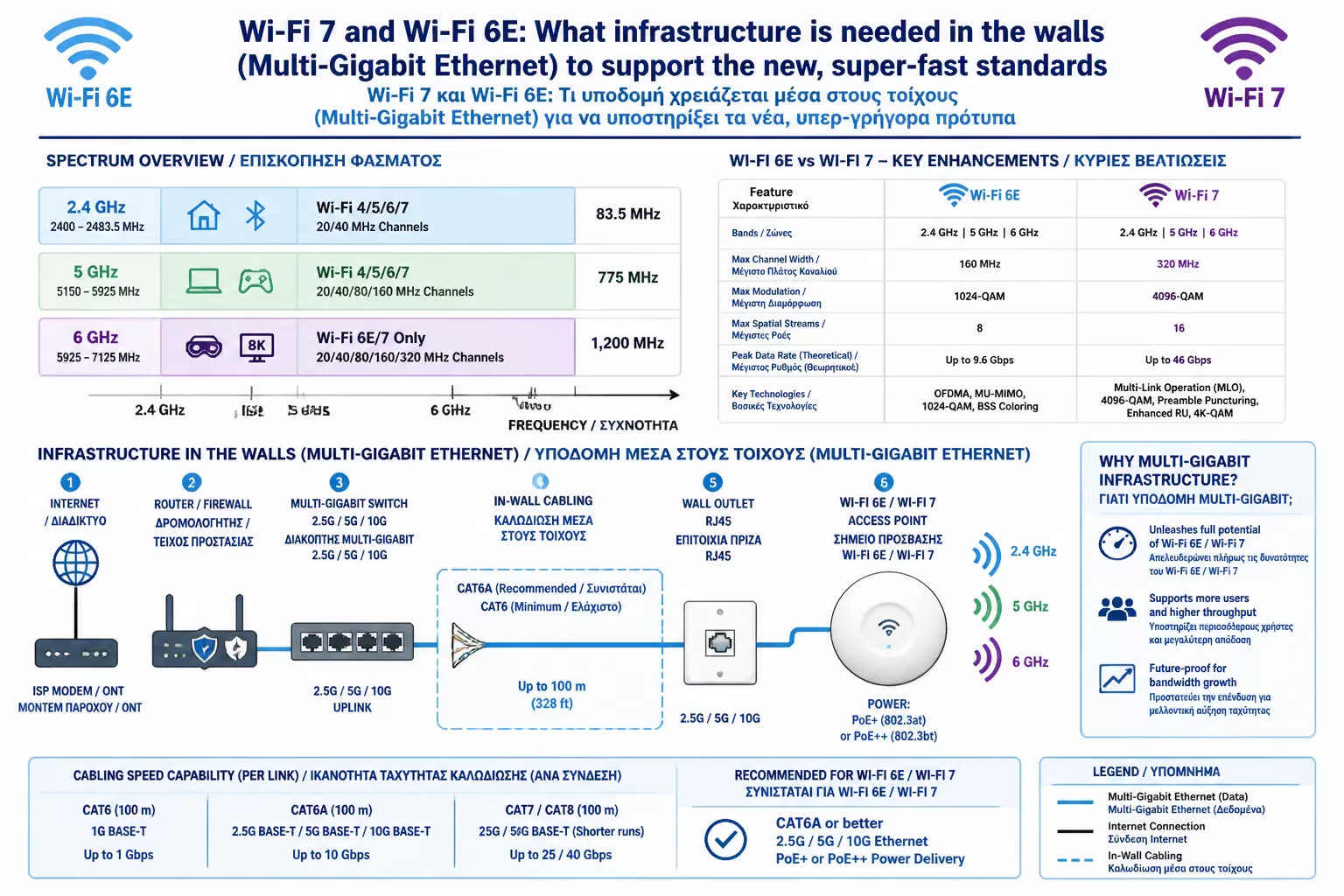
1. What is Wi-Fi 6E and Wi-Fi 7?
Wi-Fi 6E (Extended)
It's the first time Wi-Fi has had "new land" to build on.
In addition to the 2.4GHz and 5GHz frequencies, it unlocked the 6GHz
spectrum. Imagine a new, empty 7-lane freeway, without any
interference from the neighbors' Wi-Fi or Bluetooth.
Wi-Fi 7 (IEEE 802.11be)
It is the "terminator" of cables. It supports 320MHz wide
channels (twice that of Wi-Fi 6) and a technology called MLO
(Multi-Link Operation). With MLO, your mobile connects
simultaneously to all frequencies (2.4, 5 and 6GHz), offering speeds
that theoretically reach 46 Gbps!
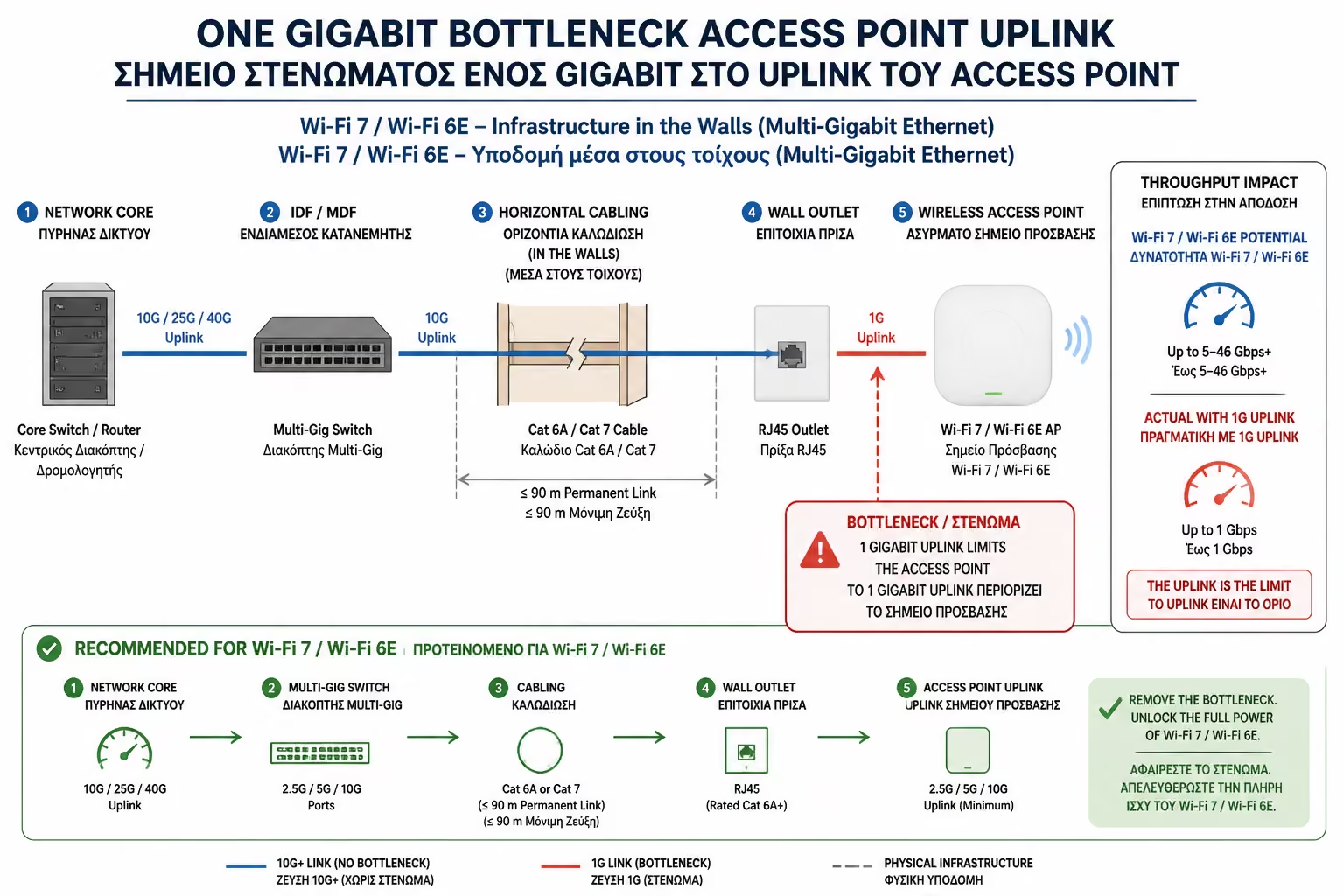
2. The Bottleneck: Why did 1 Gbps die?
For 20 years, "Gigabit Ethernet" (1000 Mbps) was king. All
commercial outlets and switches support 1 Gbps. But a Wi-Fi 7 Access
Point can easily "serve" wireless data at a speed of 2, 5 or
even 9 Gbps to your devices.
If the cable connecting this antenna to your Router is limited to 1
Gbps, then all the super-speed of Wi-Fi 7 is lost. The antenna will be
"choked" by the cable itself.
The New Requirement: To take advantage of Wi-Fi 7, your infrastructure
must be Multi-Gigabit. This means:
Switches with 2.5G, 5G or 10G ports.
Access Points that have a 2.5G or 10G Ethernet input port.
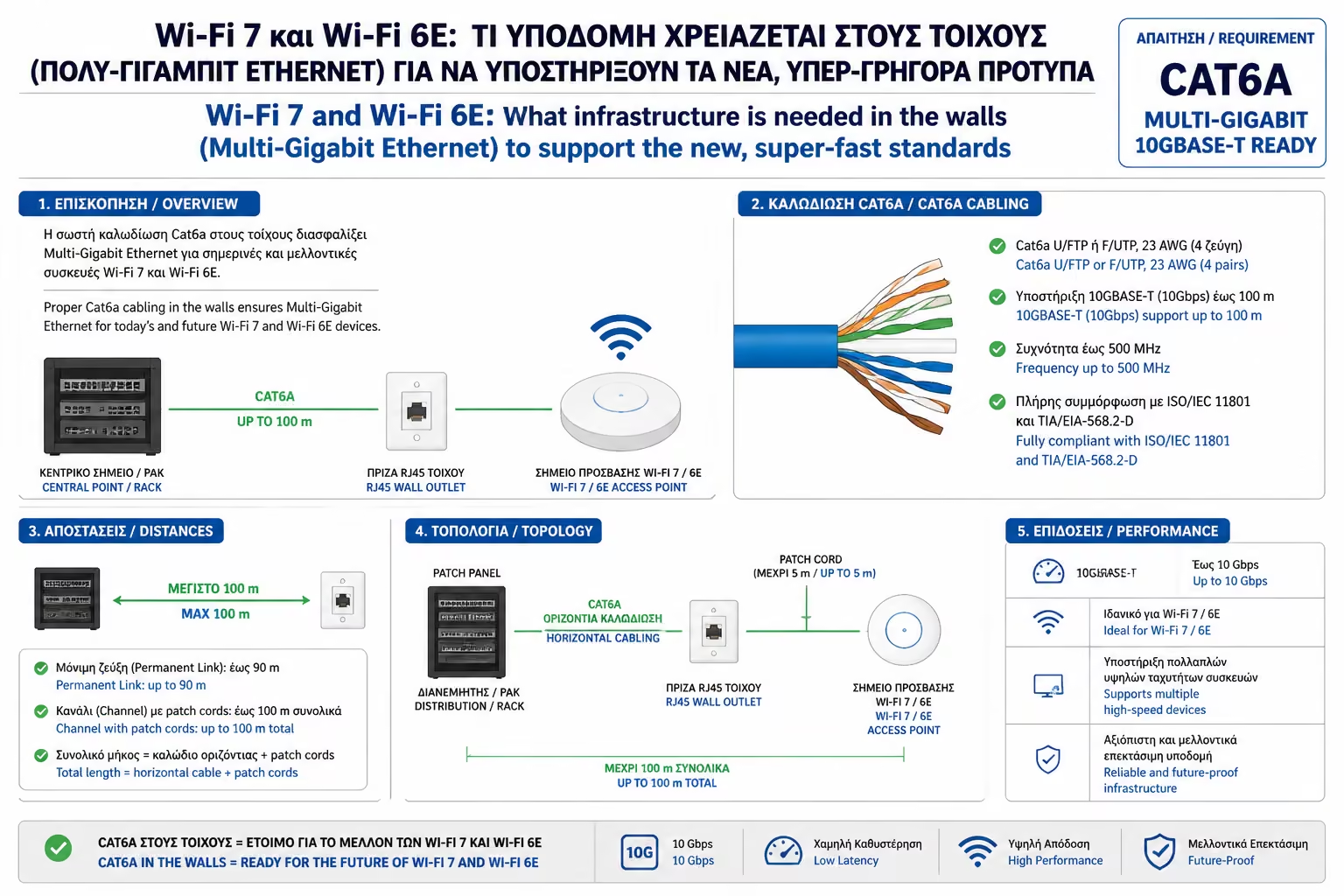
3. Cabling Requirements: Why is Cat6a one-way?
As we saw in the previous sub-pillar, the Cat5e or simple Cat6 cable
reaches its limits when we try to pass over 1 Gbps over long
distances.
Heat & PoE
Wi-Fi 7 antennas have multiple processors and multiple antennas.
They consume a lot of power, usually requiring PoE+ (30W) or even
PoE++ (60W-90W). As we learned, this current produces heat. Cat6a,
because of its thicker copper conductors and better insulation, can
handle this heat without a drop in data speed.
10 Gigabit Ready
Wi-Fi 7 is designed to reach 10 Gbps in real-world conditions. Cat6a
is the only cable that guarantees this speed over the entire 100m
route.
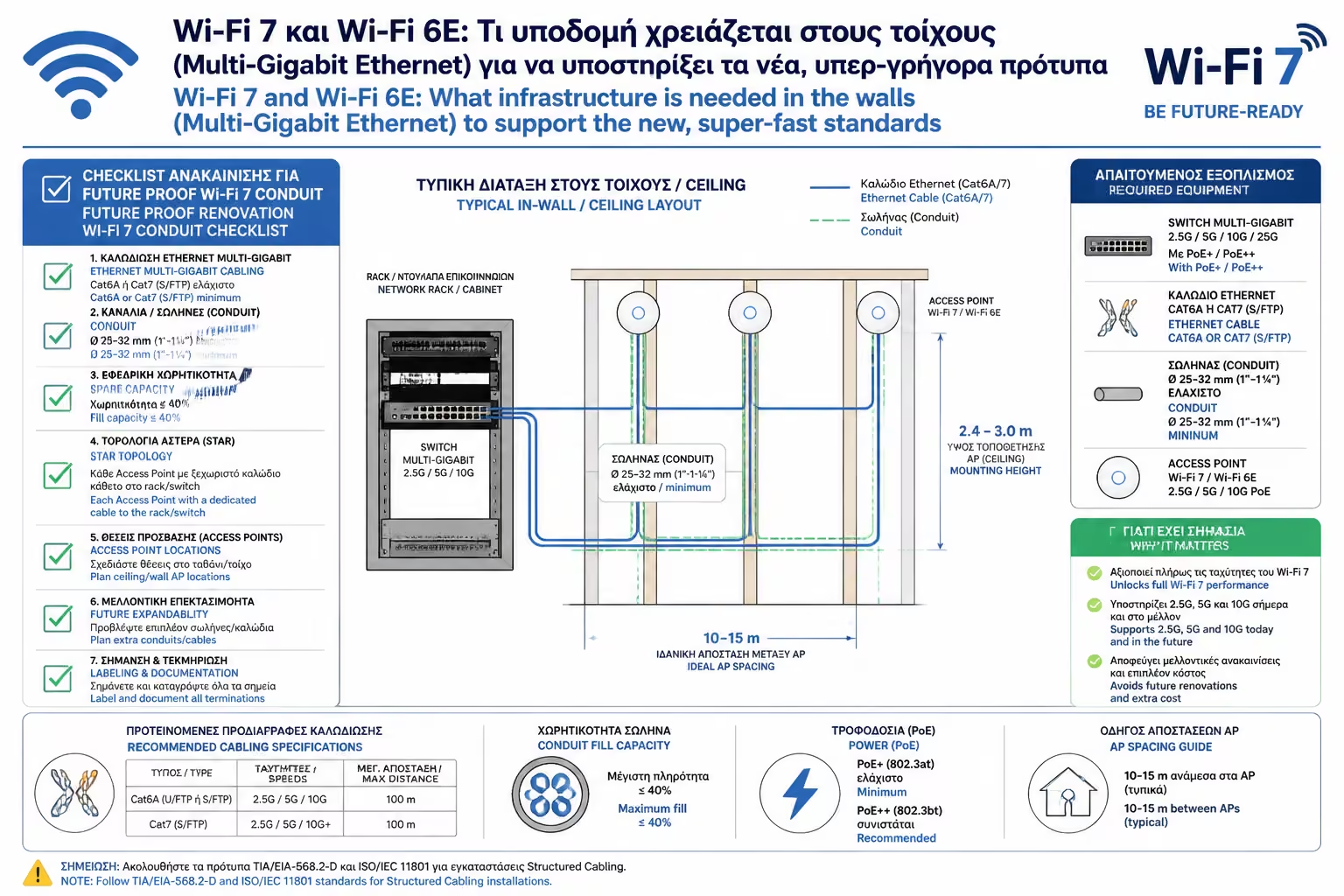
4. Practical Guide to Renovation (Future-Proofing)
If you're planning your network now, follow these 3 engineering
"commandments":
Throw Cat6a everywhere: Don't let the electrician talk you into Cat6
or Cat5e ("because they're softer"). Wi-Fi 7 and future 2
Gbps fiber require the bandwidth of Cat6a.
Double Cabling in the central points: In the places where the Access
Points will enter (ceilings), run two (2) Cat6a cables instead of
one. Many high-end Wi-Fi 7 antennas allow "Link
Aggregation", i.e. use two cables at the same time to reach
speeds of 20 Gbps!
Provision for PoE++ Switch: In your Rack, make sure the Switch you
buy supports the 802.3bt (PoE++) standard. Without it, the new Wi-Fi
7 antennas may not even turn on or operate in "safe mode"
with reduced range.
Summarizing
Wi-Fi 7 isn't just a minor upgrade; it's erasing the boundaries between
the wired and wireless worlds. To enjoy it, however, you need to invest
in the "silent" infrastructure behind the walls. Switching to
Multi-Gigabit equipment and using 100% pure copper Cat6a cables is the
only guarantee that your home will stay technologically up-to-date for
the next decade.
Next Step: We have the right cables and the right antennas. Now we have
to decide where to place them. Why is putting the Router on top of the
TV stand the worst possible choice?
We continue in the placement guide: Correct Placement of Access Points:
Why placement on the ceiling (Ceiling Mount) in the center of the room
is always the optimal solution.