Instant Glare
When you look (even out of the corner of your eye) directly at a bare LED bulb.
We leave the comfort of home behind and enter the business world. Consider this common scenario: You work in a modern, bright office. However, around 14:00 in the afternoon, your eyes start to feel heavy, dry, your eyelids tighten, and a slight headache sets in.
Most people blame the computer screen. But in too many cases, the real culprit is hanging over your head: It's poor lighting design and excessive Glare.
In professional lighting, how "bright" a light is (Lumens) is the easy part. The difficult thing (and the most expensive) is how to throw this strong light into the space, without blinding the workers. This is where the UGR index comes into play. As engineers, let's see why this number is the most important indicator when purchasing lighting for a workplace.
Glare is the discomfort the eye feels when faced with a light source that is much brighter than the environment it is used to. There are two types:
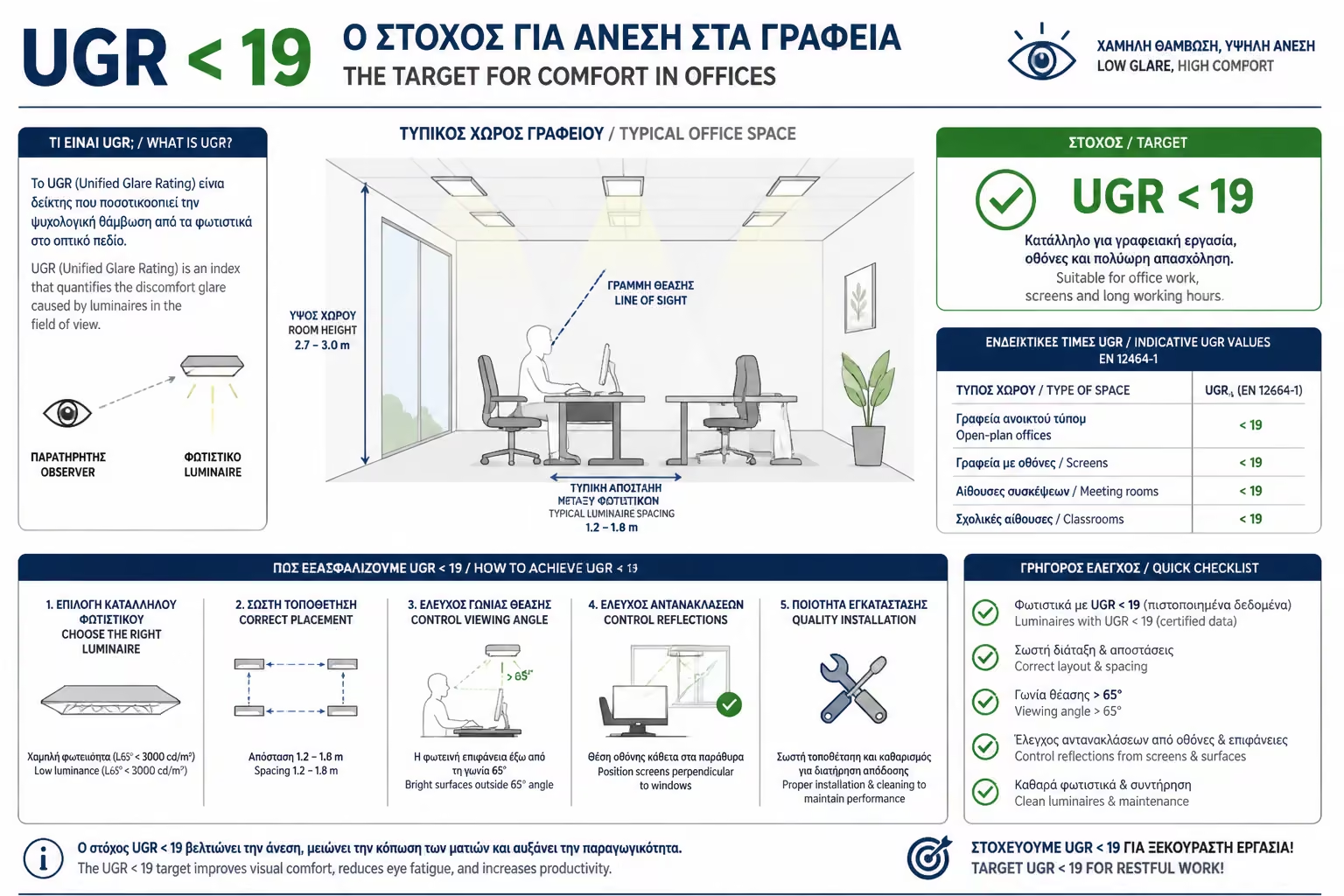
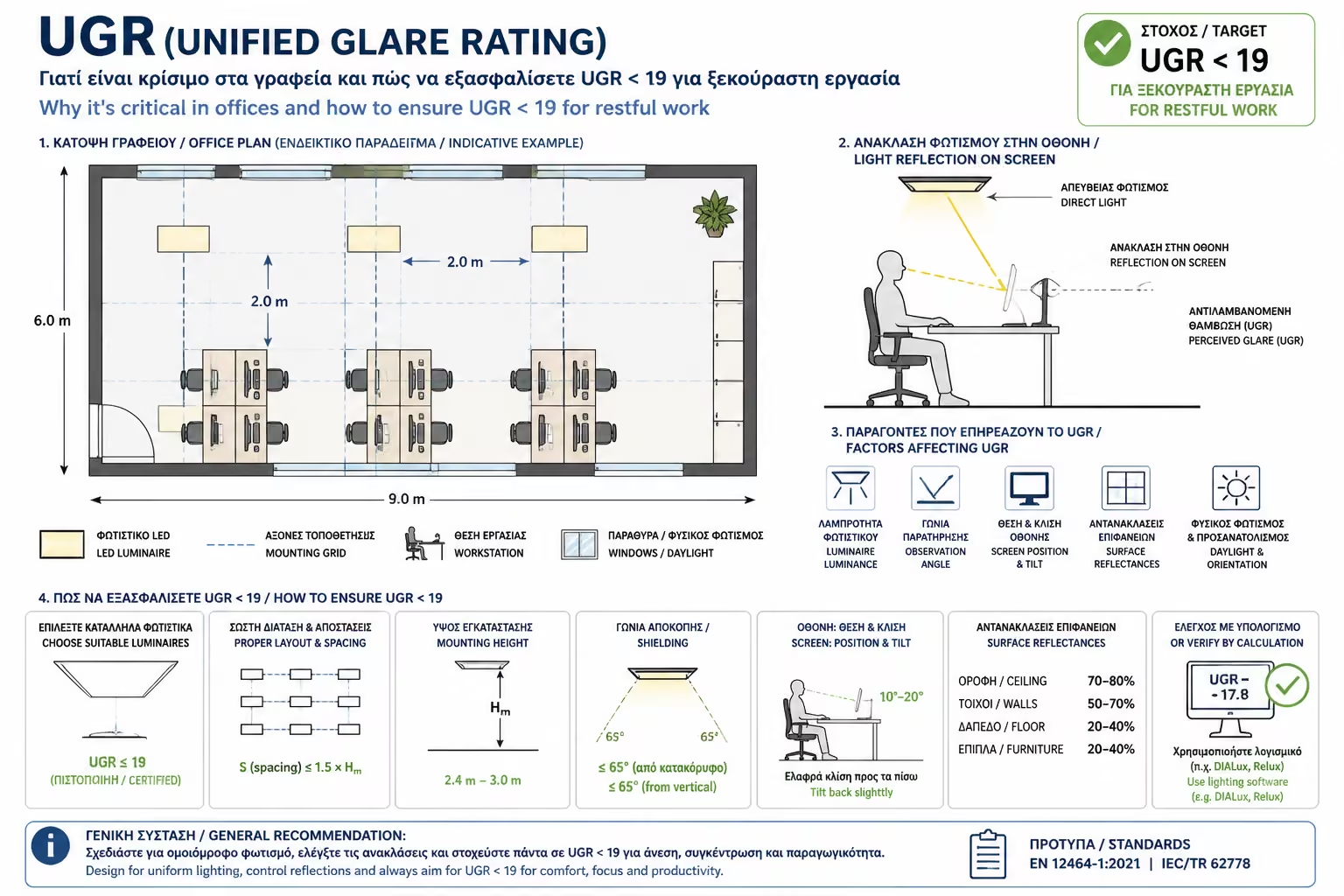
The UGR index (Unified Glare Rating) is a mathematical formula that evaluates how "annoying" a lighting system is to the human eye. The scale usually ranges from 10 (no glare) to 30 (unbearable glare). The smaller the number, the more relaxing the light.
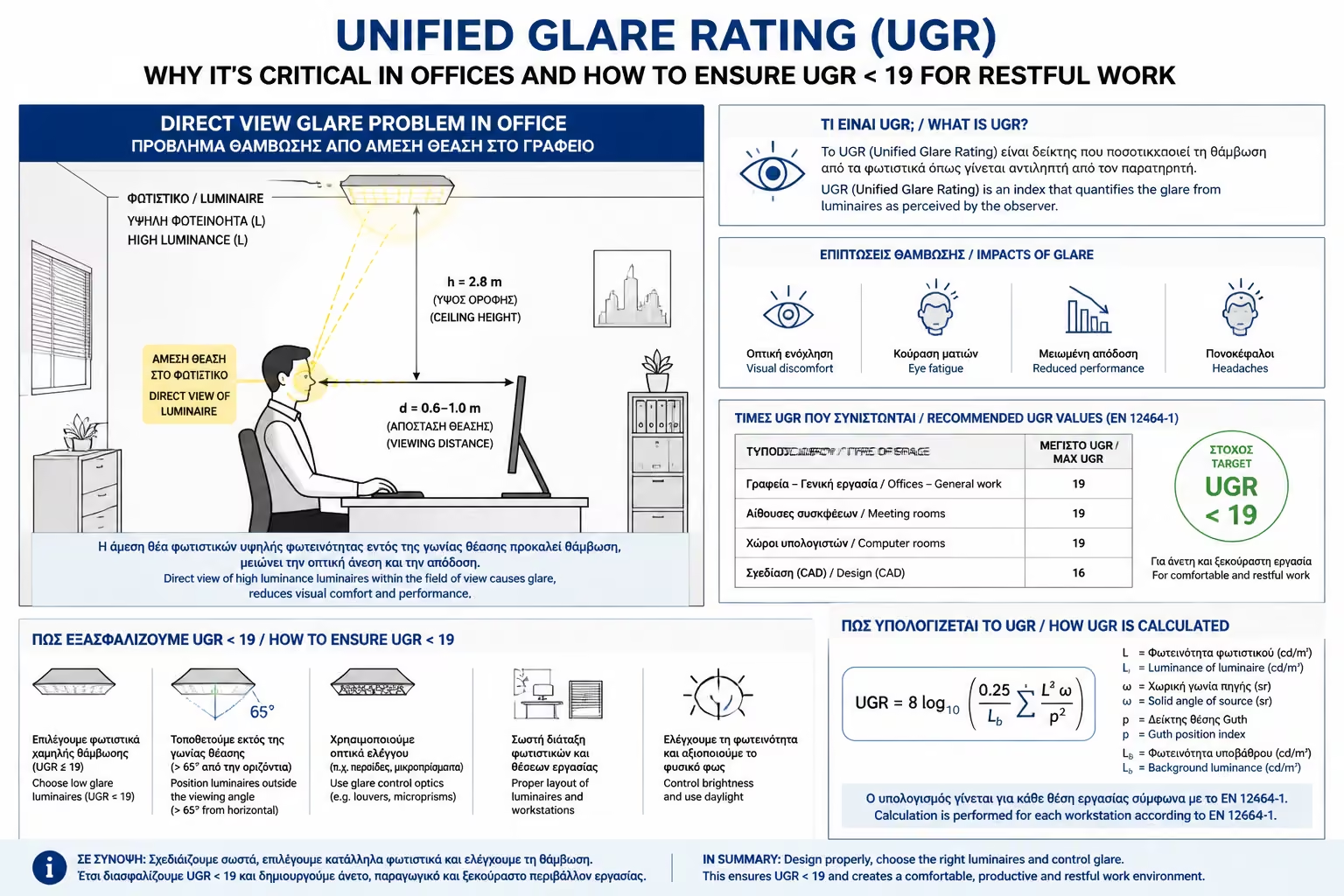
When you look (even out of the corner of your eye) directly at a bare LED bulb.
When the light from the lamp "hits" your shiny computer screen or your white, shiny desk and reflects in your eyes.
The European Legislation (Standard EN 12464-1) is absolutely clear for business premises. Depending on the work done in a room, it sets strict UGR limits to protect workers:
If you are an employer and buy cheap industrial LED panels with UGR 22 for your office (because they were on sale), you might save a few euros initially, but you will lose them many times over in reduced performance, fatigue and mistakes of your workers.
Required for high precision work (e.g. technical drawing, doctor's offices, surgeries, laboratories).
THE ABSOLUTE RULE FOR OFFICES. It is the limit for spaces where people read, write and work on computers 8 hours a day.
Permitted for reception areas, corridors, retail shops and general industrial areas.
It is only allowed in warehouses, stairwells and areas where the stay is a few minutes.
It is not enough that the box says "UGR < 19". This indicator results from the combination of the lamp, its placement and the room itself. How do we ensure this?
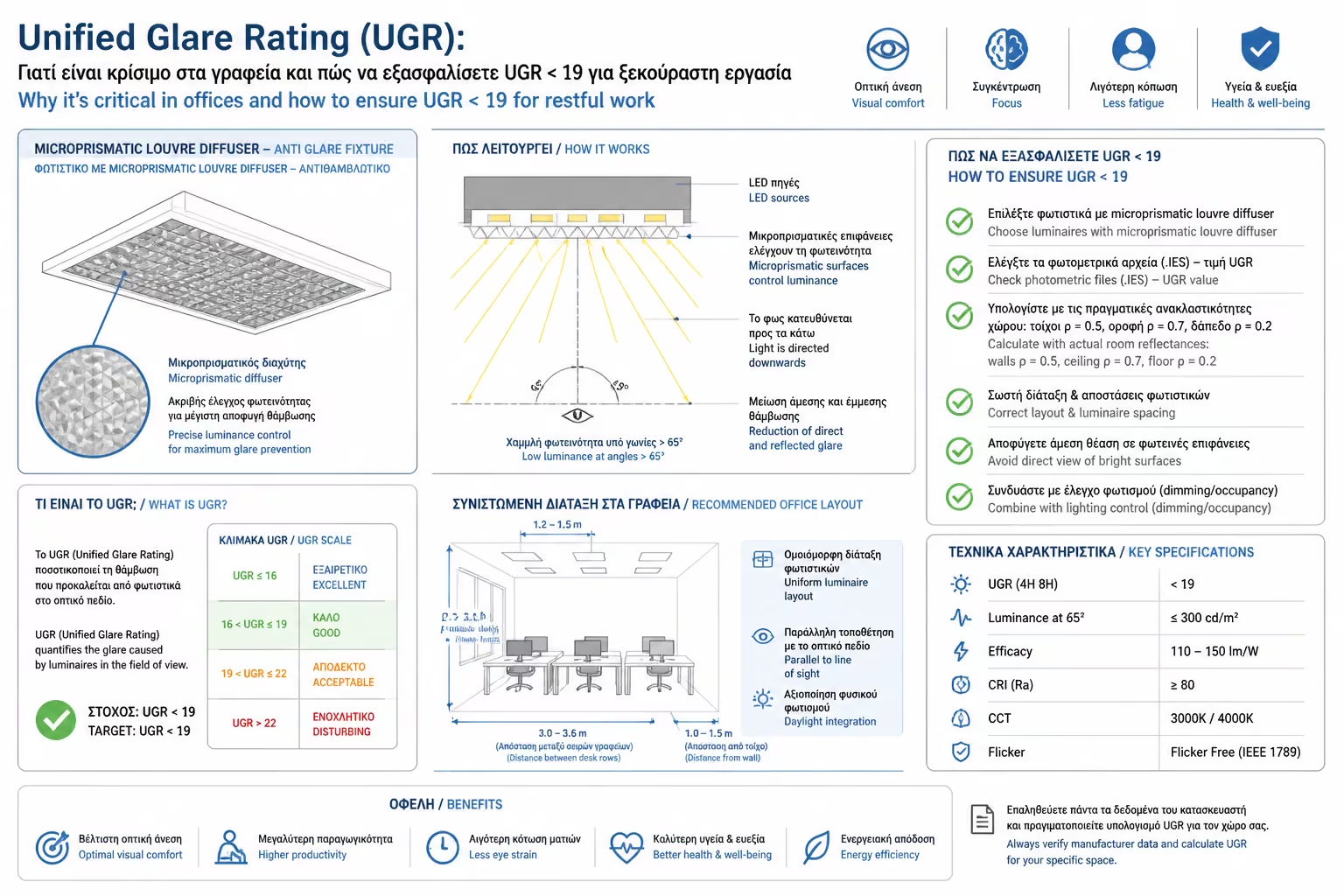
Cheap LED panels just have a white (milky) plastic glass. If you look at them, they look like a huge, bright plate that "burns" the eye. The UGR < 19 professional luminaires have a micro-prismatic cover. If you look closely, their glass has small crystals (like little diamonds). This structure "breaks" the light beam and directs it strictly downwards (into the workplace), preventing the light from traveling horizontally and "hitting" the eyes of those sitting further away.
Placement is everything. Never place the light fixture directly in front of an employee's desk (so they can see it all the time). The lamp must be placed directly above the workplace, so that the light falls vertically, and the worker's gaze is parallel to the lamps.
You can have the best lighting in the world. If you paint the walls in glossy (satin) color, buy glossy white desks and put glass partitions, the room will turn into a huge glare mirror. In the workplaces, we strictly choose matte surfaces on desks, floors and walls to absorb harsh reflections.
The next time you're renovating a business space or getting a quote from your electrician, don't just ask "how many watts are the lights?". The key word to protect your team's health, vision and productivity is one: "I require fixtures with a UGR below 19". The difference in the quality of work will be noticeable from the very first day.
Next Step: We solved the problem of visual comfort. Now, how do we manage the hundreds of lights in a large commercial space without pulling down countless switches? Moving on to the ultimate industry standard of control: DALI Protocol (Digital Addressable Lighting Interface): The ultimate guide to smart professional lighting control.
Return to category.
Go to categoryReturn to the central guide.
Go to guide