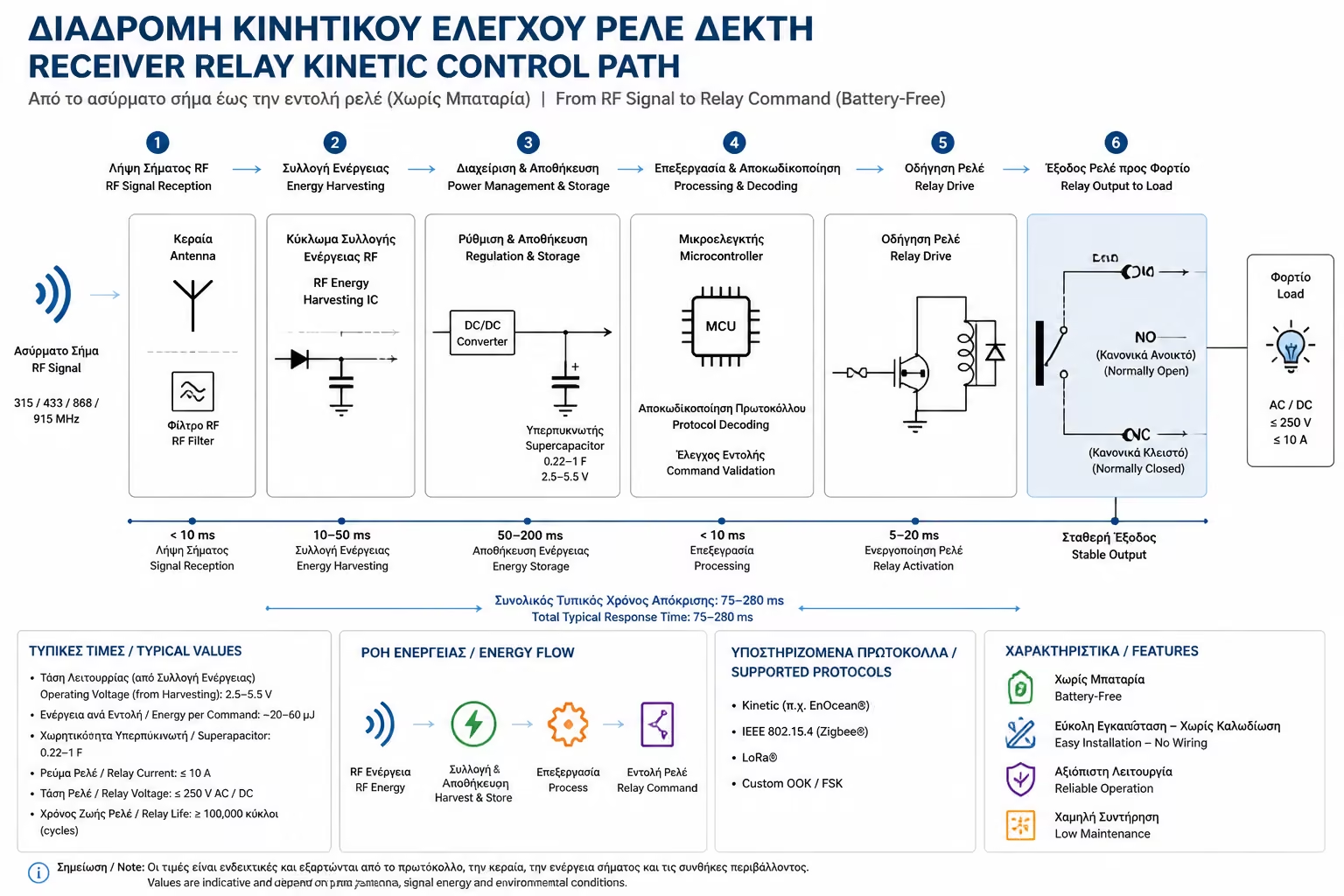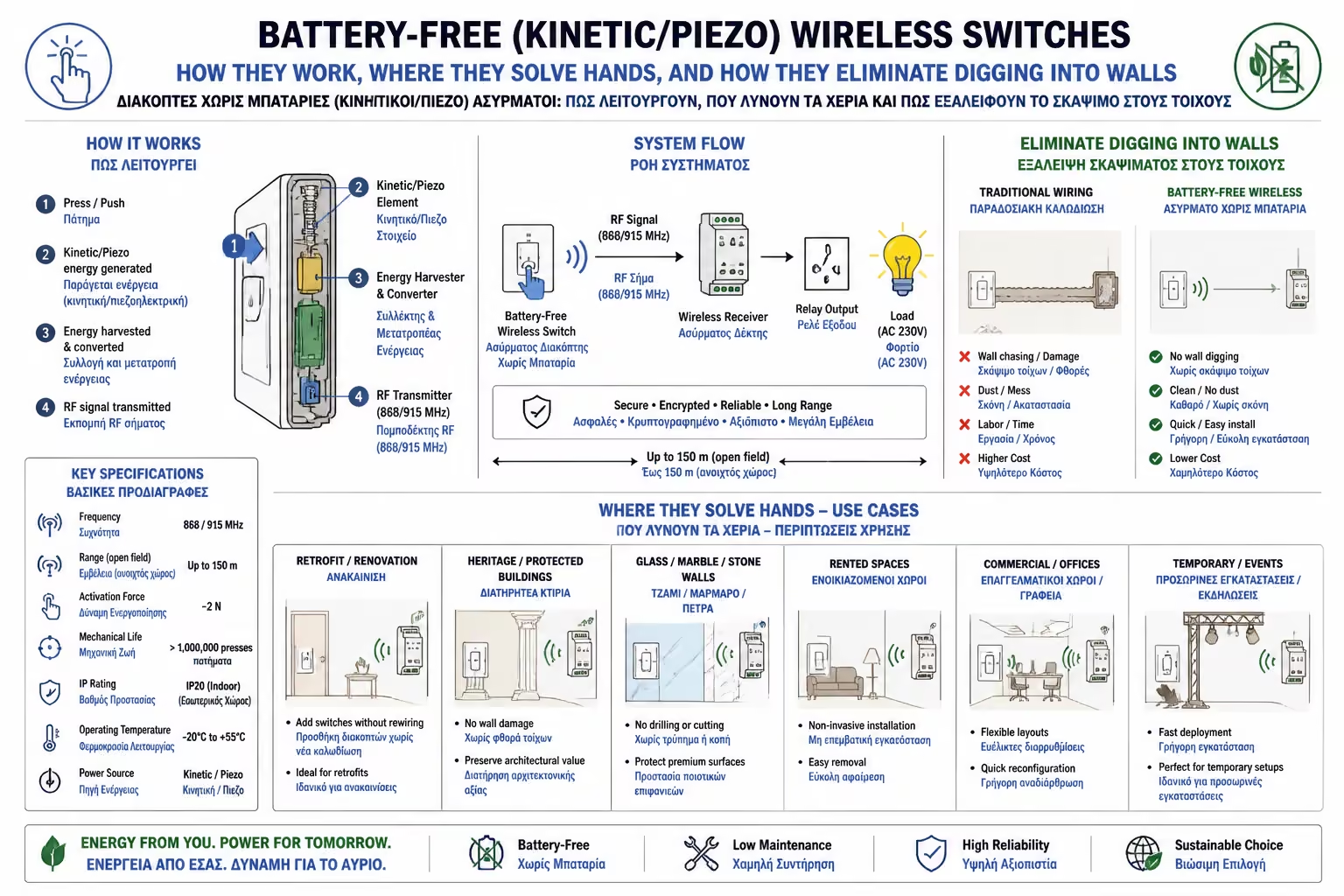
Create Ale-Retour without cables
Do you only have a switch at the beginning of the hallway? Stick a Kinetic switch at the end of the corridor. Now you turn on at one end and turn off at the other.
You've remodeled your home, everything is painted and clean, and suddenly you realize something annoying: That living room light switch is in the wrong place. Or, maybe you moved your bed and now you have to get up in the dark to turn off the light because there's no switch next to your nightstand (no ale-retrou).
In the pre-Smart Home era, the solution was a dread-inducing word: Meremetia. The electrician had to come in with the digging tool, cut a hole in the wall, run a pipe, plaster and repaint the room.
Today, technology offers a solution that literally looks like magic. You can "glue" a switch to any wall, glass or wood, without pulling an inch of wire, and—most impressively—without having to change its battery EVER. Let's see how Kinetic Switches work and why they are the modern owner's best friend.
When you see a wireless switch, it's logical to think, "Since it doesn't have a cable, it must have a battery, so at some point it will die and I'll be in the dark."
Kinetic or Piezo switches break this rule by exploiting a law of physics. Inside the switch is a tiny mechanism (generator).
Essentially, the very press of your hand "generates" the current the device needs!
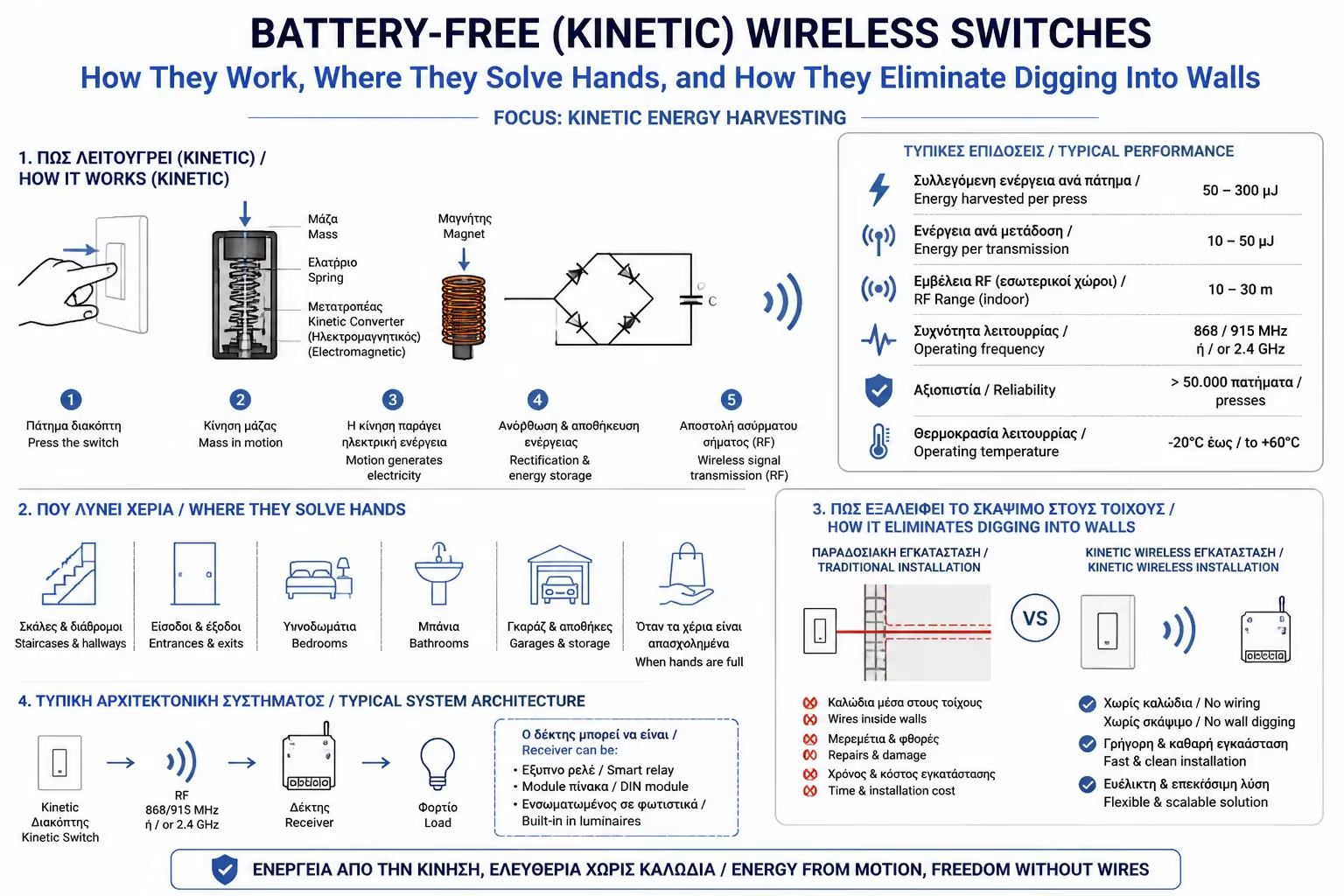
Of course, the switch you stuck in the wall doesn't have magical powers to turn on the light bulb on its own. It is simply the "Transmitter".
For the system to work, a Receiver is required. Here we return to the Smart Relays (Micro-modules) that we analyzed in previous articles (or a smart light bulb).
Kinetic switches did not come to replace wiring in a new house, but to save situations in existing premises:
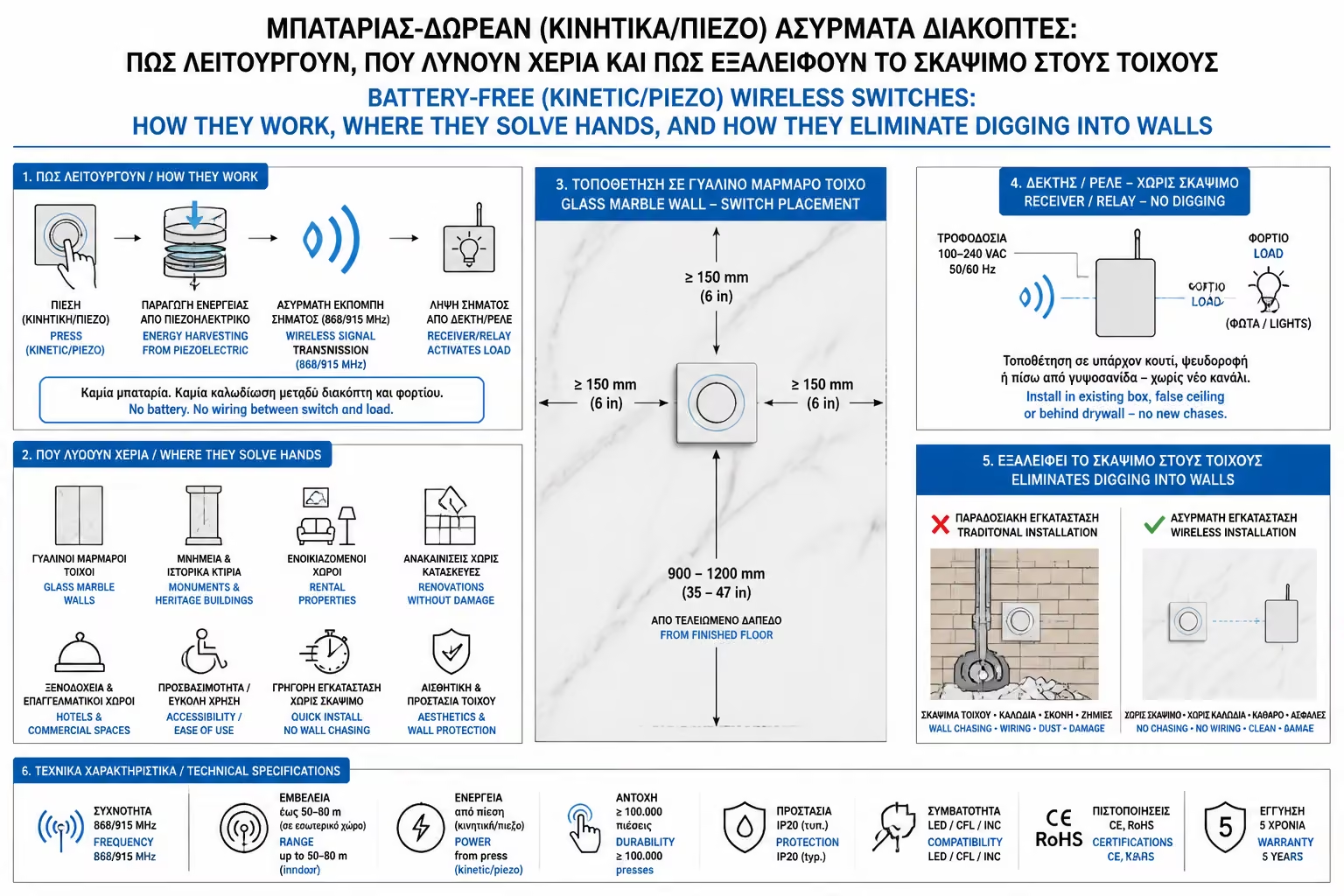
Do you only have a switch at the beginning of the hallway? Stick a Kinetic switch at the end of the corridor. Now you turn on at one end and turn off at the other.
In the modern offices with glass windows or in the luxurious bathrooms with orthomarbles, digging is prohibited. A Kinetic switch sticks with double-sided tape (3M) directly to the glass or tile.
Because these switches do not leak any current (not even 1 Volt), they are completely safe. Many models are even 100% waterproof (IP67), allowing you to put the switch... inside the shower!
You can screw the switch onto the side of a wooden kitchen unit (e.g. for the hidden LED lighting) without drilling for cables.
Despite their technological superiority, battery-less switches have two peculiarities that you should be aware of before buying:
Kinetic Wireless Switches are the ultimate "Plan B" (and often the "Plan A") of any smart installer or interior designer. With a cost that usually ranges from €30-€45 for a set (Switch + Relay-Receiver), they offer you the possibility to design the ergonomics of your space exactly as you want it, without breathing a single gram of dust and without the stress that at some point in the future you will have to look for rare batteries.
Next Step: We have definitively solved the issue of lighting control, either with hidden relays, or with smart switches, or wirelessly. It's time to talk about Sockets.
We continue to the next Category B guide: Schuko Sockets with Built-in Wi-Fi & Measurement: Is it worth changing the classic built-in socket or is an external Smart Plug enough?
Return to category.
Go to categoryReturn to the central guide.
Go to guide