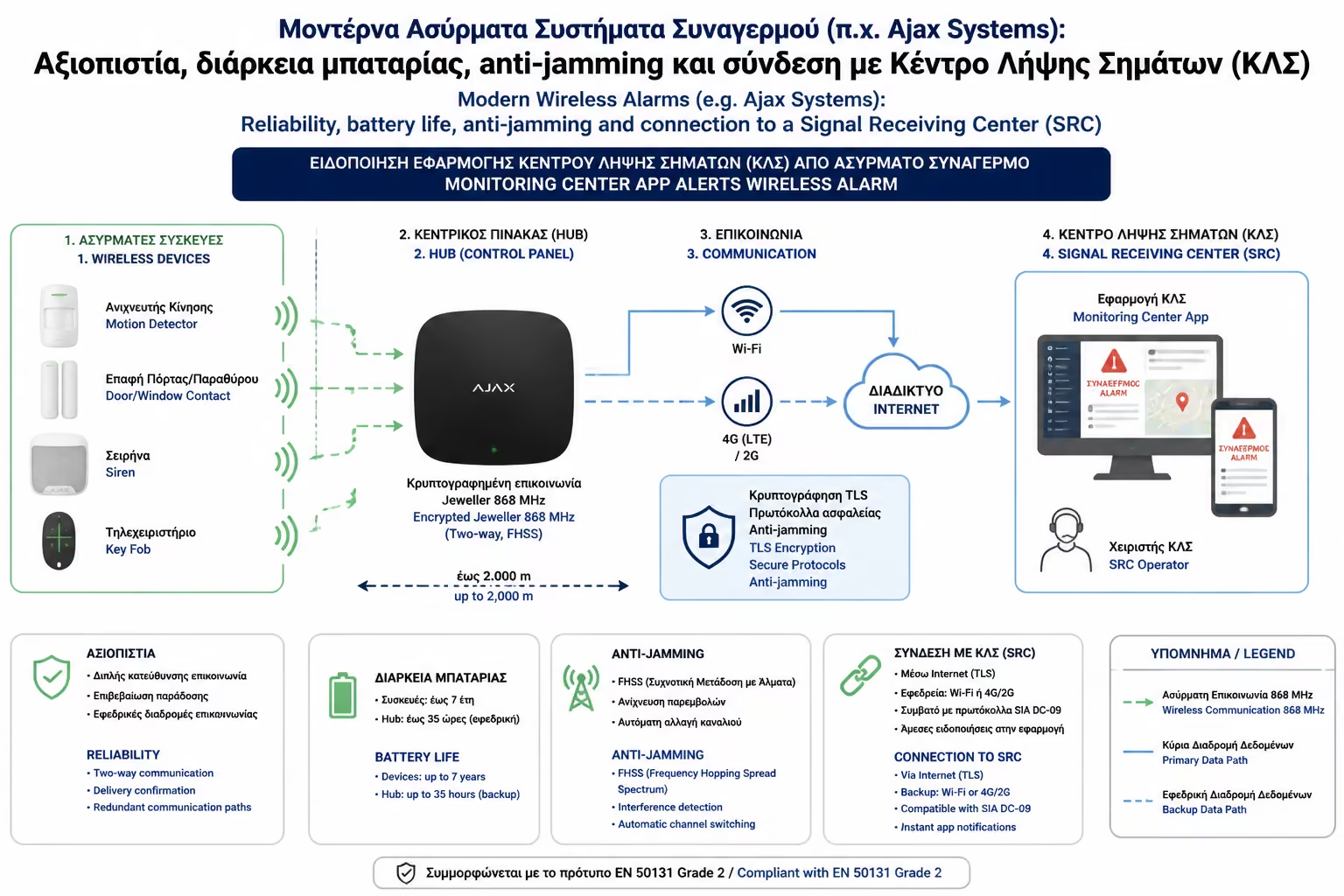
Duration
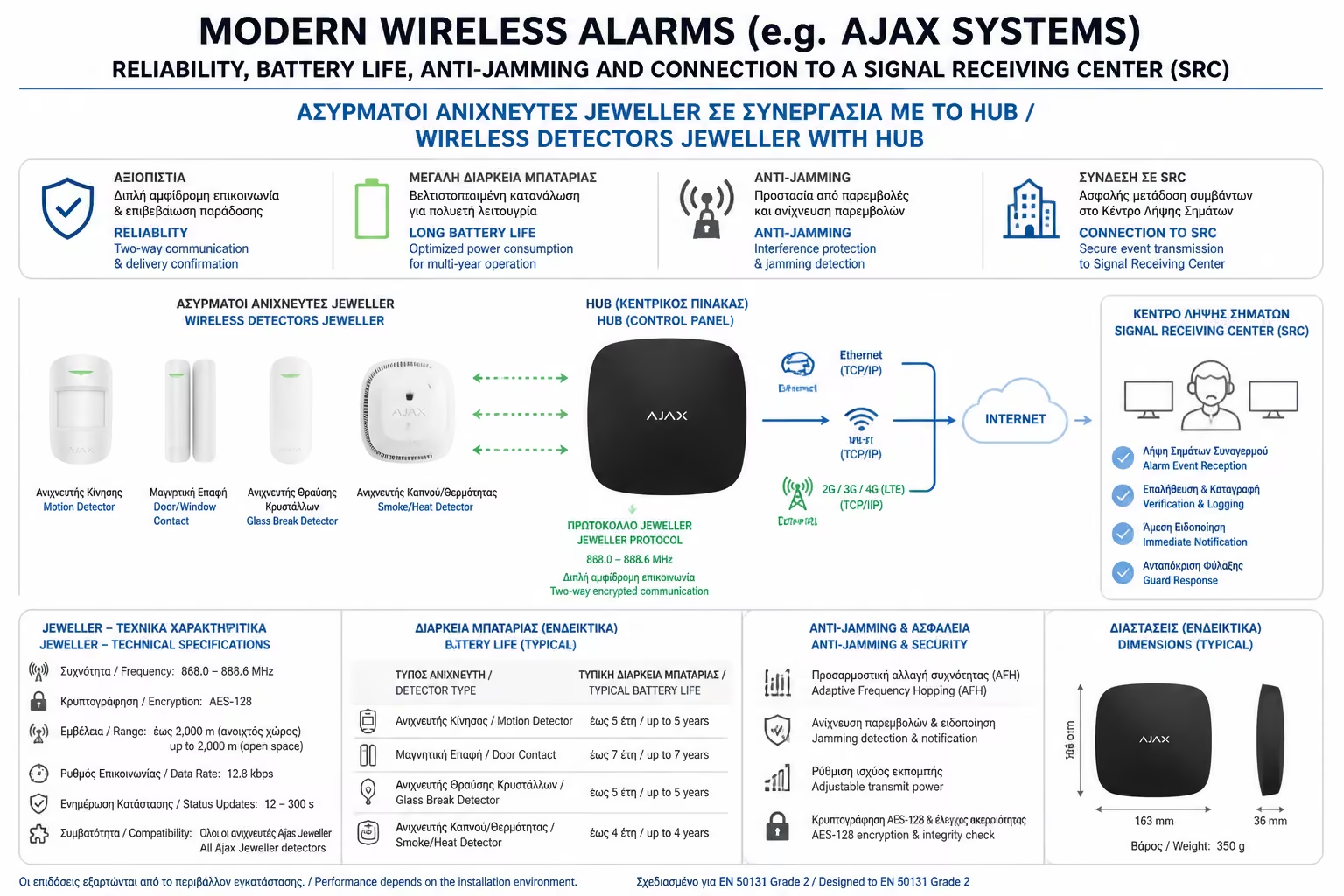
The standard lithium batteries (like CR123A) they use last 5 to 7 years!
In the previous article we made it clear that if you are building your house now, the cable is the absolute "king" of reliability. But what if your house is already finished, freshly painted, and there is not even half a meter of cable hidden in the walls? The idea of drilling out joists and running unsightly plastic channels (gutters) over skirting boards makes you cringe.
For decades, wireless alarms were considered the "poor cousin" of security. They had a reputation for false alarms, "eating" batteries in a matter of months, and being vulnerable to interference.
All that changed in the last decade. Companies like Europe's Ajax Systems (and now other traditional players like Paradox and DSC) have taken wireless technology and rewritten it from the ground up. As engineers, we now install these alarms not as a "necessary solution", but as a top choice. Let's see how they debunk the myths.
The problem with old (and cheap Chinese) wireless alarms is that they tried to communicate via Wi-Fi or Bluetooth, on frequencies that were already "congested" by cell phones, routers, and microwave ovens.
Modern alarms use their own, proprietary radio protocols (such as Ajax's Jeweler).
The most common question from owners is, "Do I have to climb a ladder every 3 months to change batteries in the traps?"
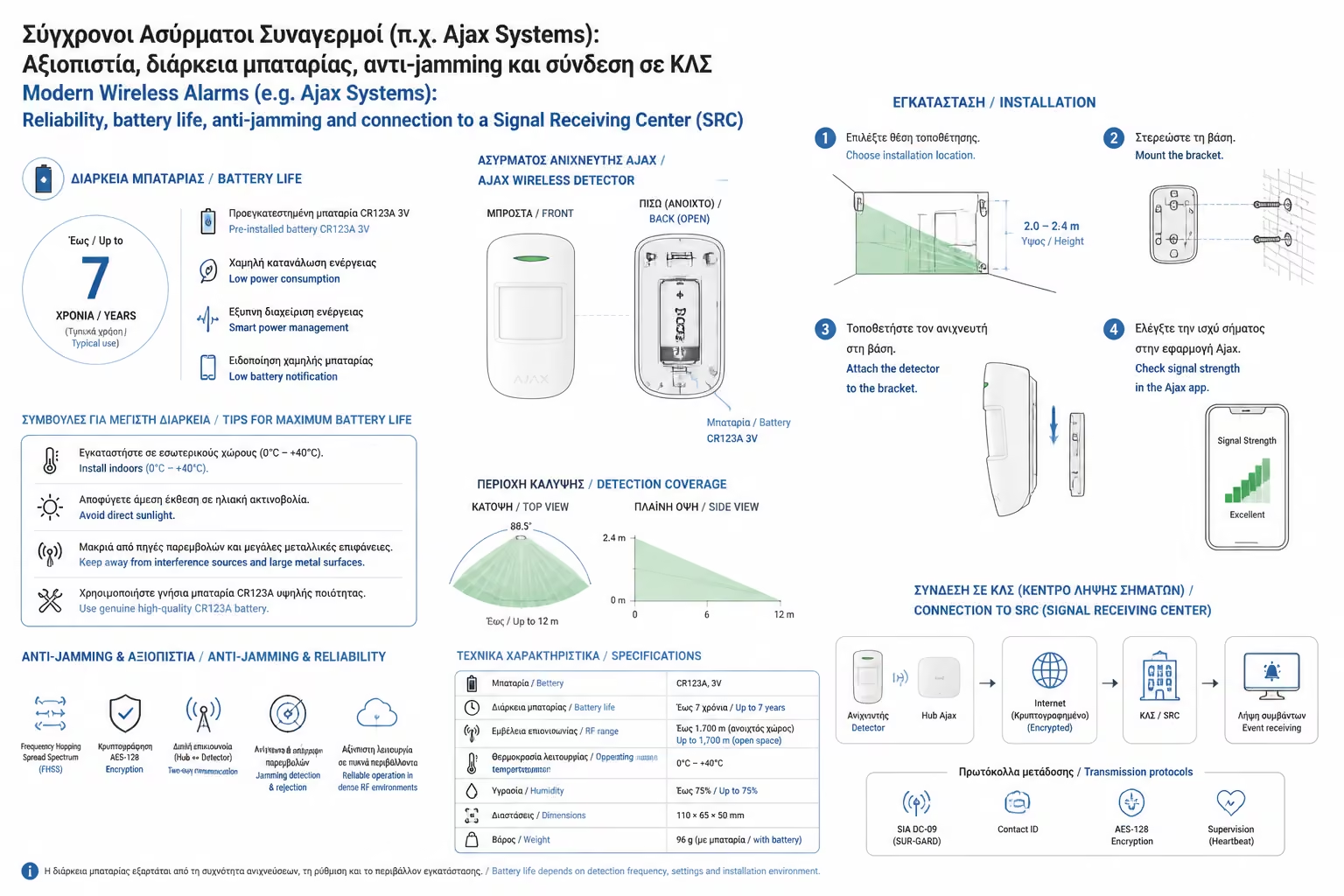
The answer is no. Thanks to the excellent power management of the protocol, the sensors are constantly in "deep sleep" (Sleep mode). They only wake up for fractions of a second to send a signal (ping) to the center that they are "okay", or when they detect movement.
The standard lithium batteries (like CR123A) they use last 5 to 7 years!
When the battery drops to 20%, the system does not shut down suddenly. It sends you a notification on your mobile (Push Notification) so that you have weeks at your disposal to change it comfortably.
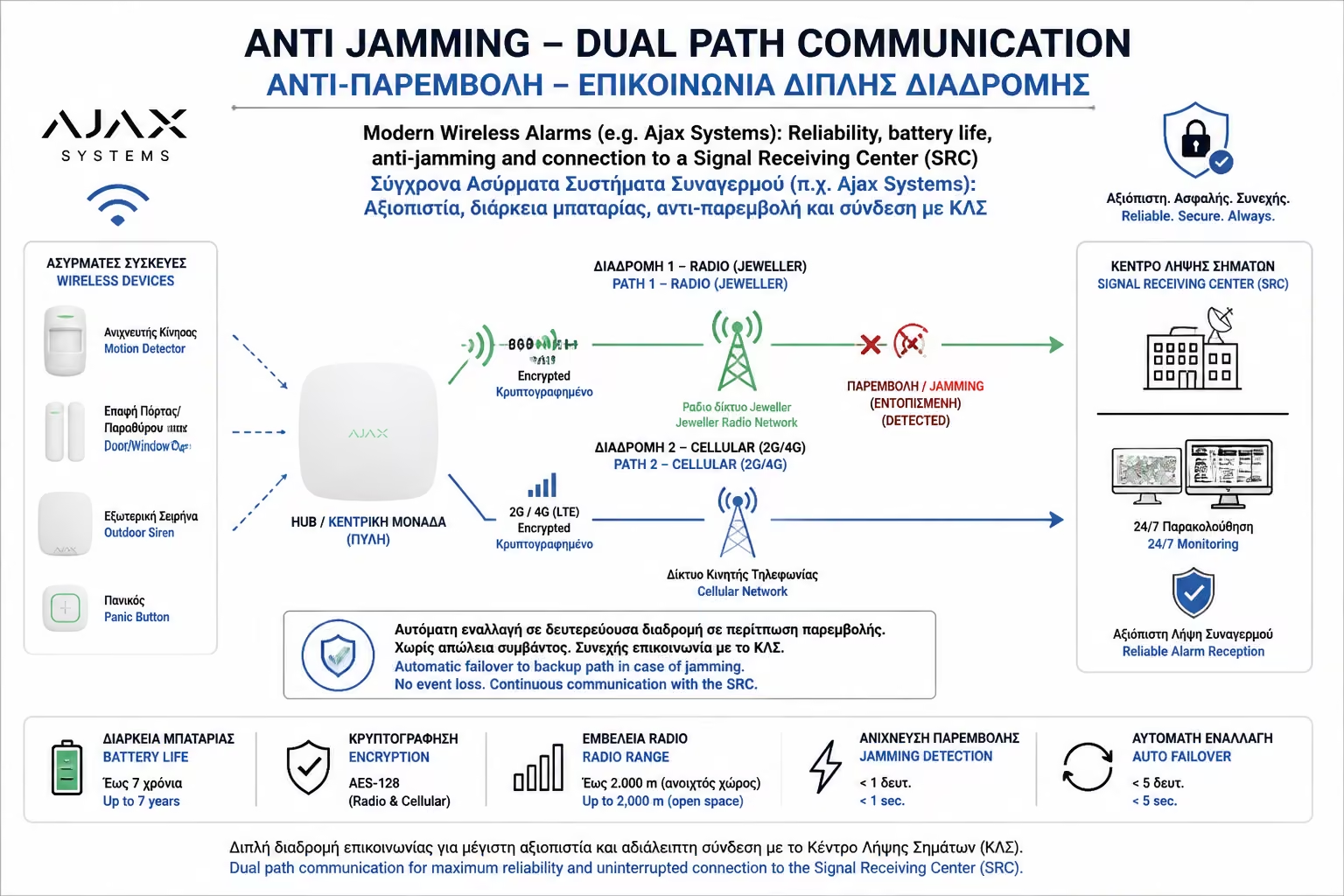
The biggest concern with wireless alarms is Jammers (devices that emit radio "noise" to disrupt communication). Modern alarms have a multi-layered defense system:
An alarm that sounds only locally (the siren) or just rings on your mobile phone is often not enough. What if you're a heavy sleeper, you're on a plane, or you're just afraid to go check on the house yourself?
That's where the Signal Receiving Center (SRC) comes in. They are private security companies with 24-hour operator shifts. Modern wireless systems (via SIA/Contact ID over IP protocols) connect in seconds to the CLS.
The "Game Changer" - The Visual Confirmation (MotionCam): In the past, if a radar went off in the living room, the Police were slow to come, because 90% of the time they were False Alarms (a cat, a curtain, etc.). Today, companies like Ajax have come out with Built-in Camera Radar.
The question "Wired or Wireless?" it has now been answered by the development of technology. If you build, drop cables (it remains the cheapest and most permanent infrastructure). But if you are renovating or renting, a modern wireless alarm is no longer a "compromise". It's a premium, encrypted security shield that sets up in less than 2 hours, without a single hole in your walls, offering the best user experience (via App) in the history of the industry.
Next Step: We now have a state-of-the-art alarm and a smart home (lights, blinds, etc.). Why keep them separate?
We continue in the next guide, bringing the two technologies together: Alarm Integration with Smart Home: How to make a panic scenario (eg all lights turn on 100% and the blinds go up automatically when the alarm goes off).
Return to category.
Go to categoryReturn to the central guide.
Go to guide