Zero Installation
You don't need an electrician. You are not coming into contact with bare wires. You just plug it in.
Having checked the lighting, the next logical step in a Smart Home is to check the devices. Do you want the coffee machine to heat up before you wake up, the floor lamp to turn on with your voice, or just to measure how much electricity your old refrigerator is burning.
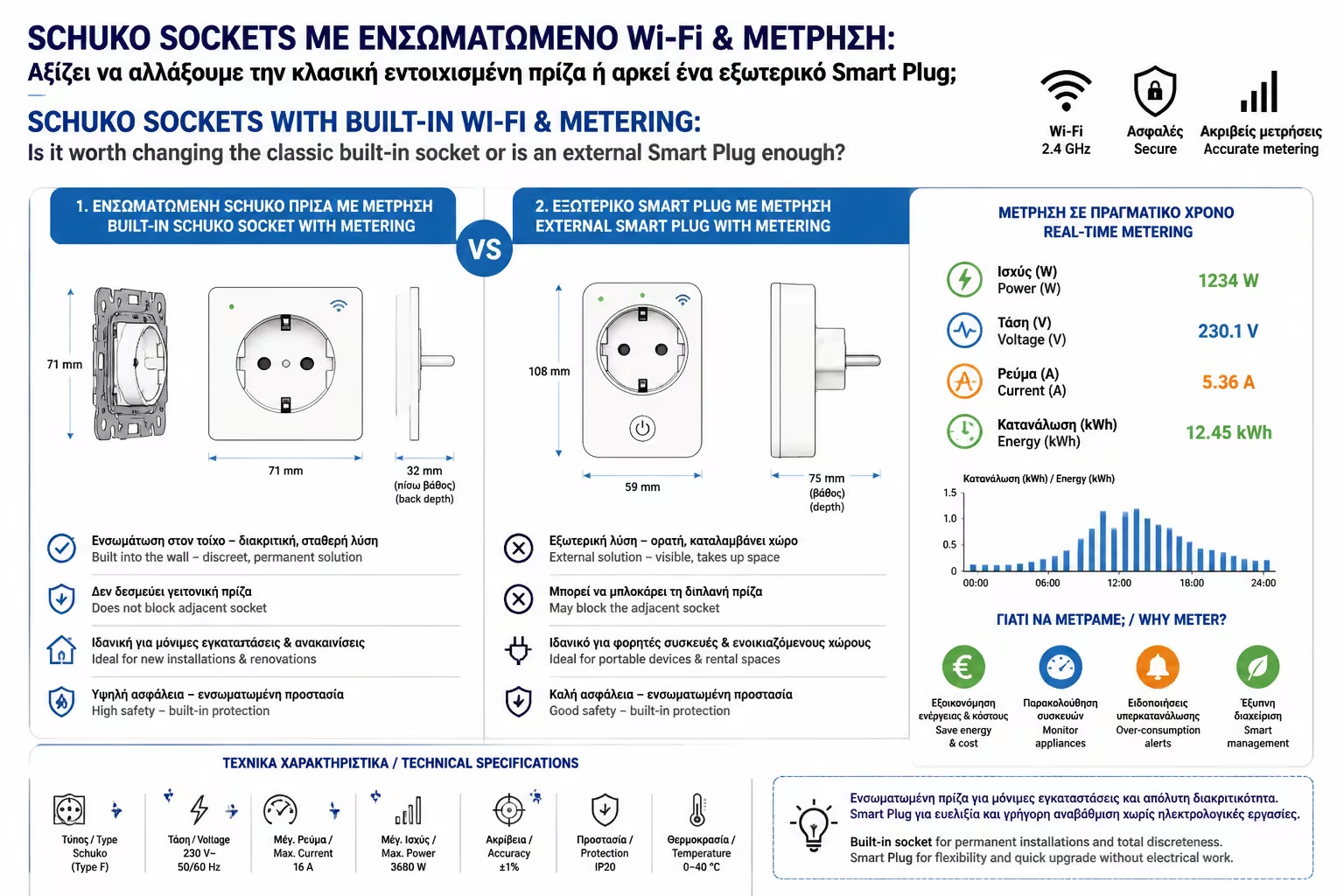
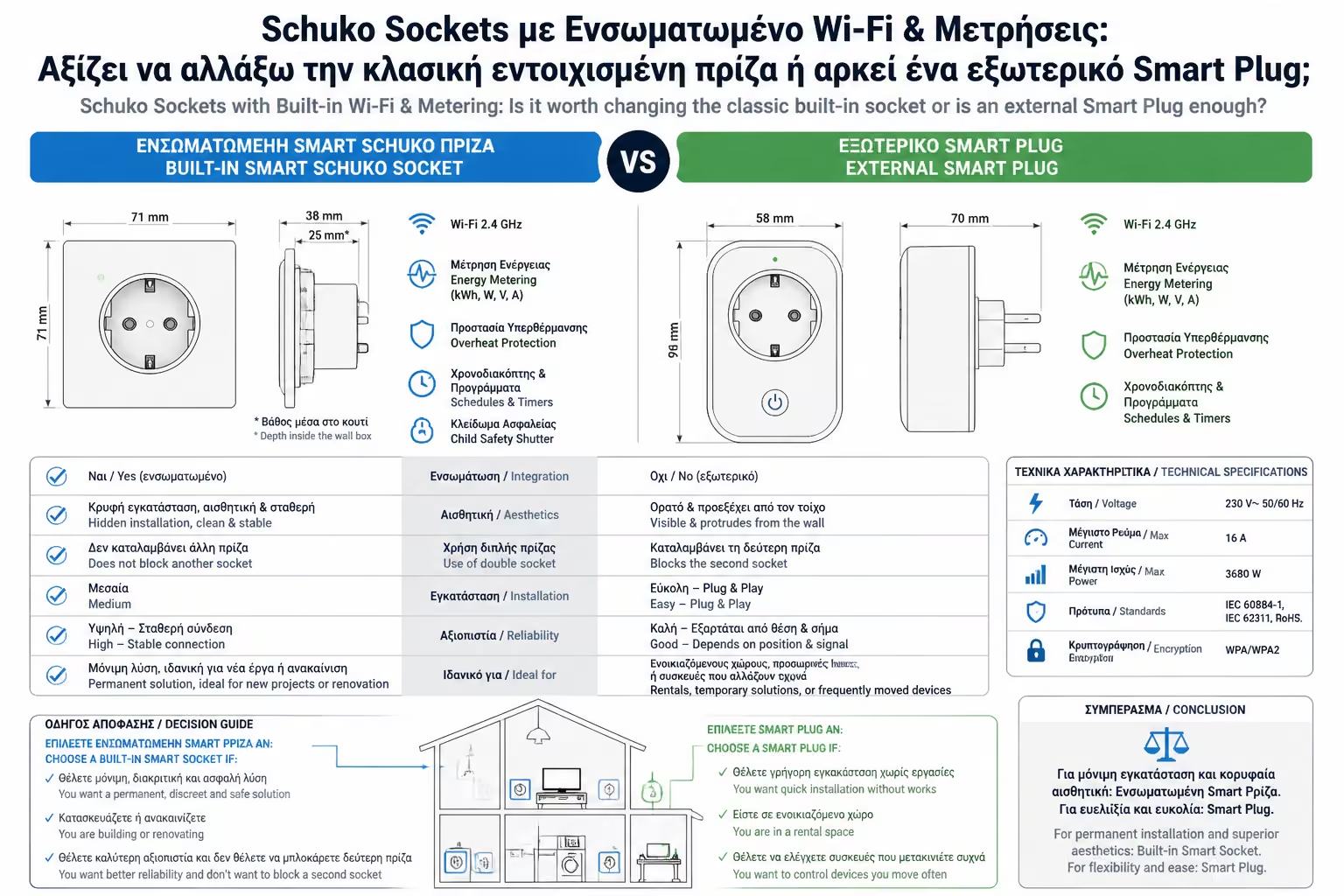
To achieve this, you are faced with a very practical dilemma. Will you go to an electronics store and buy an "adapter" (Smart Plug) that goes over the existing outlet, or will you call an electrician to rip out your old outlet and put in a brand new, built-in Smart Schuko Outlet?
As engineers, we often see houses that have been filled with bulky adapters, losing any element of aesthetics. Let's compare the two solutions to choose the right technology for the right part of the house.
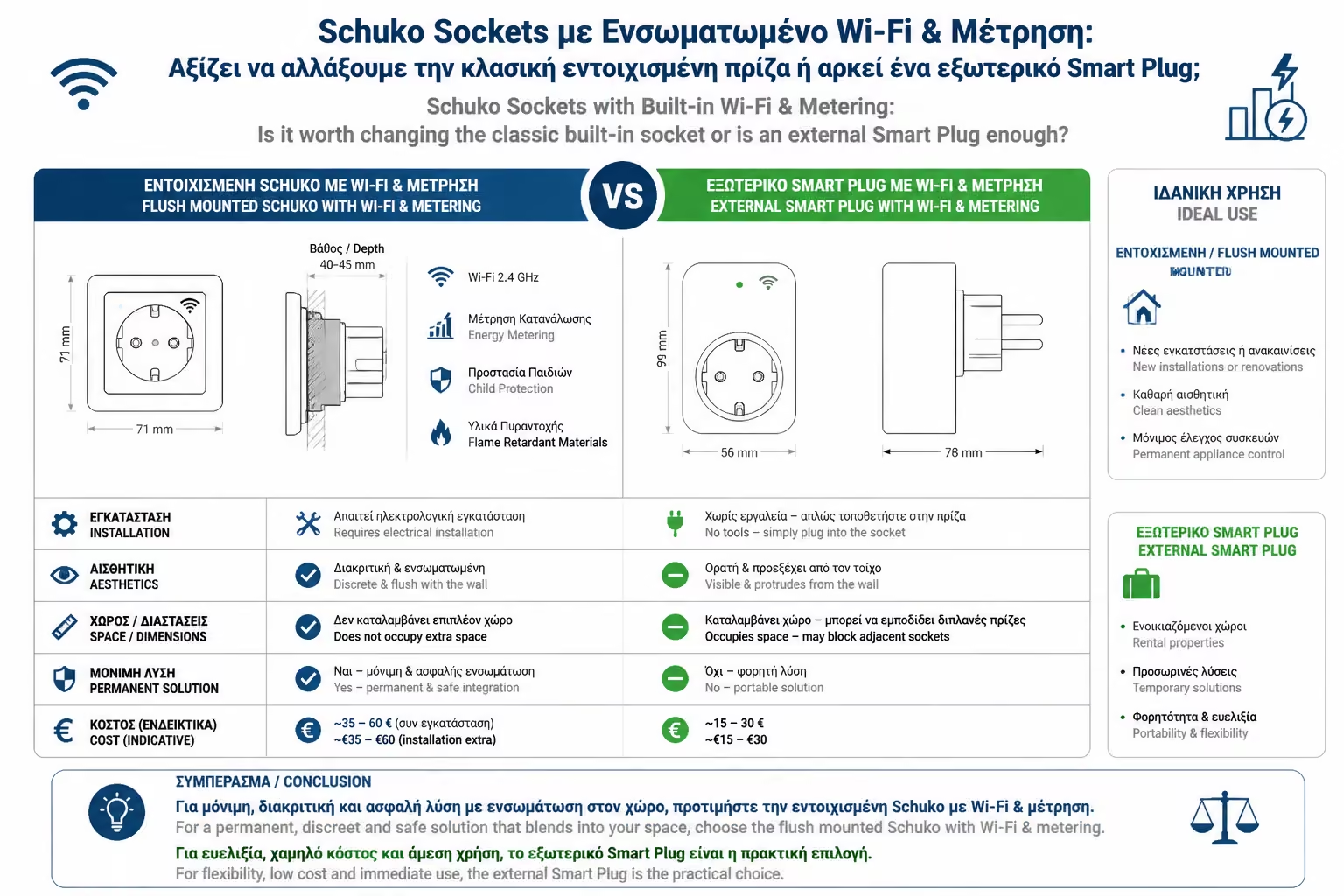
It is the most common device on the market (eg TP-Link Tapo, Shelly Plug S, Sonoff S26). You buy it, plug it into the wall socket, and connect your device to it.
You don't need an electrician. You are not coming into contact with bare wires. You just plug it in.
In winter, you put it in the bathroom heater. In the summer you take it out and put it in the living room fan. You can take it with you if you move (ideal for renters).
Reliable Wi-Fi or Zigbee Smart Plugs now start at €10 - €15.
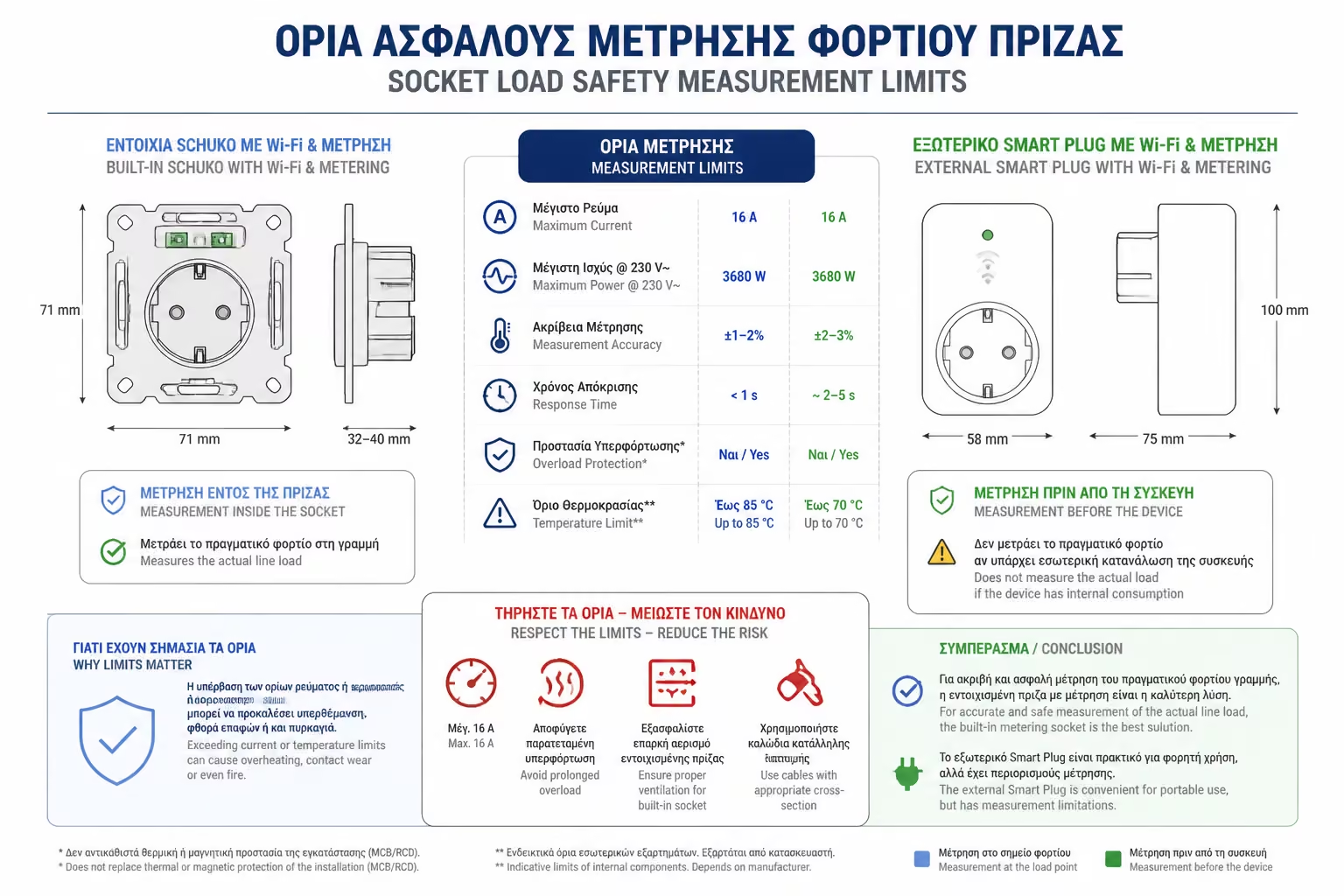
They protrude from the wall by 4 to 6 cm. If you want to push a sofa or a piece of furniture against the wall, it just won't fit.
In power strips or dual wall outlets, the body of the Smart Plug is often so bulky that it prevents you from using the adjacent socket.
If the cleaning lady or a child comes and pulls the Smart Plug out of the wall to turn on the vacuum cleaner, your automation "dies". The home is no longer smart.
Here we throw away the old socket (the "plastic one") and screw into the wall a brand new socket which hides all the technology inside (relay, Wi-Fi/Zigbee, consumption meter).
The outlet is absolutely "face to face" with the wall (or a few millimeters further out). It looks like a normal high-end socket (often with a glass frame). The furniture is normally attached to the wall.
One cannot "take it out" by accident. Control always remains in your system. Perfect for devices that need to stay powered, but want to cut them off remotely (eg in an Airbnb).
They never block adjacent seats.
You need knowledge (and download general) or a licensed electrician.
Just like we saw in Smart Switches, if you have a triple box (Switch, Outlet, Antenna), you can't just change the outlet. Smart plugs have their own, non-compatible frameworks.
A quality built-in smart socket costs between €25 and €40.
As professionals, we often avoid both of the above options and use the trick we learned on light switches. If your wall socket is already beautiful (e.g. Vimar or Legrand series), we open the socket and hide behind it a Smart Relay with consumption measurement (e.g. Shelly 1PM).
You keep your aesthetics, you don't have external bumps, and you control the outlet.
Socket boxes often have thick 2.5mm² wires in them (which don't bend easily). Fitting a relay in there, in a 40mm box, is extremely difficult. But if your boxes are deep, it is by far the best architectural solution.
The answer is not "black or white". The right strategy in Smart Home is to mix technologies depending on the space:
In places that cannot be seen. Behind the TV, behind the washing machine, under your desk or for temporary uses (eg Christmas tree lights). There you don't care about aesthetics, you care about low cost and convenience.
In the obvious places. On the kitchen counter (where you put the coffee maker or the toaster) or on the free walls of the living room. Don't spoil the aesthetics of your living room with ugly, bulky plastics.
External Smart Plugs are the ideal "gateway drug" for Smart Home beginners thanks to their price and convenience. But when designing a home to be permanently functional, stylish and safe, incorporating technology into the wall (either by changing the socket or with a hidden relay) is the standard imposed by modern engineering.
Next Step: We continue with the "heart" of the house. We've seen how to put in DIN relays, but what if our electrical panel is old, small and full of wires?
The next switch article: Upgrading an Old Electrical Panel with Smart Materials: What are the physical challenges (space, temperature) and how to deal with them.
Return to category.
Go to categoryReturn to the central guide.
Go to guide