Latency/Lag
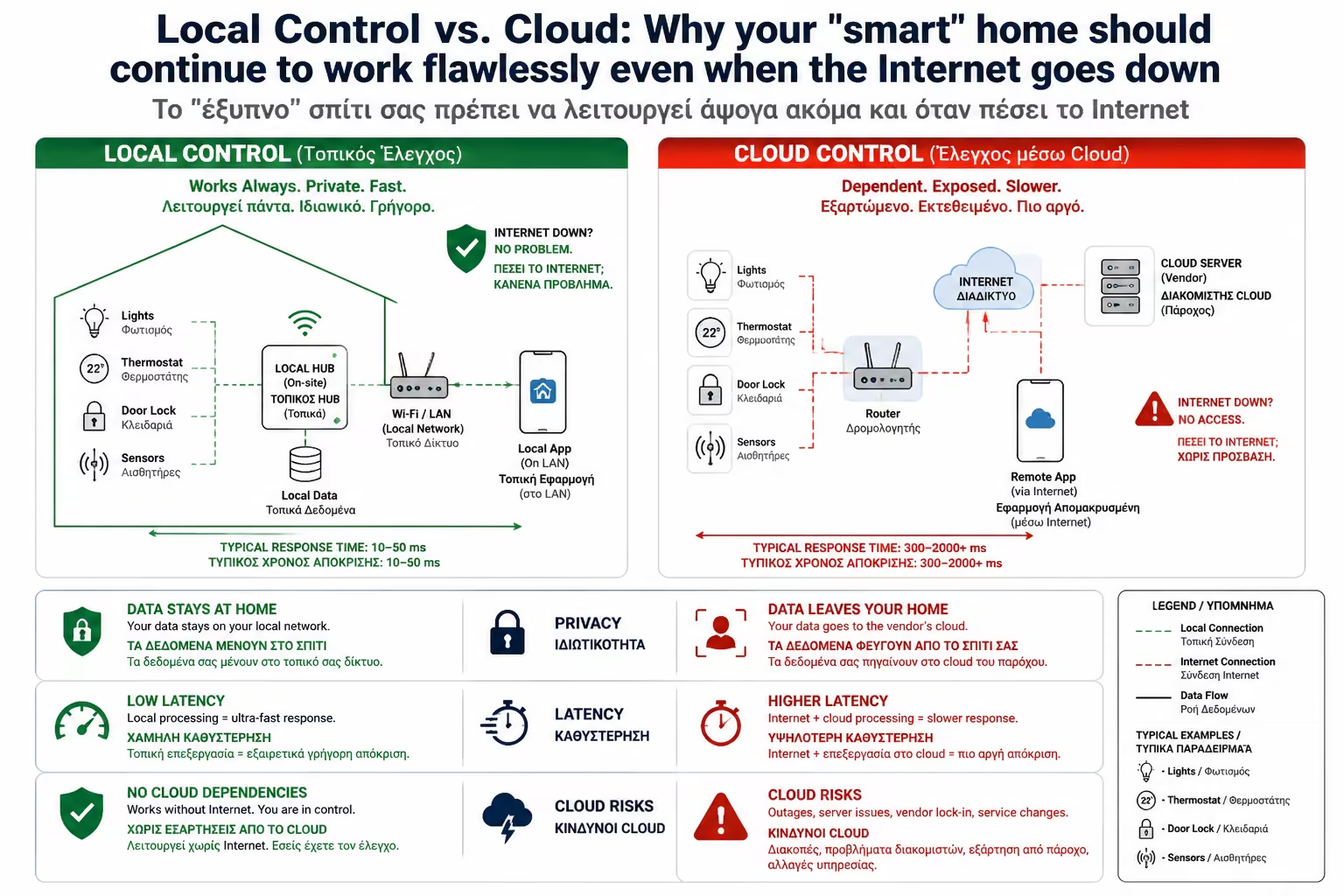
This journey of thousands of kilometers takes time. From the moment you press the button until the light comes on, it takes 1 to 3 seconds. In everyday life, this delay is unbearably irritating.
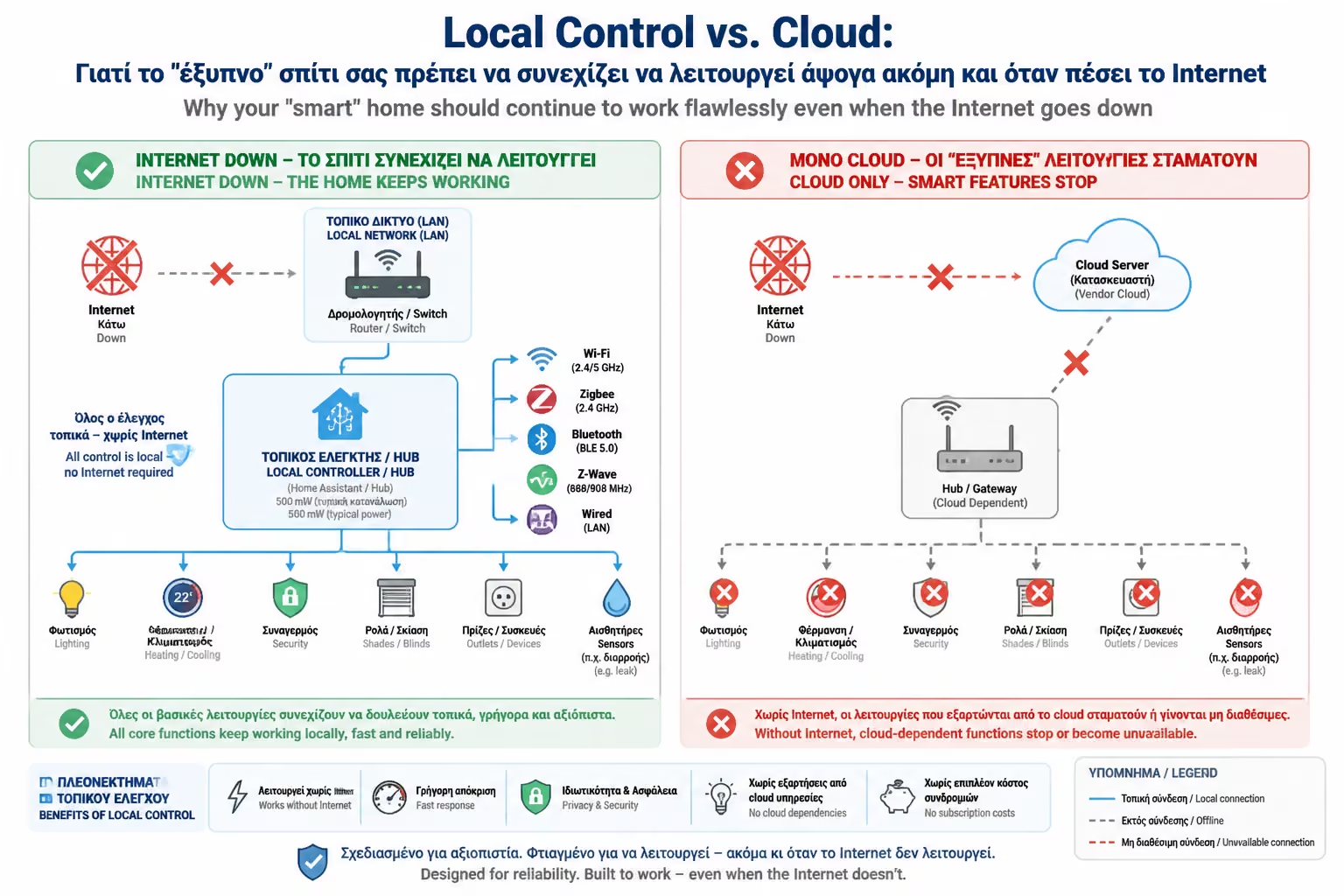
It's a cold night, it's pouring rain, and an outage knocks out the cable internet connection in your neighborhood. You walk into your living room, press the button on your phone (or the wireless switch) to turn on the light, and... nothing. The house is "dead". You are in the dark, held hostage by a telecommunications company.
This is the novice user's absolute nightmare and the reason many people hate the term "Smart Home".
As engineers, the first and most unbreakable rule we learn in building automation is this: A smart home must first and foremost be a Functional home. Its basic infrastructure (lights, blinds, heating) must not depend on external factors.
This is where the biggest philosophical and technical battle of the industry enters the panel: Local Control (Local Control) vs. Cloud. Let's see why the Cloud is a "trap" for your home's critical functions and how to ensure that your home truly belongs to you.
When you buy a cheap Wi-Fi smart bulb or socket (eg Tuya/Smart Life compatible), the system is built around the "Cloud" (servers on the internet).
The Command's Journey: When you press the "ON" button on your mobile app while sitting on your couch, the command takes the following absurd journey:
The 3 Deadly Problems of the Cloud:
This journey of thousands of kilometers takes time. From the moment you press the button until the light comes on, it takes 1 to 3 seconds. In everyday life, this delay is unbearably irritating.
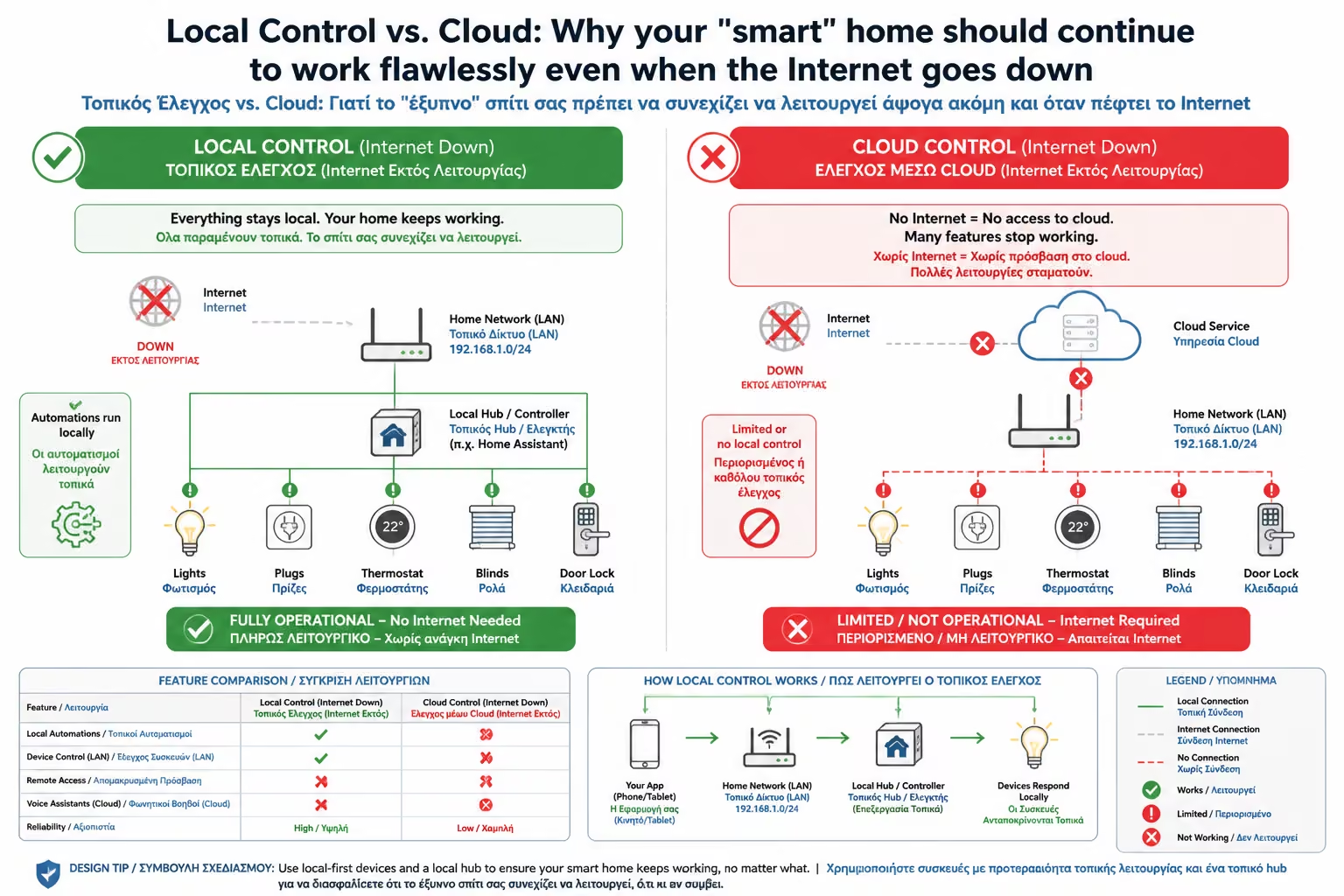
If your line goes down, the "middleman" is lost. The mobile app can't find the Server, and you can't control your home.
What if the company that made your smart plug goes bankrupt or decides to shut down its servers for cost reasons? Your device is instantly "bricked" (Electronic Junk) as it can no longer connect anywhere.
At the opposite end is Local Control. Here, the intelligence (the "brain") is not in some data center abroad, but inside your own home (on your local Server, such as Hubitat, Home Assistant, or KNX).
The Journey of the Mandate (Local):
Why does it dominate?
There is no internet in the middle. The response time is just milliseconds. You press it, it turns on, just like a traditional switch.
Were the OTE cables cut on your street? Your Router (as a local network) and your Hub continue to work. "Goodnight" automations, blinds and lights work normally, as if nothing happened.
The data of when you go to bed, when you are away from home and which doors you open remain strictly locked inside your home hard drive. No company collects data (Data Mining) at your expense.
No, the Cloud is not the "enemy". It's a great tool, as long as it's used for the right purpose.
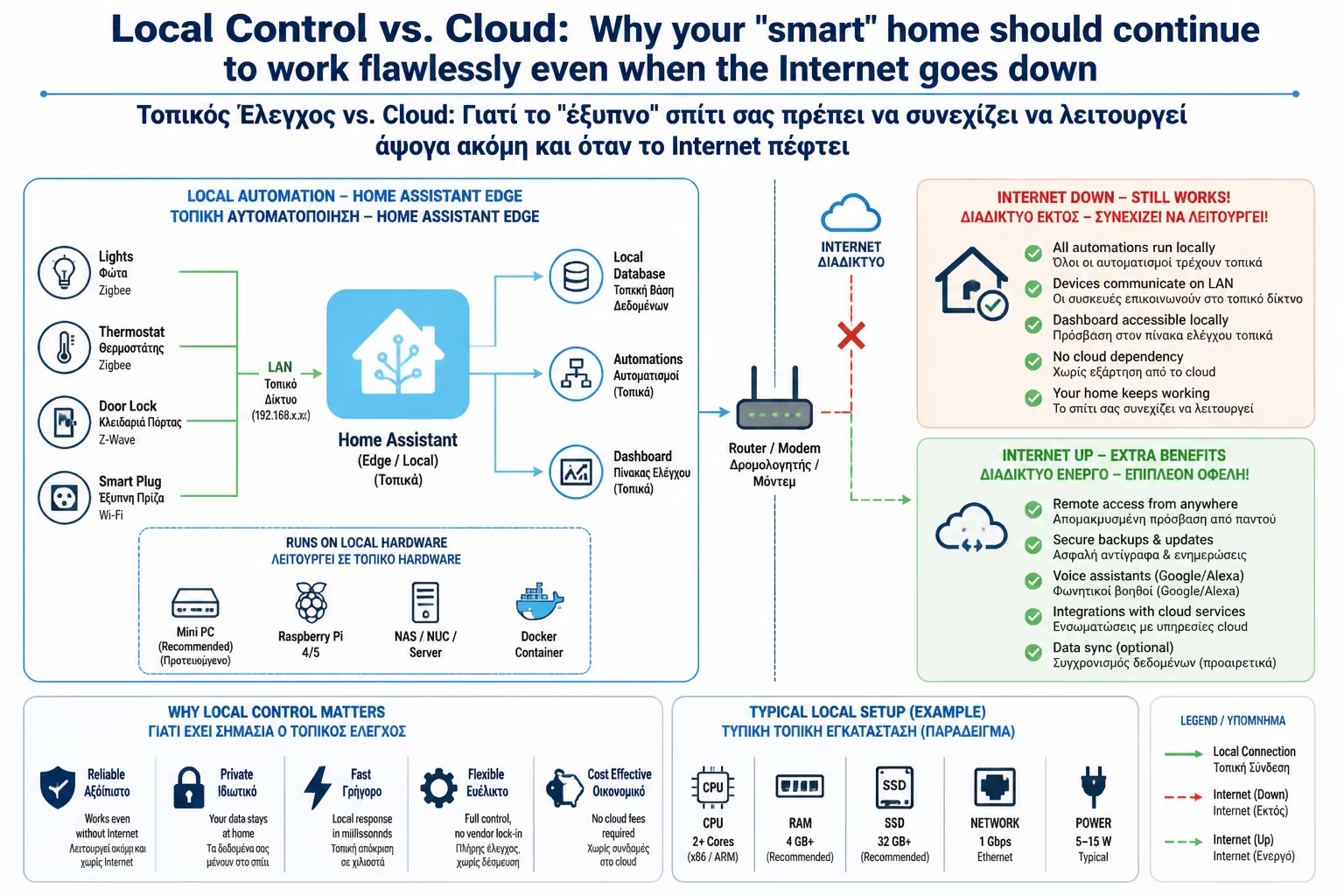
To view your security cameras when you are on holiday abroad. To turn on the water heater 20 minutes before you get home. To speak to voice assistants (such as Alexa or Google Assistant), which require Cloud supercomputers to understand and translate human speech (Natural Language Processing).
For performing basic automation and intermittent control within the home. (Eg the motion sensor in the bathroom MUST talk locally to the bathroom light).
To ensure Local Control, you need to choose the right materials from the start:
Class A taught us the fundamental architecture of the Smart Home. The secret of success is summed up in 3 rules:
Having built that solid foundation, we're ready to grab the screwdriver.
Return to category.
Go to categoryReturn to the central guide.
Go to guide