Connected to the light
Turn on the light, the ventilation turns on. This is extremely annoying. If you go in just to wash your hands or brush your teeth, you have a fan whirring over your head for no reason.
When we talk about "Smart Home", our mind usually goes to lights, TV and music. But one of the most useful and practical automations in a home concerns a room that we rarely give technological importance to: the bathroom.
Steam build-up after a hot shower is the number one enemy of buildings. It causes peeling paint on the ceiling, ruins wooden bathroom furniture and creates the perfect habitat for black mold to grow.
As engineers, we often see traditional vents fail to solve the problem. Let's see why the old way of connecting the fan is wrong, and how with a cost of less than €40 we can make a system that "breathes" completely autonomously, protecting your health and your property.
In most homes (and hotels), the ceiling or wall fan (ventilator) operates in one of two "dumb" ways:
Turn on the light, the ventilation turns on. This is extremely annoying. If you go in just to wash your hands or brush your teeth, you have a fan whirring over your head for no reason.
Turn off the light and the fan continues to run for 10 minutes. But often, a hot shower in winter leaves so much moisture that 10 minutes is not even enough time to de-fog the mirror.
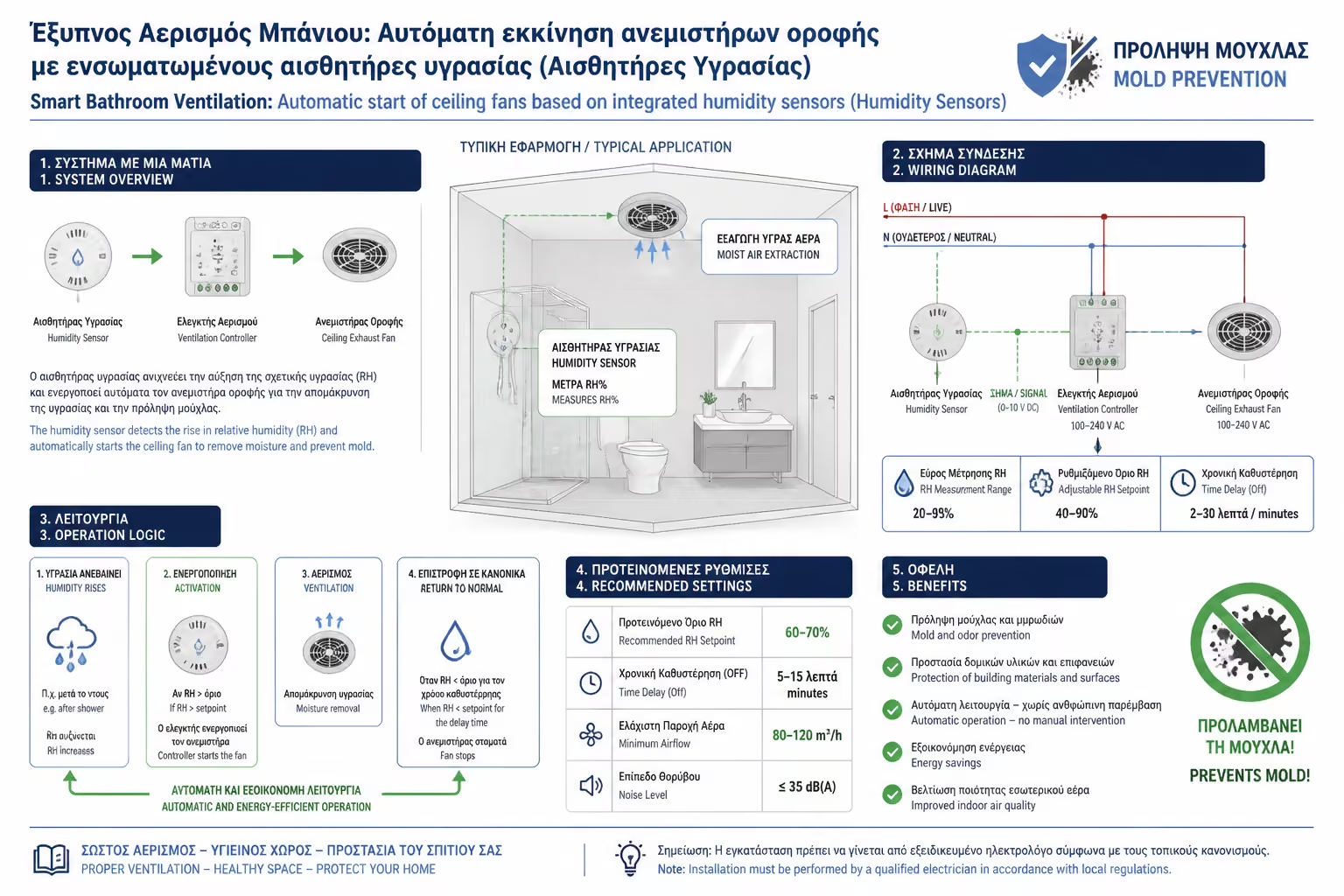
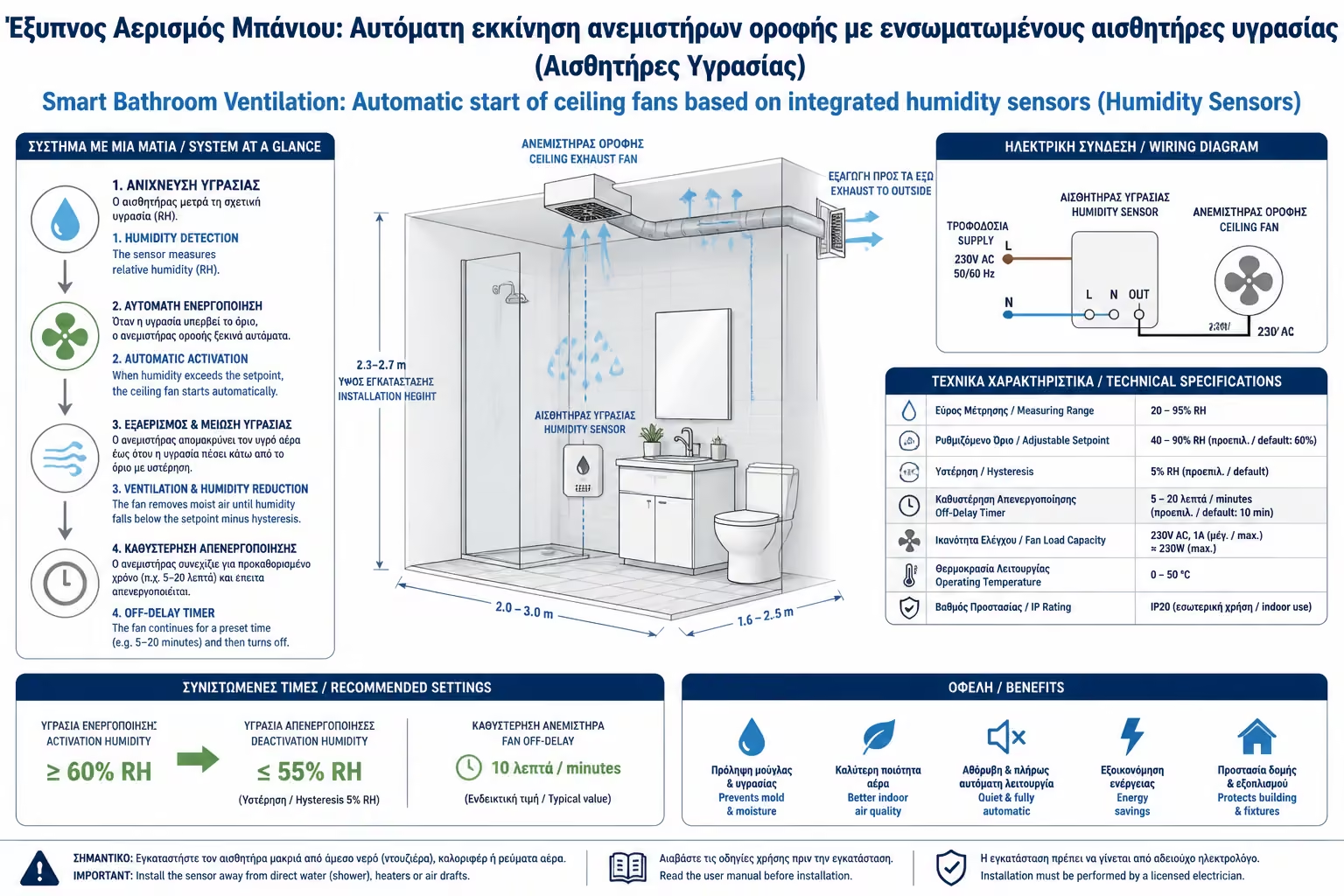
In Smart Home, the philosophy is to remove human intervention. The fan should work only when there is a real need (moisture or odors) and for as long as necessary.
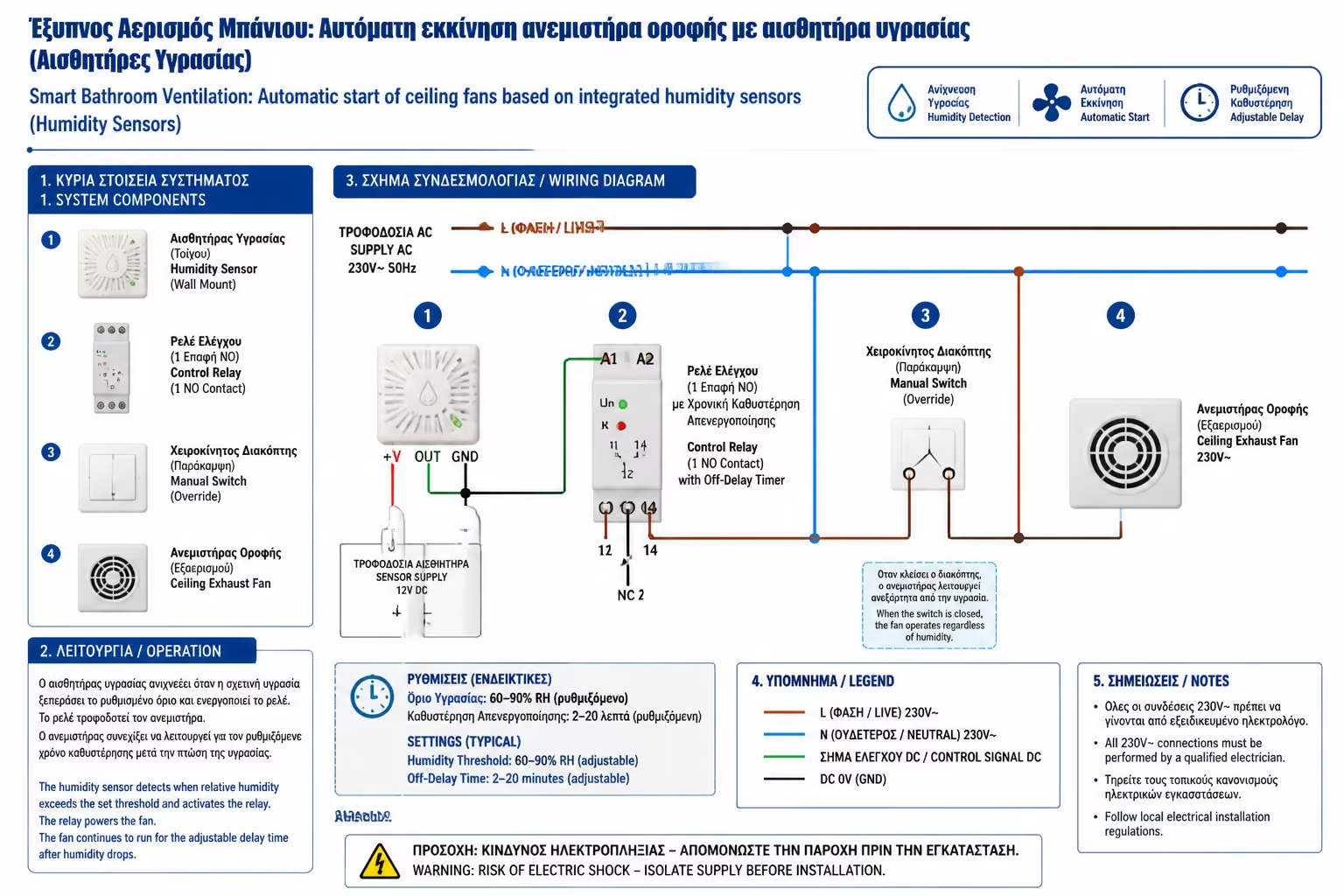
What equipment do we need?
Inside our central Hub (SmartThings, Home Assistant, etc.), we create a routine that replaces the switch.
The Simple Scenario (Absolute Limit):
With this simple logic, your mirror will never fog up, and the fan will work exactly as many minutes as it needs to "dry" the space, not a minute more.
The Advanced Scenario (Rate of Change - Derivative): The simple scenario above has a "flaw". What if it's pouring rain outside, you have an open window and the natural humidity of the house is 75% anyway? The fan will run non-stop! In advanced Hubs (like Home Assistant), engineers use "Rate of Change". The algorithm doesn't look at the absolute number, but at the spike.
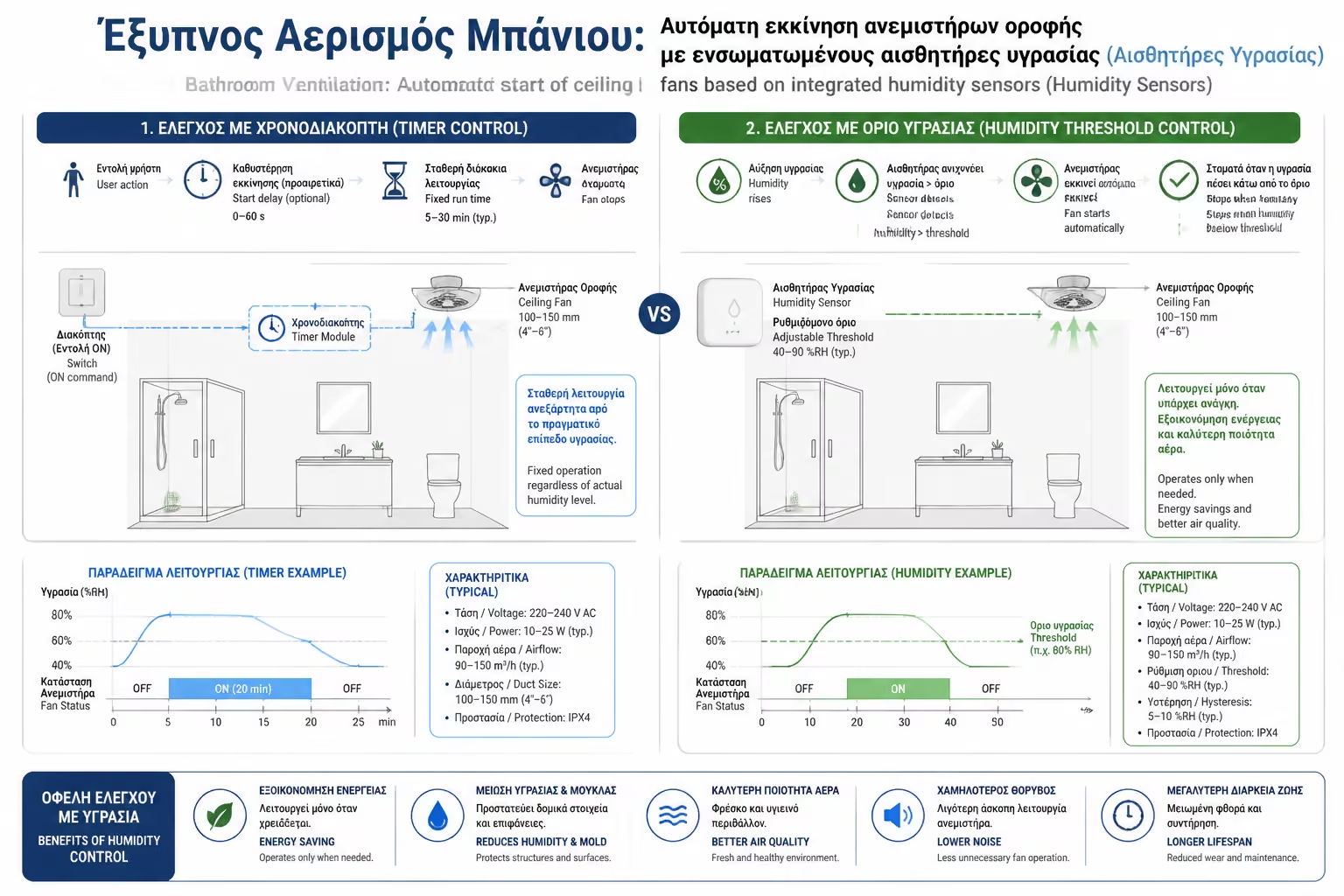
If the humidity in the bathroom exceeds 70%.
Then command the relay to turn on the vent.
When the humidity drops below 55%, then turn off the ventilation.
With the fan now integrated into your home software, you can add great comfort touches:
When you shower in the winter, the fan pulling in the air often creates a cold draft that freezes you. You can set the automation to "DO NOT turn on the vent while the bathroom lights are on." It will "record" the humidity, but it will wait for you to get out of the bathroom and turn off the light, to start its operation in peace!
If someone goes to the toilet at 03:00 in the morning, the noise of the fan can wake up the neighboring bedrooms. You set in the routine: "If the time is between 00:00 and 07:00, the ventilation remains strictly closed, regardless of humidity."
Smart ventilation is the perfect example of how Smart Home is not just "voice commands", but passive functionality. With a small investment in a relay and a sensor, you solve your mold problem for good, protect your health, and never have to flip a switch or hear fans whirring unnecessarily again.
Return to category.
Go to categoryReturn to the central guide.
Go to guide