Communication (Hardware)
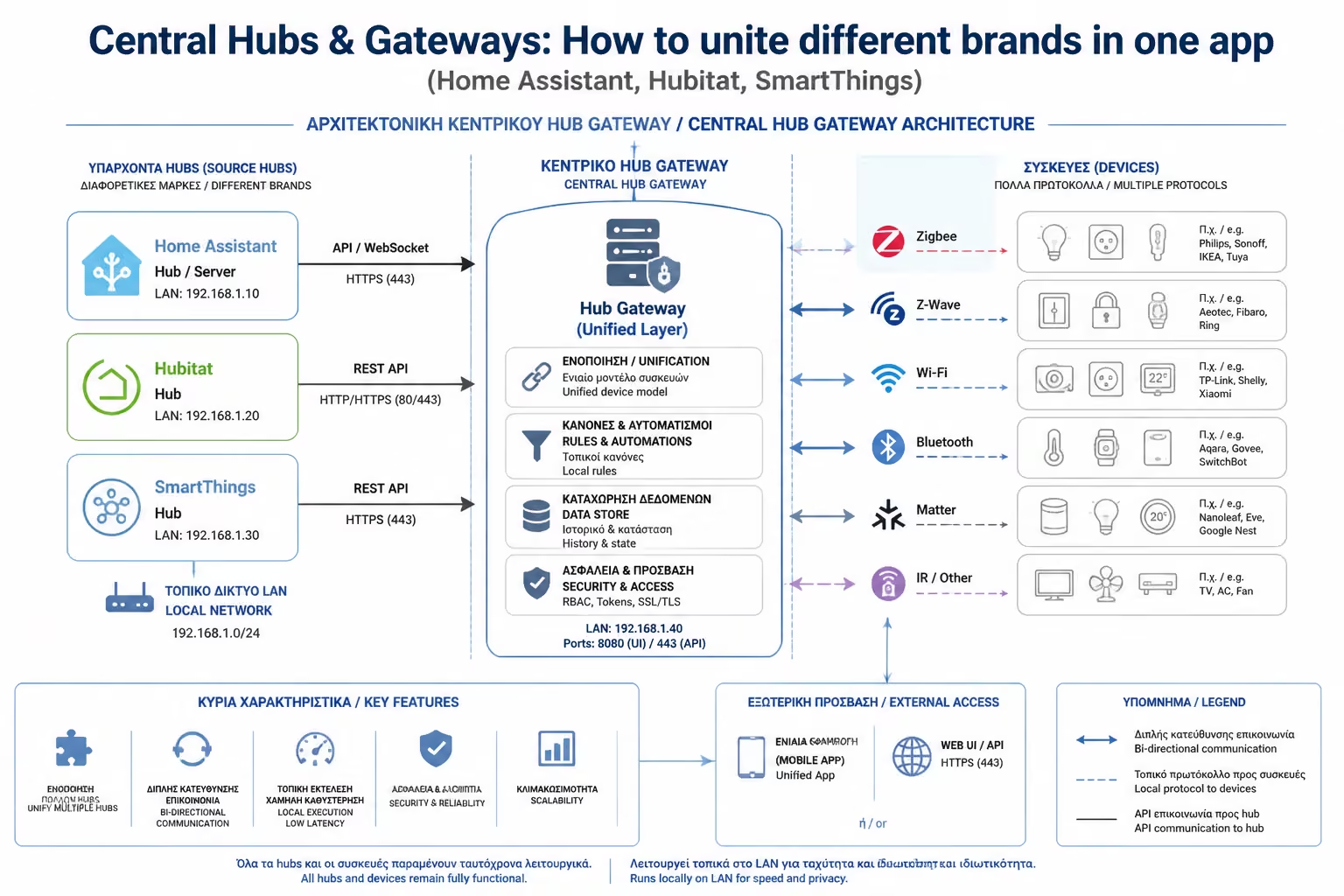
A good Hub has multiple antennas. It talks Wi-Fi with Shelly's relays, Zigbee with IKEA lamps, and Z-Wave with your alarm.
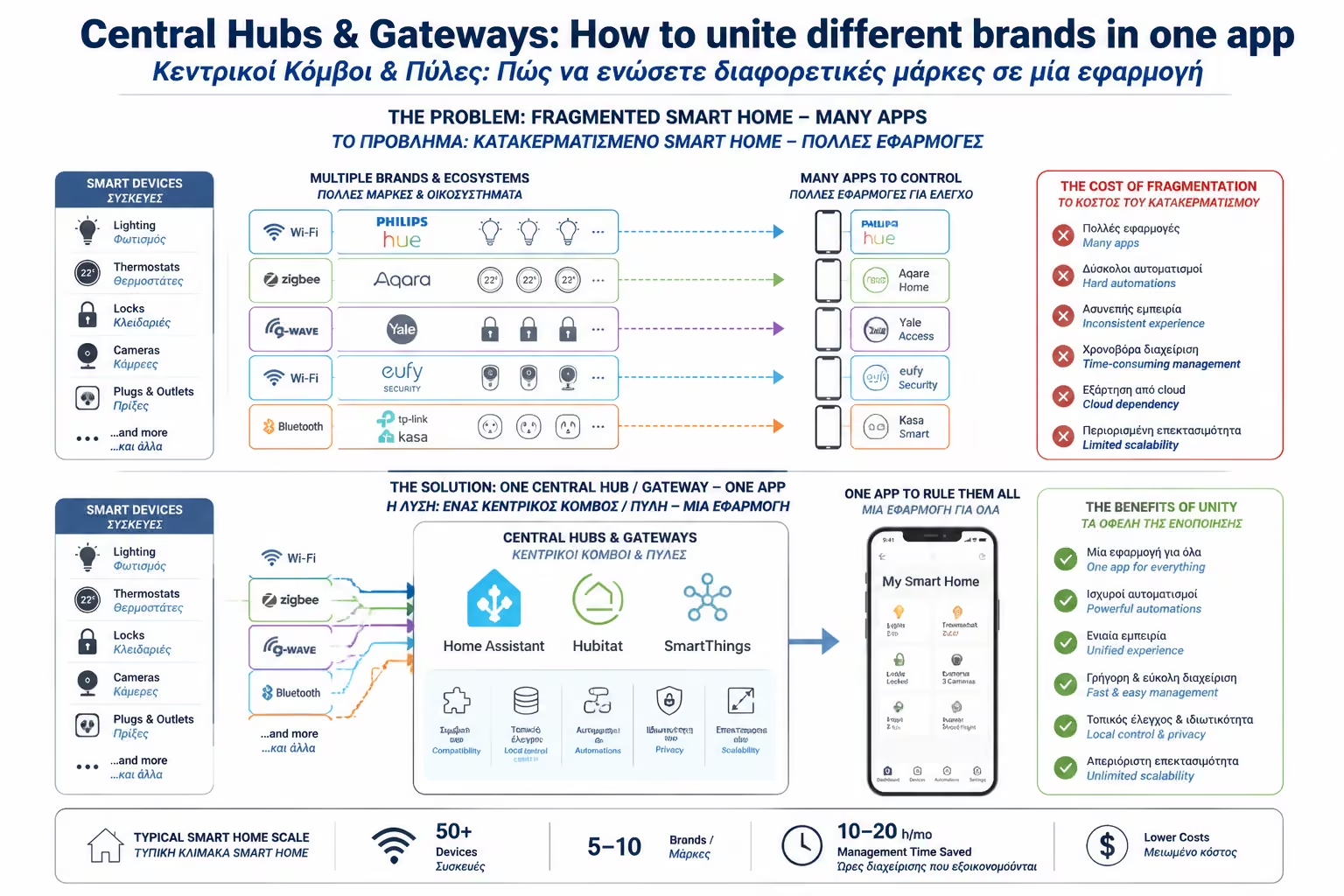
If you started your Smart Home journey by buying a few devices from different companies, you've probably already hit the "wall" of fragmentation.
Your thermostat is from Tado, so you open the Tado app. The lights are Philips Hue, so you go into the Hue App. The water heater switch is Shelly, and the coffee maker smart socket is Tuya. Have you filled your phone with app folders, and worst of all? These devices are "blind" to each other. Can't the Tuya motion sensor turn on the Philips bulb.
This isn't a "Smart Home"; it's just a house with lots of remote controls.
As we saw in the previous article, the Matter protocol came to solve this problem in new devices. But what about the thousands of euros of equipment you already have? This is where Central Hubs (Gateways) come to the rescue. As engineers, we consider the Hub to be the real "Brain" of the installation. Let's see how they work and which of the 3 big "players" you should choose.
Think of the Hub as the conductor of an orchestra. It is a central device (or software on a computer) that is installed in your home and takes on speaking all the "languages" at once.
A good Hub has multiple antennas. It talks Wi-Fi with Shelly's relays, Zigbee with IKEA lamps, and Z-Wave with your alarm.
It takes the data from all these different devices and "drops" it into a common, own environment (Dashboard).
Because he now sees everything, he can combine chips. Now the Tuya sensor can command the Philips bulb!
The market for central controllers has cleared up. Depending on the time you have available, your technical knowledge and your desire for privacy, you choose one of the following paths:
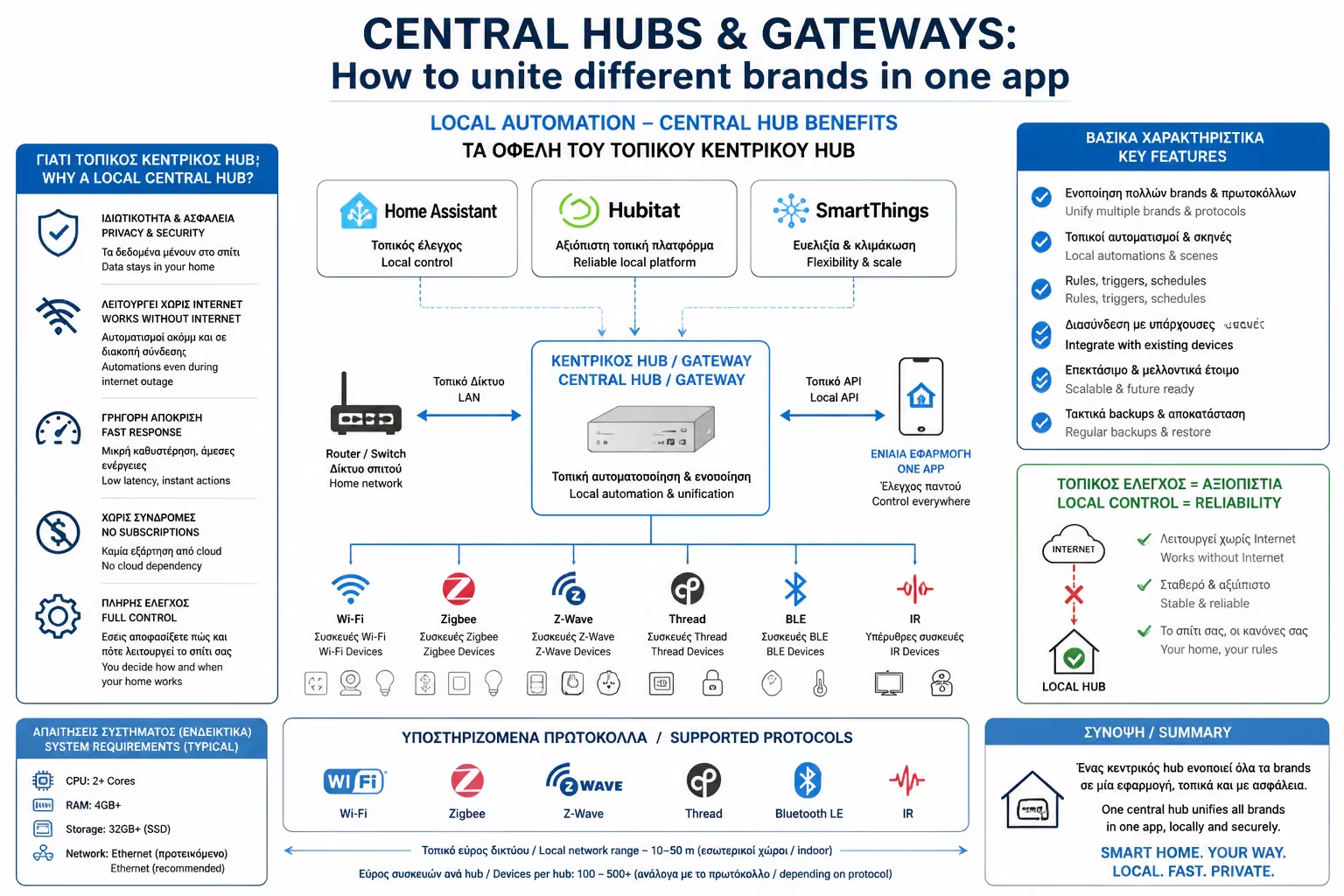
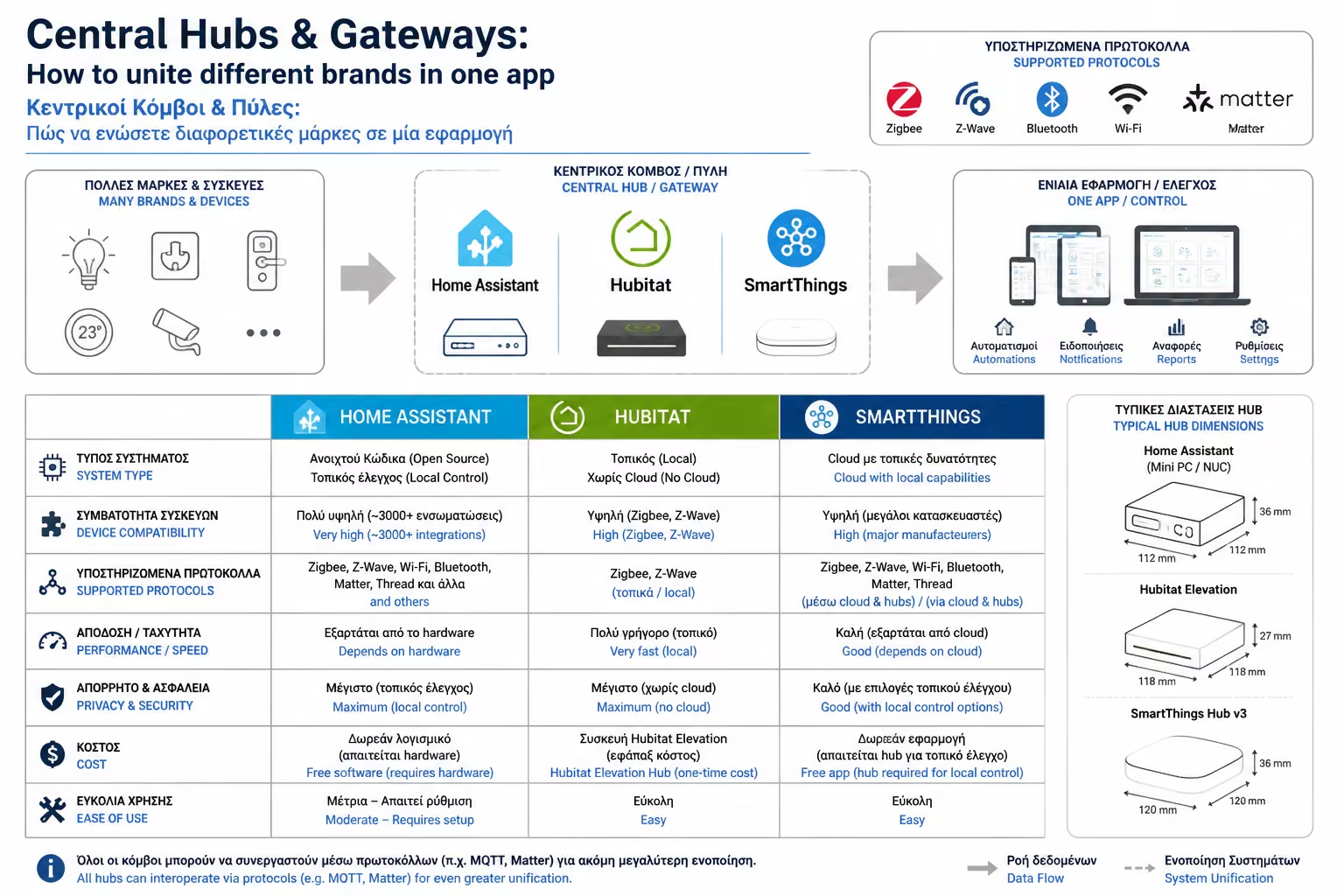
SmartThings is the friendliest, "out-of-the-box" solution on the market. You buy the physical box (SmartThings Hub), plug it in, download the (excellent) Samsung App and get started. Pros: Supports thousands of devices officially. Its environment (User Interface) is beautiful and easy for beginners. By switching to "Edge Drivers", it now runs many automations locally (without internet). Cons: If a device is very specialized or from an unknown Chinese brand, you may be tempted to integrate it. It still has a relative dependency on Samsung's Cloud for initial setup. * Ideal for: Users who want a powerful, reliable system without writing code.
Hubitat was created by people who were tired of waiting for Cloud Servers to respond. It is a small hub that promises 100% Local Control. Pros: Extreme speed. Because everything runs inside your home, flipping the switch is instantaneous. Its automation engine (Rule Machine) is unimaginably powerful, allowing scenarios with dozens of parameters (eg "turn on the light ONLY if it's Tuesday, it's raining, and the alarm is off"). Cons: The user interface (Dashboard) looks like it was designed in 2010. It's not "pretty" or particularly friendly to the average user. * Ideal for: Tech-enthusiasts who hate the Cloud and want speed and privacy over aesthetics.
We also mentioned this in the Energy Dashboard. Home Assistant (HA) is not a ready-made box that you buy in stores (although ready-made hardware such as HA Green is also sold now). It is a Free, Open-Source software that you install on your own computer (eg Raspberry Pi). Pros: There is nothing that cannot be integrated into HA. It supports over 3,000 different brands (from your vacuum cleaner and your car, to cameras and weather). It's 100% local, free, and has no limits on automations. Cons: Requires time, reading appetite, and familiarity with basic technical concepts. If something "breaks" after an upgrade, you have to find the solution yourself in the community forums. * Ideal for: Engineers, programmers and hobbyists who want absolute, obsessive control over every aspect of their home.
When you bring all devices under the umbrella of a Hub (like Home Assistant or SmartThings), you go from simple "Scenarios" to creating "Smart Rules" that change the way you live.
Here's an example that no standalone app could do on its own:
All of these companies are competitors, but the Hub has turned them into a perfectly synchronized orchestra.
The smart lock (Nuki) unlocks.
The sun has set (measured by the weather plugin) AND there is no one else home (via Geofencing).
The Hub tells Shelly's relays to turn on the hallway lights at 30%, tells the Netatmo thermostat to go up to 22°C, and tells the Sonos speakers to play your favorite Spotify station at 15% volume.
If you want a "smart" home, you can play with individual apps. But if you want an Automated Home, the Central Hub is mandatory. Choose SmartThings for convenience, Hubitat for local speed, or Home Assistant if you want to set up the ultimate system without any technological limitations. Once you've united your devices under one roof, you'll never want to open a manufacturer's separate App again.
Next Step: We talked about the Hubs that control houses and apartments. But what happens when our "patient" is not a house, but a skyscraper, a hospital or a 500-room resort? Home Assistant is not enough there.
We continue to the next guide: BMS (Building Management Systems): Fundamentals and design for architects and engineers in commercial buildings and hotels.
Return to category.
Go to categoryReturn to the central guide.
Go to guide