Rule
Always leave at least 10-15cm of space at the back of the Rack for air circulation.
You have filled your brand new Rack. The PoE+ Switch is working full power giving power to 4 cameras and 3 Access Points, the recorder (NVR) writes 24/7 to hard drives, and on the bottom shelf there is a UPS and maybe a small home server (NAS).
If you close the glass cabin door and leave it like that, you've just created a... microwave oven.
All of this equipment consumes power, and according to the laws of thermodynamics, almost all of that power is eventually converted to heat. If the temperature inside the Rack exceeds 35°C to 40°C, the NAS hard drives will fail prematurely, the Switch will start dropping packets (thermal throttling), and the UPS battery will "swell" cutting its life in half.
Let's see how the engineers design the right Airflow to keep the system cool and quiet.
You don't need to be an engineer to understand the ventilation of a cabin. Just remember one unnegotiable law of physics: Cold air is heavy and sits down. Warm air is light and rises high.
This principle creates the "Chimney Effect" inside the Rack.
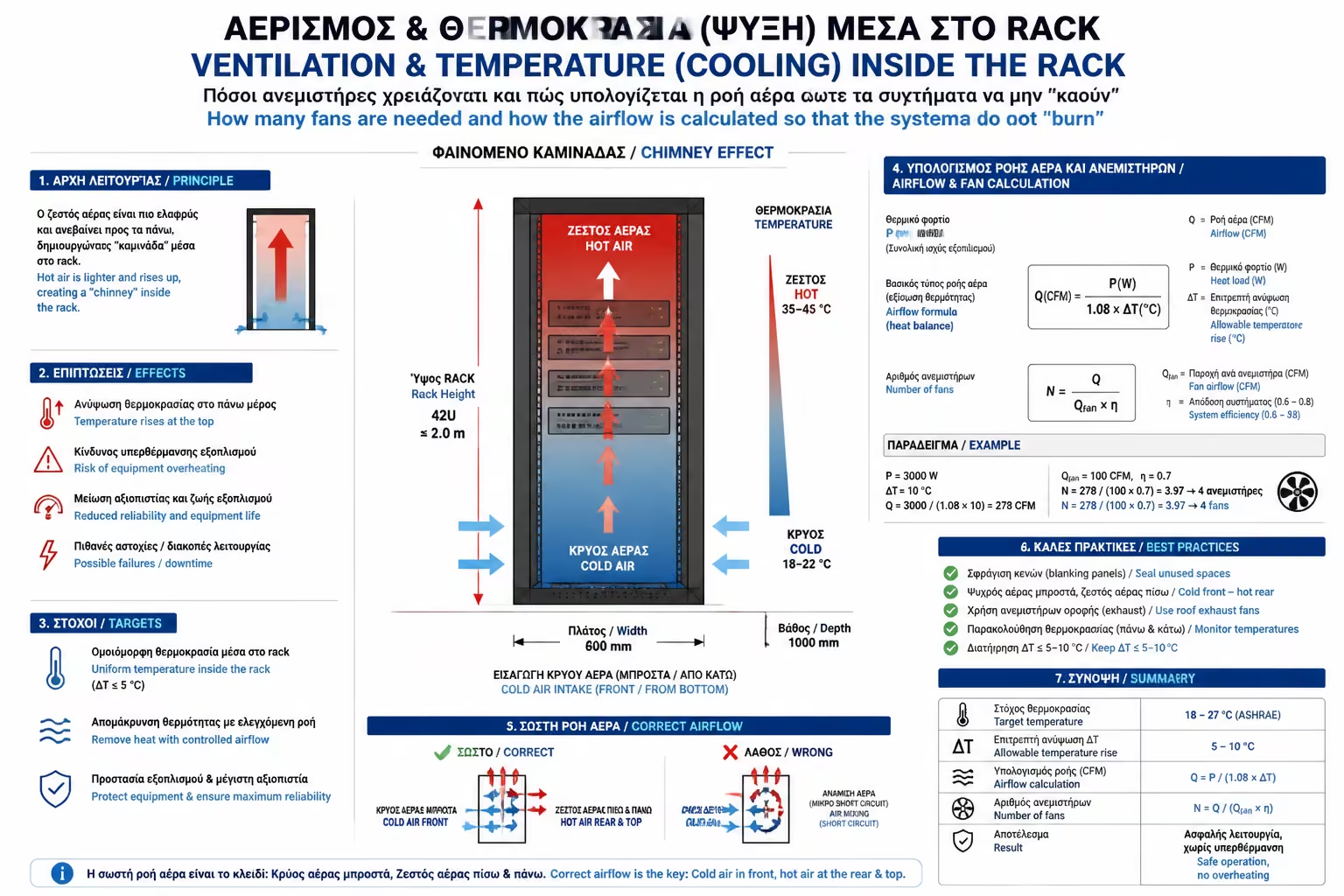
If you only have a small Router and a Patch Panel, Passive Cooling (ventilation holes on the sides of the Rack) is sufficient. But if you have PoE Switches, Servers or UPS, Active Cooling (fans) is absolutely mandatory.
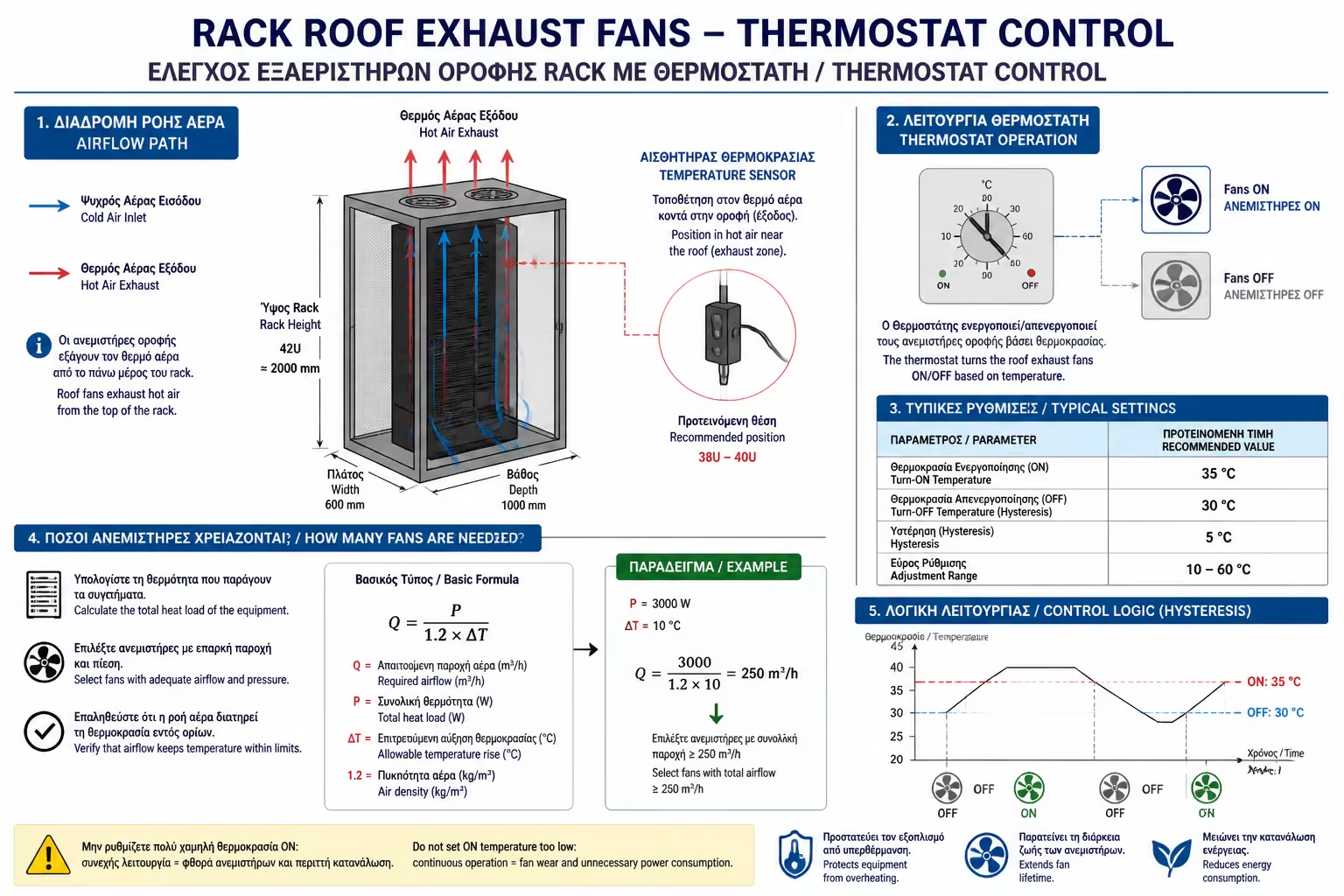
Where do the fans come in? Almost all Racks (even the small 9U Wall-mount) have pre-cut fan trays on the "ceiling".
The Thermostat: Do not plug fans directly into the outlet to run 24 hours a day. They will drive you crazy with noise and fill the cabin with dust. Buy a Fan Tray with a built-in Thermostat (or a separate 1U Rackmount Thermostat). You put its sensor high in the cabin and tell it: "If the temperature exceeds 30°C turn on the fans, if it drops to 26°C turn them off".
Professional IT equipment (Managed Switches, Servers) is designed with a very specific geometry:
For this to work properly, air must enter through the front door of the Rack, pass through the machines, and exit through the back. If you stick your Rack completely to a wall from the back, the hot air coming out of the Switch will "hit" the wall, recirculate, and the Switch will "breathe" its own hot air!
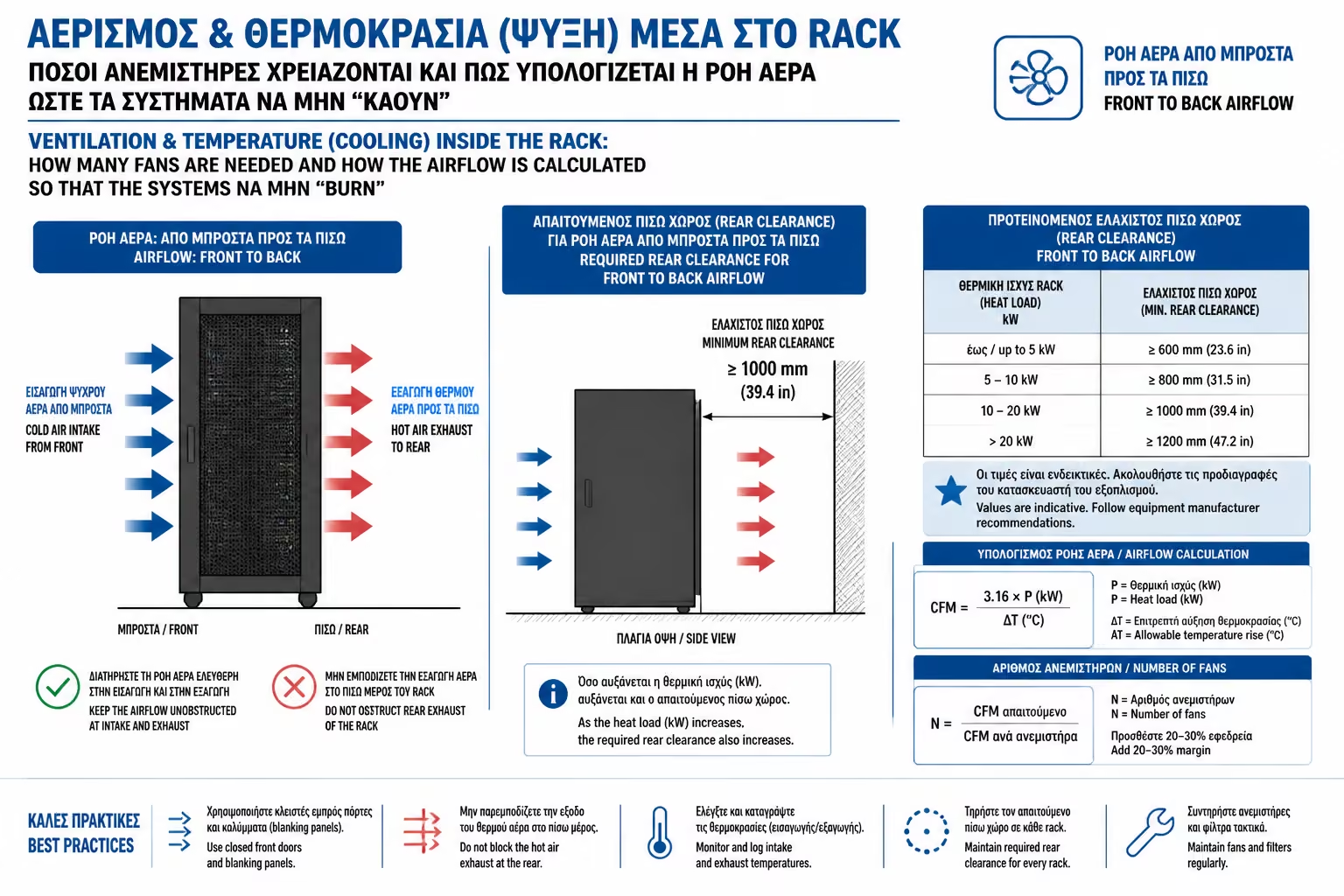
Always leave at least 10-15cm of space at the back of the Rack for air circulation.
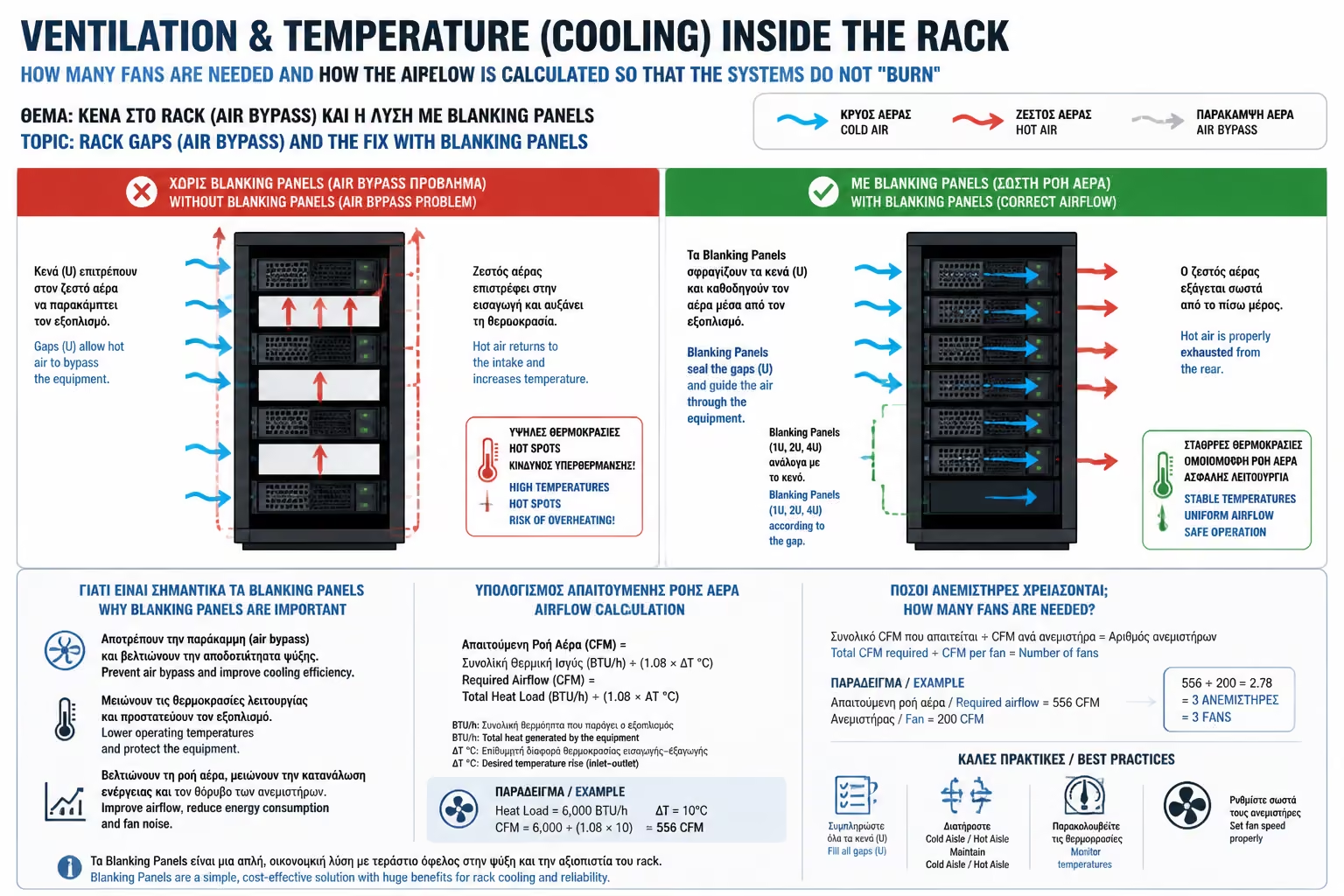
This is where most people "lose" the airflow game. Let's say you have a 15U Rack, but you've put in machines that only fit 5U. You have 10U completely empty.
What's going on? When the ceiling fans draw air, the air is "bored" to pass through the narrow circuits of the Switch (which has resistance). Instead, it finds the huge hole of 10U gaps, goes in there, and goes straight up. Your Switch is left without cool air (Airflow Bypass)!
The Solution: In every free, empty "U" of the facade, you must screw a Blanking Panel. It is an inexpensive, solid piece of metal or plastic (1U or 2U) that seals the gap. In this way, you force the fresh air to pass through the grills of your machines. A rack with blind panels not only cools 50% more efficiently, but also looks professionally finished, hiding the cables that are in the background.
Hunting for low temperature is the "life insurance" of your equipment. Proper cooling isn't just about putting in as many fans as we can. It means checking the air path. By using ceiling fans with a thermostat, respecting the logic "cold below - hot above", and sealing the empty space with blind panels, we create a microclimate that ensures that your network will never "crash" in the middle of August.
Next Step: We solved the temperature problem, but there is an even more invisible "killer" inside the cabin responsible for unexplained malfunctions. It is the design of the cab itself that, if we are not careful, can become a dangerous current trap.
Moving on to the most critical safety guide: Proper Rack Grounding (Bonding): The hidden danger of static electricity to your expensive IT equipment and how to properly ground the rack.
Return to category.
Go to categoryReturn to the central guide.
Go to guide