
Data Networks, Fibre Optics & Low Voltage
Return to category.
Go to categoryYou have selected the correct cable (Cat6a) and know how to properly terminate it in the outlet. Now comes the critical moment of routing: How will the cables run inside the walls?
This is where many traditional electricians, learned from the installations of the 90s, make the most disastrous mistake in structured cabling: they treat Internet (Ethernet) cables as if they were analog telephone or... power cables.
Let's explain why the old practice of "branching" (outlet to outlet) is killing your network and why the "Star" shape is the only way to go.
In the old telephone installations, the electrician ran a main wire from the switchboard to the living room outlet. From that socket, he would take two cables, twist (splice) them with the previous ones, and continue the cable to the bedroom. This topology is called Daisy Chain (or Bus).
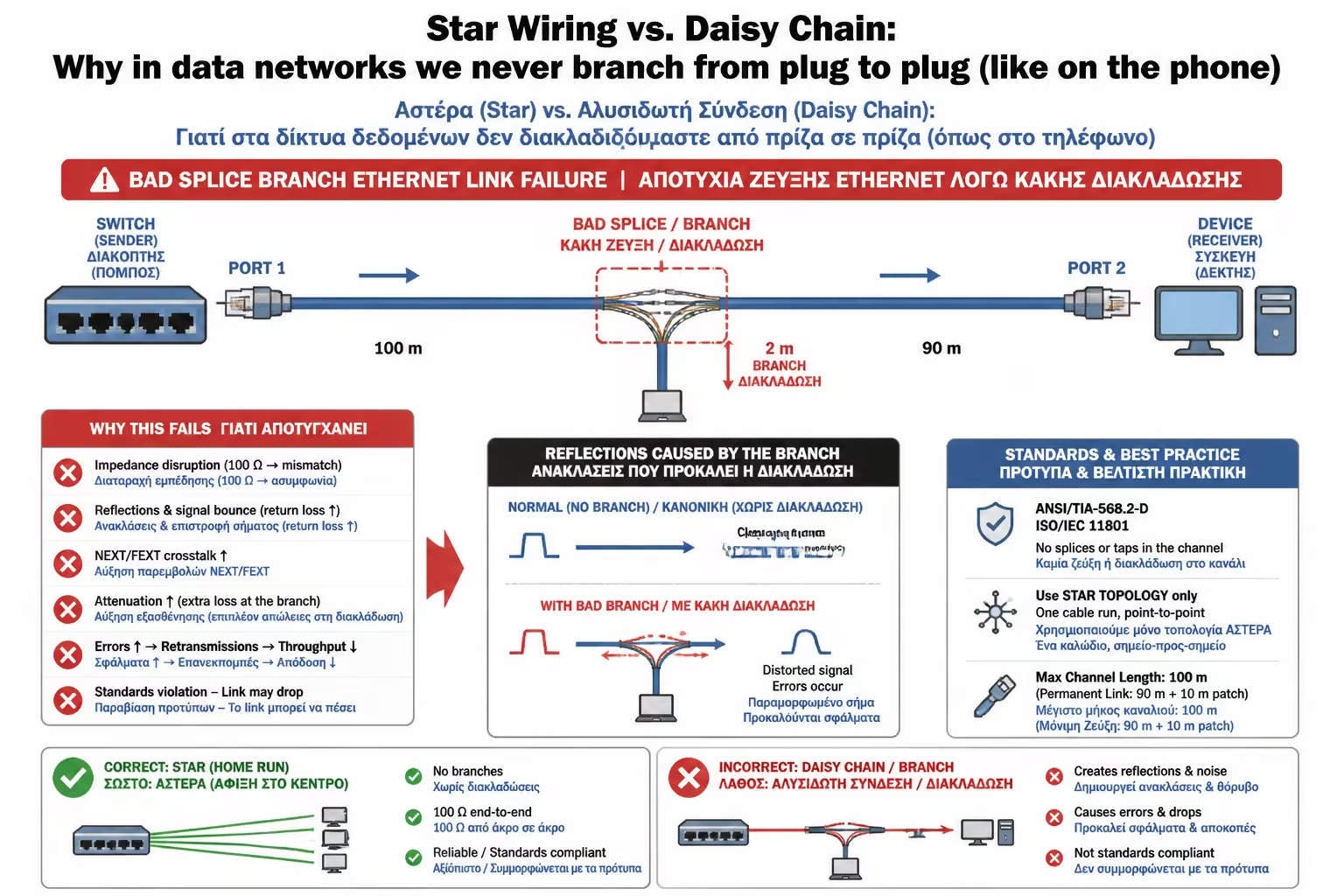
Why it worked on the phone: An analog phone is just an electrical circuit. If you join the wires together, the voltage is shared. You picked up the phone in the living room, you picked it up in the bedroom, and you heard the same line. Why it RUINS Ethernet: The computer network does not send simple current, it sends digital data at extremely high frequencies (hundreds of MHz). The Ethernet protocol is strictly Point-to-Point. If you "cut" a Cat6 cable in half to provide internet to an outlet and then continue it to the next room, you destroy the twist pitch of the pairs, change the resistance of the copper and create signal reflections. The result? The Switch will never be able to "lock" with your devices. At best, the speed will drop to a choppy 10 Mbps, and at worst, you will have no internet at all.
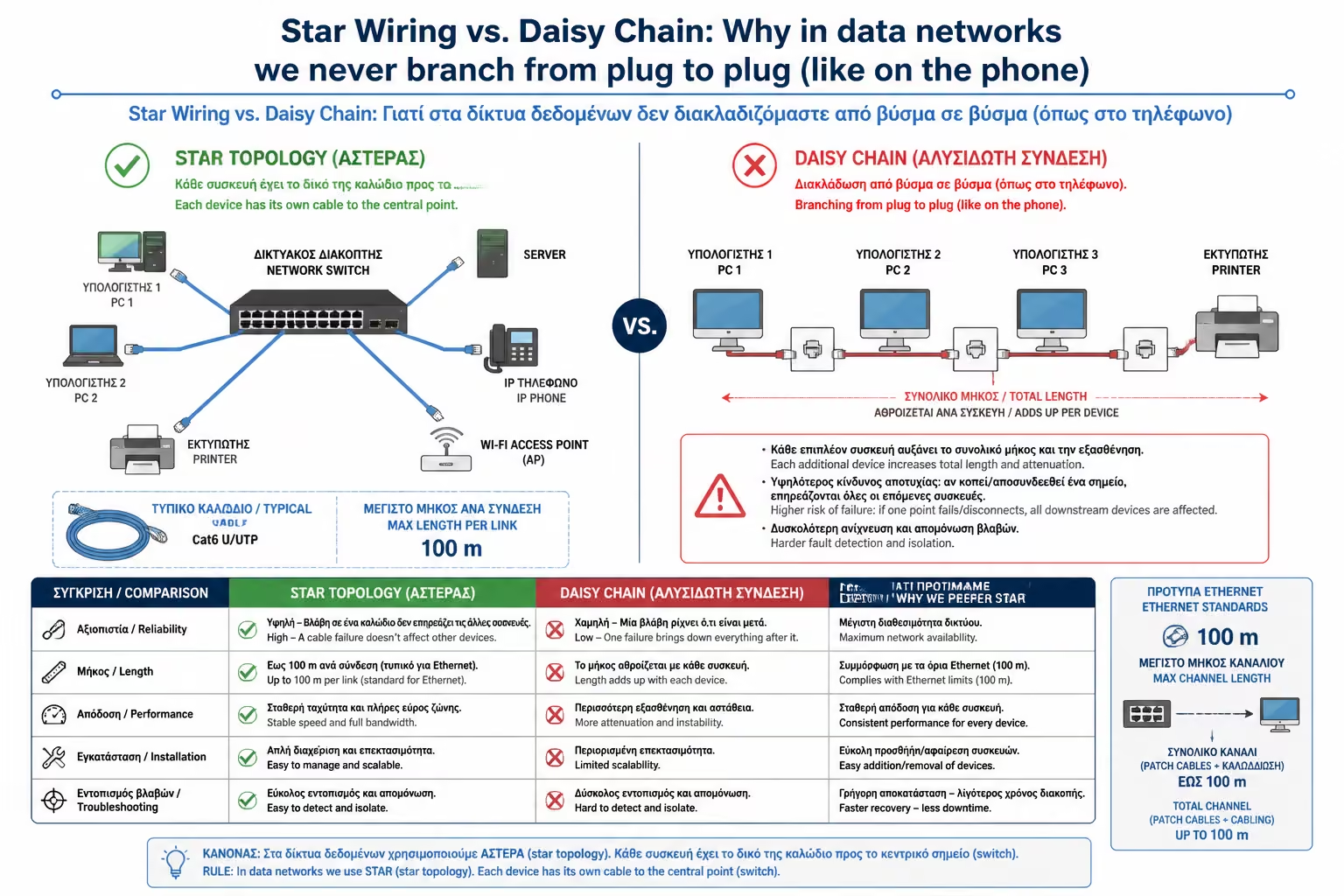
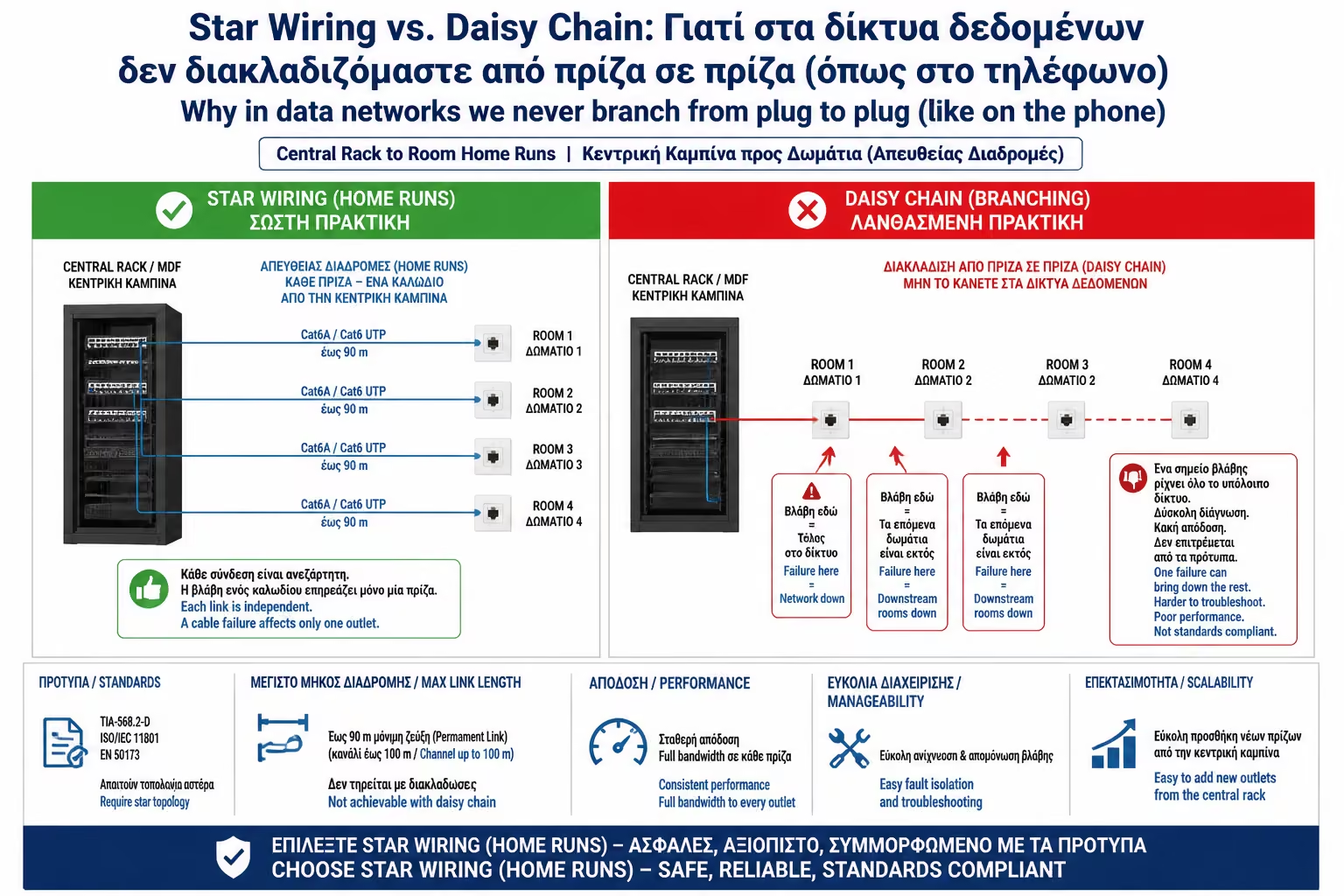
In Structured Cabling, only one topology is allowed: The Star.
This means that there is a central point in the house (usually the Rack or flush-mounted box where the Router and Switch are located). From this central point, a SEPARATE, INDEPENDENT and CONTINUOUS wire starts for EACH OUTLET in the house.
The Advantages of Astera:
All too often we buy a 20-year-old house and find that the contractor had run UTP cables, but ran them "in series" (from room to room). If we can't dig, what do we do?
The Intermediate Switch Solution: Don't try to "split" the wires behind the outlet. The only solution is to break the path by installing active equipment.
The Switch is responsible for "reading" the digital signal, revitalizing it and sending it to the next room. (The downside is that you'll need permanent power/outlet in the first room to power the Switch).
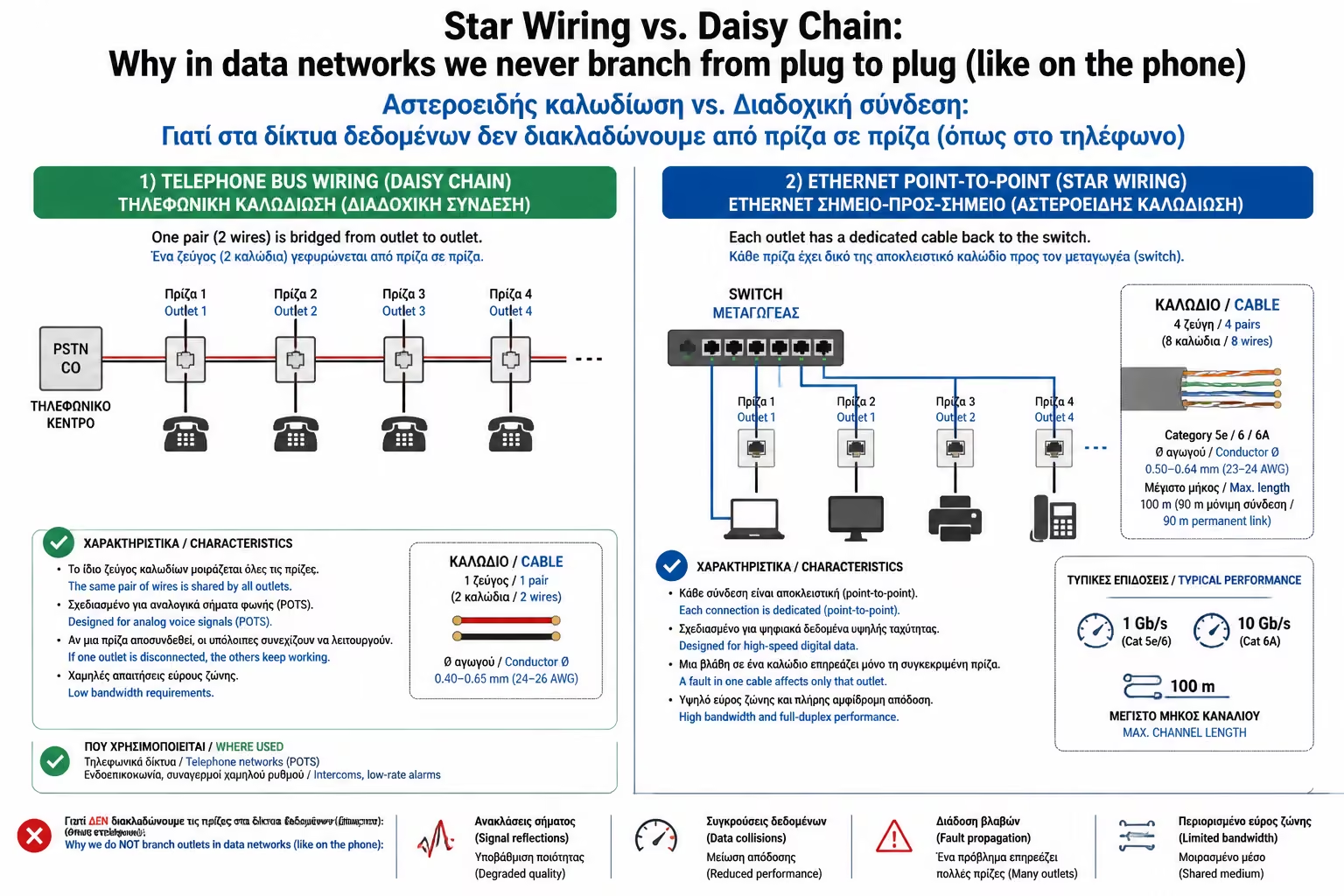
For the typical home internet network (LAN / Ethernet), there is no exception.
However, just so you don't get confused if you're reading automation blueprints, Daisy Chain/Bus topology is allowed (and enforced) in specific industrial control protocols such as:
These systems communicate at very low speeds (baud rate) and are designed (their hardware) to be serialized, one behind the other, on a common "Bus" cable.
When talking about Ethernet cables, the rule is absolute: One cable, one plug, one uninterrupted path to the Rack. Any attempt to save meters of cable by making branches inside the walls (as was done with electricity or the telephone), will condemn your space to a problematic and unstable network, ruining the entire renovation investment.
Next Step: We've talked about topology, but the quality of the copper itself often hides dangerous pitfalls. There are cables on the market that look like Cat6 on the outside, they are very cheap, but on the inside... they hide aluminum.
Moving on to the next guide: CCA (Copper Clad Aluminum) Cables vs. 100% Pure Copper: Why choosing cheap CCA cable will cost you dearly in the future.
Return to category.
Go to categoryReturn to the central guide.
Go to guide