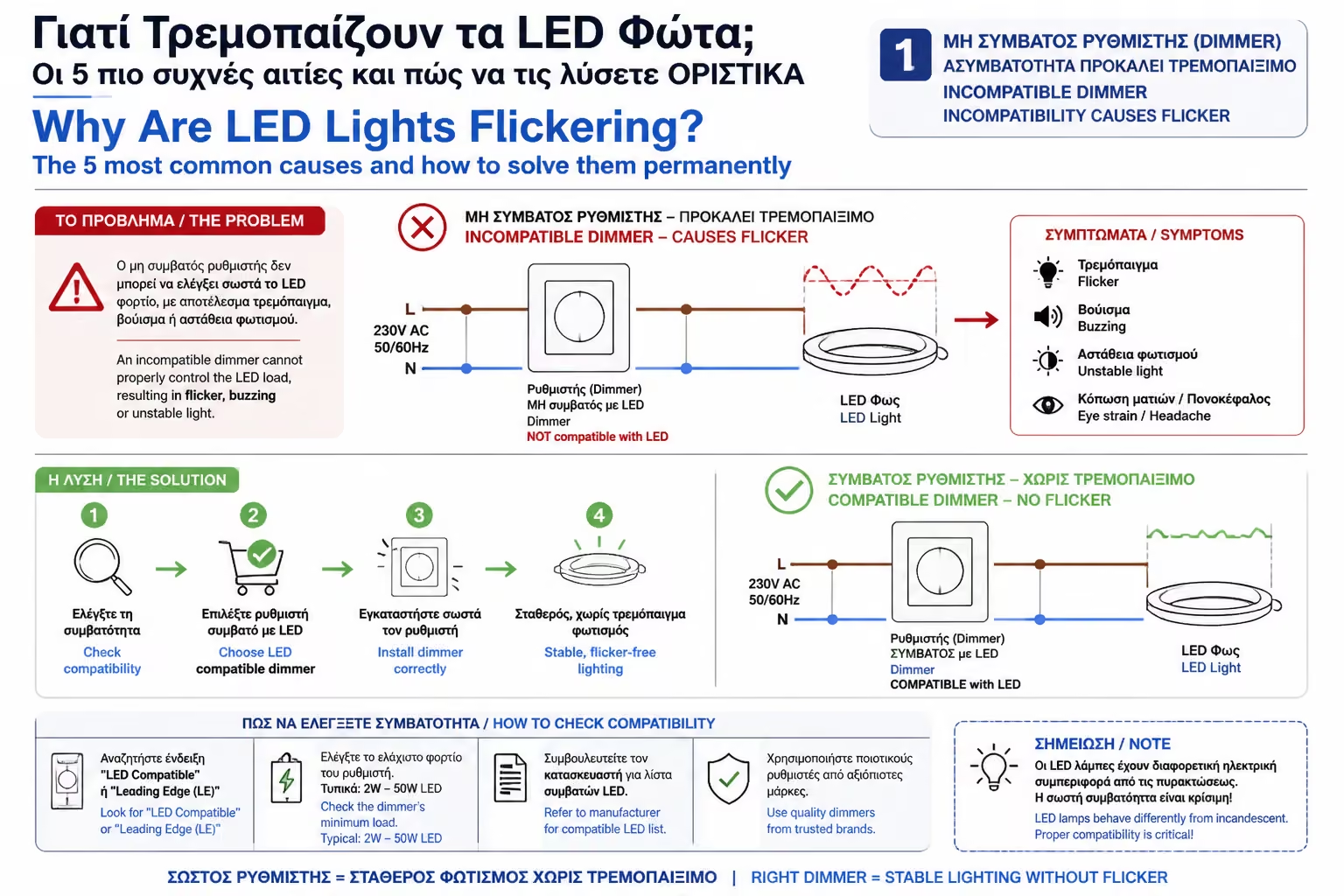
The solution
You must replace the switch on the wall with a modern LED Dimmer (usually Trailing Edge technology, which we will analyze in a later article). Also, make sure that the bulb you purchased clearly states on its box that it is "Dimmable."
It's one of the most common and irritating scenarios of the modern age: You've just replaced your old light bulbs with brand new, cost-effective LEDs. You press the switch, and instead of a constant, beautiful light, your living room turns into a scene from... a horror movie, with the lights flickering rhythmically or uncontrollably (Flickering).
Even worse, sometimes you turn off the switch to go to sleep, and the LED continues to blink dimly in the dark!
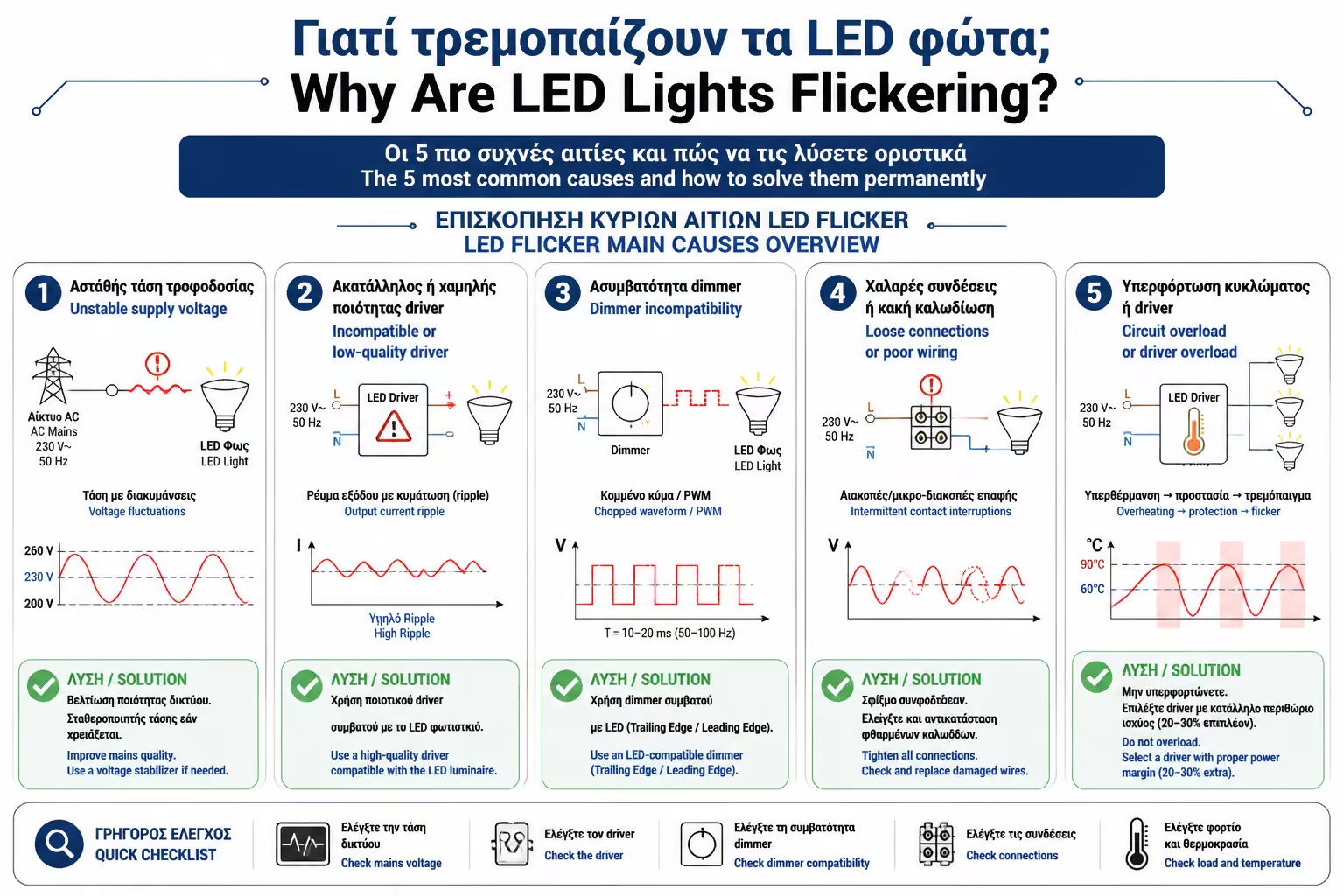
What's wrong? As engineers, our answer is simple: LEDs are not simple bulbs with a filament that glows (like the old ones). They are electronic devices. Their board is extremely sensitive to the slightest current fluctuation. Let's look at the 5 most common causes of this phenomenon and, most importantly, how to solve it without changing bulbs blindly.
This is by far the #1 reason. If your LEDs flicker when you try to dim them, the culprit is the wall.
The old dimmers (the ones you had for halogen lamps) require a minimum "load" to operate (usually 40W or 50W). When you put in an LED bulb that burns just 5W, the old dimmer doesn't even understand that there is a bulb connected! It gets confused, "cuts" the power awkwardly, and the LED flashes (usually with a characteristic "zzzzz" sound).
You must replace the switch on the wall with a modern LED Dimmer (usually Trailing Edge technology, which we will analyze in a later article). Also, make sure that the bulb you purchased clearly states on its box that it is "Dimmable."
It often happens in bathrooms and hallways. You turn off the light, yet the LED shoots small "flashes" (like a camera flash) every 5 seconds.
The problem here is the switch itself, if it has that little orange or blue light that glows in the dark so you can find it. This light bulb (indicator light) allows a very small "microcurrent" to pass through the circuit. The old lamps were indifferent. But the capacitor of the LED board sucks this microcurrent slowly. When it's full, it tries to turn on the lamp (flashes), empties, and starts filling all over again!
The "cleanest" solution is to have the electrician remove the light bulb (bulb) from the switch. Alternatively, if you want to keep the bulb, a special capacitor (bypass/anti-parasitic) is placed in parallel with the bulb, which "absorbs" this current.
If the flickering isn't permanent, but happens randomly throughout the day, see what else works at home.
When the compressor from your old refrigerator kicks on, when the air conditioner is turned on or when the washing machine is spinning, the motors of these devices "draw" a huge current for fractions of a second. This causes a momentary voltage drop throughout the house. Cheap LEDs, which do not have good electronic stabilization systems (drivers), "feel" it immediately and drop their intensity (flicker).
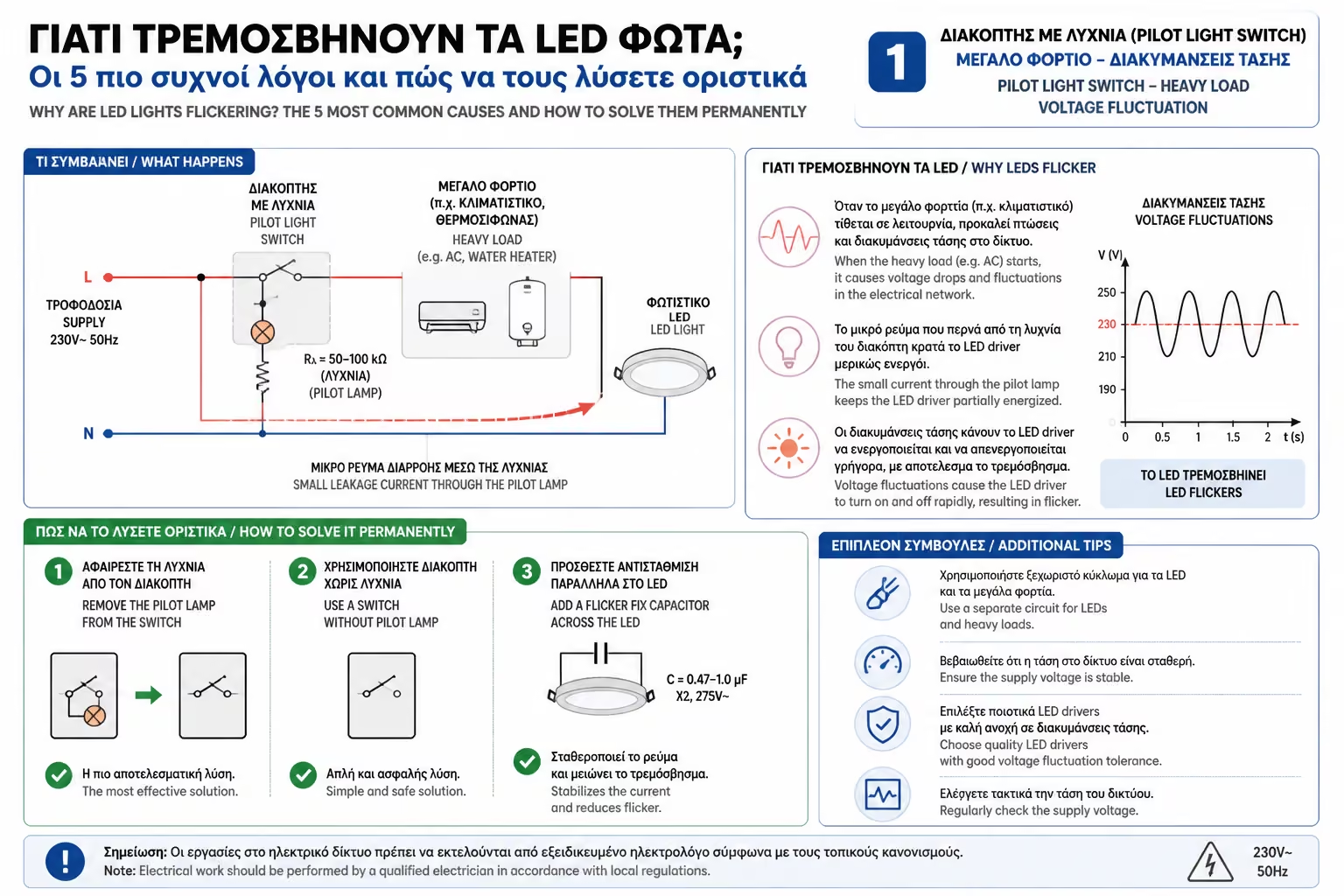
First, try a quality, name-brand LED bulb (which have better voltage-smoothing drivers). If the problem is severe and persists, have an electrician check that your heavy appliances are on separate lines (and fuses) from the lights.
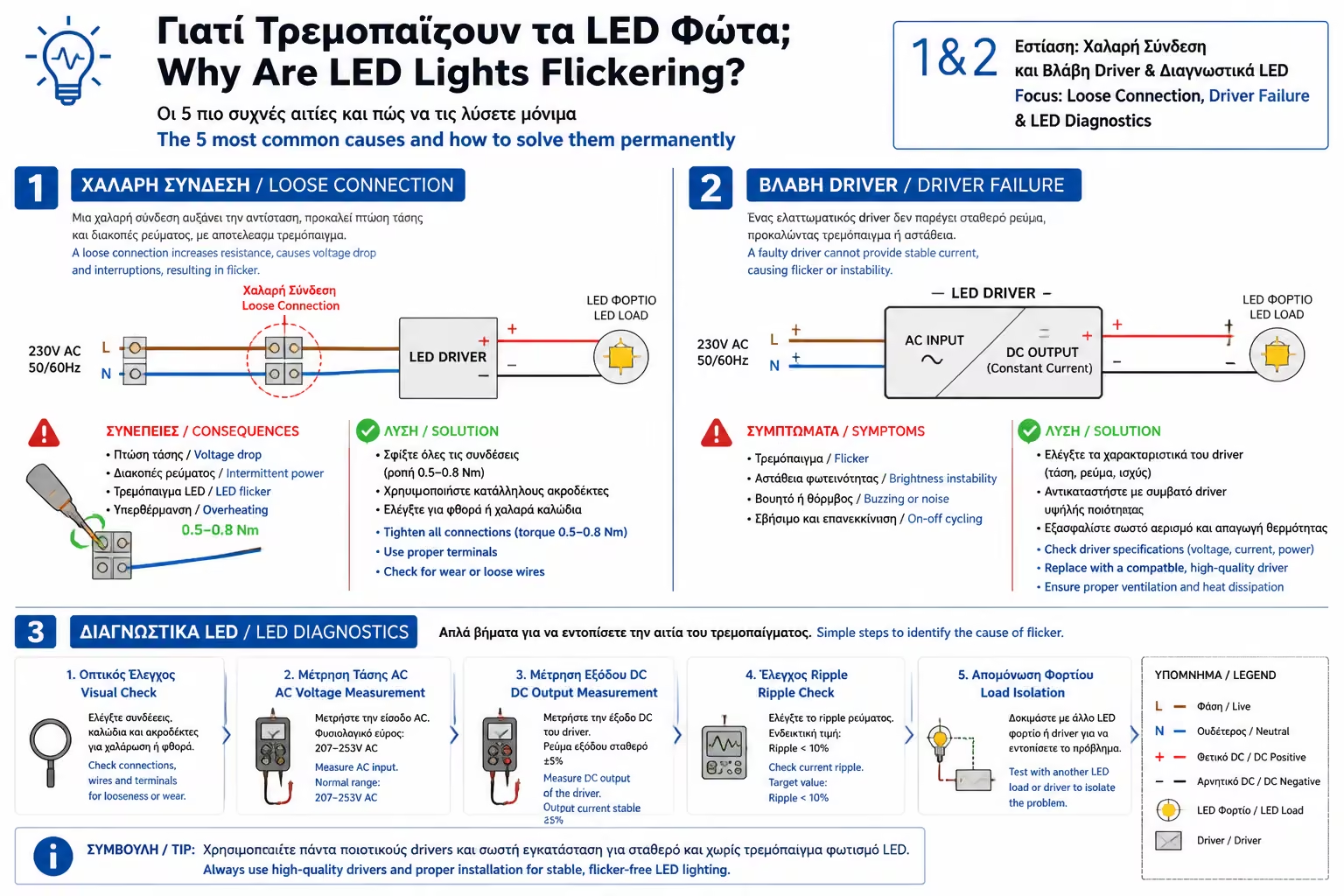
It sounds trite, but in electricity, a loose screw is enemy number one. If the wall switch is loose, if the wires inside the junction box aren't making good contact, or (most commonly) if the foils inside the ceiling joist are oxidized or "squeezed" in, current won't flow consistently. Arcing causes the flickering.
Turn off the main power switch! Remove the bulb and with a tester (with power off) slightly pull the metal plate in the center of the socket outwards so that it presses better on the bulb. If your hands won't grip, have an electrician check the clamps on the switches.
This case mainly concerns LED strips or ceiling panels, which do not go directly into 230V, but have an external power supply (transformer / driver). If the LED strip starts flickering all over or flashing rhythmically like a beacon, 99% of the time it indicates that the power supply is either overheating, overloading, or just "burned" its capacitors and died.
Replacing the power supply with a new one of equal or greater power. (How do we calculate the right power supply so that it doesn't burn out again? We will see it in detail in the next article of this category).
Flickering isn't just annoying. It causes migraines and eye strain in many people. Don't put up with it. In most cases, replacing an old dimmer switch, removing the bulb from the switch, or simply buying a better quality LED bulb will bring peace back to your space.
Next Step: We solved the flickering issue. But what about LED strips? How are we going to get that perfect, single "line of light" we see on Pinterest, without those pesky "dots" showing through?
We continue in our technical guide: LED Strip Buying Guide (COB vs. SMD): Differences, advantages and how to achieve "single" line of light.
Return to category.
Go to categoryReturn to the central guide.
Go to guide