Lighting
Turn off all lights in each room (Master Off).
In previous articles we analyzed how to control individual devices, such as the thermostat or the water heater. But the real power of a smart home lies not in controlling one device, but in coordinating them all.
Think about how many times you've left the house in a hurry and, while already in the car, wonder: "Did I turn off the air conditioner in the bedroom? Did I turn off the kitchen light? Did I leave the TV on standby?". This process of checking each room before leaving or going to bed, in addition to the time it takes, is prone to human error.
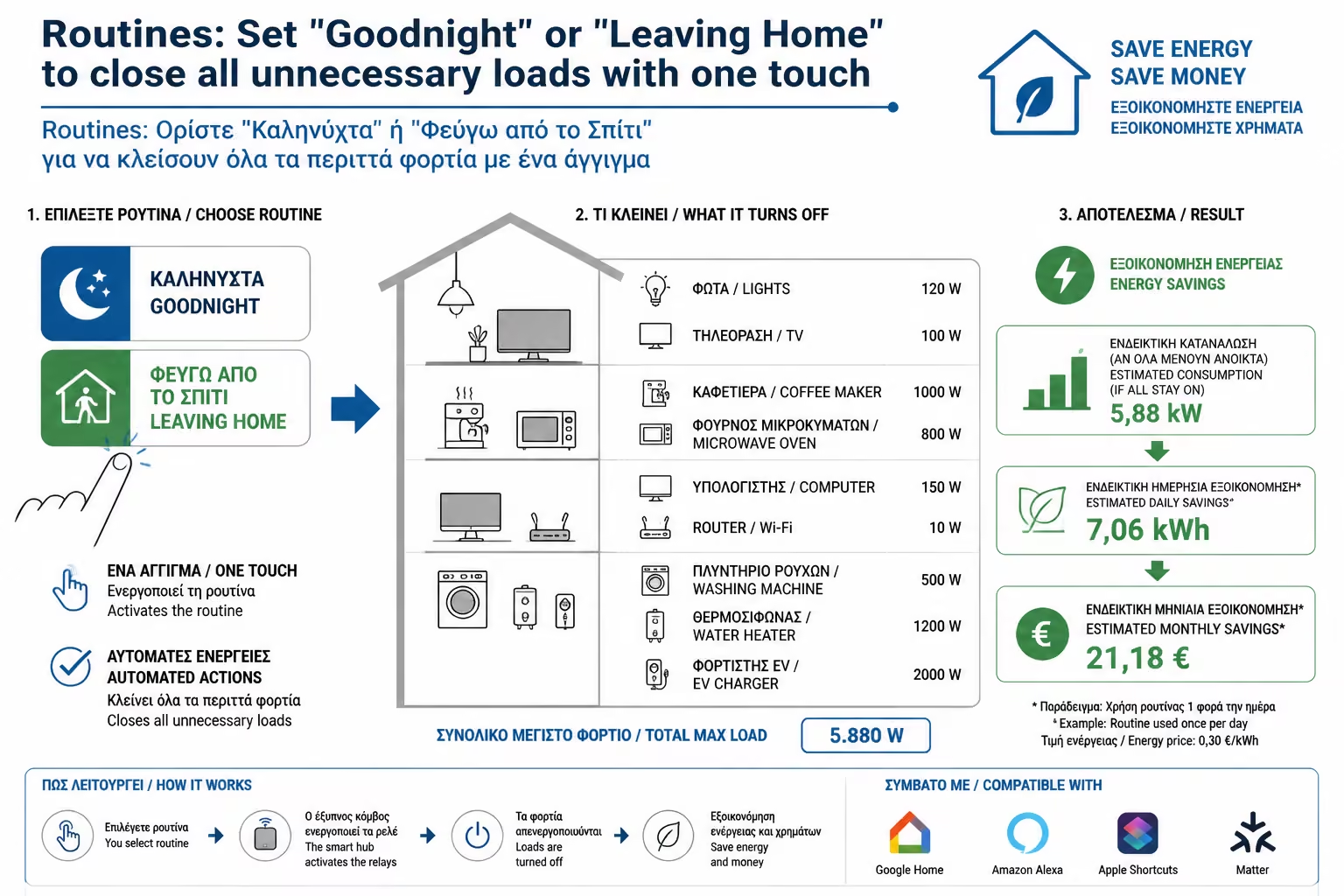
As engineers, the solution we propose is to replace the "manual checklist" with Scenes / Routines. With a single press or a voice command, the home performs a series of actions that ensure that no kilowatt hour is wasted while you are away or asleep. Let's take a look at the three main scenarios that every home should have in 2026.
This is the most critical scenario for your pocket. The goal is for the house to go into Hibernation.
What the routine includes:
The result: Within 1 second, the home's consumption drops to the absolute minimum (Base Load), saving electricity that on an annual basis can reach the cost of an entire monthly bill.
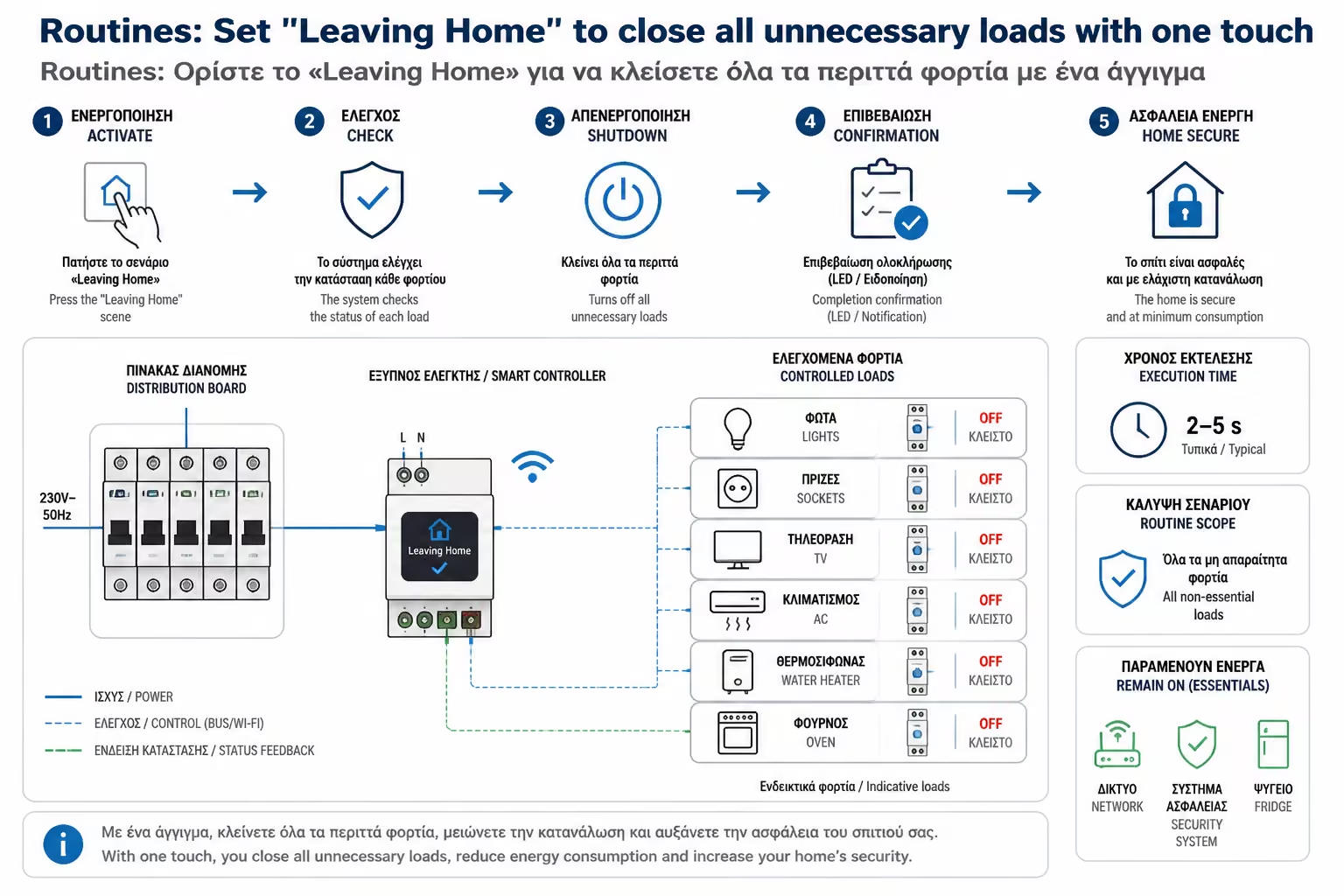
Turn off all lights in each room (Master Off).
The smart thermostat drops to the "Eco" temperature (eg 17°C in winter or 26°C in summer). The air conditioners go off.
Smart sockets in the living room and office (TV, consoles, monitors) go dead, zero standby consumption.
The smart shutters close (helping with insulation too), the alarm is armed and the cameras are activated.
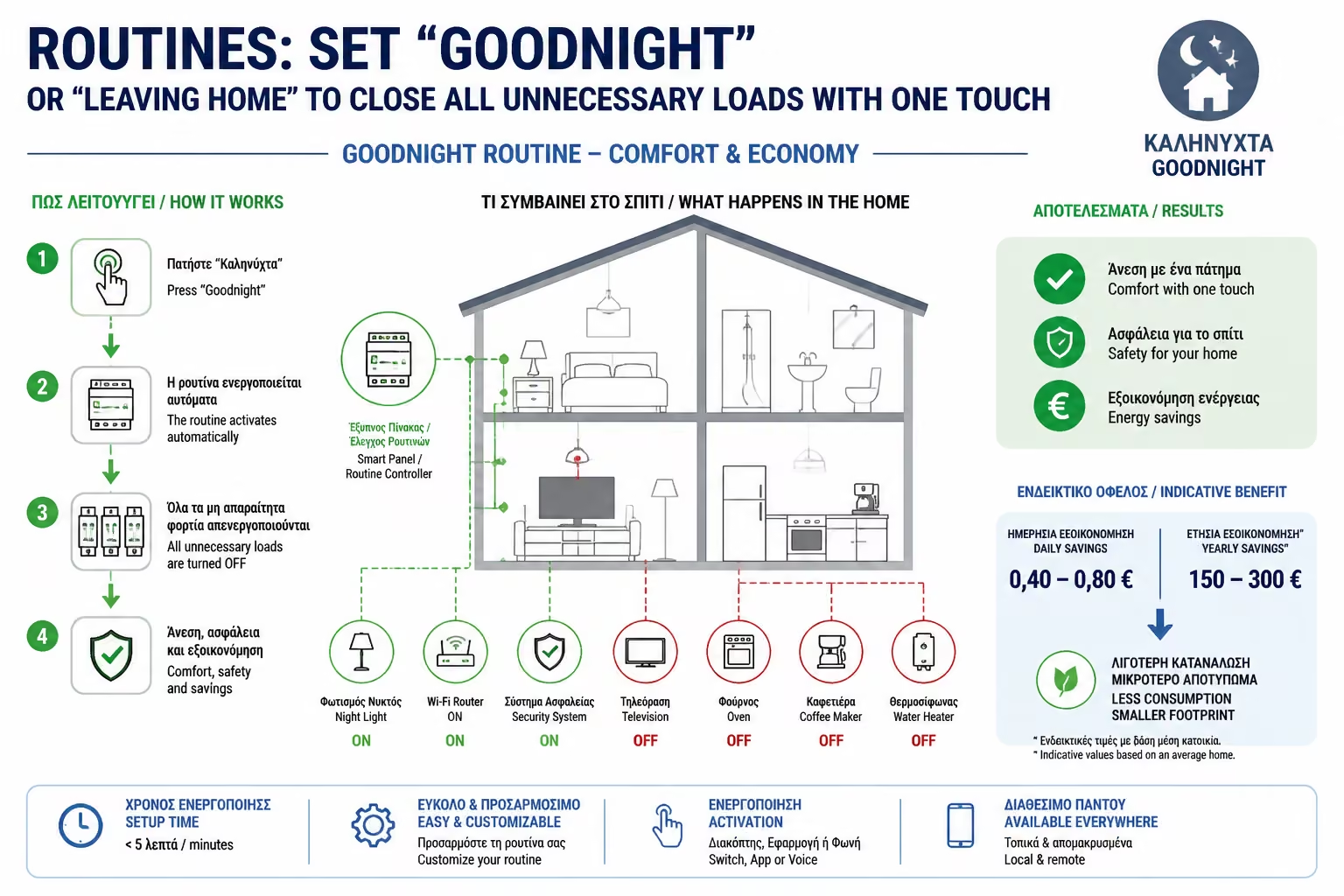
When you go to bed, the house doesn't need to be running at 100%. The "Goodnight" routine focuses on comfort and avoiding unnecessary waste during the night.
What the routine includes:
The system checks if the oven or the water heater has been left on and closes them automatically.
All lights are turned off, except perhaps a security light in the corridor, set to 1% intensity (Dimming).
The temperature drops by 1-2 degrees (it is healthier and more economical to sleep in a slightly cooler environment).
Outlets that are not needed at night (eg the laptop charger in the office) are switched off.
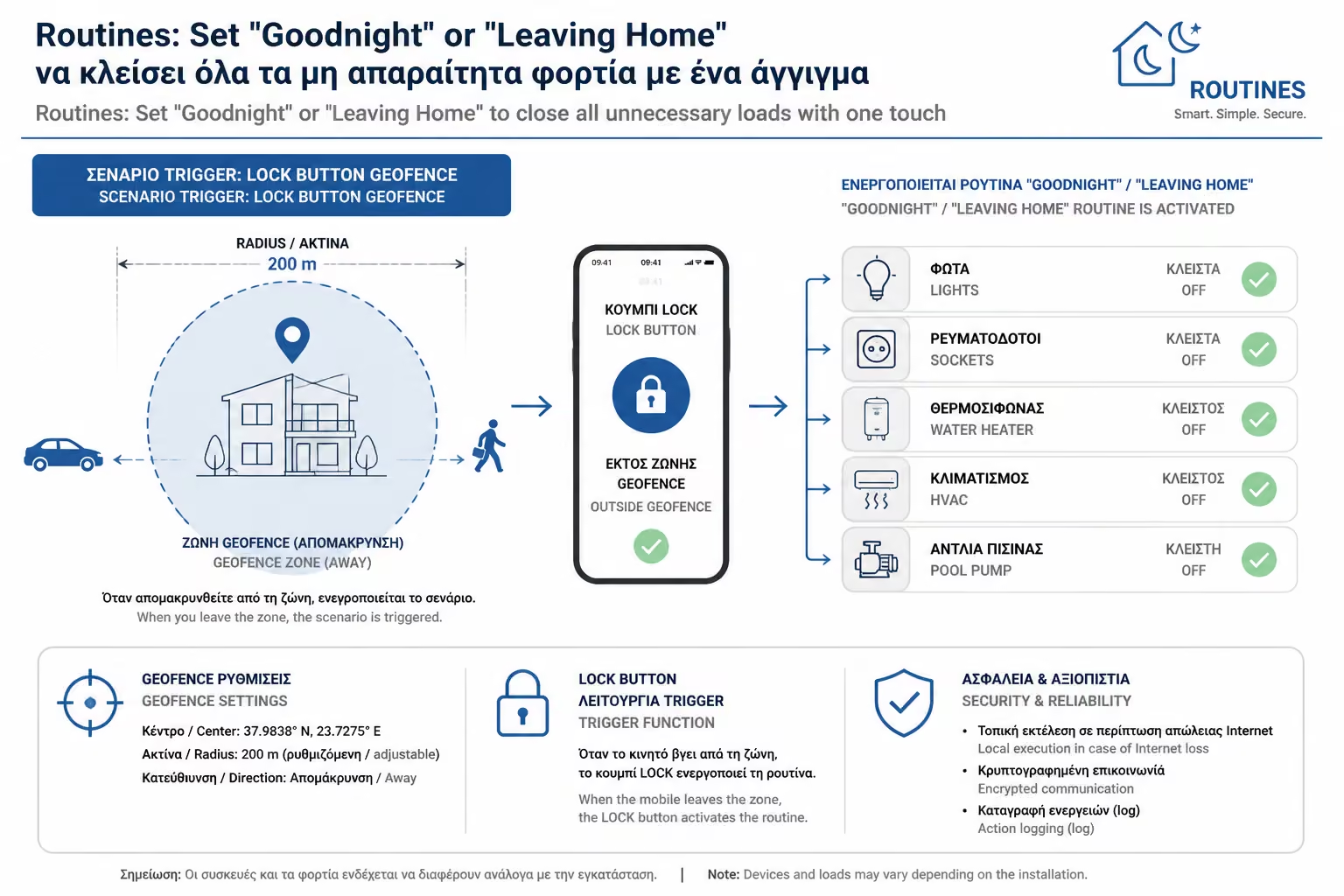
The magic of a routine is in the way you start it. There are four ways, from the simplest to the most advanced:
The savings don't just come from turning off the lights. It comes from eliminating forgetfulness.
According to energy studies, an average household wastes about 15-20% of its energy on appliances and lighting that run unnecessarily in empty rooms or during the night. Routines ensure that "human negligence" is removed from the equation. The home becomes a disciplined organism that consumes only what it needs, when it needs it.
The transition from “device” control to “script” control is where a home becomes truly Smart. Start by creating a simple "Leaving Home" routine in your app (Shelly, Google Home, Alexa) and you'll be amazed at how quickly you'll see a difference not only in your bill, but also in your Peace of Mind.
Next Step: We saw how to control the house based on our own movements. But what about the environment? Why should the office lights be on at 100% when the sun is coming in through the window?
We continue to the next Category D guide: Daylight Harvesting: How automatically matching natural lighting with lamp dimming saves energy in offices.
Return to category.
Go to categoryReturn to the central guide.
Go to guide