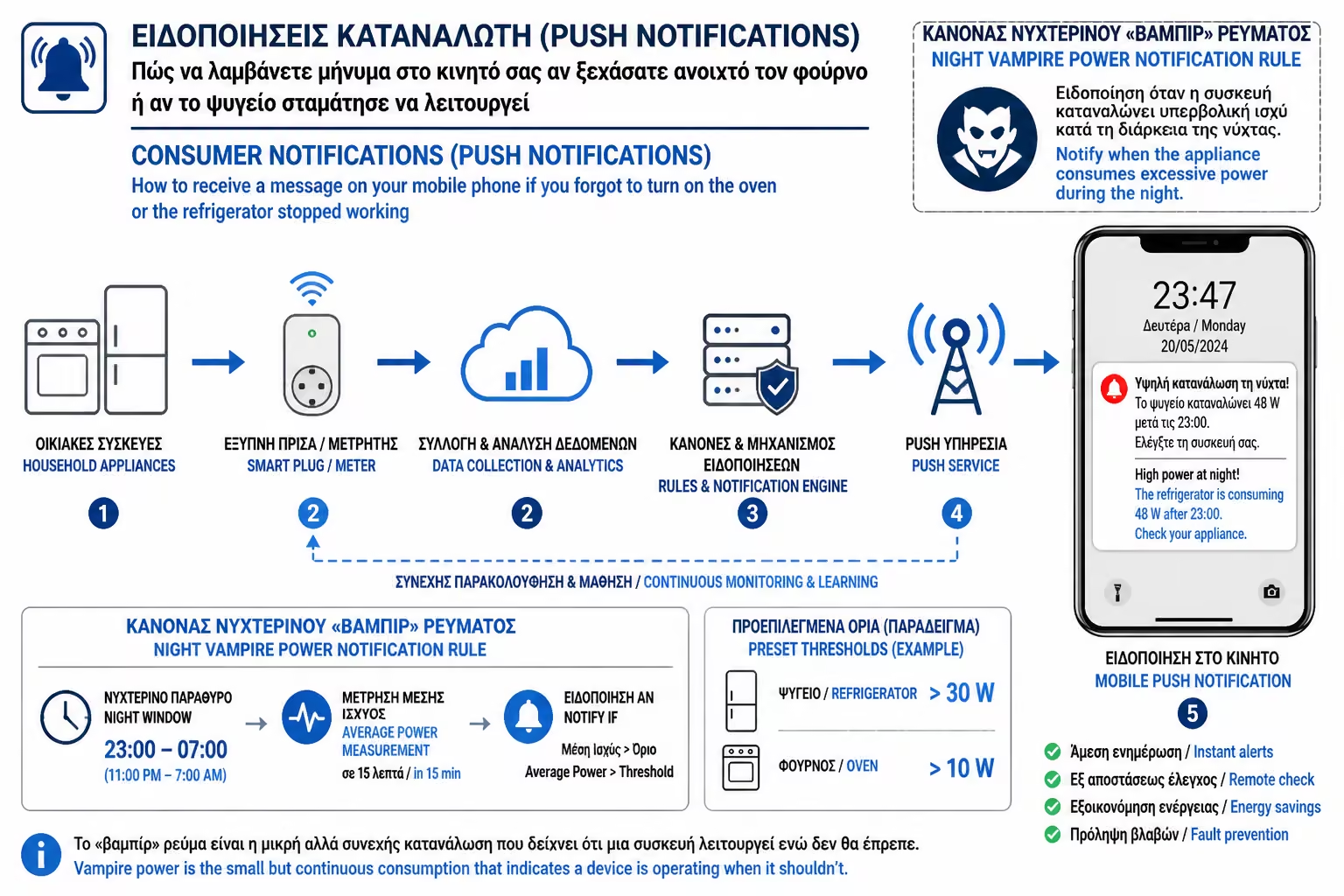
If (Trigger)
The consumption of the kitchen line exceeds 2000W.
In the previous chapter we talked about Excel files and reports. All this, however, concerns the past. It's the data you read after the month is already over.
But what about now? What if you left for work in a hurry in the morning and a "heavy" device was left running for nothing? Or, even worse, what if a circuit breaker blew during a storm and your freezer has stopped working while you're away on vacation?
As engineers, we believe that a truly smart home should not expect the user to stare constantly at a mobile screen. The house should react only when something is wrong. That is where energy push notifications come in. Let's see how your meter becomes a watchful digital sentinel.
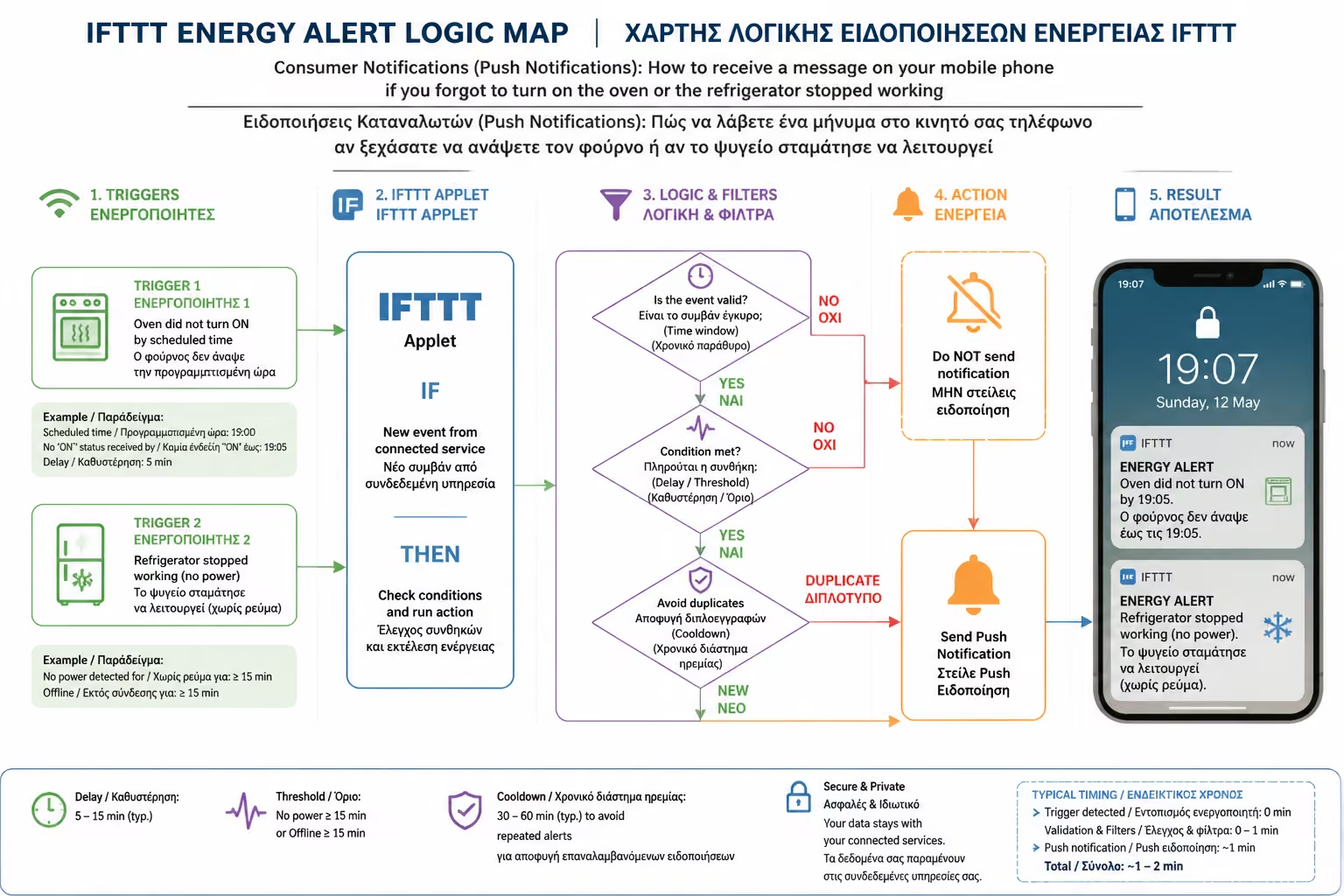
Notifications in modern Apps (Shelly, Smart Life, Home Assistant) are built on the simple IFTTT (If This Happens, Then Do That) programming logic.
The system continuously monitors the Watts consumed by a line or device. You put "Thresholds" on it. These thresholds fall into two broad categories: "Over-Power" Alarms and "Under-Power" Alarms.
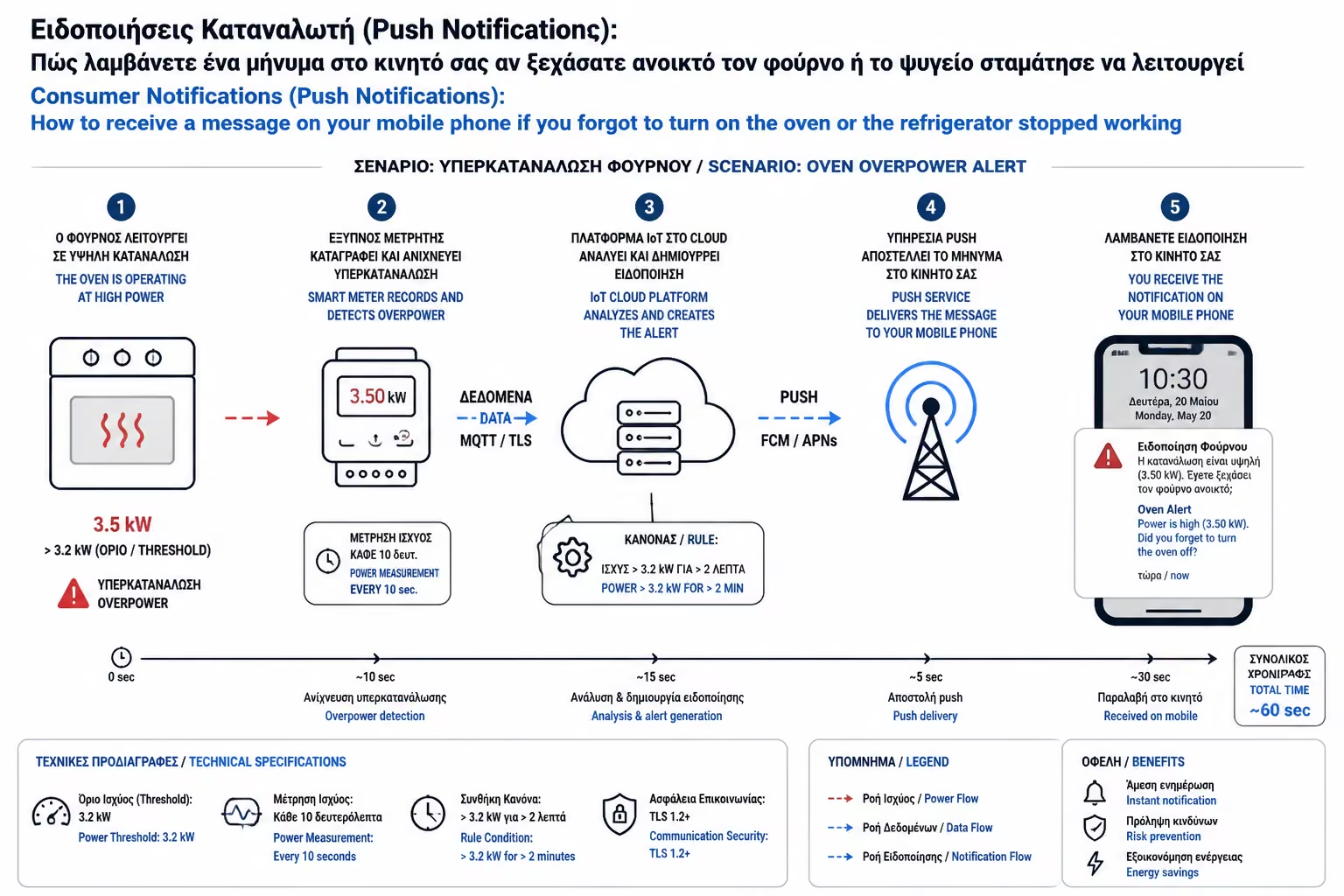
This scenario protects your pocket, but most importantly your home from the risk of fire.
When you cook, the oven and hobs "draw" huge amounts of electricity (e.g. 3000W). A normal cooking, however, rarely exceeds 2 hours of continuous operation.
How to set the rule:
As soon as you get the message in the office, you know right away that something was left on. (If you have also installed a smart power relay in the kitchen, you can press OFF from your mobile and cut the power remotely).
The consumption of the kitchen line exceeds 2000W.
For a continuous period of more than 120 minutes.
Send an urgent notification (Push Notification) to the mobile phone: "WARNING: The Kitchen is working continuously for 2 hours!"
This is the automation that has saved literally thousands of euros in food, especially in country houses or professional kitchens.
As we said in a previous chapter, refrigerators and freezers make "cycles". They light up for half an hour (drawing e.g. 150W) and then turn off. It is impossible (and unnatural) for a refrigerator to stay at absolute "zero" (0 Watt) for too many hours. If it remains at zero, it means that either the current has been cut in the specific socket (eg the leakage relay has fallen), or the motor of the device has burned out.
How to set the rule:
This simple notification gives you the flexibility to alert a neighbor to go pick up the fuse, before the meats melt in the freezer.
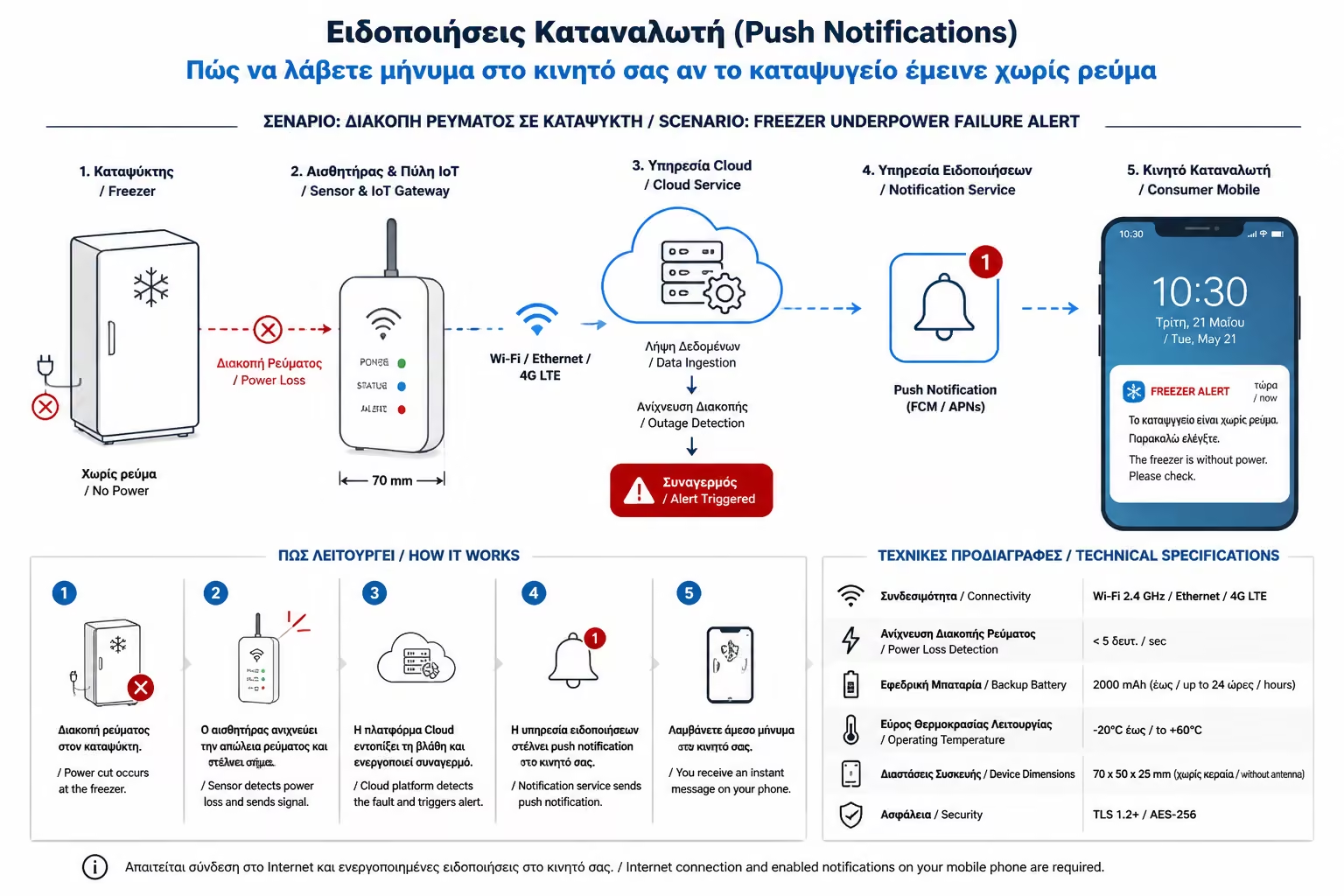
The consumption of the smart plug (or line) of the Refrigerator is exactly 0W.
For a continuous period of more than 4 hours.
Send Push Notification: "ALARM: Refrigerator has not drawn power for 4 hours. Check the panel!"
Want to check if kids leave TVs, PCs and air conditioners on when they sleep? No need to go from room to room. You let the center panel smart meter do the work for you.
Calculate what your normal consumption is at 04:00 in the morning (the so-called "Baseline"). Suppose you have measured that with everything off, the house burns only 200W (the fridge and the router).
How to set the rule:
The total consumption of the house is more than 600W.
Between the hours of 03:00 a.m. and 06:00 a.m.
Send a mobile alert (you'll see it when you wake up in the morning): "Unusual consumption detected overnight."
A common mistake users make (which eventually leads them to turn off notifications altogether) is setting the "Condition" wrong.
If you set the system to send you a message every time the line exceeds 3000W, without setting a time delay, your phone will "ring" ten times a day. It will ring when the water heater is turned on, when you put on the toaster, or when your wife dries her hair with the blow dryer. In a few days, you will ignore the messages (Alert Fatigue).
The Engineer's Rule: Consumption alerts should be tightly tuned to catch anomalous, prolonged situations. The secret is always hidden in the setting of the parameter "For a continuous time of more than X minutes".
Smart notifications (Push Notifications) turn "dead" counter numbers into active protection. Take 10 minutes in your app to set up an "Over-Power" rule for your kitchen and an "Under-Power" rule for your freezer. They are the two digital "life insurances" that you wish would never hit, but if they do, they will save you from massive damage.
Next Step: We have talked about live charts and data history. Which of the two is ultimately more important?
We continue in our theoretical guide: Real-time Monitoring vs. Historical Data: Why you need both metrics to fully optimize your account.
Return to category.
Go to categoryReturn to the central guide.
Go to guide