Waiting for Signal
It needs to have power on the infrared (IR) receiver or Bluetooth antenna so it can "hear" the next press of the remote to wake up.
Welcome to Category D, where we leave the theory of measurements and go into practice: Reducing the electricity bill.
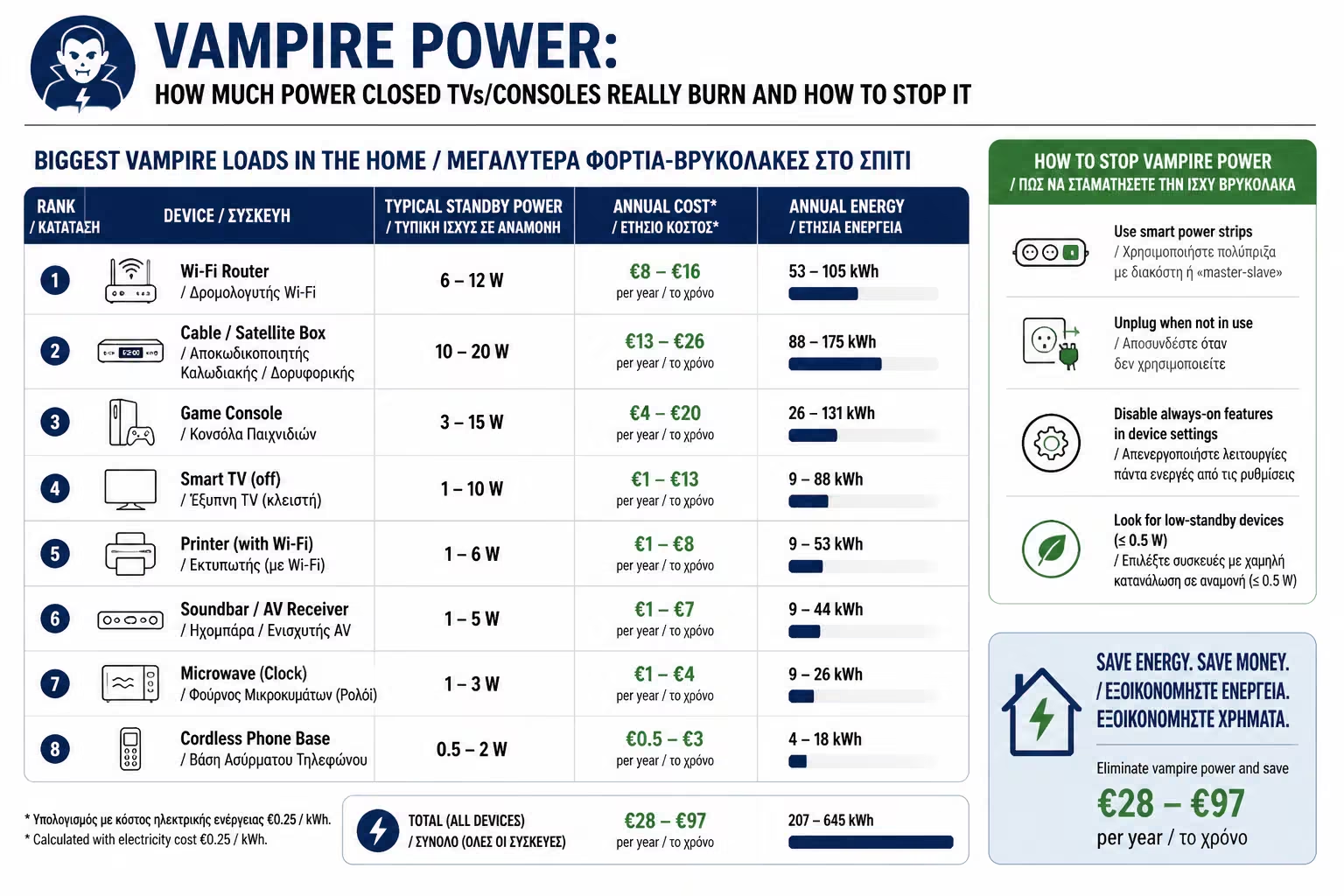
One of the biggest household myths is this: "After I pressed the OFF button on the remote control, the appliance stopped burning electricity". The truth is completely different. In modern homes, dozens of devices continue to "suck" energy 24 hours a day, 365 days a year, completely silently.
Electricians call this phenomenon Standby Power, but in the industry the much more appropriate term has prevailed: Vampire Power. As engineers, let's take a look at why this happens, what vampire devices are lurking in your living room, and how much money they're really costing you every year.
When you turn off a modern TV, you don't actually turn off the power (like we used to do with the "thick" buttons that made the characteristic clack). You simply send the board to a "sleep" state (Sleep Mode).
The device continues to draw power for various technical reasons:
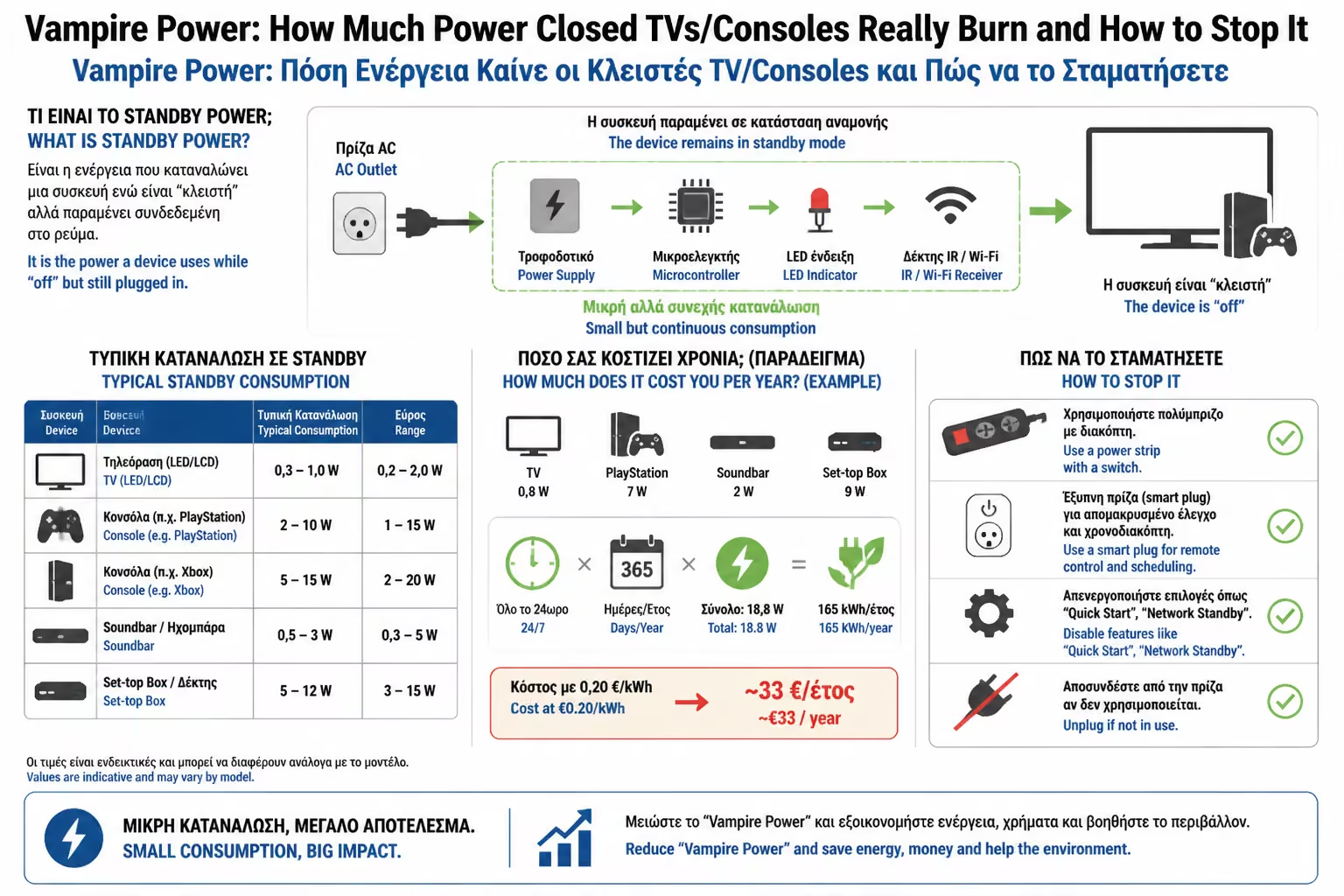
It needs to have power on the infrared (IR) receiver or Bluetooth antenna so it can "hear" the next press of the remote to wake up.
Smart TVs and consoles keep their Wi-Fi card active to download updates in the background.
Even if your phone is not plugged in, the charger that stays plugged in has an internal transformer. Just because it accepts 230 Volts, it consumes a small amount of energy, which is often perceived as heat (the charger is warm to the touch).
What are the devices responsible for the high nighttime Base Load we discussed in the previous chapter?
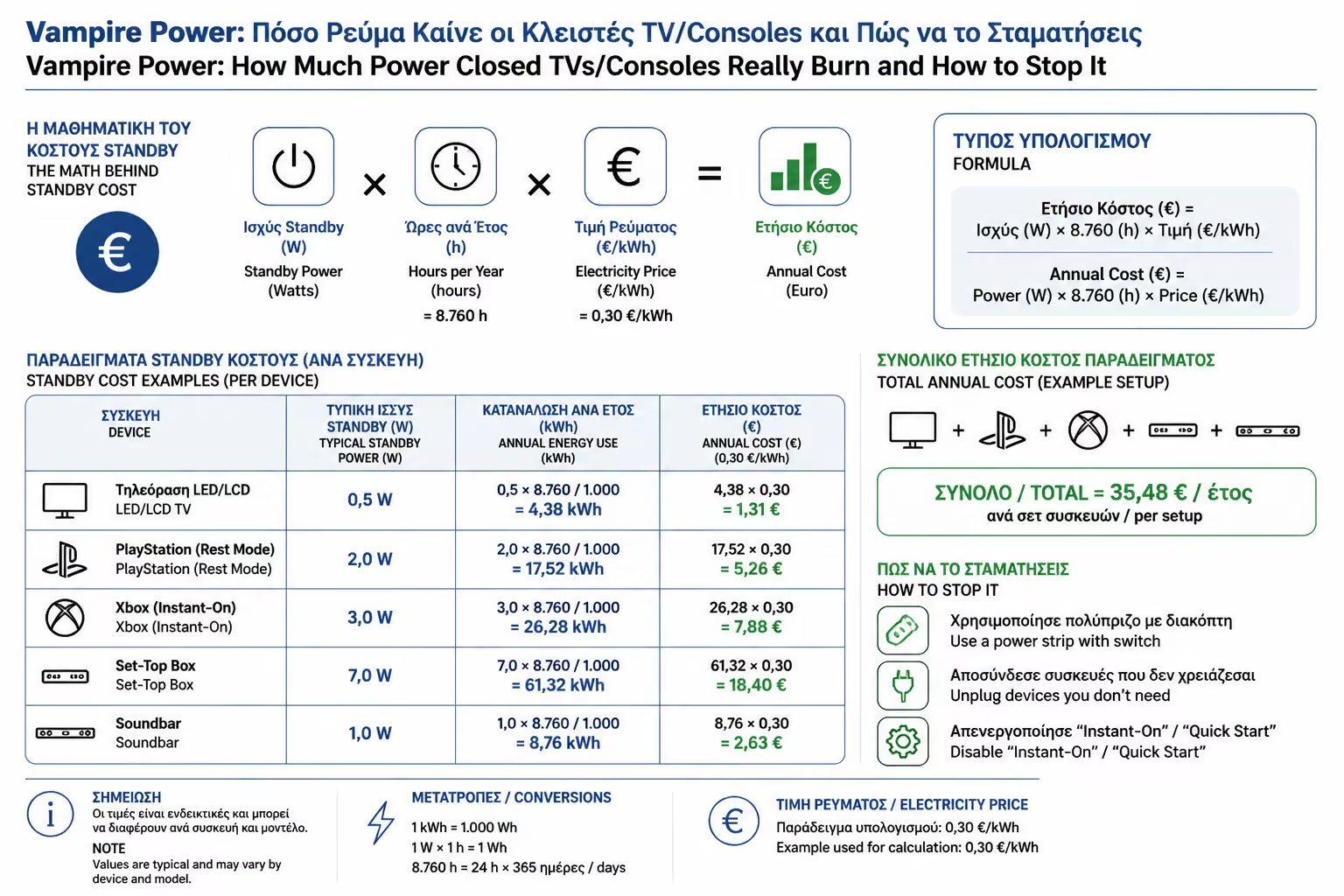
Let's do the math for an average home that has two TVs, two set-top boxes, a sound system, a PlayStation, a dual-screen computer and a handful of forgotten chargers.
It is extremely realistic that the sum of Vampire Power in this house reaches 80 Watts of continuous consumption.
If we assume an average electricity price (with network charges) at 0.16€/kWh, then 691 kWh x 0.16€ = 110 Euros! You're throwing away 110 euros every year, literally for nothing. It's like leaving a classic incandescent light bulb burning non-stop 365 days a year.
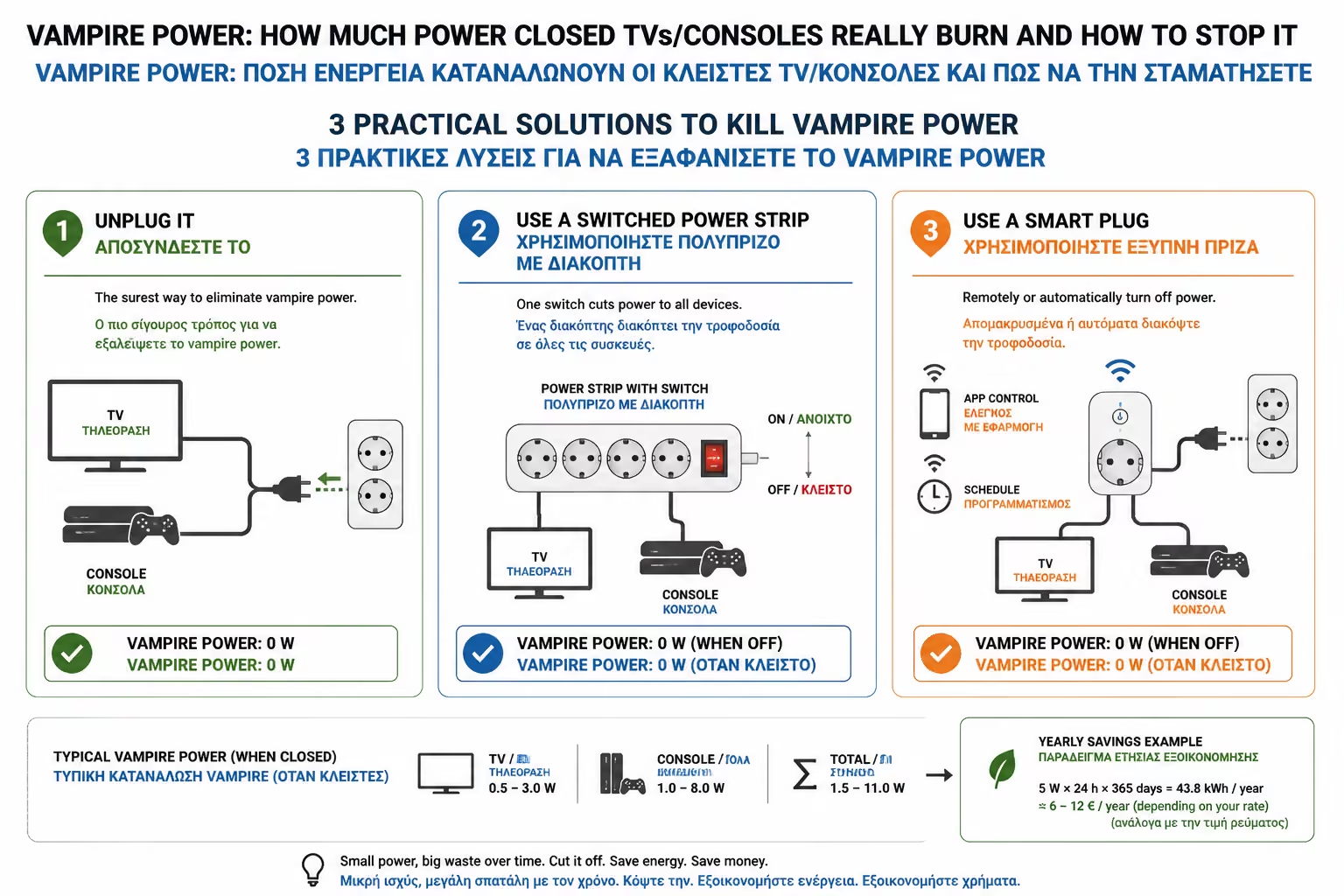
You don't have to live in the dark or pull out wires with your hands every night. There are technological and practical solutions:
The most inexpensive solution is found in the menus of the devices themselves. On the TV, disable the "Fast Boot / Quick Start" functions. It will take 3 seconds longer to turn on, but it will drop the standby consumption from 10W to 0.5W. On PlayStation/Xbox, select "Energy Saver Mode" instead of "Instant-On / Rest Mode" if you are not actively downloading a game.
Instead of putting 5 devices in the wall, put them in a Smart Plug with Energy Monitoring function (which we analyzed in Category A). Connect the TV, TV Box and Soundbar to it. Set an automation: "Every night at 01:00 AM, or when I leave the house, completely turn off the power to this outlet." In the morning, you turn it on again from your mobile or automatically at 08:00. This is how you throttle Vampire Power effortlessly.
If you are renovating or building, the electrician can fit a "Master Off" relay in the panel. This relay is connected to a switch on the front door. The panel is divided into 2 categories: 1. Always On: The refrigerator, the alarm, the router. 2. Master Off: The sockets of the living room and the office. Leaving the house, you press the button. The house "kills" all sockets that have hidden loads, ensuring absolute zero waste.
Standby Consumption is the classic "invisible thief" of modern technology. It's easy to spot if you look at your "Base Load" in the evenings on your Energy Dashboard. With a few smart plugs (costing €15 each) that cut the power to the "media centers" (TVs/PCs) in the evenings, you can pay back in less than a year, reducing your bill completely painlessly.
Next Step: We solved the issue with the small, "invisible" devices. It's time to tackle the biggest consumer of every building: Heating and Cooling.
Moving on to the ultimate climate-saving guide: Smart Thermostats & PID Control: How to reduce your heating and cooling consumption by up to 30% with learning algorithms.
Return to category.
Go to categoryReturn to the central guide.
Go to guide