The Grid
How many kWh did you draw from the utility today?
If you've reached this level of Smart Home, you're probably dealing with the "Ecosystems Problem".
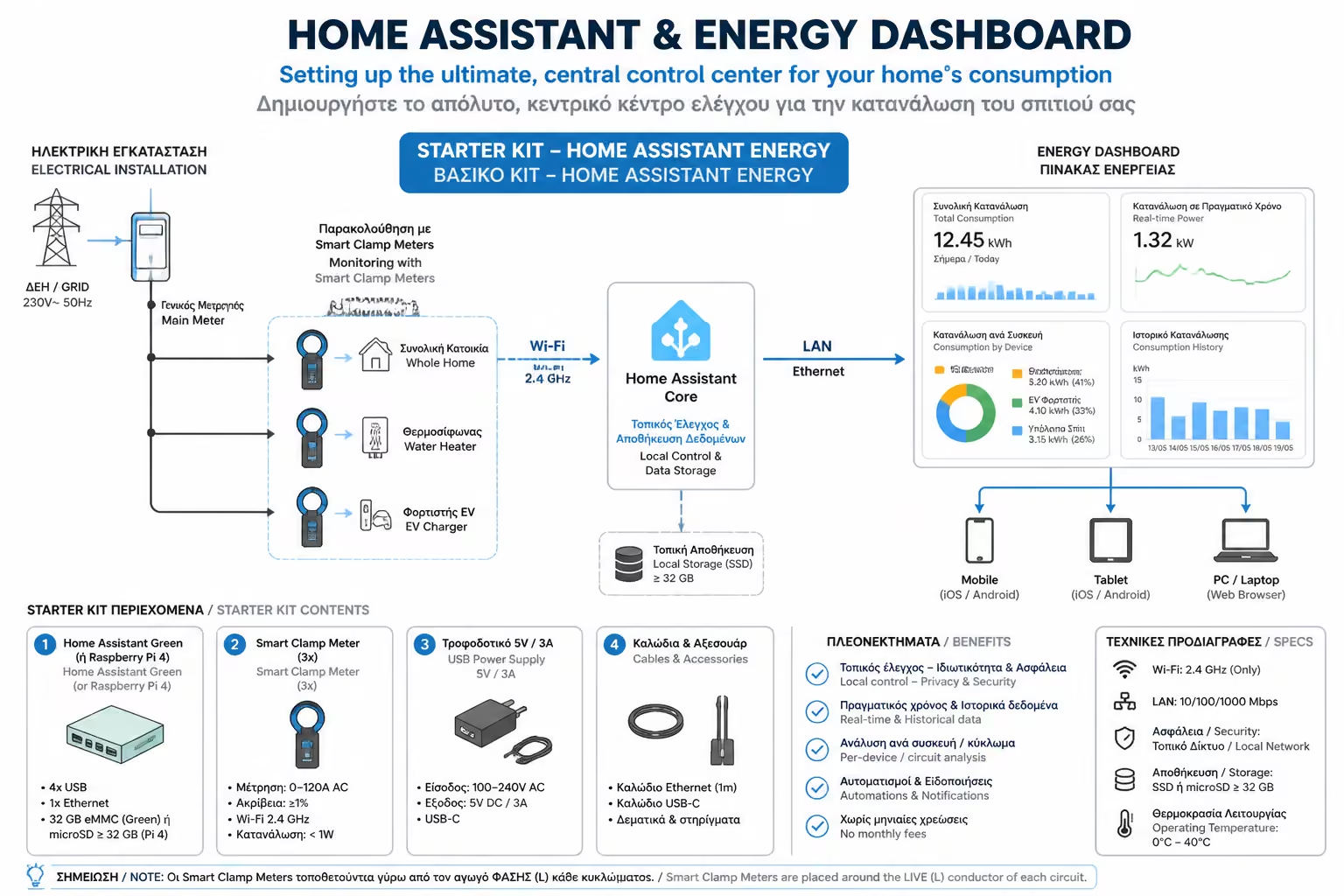
Maybe you have a Shelly meter on the main panel, three TP-Link smart plugs (Tapo) for the computer and TV, and some Sonoff switches (eWeLink) for the water heater. To see your total energy use, you end up opening three different apps on your phone, remembering passwords, waiting for the cloud data to load, and then adding everything up by hand.
As engineers, we do not accept that kind of fragmentation. The solution is integration, and its name is Home Assistant (HA). Let's see how this free, open-source platform creates a single strategy layer for your home's energy data.
Home Assistant is not just another app for your phone. It is a full software platform, more like an operating system, which you install on a small computer inside your home.
Its philosophy is based on two core principles:
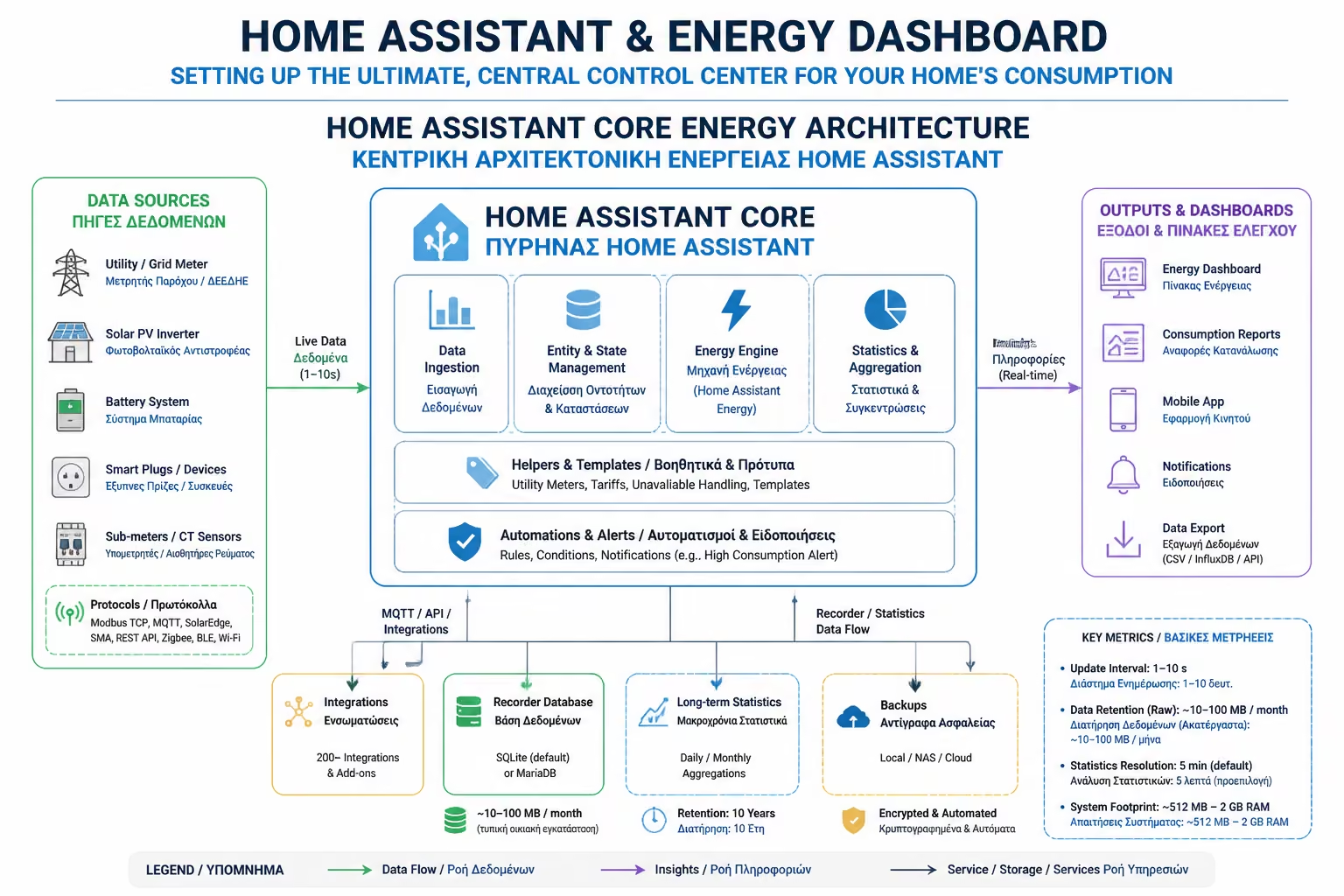
The Home Assistant team, recognizing the global energy crisis, has integrated into its software a special, pre-installed Energy Dashboard.
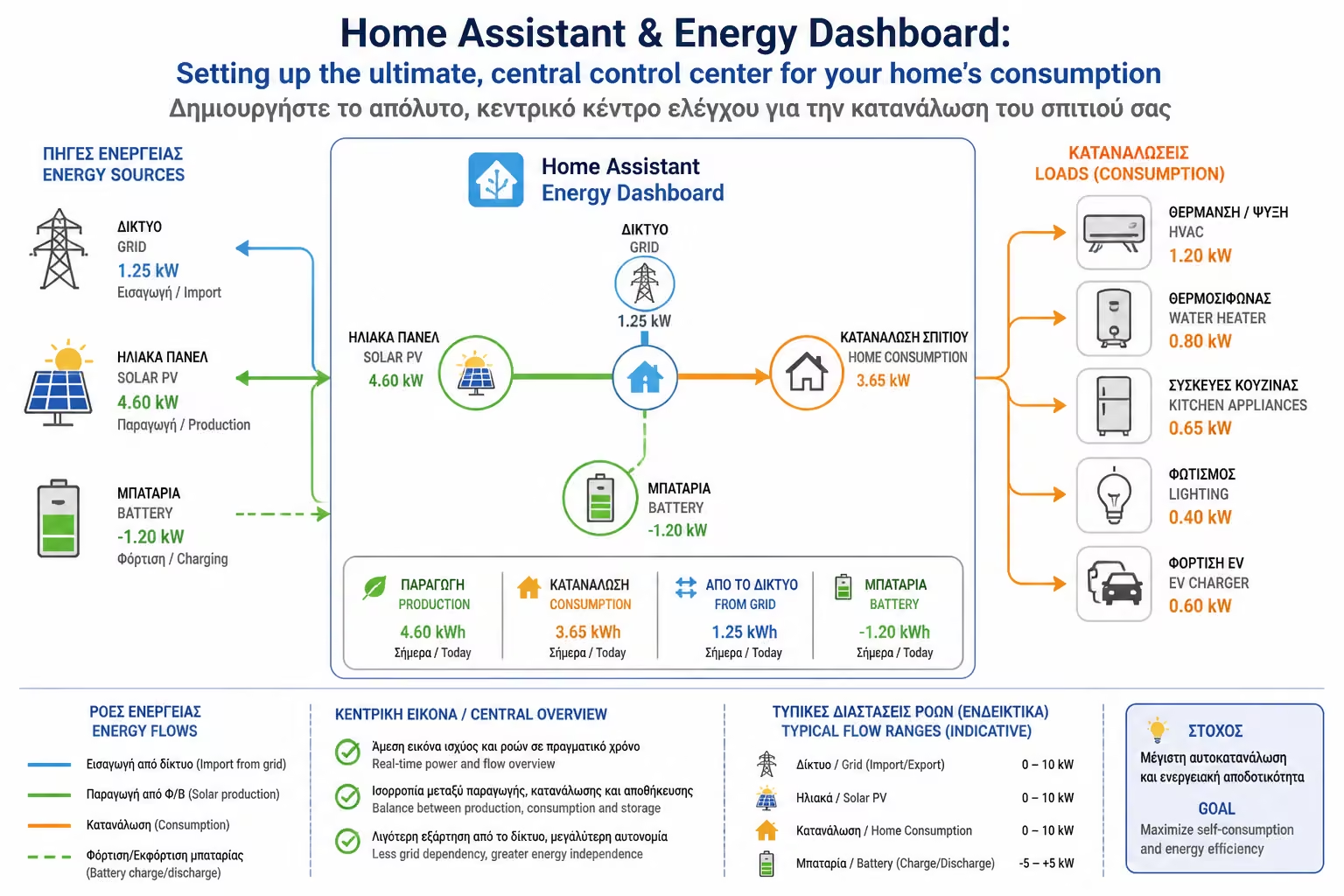
Once you connect your various meters (regardless of brand) to HA, you declare them in this table. The result is a stunning, unified display:
What this screen offers you:
How many kWh did you draw from the utility today?
How much energy your panels produced, how much you consumed directly at home (Self-consumption) and how much you sold back to the grid (Export).
The best feature. HA takes the total consumption and makes a graph (Bar chart) below, showing you exactly which device is to blame: Water Heater 30%, Living Room Air Conditioner 40%, Refrigerator 15%, Untracked Consumptions (Untracked) 15%.
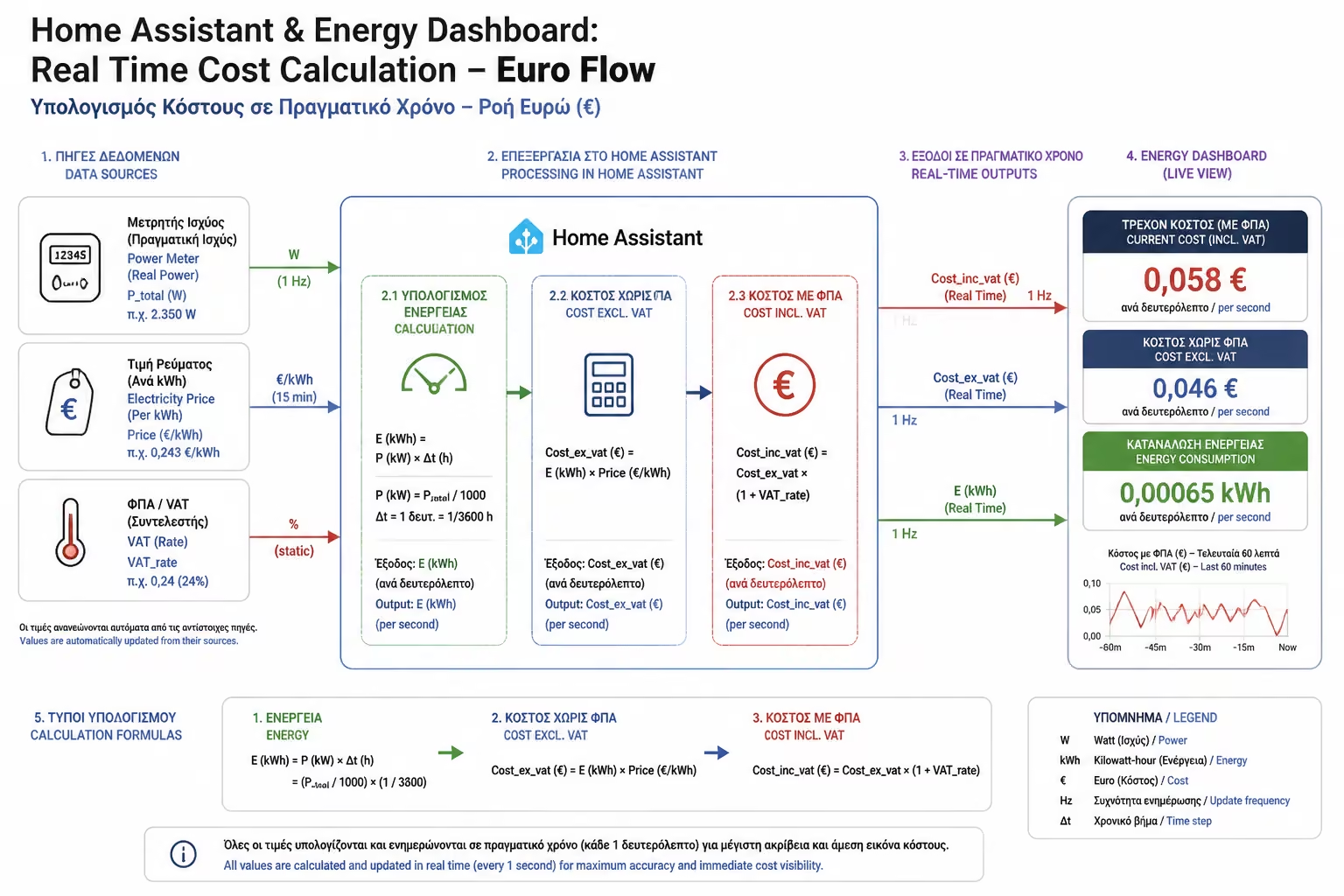
Home Assistant doesn't stop at kilowatt hours. It allows you to import your provider's invoice into it.
To set up the Home Assistant (and the Energy Dashboard), the "brain" needs to be on 24/7. We don't put it on our laptop. The 3 most popular Hardware options are:
Home Assistant isn't for everyone. It requires an appetite for reading, experimentation and some weekend time to set up properly. But if you want to take 100% control of your data, unite all brands on one screen and turn your home into a truly Data-driven organization that optimizes electricity consumption (even in relation to dynamic tariffs and photovoltaics), Home Assistant is, without a doubt, the ultimate tool on the market today.
Next Step: If the prospect of setting up your own server seems like a mountain to you, don't worry. The companies themselves (the manufacturers of the meters) offer excellent Cloud applications. But which company has the best software for your data?
Continuing with our comparison guide: Manufacturer Apps (Shelly App vs. Tuya/Smart Life): Which ecosystem offers the best and most accurate analytics.
Return to category.
Go to categoryReturn to the central guide.
Go to guide