The Big Piece (The Sensor)
Contains the communication board, battery and a "Reed" switch. It sticks to the fixed door frame (casing).
It is the classic image of the Greek summer (but also winter): The air conditioner working at maximum, at the same time as the balcony door is wide open to let in fresh air or for the pet to come and go. The result? The machine tries in vain to cool... the entire neighborhood.
This practice doesn't just skyrocket your electricity bill, it forces the air conditioner's compressor (Inverter) to work non-stop at 100% capacity, dramatically reducing its lifespan.
Whether it's your own home, your Airbnb, or a hotel, technology has the most elegant and inexpensive solution. It is called Magnetic Contact (Door/Window Sensor). As engineers, we see these tiny "guards" as the most immediate payback you can make in a modern Smart Home. Let's see how they work and how to set up the right automation.
These are two small, unobtrusive plastic pieces that stick with double-sided tape (3M) on the window or door frame.
When the door is closed, the two pieces are side by side. The magnetic field keeps the switch closed. As soon as the door opens and the two pieces move apart, usually by more than 1.5 to 2 cm, the sensor detects the state change and wirelessly sends an OPEN signal to the home's central system.
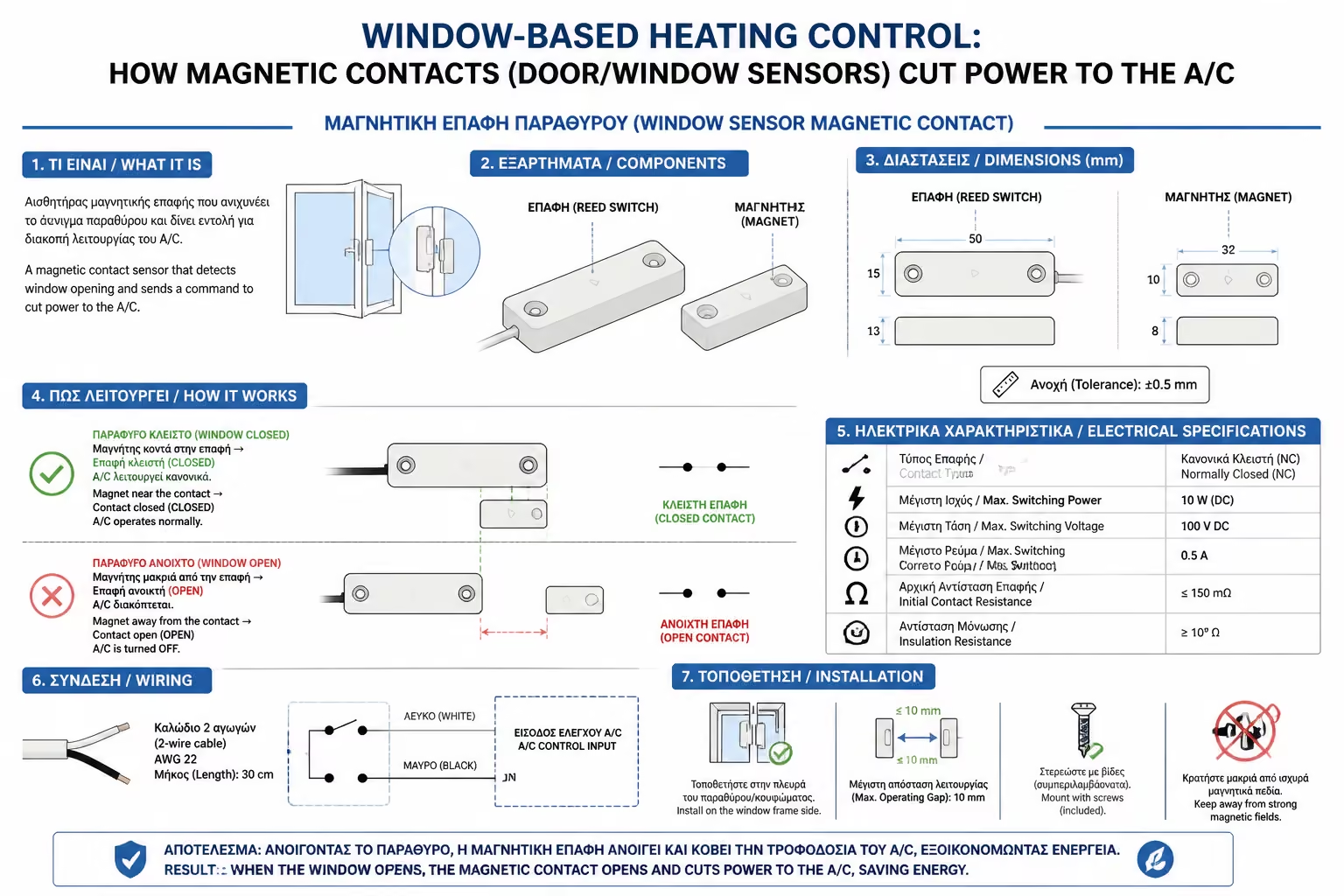
Contains the communication board, battery and a "Reed" switch. It sticks to the fixed door frame (casing).
It is a simple, "dumb" magnet. It sticks to the movable door leaf.
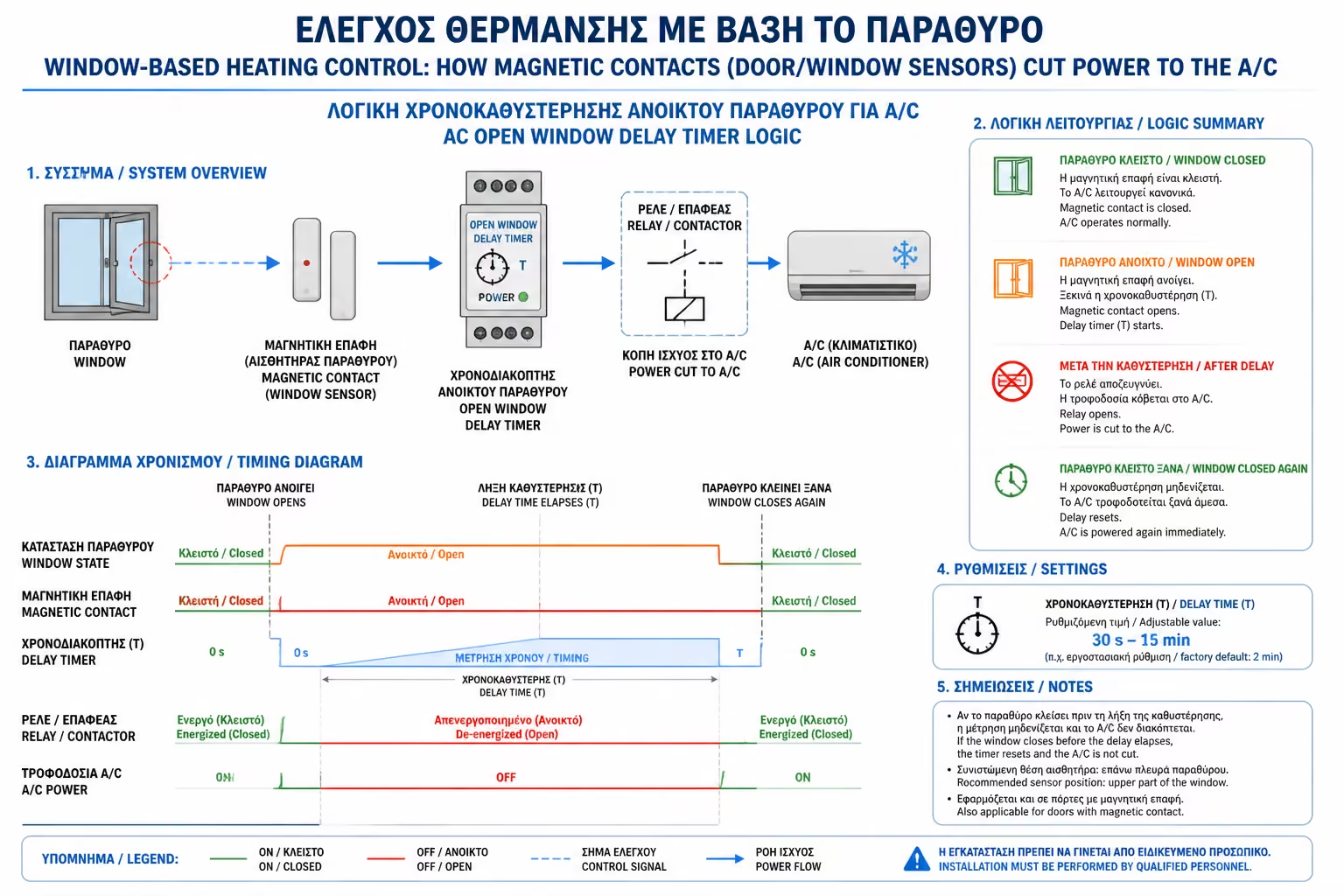
The biggest mistake Smart Home beginners make is building "instant" automations. If you set the A/C to shut off the moment the door opens, the experience will be frustrating. Imagine opening the door for 10 seconds just to collect a food delivery and the A/C immediately turns off. Constant on/off cycling also stresses the unit's electronics.
The Right Logic (The Script): Inside the application (eg Smart Life, Tuya, Home Assistant), we build the following rule:
We then create the reset rule:
Thus, you give the user the freedom to go out on the balcony for a while or quickly ventilate the room, without the system "punishing" the machine with unnecessary restarts.
The Window Sensor is OPEN.
For a continuous period of 3 minutes (or 5 minutes).
Command the Air Conditioner to turn OFF.
Window Sensor is CLOSED.
Restore the Air Conditioner to its previous operating state.
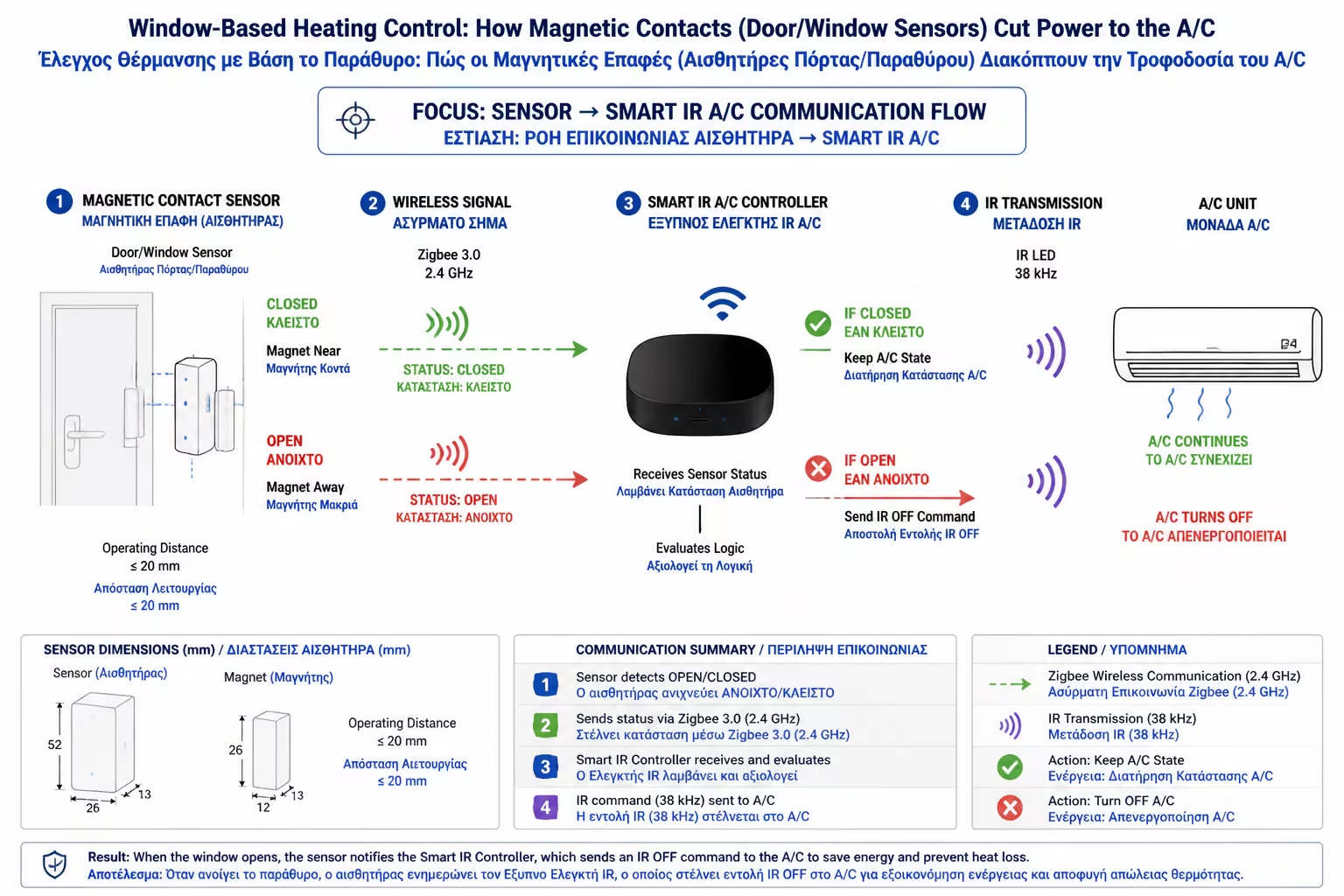
The window sensor never communicates directly with the air conditioner. It needs an "intermediary", which we analyzed in a previous chapter.
The sensor signal goes to the Wi-Fi router (or Smart Hub). From there, the system "talks" to either a Smart IR (Infrared Remote) that sends the "polite" OFF command to the air conditioner, or to a Smart Relay (Smart Switch) on the panel, which completely cuts the power to it. (We always insist on the infrared solution - Smart IR - because smooth closing saves the Inverter boards).
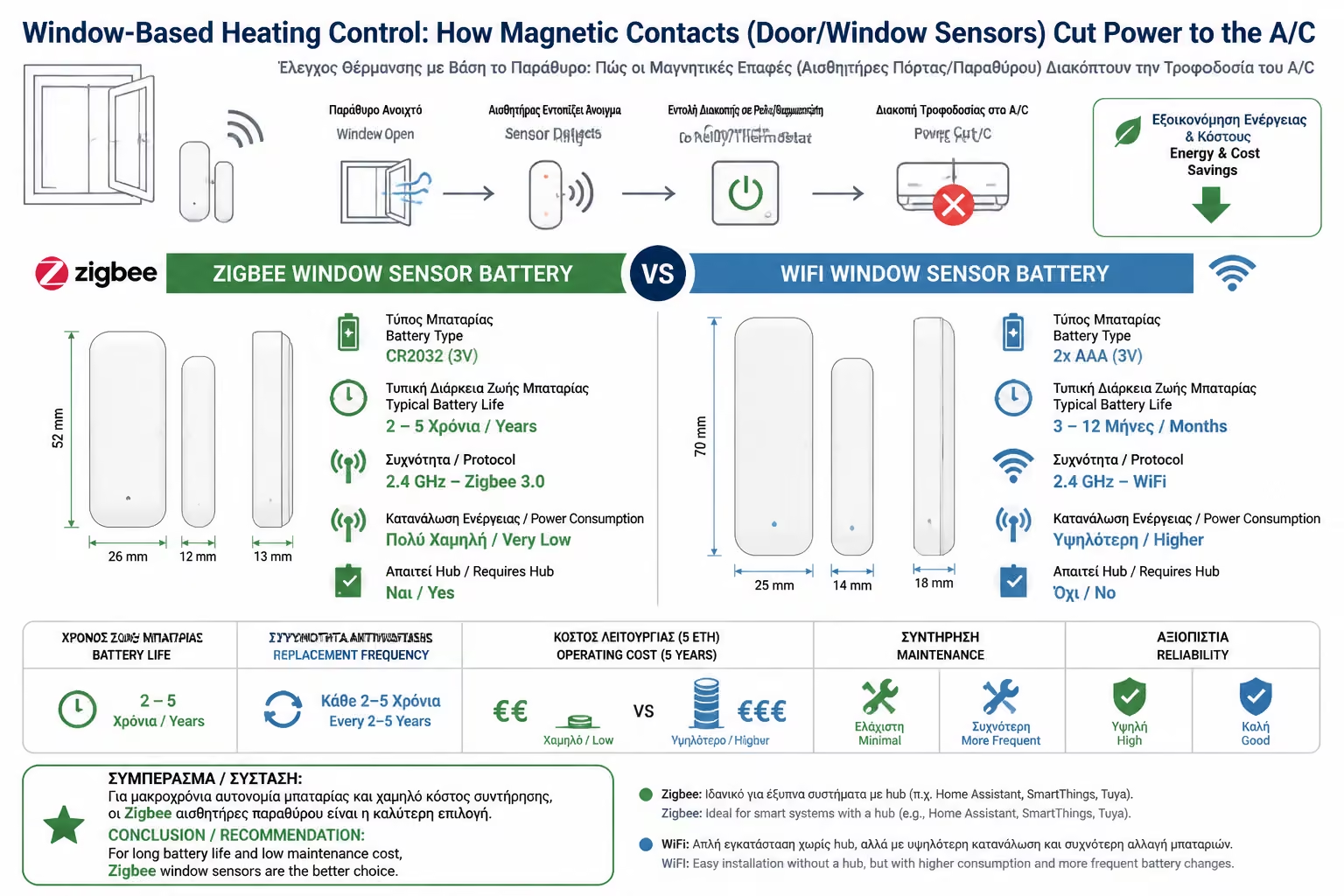
When you go to buy magnetic contacts, you'll see that they come in two versions: Wi-Fi (which connect directly to your Router) and Zigbee (which require you to also purchase a central "Hub/Gateway" for them to work). What to choose?
The engineers' answer is absolute: ALWAYS choose Zigbee for battery powered devices.
With an insignificant cost (€10 - €15 per window sensor) and 10 minutes of setup on the mobile phone, you eliminate one of the biggest sources of energy waste in buildings. It is perhaps the most "intelligent", fair and quiet automation that you can add to your home or business premises, preventing machines from operating in unrealistic conditions.
Return to category.
Go to categoryReturn to the central guide.
Go to guide