Cleaning & Maintenance of Server Racks: How dust destroys your IT
equipment and how to remove it safely
If your rack is ventilated correctly, fans constantly pull cool air in
and push warm air out. That airflow protects equipment, but it also
means the rack gradually acts like a dust collector.
No matter how clean the room is, the air contains tiny particles of
dust, hair and lint. Over the months, these accumulate mercilessly
inside the cabin and inside the expensive Switches and Servers.
Dust is not just an aesthetic problem. It is the second biggest enemy of
electronics, after excessive temperature. Let's take a look at why the
layer of dust is ruining your network and, most importantly, how to
clean it properly without causing irreparable damage with the wrong
tools.
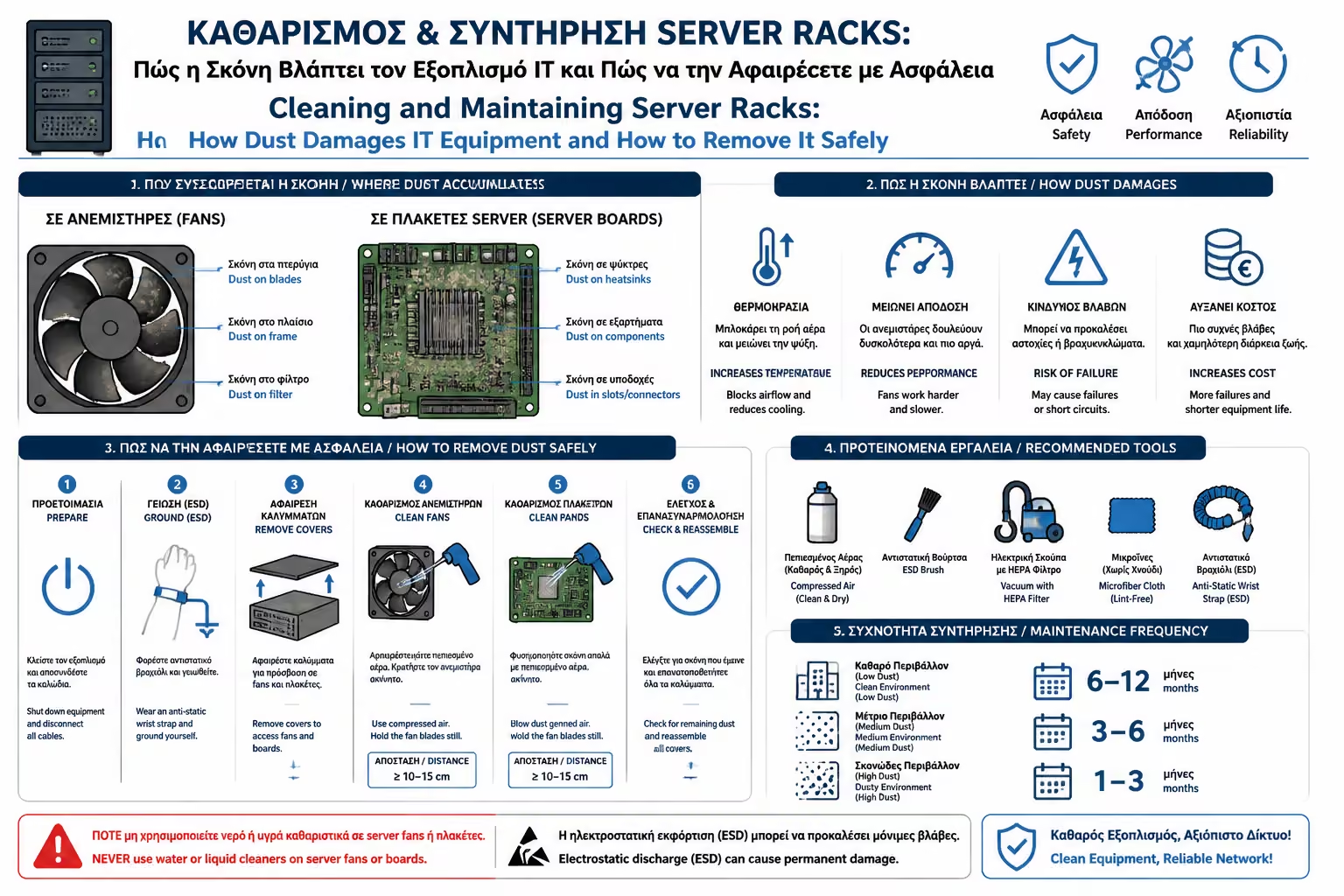
1. "Death" by Dust: What it causes in the circuits
The accumulation of dust inside the IT equipment "chokes"
the system in 3 different ways:
The "Blanket" Effect (Thermal Insulation)
The dust that sits on motherboards and integrated circuits acts like
a thick, woolly blanket. It traps the heat on the chip, preventing
the heatsink from dissipating the heat. The machine overheats, drops
its performance (thermal throttling) and eventually burns out.
Short circuits from Moisture
Dust by itself usually does not conduct electricity. However, it has
the ability to absorb and retain moisture in the air. When the dust
layer becomes wet, it turns into a conductor. The current
"jumps" from one leg of the microchip to the other,
causing a catastrophic short circuit.
Asphyxiation of Fans
Dust sticks to the fan blades (Rack, Switch, PSU), changing their
aerodynamics and making them heavier. Their bearings wear faster,
the whining becomes unbearable and eventually they stop turning.
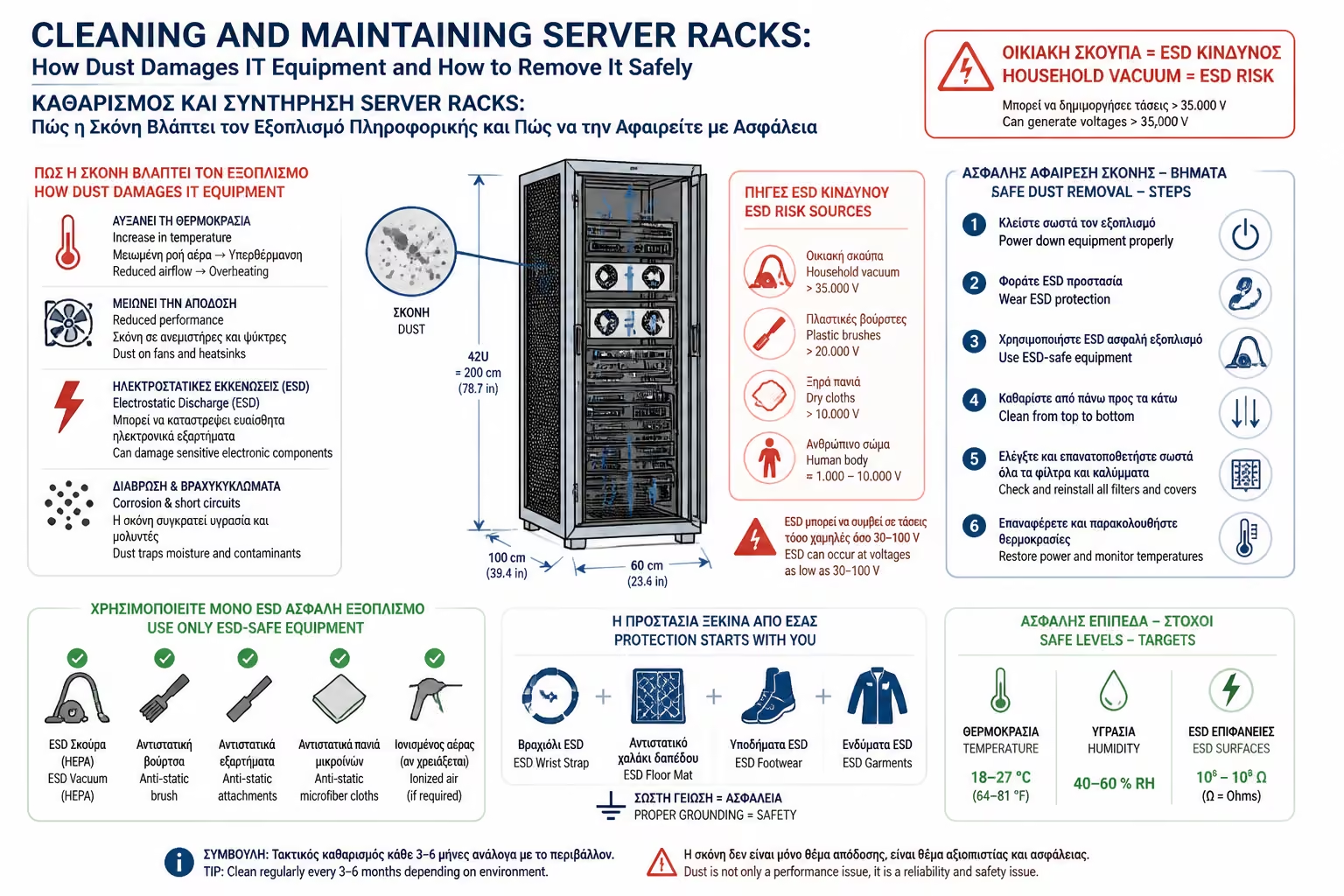
2. The Ultimate Mistake: The Household Vacuum Cleaner
You open the rack, see the dust, and instinctively reach for a
household vacuum cleaner. Stop there.
This is one of the most expensive mistakes non-specialists make.
Ordinary plastic vacuum attachments can build up electrostatic charge.
If that static discharge reaches a server board, switch port, or
power-supply electronics, it can destroy components instantly.
These are special electronics cleaning devices. They are made of
conductive materials (or are grounded) that prevent static
electricity from building up.
Compressed Air Spray (Compressed Air Cans)
Great for getting dust out of tight spots, but they need some care
in how they're used.
Microfiber Cloths and Isopropyl Alcohol (IPA 99%)
For cleaning exterior surfaces and stubborn stains/adherent dust.
Never use water or glass cleaners.
3. The Step-by-Step Cleaning Process
To do a deep and safe clean, schedule a weekend where downtime won't
bother you.
Step 1: Power Down
Never clean the inside of a rack while it is operating. Shut down
servers properly, power off switches as needed, isolate the UPS
correctly, and disconnect power safely before starting work.
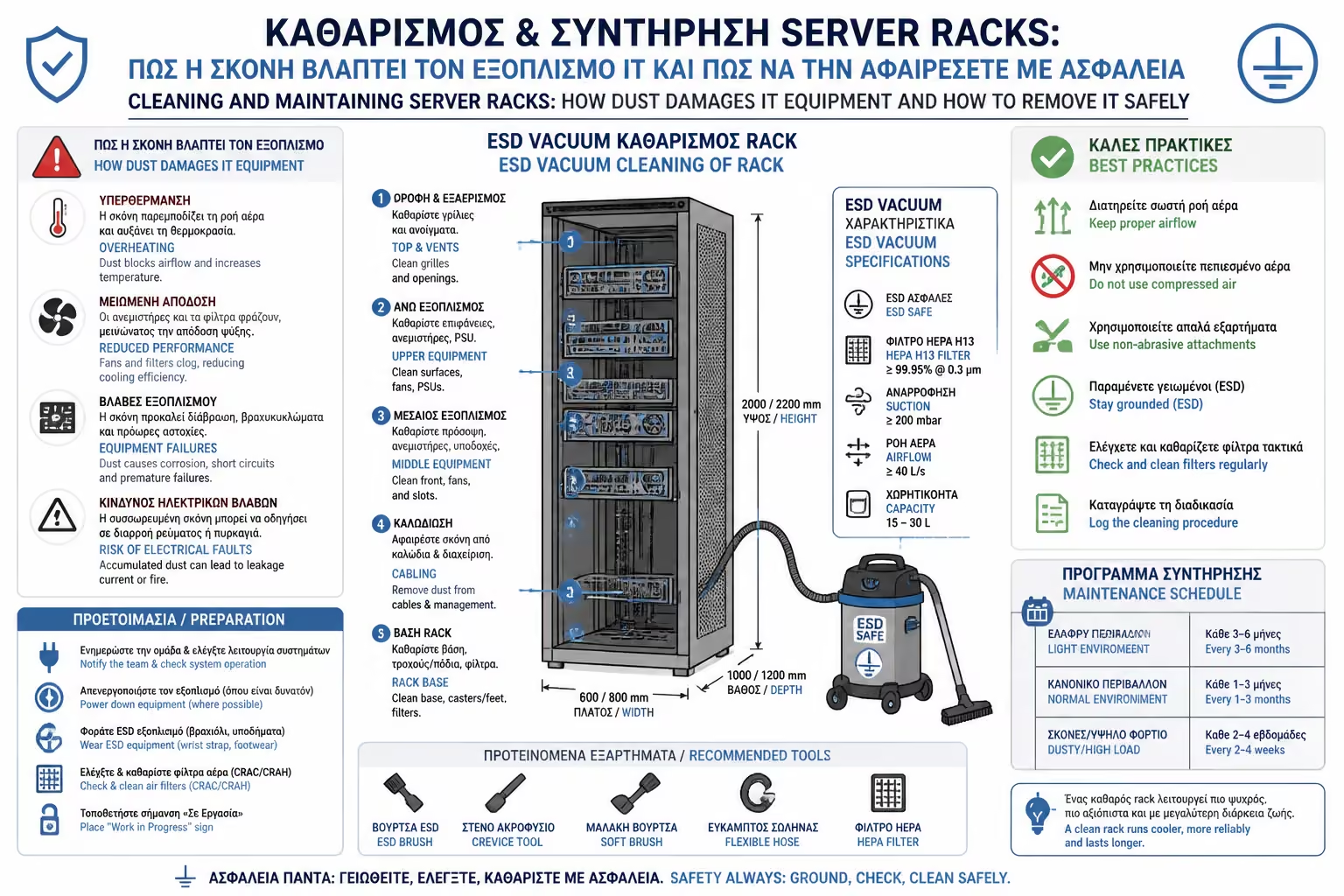
Step 2: Top-Down Cleaning
The law of gravity is clear. Start cleaning from the top of the Rack
(exhaust fans) and slowly work your way down (Patch Panel, Switch,
Server, UPS). If you start from the bottom, the dust you'll blow off
the top shelves will re-stain the clean machines.
Step 3: The Fan Rule
When using compressed air or an ESD-safe blower on a fan, do not let
the blades spin freely. Overspeeding can damage bearings, and in
some cases the fan can feed voltage back into the circuit. Hold the
blades still while cleaning.
Step 4: The Danger of Condensation
If using compressed air bottles, keep everything completely upright.
If you tilt them to the side, they will spray frozen liquid
(coolant) instead of air. If this frozen liquid falls on a hot
board, it will cause a thermal shock, break the solder and leave
moisture that leads to a short circuit. Always spray in short bursts
of 2 seconds to prevent the bottle from freezing.
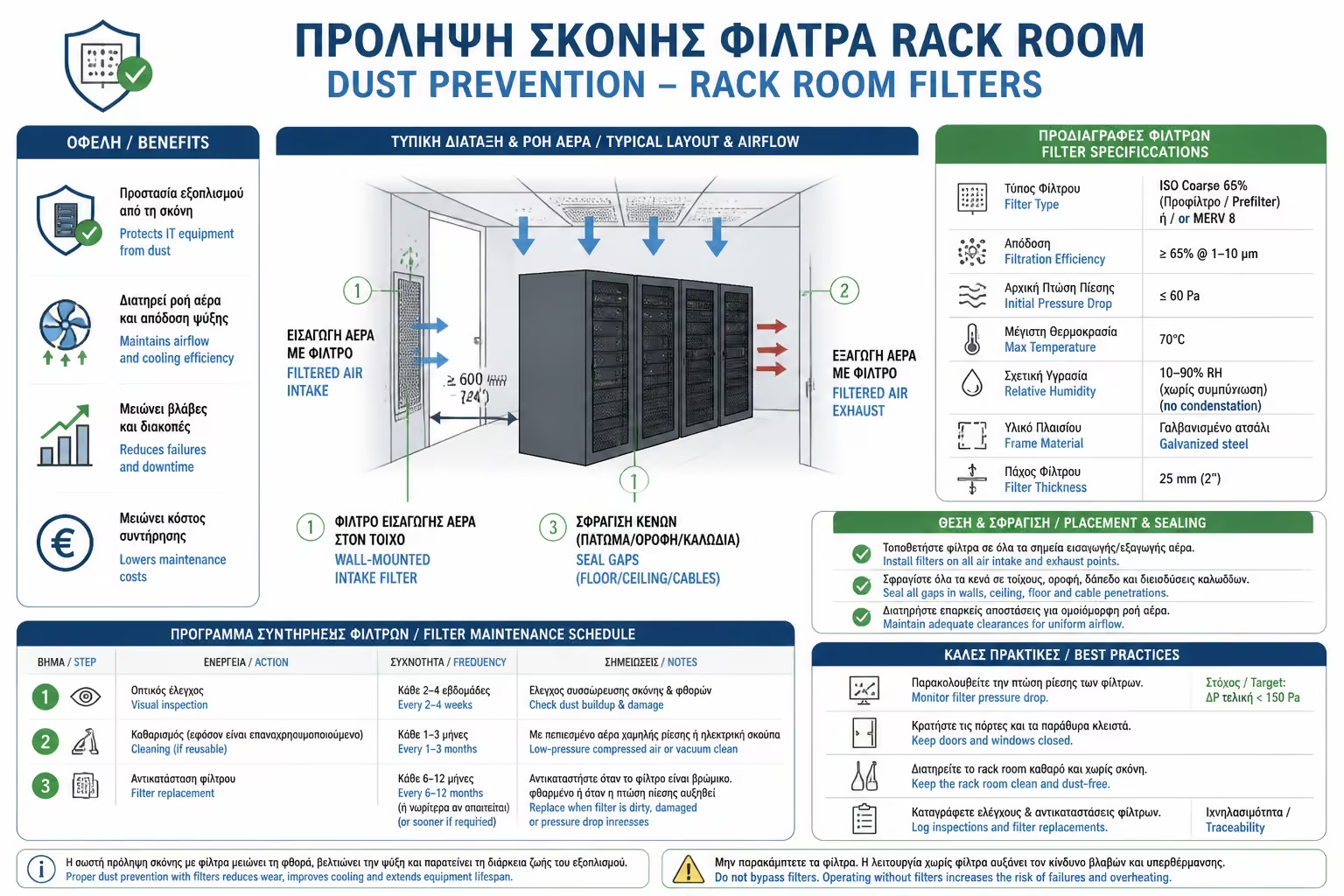
4. Prevention (So you don't do it all the time)
The best cleaning is the one that doesn't have to be done.
Dust Filters: If your Rack has air intake grills in the doors,
install magnetic or snap-on dust filters (afrolex or fine mesh).
Instead of cleaning the inside of the Rack every 6 months, you will
simply wash the external filters every month in 2 minutes.
Blanking Panels: As we saw with the ventilation, closing off the
"U" gaps in the faceplate not only helps with cooling, but
prevents dust from freely circulating around the cabin and settling
on the cables.
Summarizing
A clean Rack is not only a matter of aesthetics, but a matter of
longevity and reliability. Regular maintenance—with proper antistatic
equipment, attention to fans, and avoiding household vacuum
cleaners—ensures that your network's "clogged arteries" stay
open, saving you from sudden thermal breakdowns.
We continue with the control in the exterior areas of the house, where
the current meets its worst enemy (the water): Outdoor Lighting &
Waterproofing Control: Preparing the garden and the pool before the
first autumn rains arrive.