UPS Battery Life Cycle: When to change and how to tell if your battery
is "bloated"
In the previous article we analyzed generator maintenance. But as we
know, a generator usually needs 10 to 15 seconds to start up and provide
power. During these 15 seconds, the "gap" is covered by the
UPS (Uninterruptible Power Supply System).
UPS is the ultimate protector of your IT equipment, server and cameras.
However, the heart of the UPS—its battery—is the most expendable and
vulnerable component in your entire network.
Many owners buy an expensive UPS, put it in the Rack and forget about it
for a decade. When the power outage comes, the UPS shuts down instantly
along with the rest of the machines, causing huge frustration. Let's
look at why batteries "die" quietly, the danger of blown
batteries and when you should change them.
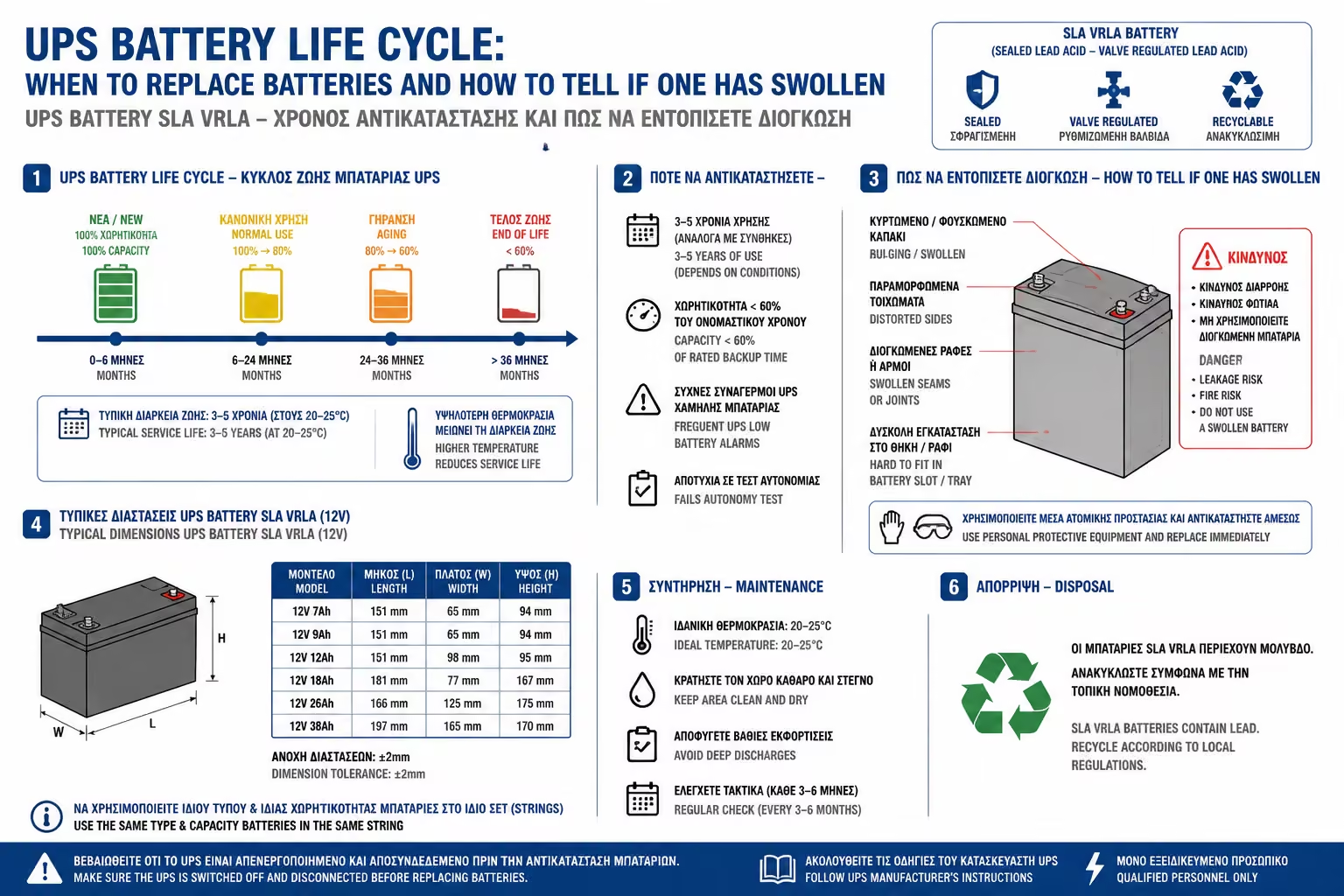
1. The Chemistry: Why Batteries Age (SLA / VRLA)
Most home and business UPS (except very modern and expensive Lithium
models) use Sealed Lead Acid (SLA - Sealed Lead Acid or VRLA)
batteries.
These batteries are based on a chemical reaction between lead plates
and sulfuric acid.
The problem
This chemical reaction degrades the internal materials over time,
even if the UPS is never used. Simply put, from the day the battery
leaves the factory, the meter on its life starts counting down,
regardless of whether you experience frequent power outages or not.
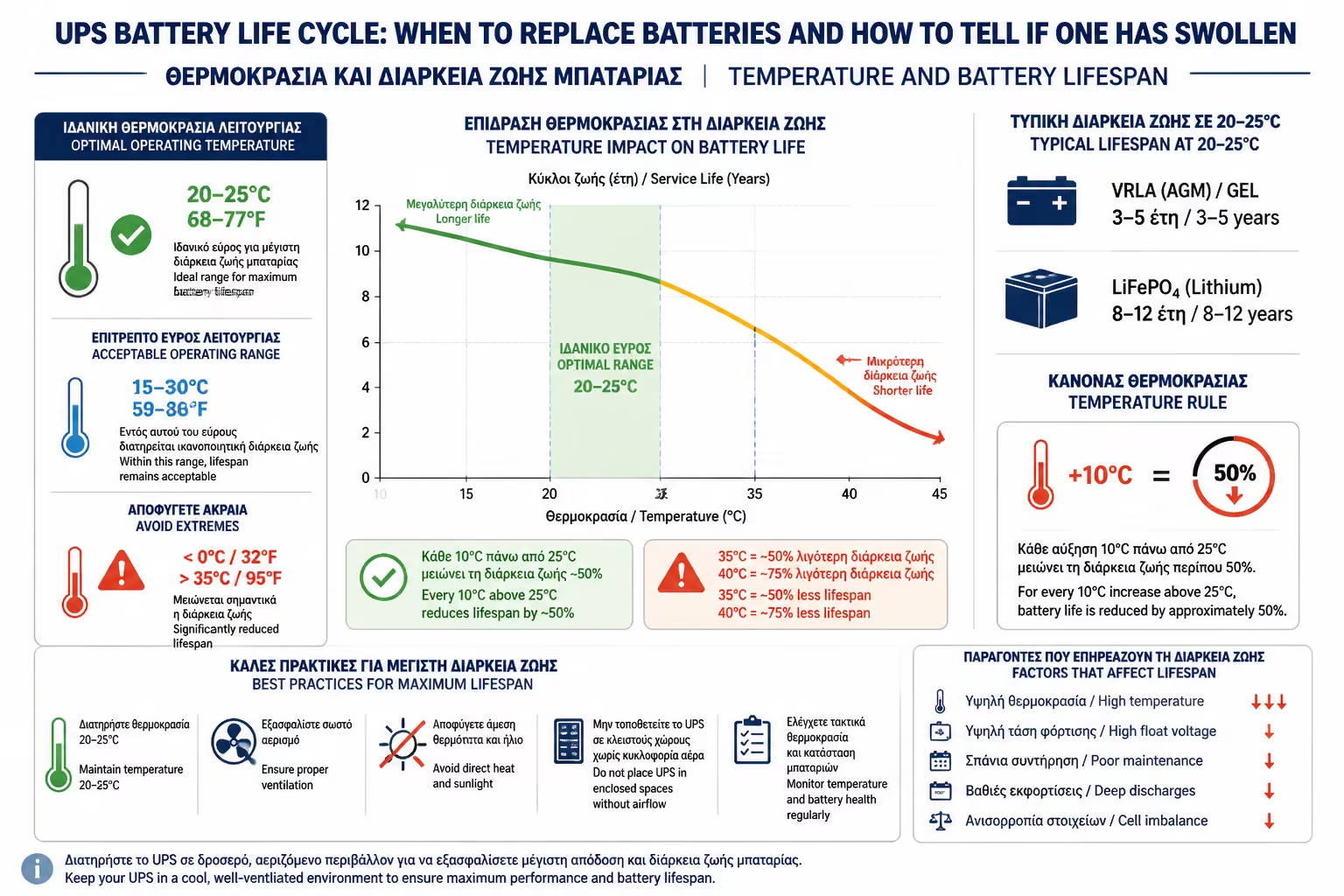
2. Lifetime and Enemy Number 1: Temperature
The average, industry-accepted life cycle of a UPS battery is 3 to 5
years.
However, this number is only valid under ideal conditions, i.e. an
environment with a constant temperature of 20°C - 25°C. Here comes an
inexorable law of physics:
The 10 Point Rule
For every 10°C that the temperature of the room (or the inside of
the Rack) exceeds 25°C, the battery life is cut in half! * If, for
example, you have shut down the UPS in a warehouse that reaches 35°C
in the summer, a battery that would normally live for 4 years will
be completely destroyed in just 2 years. That's why we insisted so
much on the correct ventilation (Cooling) of the cabin.
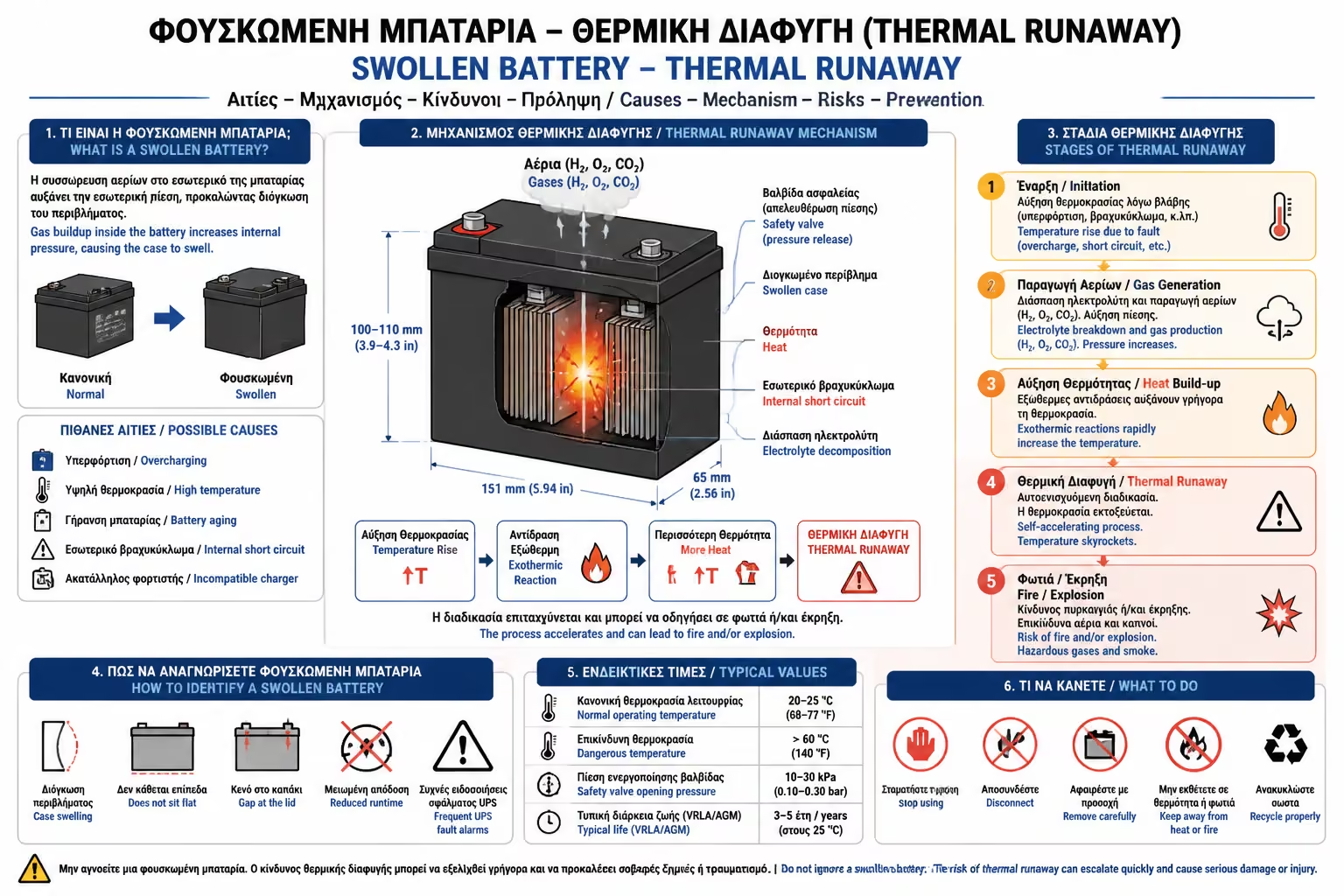
3. The IT Nightmare: The "Swollen" Battery (Thermal Runaway)
If you ignore changing the batteries after 5 years, you don't just run
the risk of running out of power. You risk the safety of your space
due to the phenomenon of Thermal Runaway.
How it happens
As the battery ages, its internal resistance increases. The UPS
charger, trying to keep it charged, is constantly sending power to
it. Because the battery cannot store it, this current is converted
into extreme heat.
The "Inflate"
The heat boils the liquids inside it, producing gases (hydrogen and
oxygen). Because the battery is sealed, gases cannot escape, the
pressure increases dramatically and the plastic casing of the
battery deforms, inflating like a balloon.
The Consequences
A blown battery can burst, leaking toxic sulfuric acid that will
destroy the UPS electronics. Additionally, because the batteries
"slide" into the Rackmount UPS, if they inflate, they
wedge into the metal chassis. Often technicians have to destroy the
entire UPS (worth hundreds of Euros) with crowbars, just to get a 30
Euro jammed battery out!
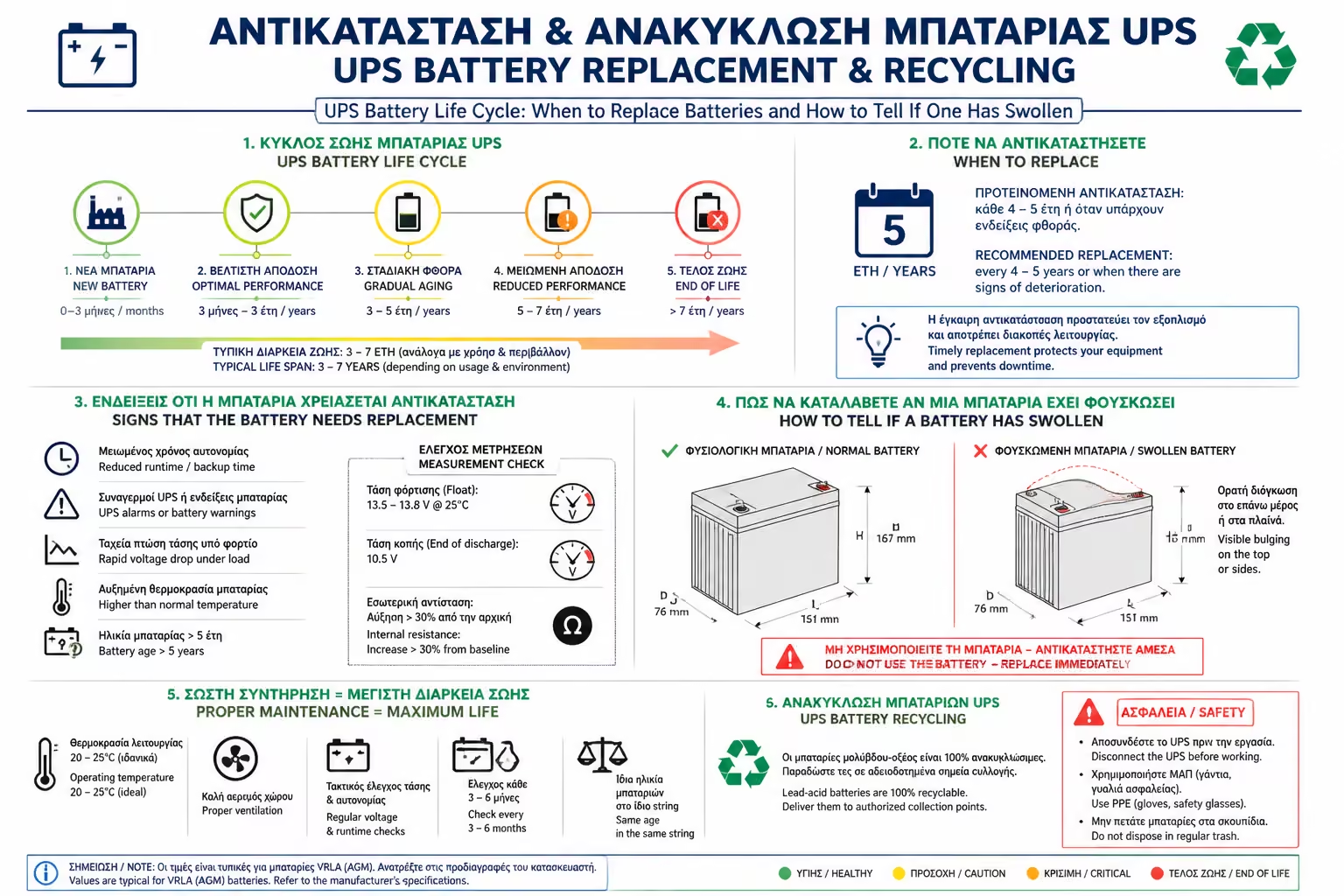
4. Warning Signs (How to Prevent Evil)
Synchronous UPS is contacting you. Don't ignore their signs:
The Red Light (Replace Battery): Almost all UPSs have a light with
the icon of a battery with an "X". If this lights up, or
if the UPS starts making a continuous, irritating beep without power
being cut off, its board has just notified you that the battery has
"failed" its internal test.
Heat and Odor: If you touch the outer casing of the UPS (without
power failure) and it becomes scalding, or if you smell a strong
"caged egg" (sulfur) smell, unplug it immediately. The
battery "boils".
Self-Test Failure: Many UPS (especially if connected via USB/Network
to a PC) can be programmed to do a "Self-Test" every 15
days. The UPS shuts off the supply from the PPC for 10 seconds and
measures how the battery reacts to the load. If the voltage drops
suddenly, it gives you a notification (Alert) on the computer
screen.
5. Replacement and Recycling (The Right Process)
No need to throw away the entire UPS when the battery "dies"!
Hot-Swappable
Most professional and good home UPS (eg APC, CyberPower) have drawer
batteries. You can open the front cover, pull out the battery
cartridge and put in a new one, without even turning off the power
to your computers (Hot-Swap).
Recycling (Absolutely Mandatory)
Lead-Acid batteries are 100% recyclable, but at the same time
extremely toxic to the environment. It is strictly forbidden to
throw them in the common bins or packaging recycling bins. They must
be delivered to special battery recycling bins (e.g. at electronics
stores) or to metal recycling yards.
Summarizing
A UPS is only as good as its battery. Treat UPS batteries like your car
tires: they are a completely predictable consumable. Mark the date
purchased on the UPS with a marker. When you reach 3 to 4 years of
operation, order new batteries proactively, before they blow up and
leave you exposed to the next blackout.