Sparks When Plugging into an Outlet: Normal Inrush or Dangerous Fault?
We've all experienced it. You hold the laptop charger or the vacuum
cleaner plug, hold it close to the wall outlet, and just as the metal
prongs touch the holes, you see a small blue glow and hear a sharp
"chuck."
Your first reaction is to pull your hand back. Are you wondering,
"Did the outlet go bad? Did the charger short out? Will I get an
electric shock?"
The truth is that, in the world of electricity, not all sparks are the
same. There is the "innocent" spark that obeys the laws of
physics and the "dangerous" spark that warns of harm. Let's
see how you can tell them apart and why our modern power supplies...
love to fly sparks.
1. The "Innocent" Spark (Why does the charger sparkle?)
If the spark happens often when you plug in your laptop charger, TV
power adapter or mobile adapter, it's 99% completely normal.
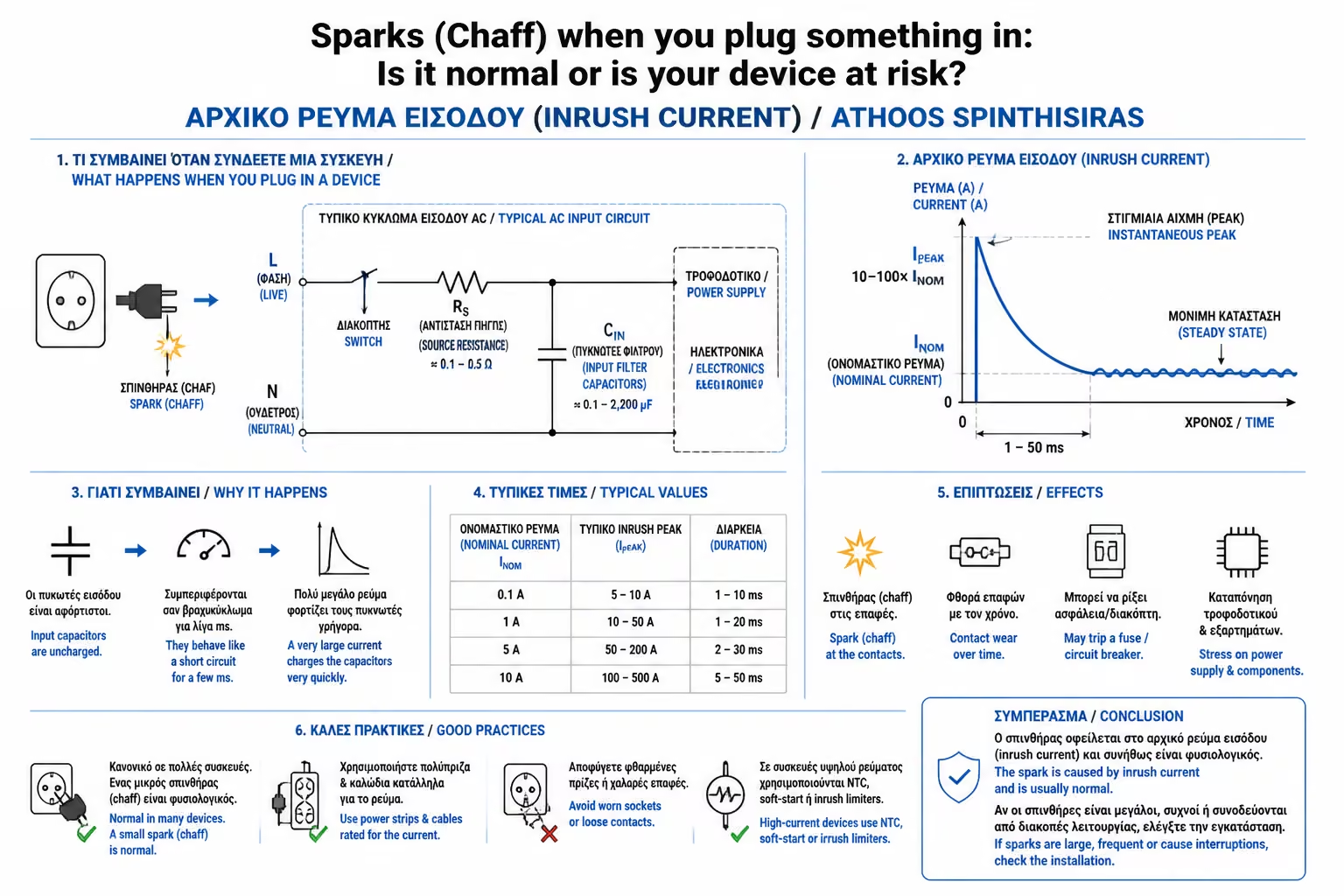
This phenomenon is called Inrush Current.
Features of the Natural Spark:
It is instantaneous (lasts fractions of a second).
It is blue or bright white in color.
It disappears as soon as the plug is fully inserted into the socket.
It doesn't smell like burnt plastic.
How it works
Modern switching power supplies do not have the old, heavy coils in
them. Instead, they are full of Capacitors. A capacitor is like an
empty bucket that stores current. When it's completely empty and you
plug it in, it demands to be filled instantly.
The Jump
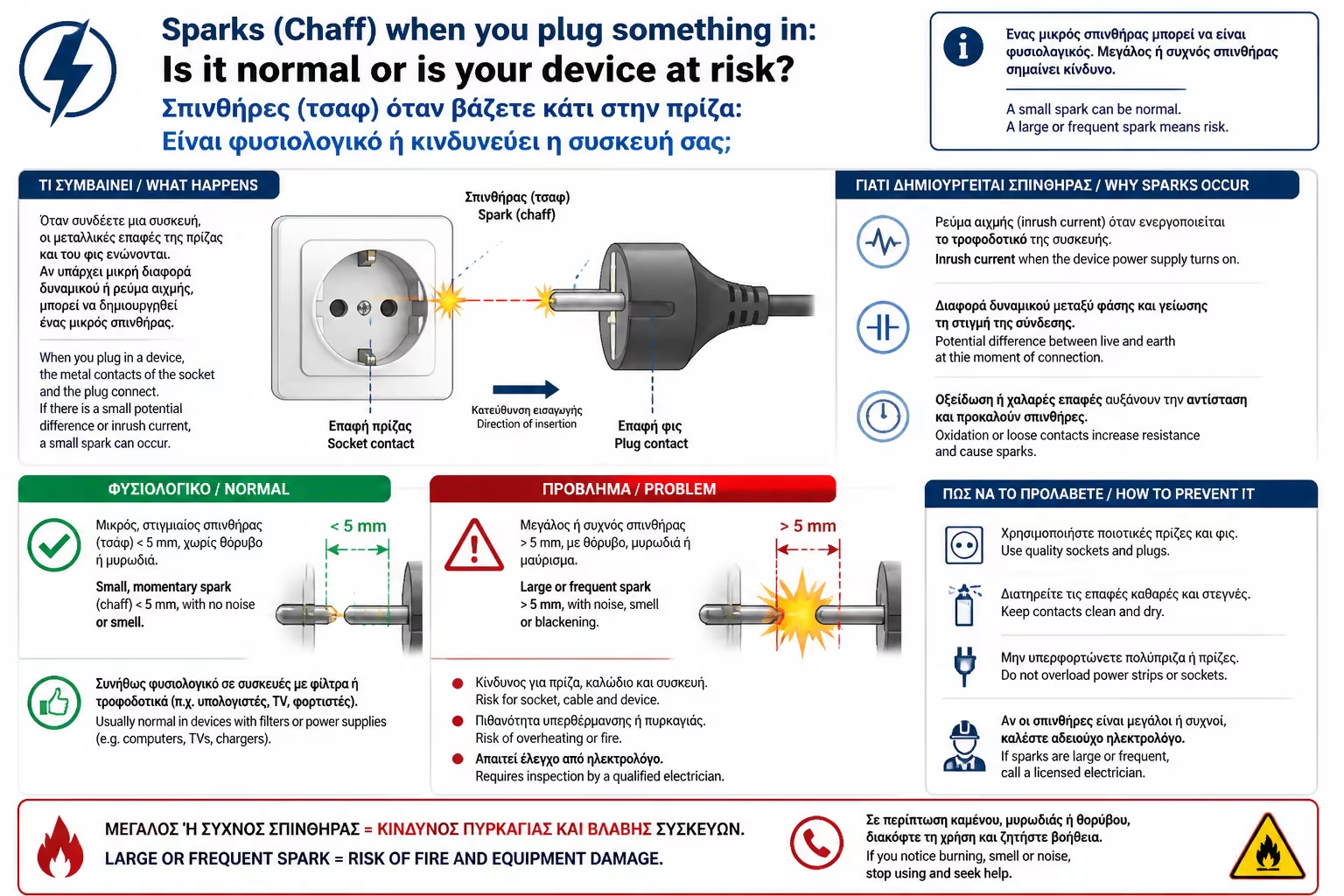
As you approach the plug to the outlet, the capacitor's
"thirst" for current is so great, and the voltage (230V)
so strong, that the current does not even wait for the metals to
touch. Once the distance becomes a fraction of a millimeter, the
current "jumps" through the air to reach the charger. This
jump creates the small blue flash (the arc) and the audible
"chaff" (due to the momentary expansion of the air).
2. The "Dangerous" Spark (The Danger Signs)
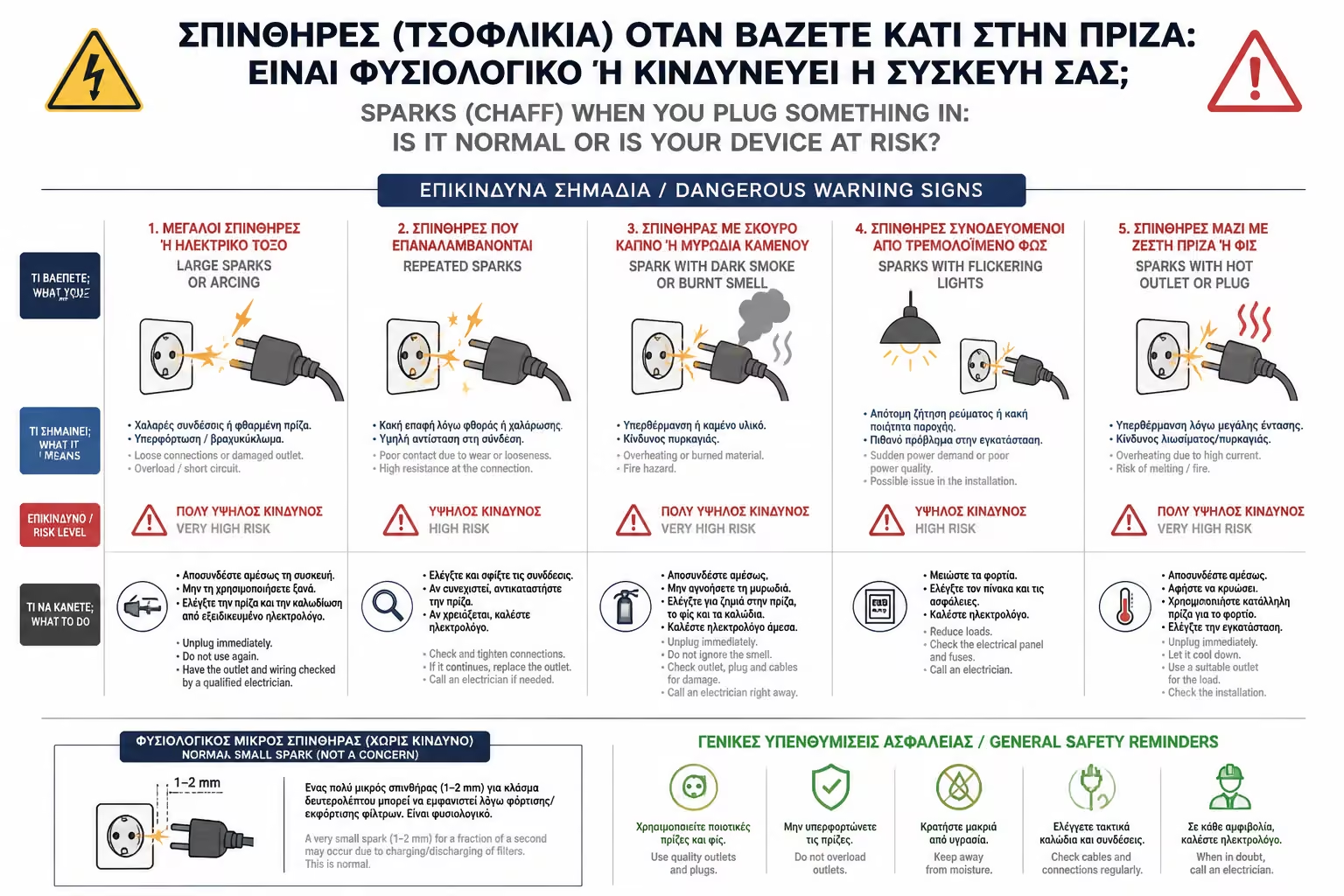
While the initial blue spark is harmless, there are times when the
spark screams that something is going very wrong. You should be
concerned if you notice the following:
The Color is Yellow or Orange: If the glow is not blue but resembles
a flame, it indicates that the plastic or dust inside the outlet is
burning.
Sparking Continues: If you insert the plug all the way in and the
outlet continues to "spark", make a noise (like a hissing
or frying), or flickering light from inside, you are in immediate
fire danger.
Happens When You Shake the Cord: If you touch the cord and the
socket sparks, it means there is a Loose Contact (the problem we
discussed in the previous article with worn plates).
Accompanied by Odor (Ozone or Plastic): The electric arc breaks down
oxygen and creates ozone (a smell like chlorine or lightning). If
you smell ozone or burnt plastic, turn off the general immediately.
Fuse Blows: If the "chaff" is accompanied by a power
outage and the panel fuse blows, then it wasn't just Inrush Current,
but a pure Short Circuit (phase to neutral joined).
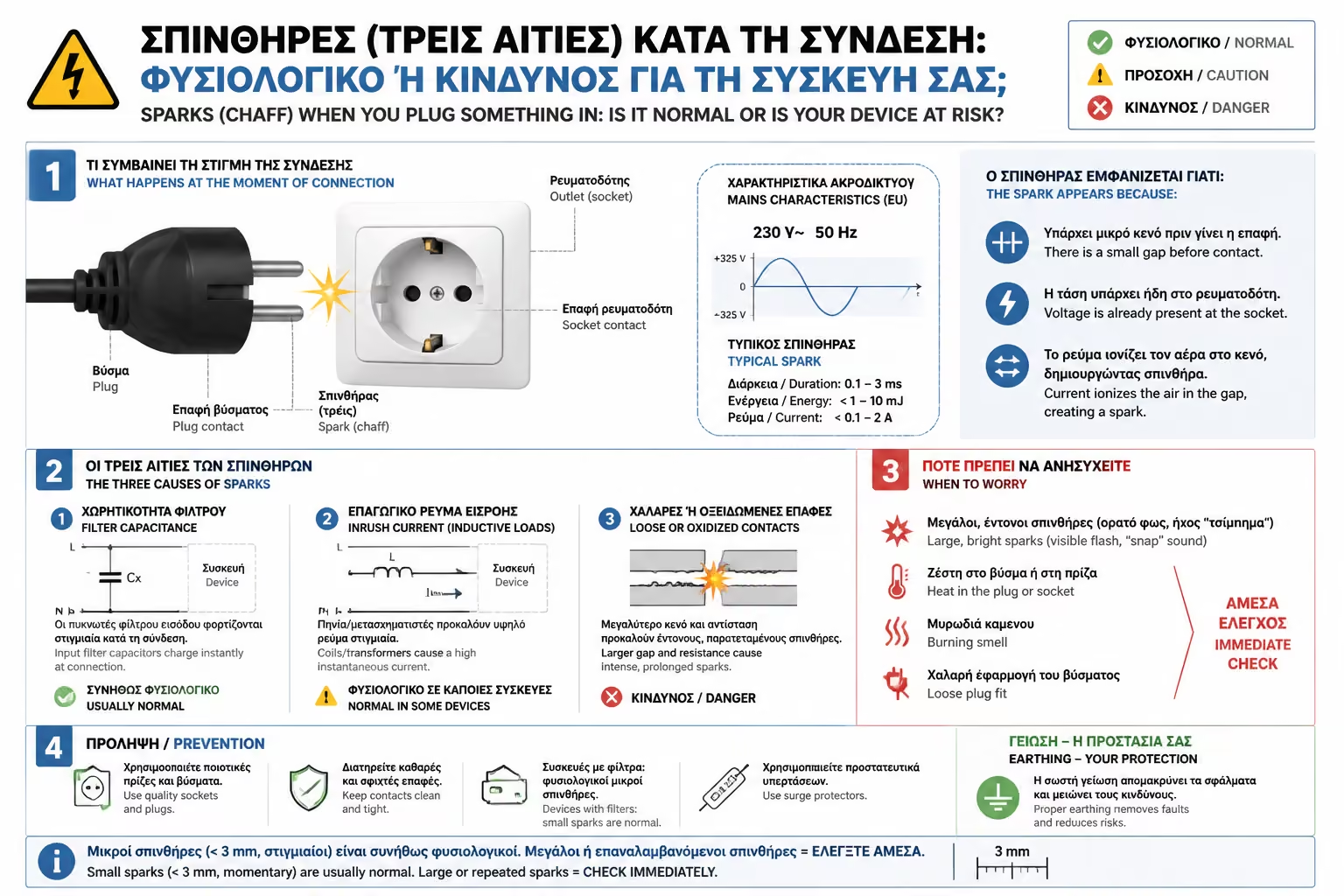
3. The 3 Main Causes of Bad Spark
If you find that the spark is in the "bad" category, the
most common culprits are:
Loose Socket (Flame Wear)
As we said, the outlet does not "hug" the plug properly.
The socket needs to be replaced.
Cut Cable / Device Short Circuit
If the device's cable is kinked (e.g. where it joins the plug), the
internal cables may touch each other when you push them into the
socket.
Moisture
Water from mopping, steam in the bathroom, or leaks in the walls can
create a "bridge" of water inside the outlet, which
violently vaporizes with a spark once power is applied.
4. How to avoid the spark (Even the normal one)
Although the small "chaf" of the chargers does not cause an
immediate fire, in the long term it causes wear (pits/charring) on
the prongs of the plug and the contacts of the socket, reducing
their lifespan.
The Pro Trick: Best practice is to insert the plug into the outlet
WITHOUT current flowing. How is this possible?
If the appliance has its own switch (eg vacuum cleaner, heater),
make sure it is in the OFF position before plugging it in. Once you
click it securely, then press ON.
If you are using a Power Strip with a Switch, close the switch of
the power strip (the light should go out), quietly plug in all the
chargers, and finally press the switch. The power strip switch is
designed to absorb the spark safely within it.
Steady and fast movement: When plugging in a device, don't hesitate.
The movement must be straight, fast and decisive.
"Playing" the plug extends the time the current can jump
through the air, making the spark longer.
Summarizing
A small, momentary blue flash when you plug in the laptop charger is
just physics in action. Empty capacitors ask for current and get it in
no time. However, if the spark is yellow, persistent, makes a frying
noise, or smells burnt, then your outlet is issuing an SOS and needs
immediate electrical intervention.
Next Step: We stay with everyday, strange phenomena. Have you ever
noticed that when you run the vacuum cleaner or washing machine, the
living room lights dim or flicker momentarily?
We continue with the decoding of this phenomenon: Lights Flicker When
Another Appliance (eg Washing Machine) Turns On: What is the voltage
drop and when is the installation to blame.